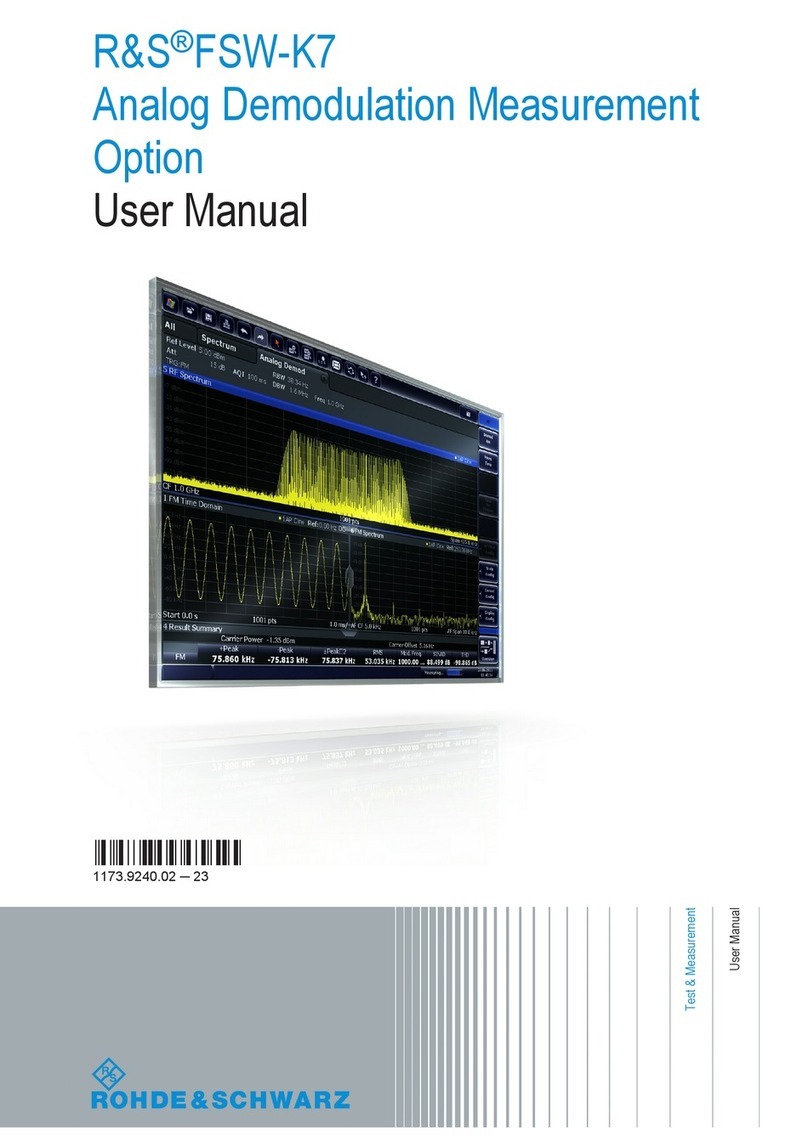
R&S FSV-K7 User manual

R&S® FSV-K7/K7S
Analog Demodulation and FM Stereo
Operating Manual
Operating Manual
Version 06
1176756102
(;ÚÙË2)

This manual describes the following R&S®FSV/FSVA options:
●R&S FSV-K7 (1310.8103.02)
●R&S FSV-K7S (1310.8126.02)
This manual describes the following R&S FSVA/FSV models with firmware version 3.30 and higher:
●R&S®FSVA4 (1321.3008K05)
●R&S®FSVA7 (1321.3008K08)
●R&S®FSVA13 (1321.3008K14)
●R&S®FSVA30 (1321.3008K31)
●R&S®FSVA40 (1321.3008K41)
●R&S®FSV4 (1321.3008K04)
●R&S®FSV7 (1321.3008K07)
●R&S®FSV13 (1321.3008K13)
●R&S®FSV30 (1321.3008K30)
●R&S®FSV40 (1321.3008K39/1321.3008K40)
It also applies to the following R&S®FSV models. However, note the differences described in Chapter 1.4,
"Notes for Users of R&S FSV 1307.9002Kxx Models", on page 9.
●R&S®FSV3 (1307.9002K03)
●R&S®FSV7 (1307.9002K07)
●R&S®FSV13 (1307.9002K13)
●R&S®FSV30 (1307.9002K30)
●R&S®FSV40 (1307.9002K39/1307.9002K40)
© 2019 Rohde & Schwarz GmbH & Co. KG
Mühldorfstr. 15, 81671 München, Germany
Phone: +49 89 41 29 - 0
Fax: +49 89 41 29 12 164
Email: [email protected]
Internet: www.rohde-schwarz.com
Subject to change – Data without tolerance limits is not binding.
R&S® is a registered trademark of Rohde & Schwarz GmbH & Co. KG.
Trade names are trademarks of the owners.
1176.7561.02 | Version 06 | R&S® FSV-K7/K7S
The following abbreviations are used throughout this manual: R&S®FSV/FSVA is abbreviated as R&S FSV/FSVA.

Contents
R&S® FSV-K7/K7S
3Operating Manual 1176.7561.02 ─ 06
Contents
1 Preface.................................................................................................... 5
1.1 Documentation Overview............................................................................................. 5
1.2 Conventions Used in the Documentation...................................................................6
1.3 How to Use the Help System........................................................................................7
1.4 Notes for Users of R&S FSV 1307.9002Kxx Models.................................................. 9
2 Analog Demodulation Option R&S FSV–K7...................................... 10
2.1 Instrument Functions Analog Demodulation........................................................... 10
2.2 Softkeys of the Analog Demodulation option.......................................................... 26
2.3 Remote Commands of the Analog Demodulation (R&S FSV–K7)..........................81
3 FM Stereo Option R&S FSV–K7S......................................................188
3.1 Instrument Functions FM Stereo (R&S FSV–K7S)................................................. 188
3.2 Remote Commands of the FM Stereo Option (R&S FSV–K7S).............................227
List of Commands..............................................................................251
Index....................................................................................................257

Contents
R&S® FSV-K7/K7S
4Operating Manual 1176.7561.02 ─ 06

Preface
R&S® FSV-K7/K7S
5Operating Manual 1176.7561.02 ─ 06
1 Preface
1.1 Documentation Overview
This section provides an overview of the R&S FSVA/FSV user documentation. Unless
specified otherwise, you find the documents on the R&S FSVA/FSV product page at:
www.rohde-schwarz.com/manual/FSVA
1.1.1 Quick Start Guide
Introduces the R&S FSVA/FSV and describes how to set up and start working with the
product. Includes basic operations, typical measurement examples, and general infor-
mation, e.g. safety instructions, etc. A printed version is delivered with the instrument.
A PDF version is available for download on the Internet.
1.1.2 Operating Manuals and Help
Separate operating manuals are provided for the base unit and the firmware applica-
tions:
●Base unit manual
Contains the description of all instrument modes and functions. It also provides an
introduction to remote control, a complete description of the remote control com-
mands with programming examples, and information on maintenance, instrument
interfaces and error messages. Includes the contents of the getting started manual.
●Firmware application manual
Contains the description of the specific functions of a firmware application. Basic
information on operating the R&S FSVA/FSV is not included.
The contents of the operating manuals are available as help in the R&S FSVA/FSV.
The help offers quick, context-sensitive access to the complete information for the
base unit and the firmware applications.
All operating manuals are also available for download or for immediate display on the
Internet.
1.1.3 Service Manual
Describes the performance test for checking the rated specifications, module replace-
ment and repair, firmware update, troubleshooting and fault elimination, and contains
mechanical drawings and spare part lists.
The service manual is available for registered users on the global Rohde & Schwarz
information system (GLORIS, https://gloris.rohde-schwarz.com).
Documentation Overview

Preface
R&S® FSV-K7/K7S
6Operating Manual 1176.7561.02 ─ 06
1.1.4 Instrument Security Procedures
Deals with security issues when working with the R&S FSVA/FSV in secure areas. It is
available for download on the Internet.
1.1.5 Basic Safety Instructions
Contains safety instructions, operating conditions and further important information.
The printed document is delivered with the instrument.
1.1.6 Data Sheets and Brochures
The data sheet contains the technical specifications of the R&S FSVA/FSV. It also lists
the firmware applications and their order numbers, and optional accessories.
The brochure provides an overview of the instrument and deals with the specific char-
acteristics.
See www.rohde-schwarz.com/brochure-datasheet/FSV
1.1.7 Release Notes and Open Source Acknowledgment (OSA)
The release notes list new features, improvements and known issues of the current
firmware version, and describe the firmware installation.
The open source acknowledgment document provides verbatim license texts of the
used open source software.
See www.rohde-schwarz.com/firmware/FSV
1.1.8 Application Notes, Application Cards, White Papers, etc.
These documents deal with special applications or background information on particu-
lar topics.
See www.rohde-schwarz.com/application/FSV
1.2 Conventions Used in the Documentation
1.2.1 Typographical Conventions
The following text markers are used throughout this documentation:
Conventions Used in the Documentation

Preface
R&S® FSV-K7/K7S
7Operating Manual 1176.7561.02 ─ 06
Convention Description
"Graphical user interface ele-
ments"
All names of graphical user interface elements on the screen, such as
dialog boxes, menus, options, buttons, and softkeys are enclosed by
quotation marks.
[Keys] Key and knob names are enclosed by square brackets.
Filenames, commands,
program code
Filenames, commands, coding samples and screen output are distin-
guished by their font.
Input Input to be entered by the user is displayed in italics.
Links Links that you can click are displayed in blue font.
"References" References to other parts of the documentation are enclosed by quota-
tion marks.
1.2.2 Conventions for Procedure Descriptions
When operating the instrument, several alternative methods may be available to per-
form the same task. In this case, the procedure using the touchscreen is described.
Any elements that can be activated by touching can also be clicked using an addition-
ally connected mouse. The alternative procedure using the keys on the instrument or
the on-screen keyboard is only described if it deviates from the standard operating pro-
cedures.
The term "select" may refer to any of the described methods, i.e. using a finger on the
touchscreen, a mouse pointer in the display, or a key on the instrument or on a key-
board.
1.2.3 Notes on Screenshots
When describing the functions of the product, we use sample screenshots. These
screenshots are meant to illustrate as many as possible of the provided functions and
possible interdependencies between parameters. The shown values may not represent
realistic usage scenarios.
The screenshots usually show a fully equipped product, that is: with all options instal-
led. Thus, some functions shown in the screenshots may not be available in your par-
ticular product configuration.
1.3 How to Use the Help System
Calling context-sensitive and general help
► To display the general help dialog box, press the [HELP] key on the front panel.
The help dialog box "View" tab is displayed. A topic containing information about
the current menu or the currently opened dialog box and its function is displayed.
How to Use the Help System

Preface
R&S® FSV-K7/K7S
8Operating Manual 1176.7561.02 ─ 06
For standard Windows dialog boxes (e.g. File Properties, Print dialog etc.), no context-
sensitive help is available.
► If the help is already displayed, press the softkey for which you want to display
help.
A topic containing information about the softkey and its function is displayed.
If a softkey opens a submenu and you press the softkey a second time, the submenu
of the softkey is displayed.
Contents of the help dialog box
The help dialog box contains four tabs:
●"Contents" - contains a table of help contents
●"View" - contains a specific help topic
●"Index" - contains index entries to search for help topics
●"Zoom" - contains zoom functions for the help display
To change between these tabs, press the tab on the touchscreen.
Navigating in the table of contents
●To move through the displayed contents entries, use the [UP ARROW] and [DOWN
ARROW] keys. Entries that contain further entries are marked with a plus sign.
●To display a help topic, press the [ENTER] key. The "View" tab with the corre-
sponding help topic is displayed.
●To change to the next tab, press the tab on the touchscreen.
Navigating in the help topics
●To scroll through a page, use the rotary knob or the [UP ARROW] and [DOWN
ARROW] keys.
●To jump to the linked topic, press the link text on the touchscreen.
Searching for a topic
1. Change to the "Index" tab.
2. Enter the first characters of the topic you are interested in. The entries starting with
these characters are displayed.
3. Change the focus by pressing the [ENTER] key.
4. Select the suitable keyword by using the [UP ARROW] or [DOWN ARROW] keys
or the rotary knob.
5. Press the [ENTER] key to display the help topic.
The "View" tab with the corresponding help topic is displayed.
How to Use the Help System

Preface
R&S® FSV-K7/K7S
9Operating Manual 1176.7561.02 ─ 06
Changing the zoom
1. Change to the "Zoom" tab.
2. Set the zoom using the rotary knob. Four settings are available: 1-4. The smallest
size is selected by number 1, the largest size is selected by number 4.
Closing the help window
► Press the [ESC] key or a function key on the front panel.
1.4 Notes for Users of R&S FSV 1307.9002Kxx Models
Users of R&S FSV 1307.9002Kxx models should consider the following differences to
the description of the newer R&S FSVA/FSV 1321.3008Kxx models:
●Functions that are based on the Windows 10 operating system (e.g. printing or set-
ting up networks) may have a slightly different appearance or require different set-
tings on the Windows XP based models. For such functions, refer to the Windows
documentation or the documentation originally provided with the R&S FSV instru-
ment.
●The R&S FSV 1307.9002K03 model is restricted to a maximum frequency of
3 GHz, whereas the R&S FSVA/FSV1321.3008K04 model has a maximum fre-
quency of 4 GHz.
●The bandwidth extension option R&S FSV-B160 (1311.2015.xx) is not available for
the R&S FSV 1307.9002Kxx models. The maximum usable I/Q analysis bandwidth
for these models is 28 MHz, or with option R&S FSV-B70, 40 MHz.
Notes for Users of R&S FSV 1307.9002Kxx Models

Analog Demodulation Option R&S FSV–K7
R&S® FSV-K7/K7S
10Operating Manual 1176.7561.02 ─ 06
2 Analog Demodulation Option R&S FSV–K7
Overview of firmware option R&S FSV–K7
This section contains all information required for operation of an R&S FSVA/FSV
equipped with Application Firmware R&S FSV–K7. It covers operation via menus and
the remote control commands for analog demodulation measurements.
This part of the documentation consists of the following chapters:
●Chapter 2.1, "Instrument Functions Analog Demodulation", on page 10 describes
the overall instrument functions and provides further information
●Chapter 2.2.1, "Softkeys of the Analog Demodulation Menu", on page 26 shows
all softkeys available in the "Analog Demod" menu. This chapter also presents the
remote control commands associated with each softkey function.
●The following chapters describe the softkeys of the other keys for the Analog
Demodulation option.
●Chapter 2.3, "Remote Commands of the Analog Demodulation (R&S FSV–K7)",
on page 81 describes all remote control commands defined for the analog
demodulation measurement.
This part of the documentation includes only functions of the Application Firmware
R&S FSV–K7. For all other descriptions, please refer to the description of the base
unit.
2.1 Instrument Functions Analog Demodulation
The digital signal processing in the R&S FSVA/FSV, used in the analyzer mode for digi-
tal IF filters, is also ideally suited for demodulating AM, FM, or PM signals. The firm-
ware option R&S FSV–K7 provides the necessary measurement functions.
The R&S FSVA/FSV is equipped with a demodulator that is capable of performing AM,
FM, and PM demodulation at a time. Additionally maximum, minimum and average or
current values can be obtained parallel over a selected number of measurements.
By sampling (digitization) already at the IF and digital down-conversion to the base-
band (I/Q), the demodulator achieves maximum accuracy and temperature stability.
There is no evidence of typical errors of an analog down-conversion and demodulation
like AM to FM conversion and vice versa, deviation error, frequency response or fre-
quency drift at DC coupling.
To open the Analog Demodulation menu
●If the "Analog Demodulation" mode is not the active measurement mode, press the
[MODE] key and select the "Analog Demodulation" softkey.
●If the "Analog Demodulation" mode is already active, press the [HOME] or
[MEAS ]key.
The "Analog Demod" menu is displayed (see Chapter 2.2, "Softkeys of the Analog
Demodulation option", on page 26).
Instrument Functions Analog Demodulation

This manual suits for next models
1
Table of contents
Other R&S Software manuals