www.salukitec.com
4
Content
1 Lock-in Amplifier Basics........................................................................................................................................ 6
1.1 Introduction.................................................................................................................................................... 6
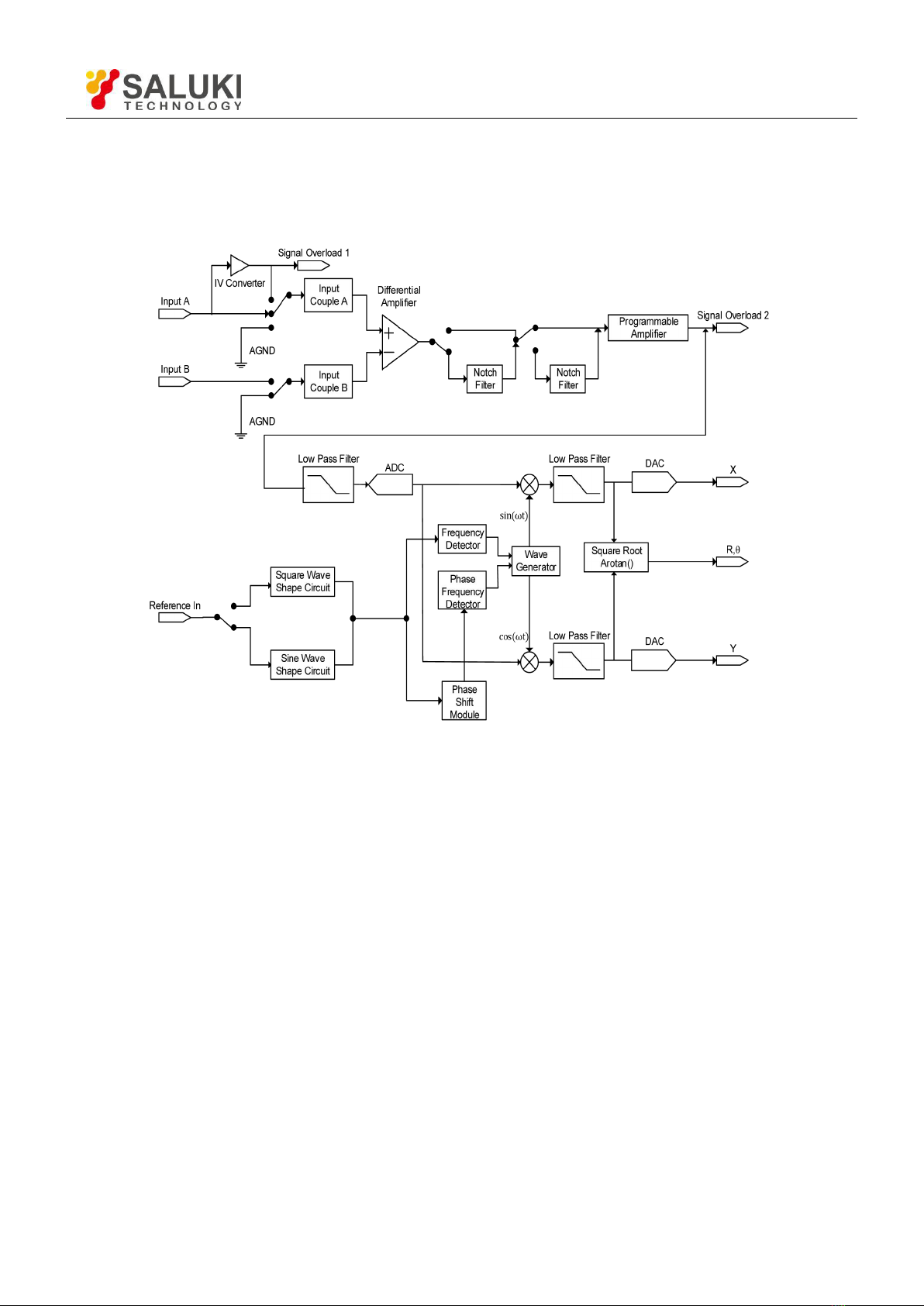
1.2 Functional Diagram........................................................................................................................................8
1.3 Reference Channel......................................................................................................................................... 8
1.4 Phase Sensitive Detectors...............................................................................................................................9
1.5 Time Constants and DC Gain.......................................................................................................................10
1.6 DC Outputs and Scaling...............................................................................................................................11
1.7 Dynamic Reserve......................................................................................................................................... 13
1.8 Signal Input Amplifier and Filters................................................................................................................14
1.9 Input Connections.........................................................................................................................................16
1.10 Intrinsic Noise Sources.................................................................................................................................16
1.11 External Noise Sources................................................................................................................................ 18
1.12 Harmonic Detection..................................................................................................................................... 20
2 Interfaces................................................................................................................................................................21
2.1 Front Panel................................................................................................................................................... 21
2.2 Rear Panel.....................................................................................................................................................21
2.3 Main Display................................................................................................................................................ 22
3 Menus.....................................................................................................................................................................27
3.1 [INPUT/FILTERS].......................................................................................................................................27
3.2 [REF/PHASE].............................................................................................................................................. 28
3.3 [GAIN/TC]................................................................................................................................................... 30
3.4 [DISPLAY].................................................................................................................................................. 31
3.5 [CHANNEL OUTPUT]................................................................................................................................ 32
3.6 [UTILITY]....................................................................................................................................................33
4 Remote Programming............................................................................................................................................38
4.1 Command Syntax......................................................................................................................................... 38
4.2 Detailed Command List................................................................................................................................38
5 Computer Operation.............................................................................................................................................. 43
5.1 Install Software.............................................................................................................................................43
5.2 How to Use the Software..............................................................................................................................45
5.3 Usage Examples........................................................................................................................................... 54
6 Performance Tests..................................................................................................................................................60
6.1 Self-Test....................................................................................................................................................... 61
6.2 DC Offset..................................................................................................................................................... 61