manuals.online logo
Brands
  1. Home
  2. •
  3. Brands
  4. •
  5. Samsung
  6. •
  7. TV Receiver
  8. •
  9. Samsung CT3338FX/XAP User manual

Samsung CT3338FX/XAP User manual

This manual suits for next models

3

Other Samsung TV Receiver manuals

Samsung CT26F7SWX/XAP User manual

Samsung

Samsung CT26F7SWX/XAP User manual

Samsung SIR-TS160 User manual

Samsung

Samsung SIR-TS160 User manual

Samsung SIR-TS360 - Satellite TV Receiver User manual

Samsung

Samsung SIR-TS360 - Satellite TV Receiver User manual

Samsung CF6844N3X User manual

Samsung

Samsung CF6844N3X User manual

Samsung CW28C7NG8XXEC User manual

Samsung

Samsung CW28C7NG8XXEC User manual

Samsung HCP4252WX/XAA User manual

Samsung

Samsung HCP4252WX/XAA User manual

Samsung CS14Y530X/BWT User manual

Samsung

Samsung CS14Y530X/BWT User manual

Samsung TXN2668WHFXXAA User manual

Samsung

Samsung TXN2668WHFXXAA User manual

Samsung SBB-NT User manual

Samsung

Samsung SBB-NT User manual

Samsung CS21Z40ZQCXBWT User manual

Samsung

Samsung CS21Z40ZQCXBWT User manual

Samsung CT20F3FNT User manual

Samsung

Samsung CT20F3FNT User manual

Samsung SP43Q5HL1 Series User manual

Samsung

Samsung SP43Q5HL1 Series User manual

Samsung CS25M20MAVXXTL User manual

Samsung

Samsung CS25M20MAVXXTL User manual

Samsung CS29A6WT8X/BWT User manual

Samsung

Samsung CS29A6WT8X/BWT User manual

Samsung CI3352X/TSECX User manual

Samsung

Samsung CI3352X/TSECX User manual

Samsung CS29A5HT8X/BWT User manual

Samsung

Samsung CS29A5HT8X/BWT User manual

Samsung SP43T7HLX User manual

Samsung

Samsung SP43T7HLX User manual

Samsung CT20D9WFX/RCL User manual

Samsung

Samsung CT20D9WFX/RCL User manual

Samsung CT2088BL6X/XAP User manual

Samsung

Samsung CT2088BL6X/XAP User manual

Samsung WS32Z78RSMXXEG User manual

Samsung

Samsung WS32Z78RSMXXEG User manual

Samsung CL21N11MQUXXAZ User manual

Samsung

Samsung CL21N11MQUXXAZ User manual

Samsung CL21M16MJZTXAP User manual

Samsung

Samsung CL21M16MJZTXAP User manual

Samsung TXM2756X/XAA User manual

Samsung

Samsung TXM2756X/XAA User manual

Samsung SIR-S310W User manual

Samsung

Samsung SIR-S310W User manual

Popular TV Receiver manuals by other brands

AXIL RT 0401 HD user manual

AXIL

AXIL RT 0401 HD user manual

Motorola DCT700 installation manual

Motorola

Motorola DCT700 installation manual

Edision Piccollino user guide

Edision

Edision Piccollino user guide

Strong SRT 2401 Troubleshooting

Strong

Strong SRT 2401 Troubleshooting

TerraTec CINERGY DT USB XS DIVERSITY Technical data

TerraTec

TerraTec CINERGY DT USB XS DIVERSITY Technical data

Haier 34F9K owner's manual

Haier

Haier 34F9K owner's manual

TechniSat DigiCom 1 operating instructions

TechniSat

TechniSat DigiCom 1 operating instructions

Haier LT19A1 user manual

Haier

Haier LT19A1 user manual

Triax CR 317 user manual

Triax

Triax CR 317 user manual

DirecTV D10-300 user guide

DirecTV

DirecTV D10-300 user guide

Motorola VIP2502W installation guide

Motorola

Motorola VIP2502W installation guide

Micro Prose MPI-500 user manual

Micro Prose

Micro Prose MPI-500 user manual

TechniSat DIGIT ISIO S Quick start manual

TechniSat

TechniSat DIGIT ISIO S Quick start manual

Rextor 3488 user manual

Rextor

Rextor 3488 user manual

Matsui DTR1 user manual

Matsui

Matsui DTR1 user manual

Sky Sat Royal HD PVR Ready user manual

Sky Sat

Sky Sat Royal HD PVR Ready user manual

Dyon Raptor Specifications

Dyon

Dyon Raptor Specifications

Best Buy Easy Home DVB-T Flip HD user manual

Best Buy

Best Buy Easy Home DVB-T Flip HD user manual

manuals.online logo
manuals.online logoBrands
  • About & Mission
  • Contact us
  • Privacy Policy
  • Terms and Conditions

Copyright 2025 Manuals.Online. All Rights Reserved.

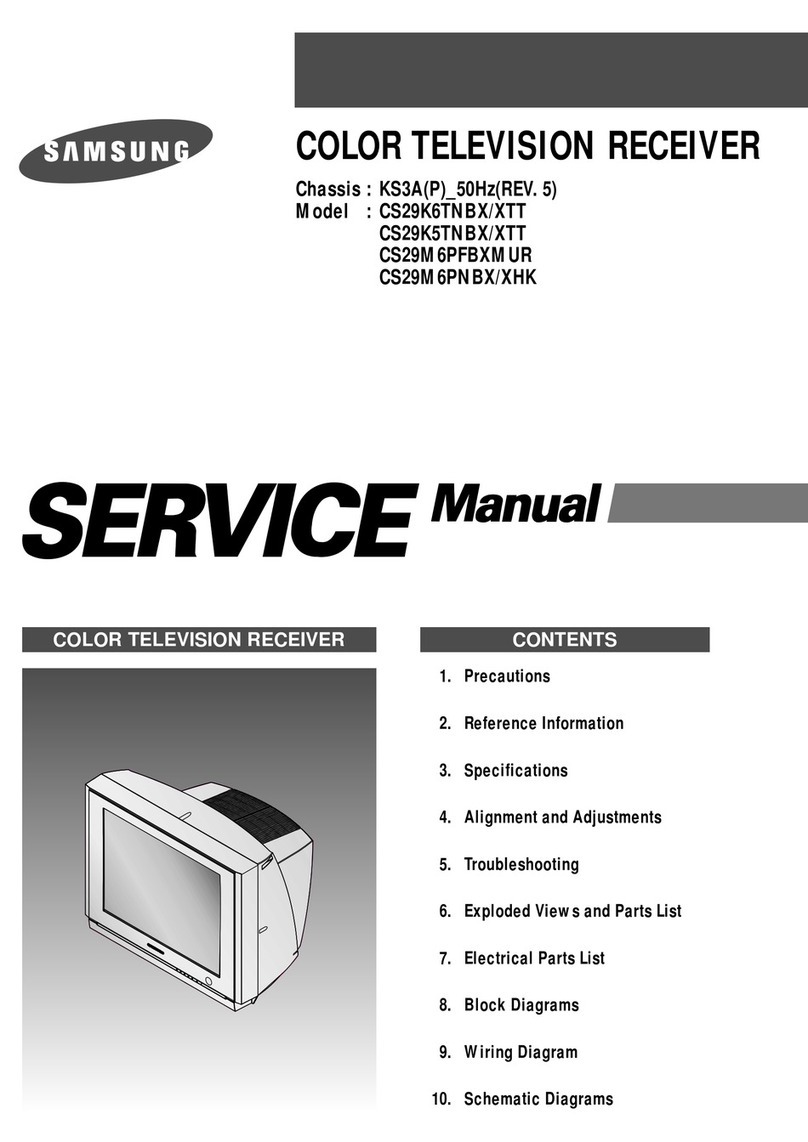
COLOR TELEVISION RECEIVER
Chassis : K15D
Model : CT3338FX/XAP
CT5038FX/XAP
CT2088BLFX/XAP
CT20D8BWFX/XAP
COLOR TELEVISION RECEIVER CONTENTS
Precautions
Specifications and IC Data
Disassembly and Reassembly
Alignment and Adjustment
Troubleshooting
Exploded View and Parts List
Electrical Parts List
Block Diagram
Wiring Diagram
Schematic Diagrams
1.
2.
3.
4.
5.
6.
7.
8.
9.
10.
ELECTRONICS
©Samsung Electronics Co., Ltd. SEP. 2002
Printed in Korea
AA82-00154A
Alignment and Adjustments
Samsung Electronics 4-1
4. Alignment and Adjustments
4-1 Preadjustment
4-1-1 Factory Mode
1. Do not attempt these adjustments in the Video
Mode.
2. The Factory Mode adjustments are necessary
when either the EEPROM (IC902) or the CRT
is replaced.
3. Do not tamper with the “Adjustment” screen
of the Factory Mode menu. This screen is
intended only for factory use.
4-1-2 When EEPROM (IC902) Is Replaced
1. When IC902 is replaced all adjustment data
revert to initial values. It is necessary to
re-program this data.
2. After IC902 is replaced, warm up the TV for
10 seconds.
4-1-3 When CRT Is Replaced
1. Make the following adjustments AFTER set-
ting up after setting up purity and conver-
gence :
White Balance
Sub-Brightness
Vertical Center
Vertical Size
Horizontal Size
Fail Safe (This adjustment must be the last
step).
2. If the EEPROM or CRT is replaced and set SC
as 20(factory mode).
4-2 Factory/Service Mode
4-2-1 Procedure for the “Adjustment” Mode
1. This mode uses the standard remote control.
The Service Mode is activated by entering the
following remote-control sequence :
(1) DISPLAY → FACTORY.
(2) STAND-BY → MUTE →1 →8 →2
→POWER ON.
2. The “SERVICE (FACTORY)” message will be
displayed. The Service Mode has four compo-
nents: ADJUST, OPTION , G2-ADJUST and
RESET.
3. Access the Adjustment Mode by pressing the
“VOLUME” keys ( Up or Down). The adjust-
ment parameters are listed in the accompany-
ing table, and selected by pressing the CHAN-
NEL keys ( , ).
4. Selection sequences for the all system:
DOWN or UP key:
SCT>SBT>BLR>BLB>RG>GG>BG>VSL>VS>
VA>HS>SC>CDL>STT>AKB>FS>NDL>
LBS>NSR>SCBT>VOL>CAP>HBS>RP00>
RP01>FMWS>AGC1>OMD>SCL>PWL>
MUS>AGC>DSK>DVDB
5. The VOLUME keys increase or decrease the
adjustment values (stored in the
non-volatile memory) when Adjustment Mode
is cancelled.
6. Cancel the Adjustment Mode by re-pressing
the “FACTORY” or “Power OFF” keys.
4-2-2 Main Adjustment Parameter
Alignment and Adjustments
4-2 Samsung Electronics
SCT Sub Cont ras t 0 ~ 23
0~23
SBT Sub Bright ness
BLR
Black Level offset Blue
BLB
Black Level offset Red
RG Red Gain 0 ~ 63
GG Green Gain 0 ~ 63
0~63
0~63
BG Blue Gai n 0 ~ 63
VSL Vert ical Slope 0 ~ 63
VS Ver t ical Shif t 0 ~ 63
VA Vert ical Am pli tud e 0 ~ 63
HS Horizontal Shif t 0 ~ 63
SC S- Cor r ec t i on 0 ~ 63
CDL Cat hode Drive Level 0 ~ 15
STT Sub Tint 0 ~ 7
AKB
FS
AKB On / off 0 ~ 1
0~1
0~1
0~1
0~1
0~1
00~1
0~3
0~3
Filter Seting
LBS Low Band Separation Set
0~15
0~15
0~15
NDL NTSC Delay 0 ~ 15
NSR NTSC Sub color 0 ~ 23
SCBT Screen Brighrtness 0 ~ 63
0~63
VOL Volume pre set t i ng 0 ~ 63
0~63
0~63
0~63
CAP Caption Position
High Band Separation Set
Ratio Pre / overshoot
Window Selection Sound PLL
IF AGC Speed
Offset IF Demodulator
Soft Clipping Level
Peak White Limitting
Matrix USA
Automatic Gain Control
Dynamic Skin Tone
DVD Bright Offset
HBS
RP00
RP01
FMWS
AGC1
OMD
SCL
PWL
MUS
AGC
DSK
DVDB
15
8
35
32
40
30
42
30
31
20
32
35
11
3
0
32
1
32
3
35
10
12
32
1
1
0
1
32
3
15
0
33
0
5
13
9
31
27
32
25
31
31
31
40
30
20
11
7
0
37
1
32
3
45
10
12
32
1
1
0
1
32
1
13
0
33
0
4
13
9
31
27
32
25
31
31
31
20
30
12
7
7
0
37
1
32
3
45
10
12
32
1
1
0
1
32
1
13
0
33
0
4
W/B (HIGH Y)
W/B A (LOW Y)
W/B (LOW X, Y)
W/B (LOW X, Y)
W/B (HIGH X, Y)
FIX
W/B (HIGH X, Y)
Vertical SLOPE
FIX
Vertical SIZE
Horizontal SHIFT
FIX
FIX
FIX
FIX
FIX(STEREO)
FIX
FIX(STEREO)
FIX
FIX
FIX
FIX
FIX(STEREO)
FIX
FIX
FIX (Mono)
FIX (Nomal)
FIX (No Crrection)
FIX (Off)
FIX (100%)
FIX (Mono)
FIX
FIX
FIX
1
2
3
4
5
6
7
8
9
10
11
12
13
14
15
16
17
18
19
20
21
22
23
24
25
26
27
28
29
30
31
32
33
34
OSDNO FUNCTION RANGE INITAL DATA
SETTING
19V 13V REMARK
Alignment and Adjustments
Samsung Electronics 4-3
4-2-3 Option Bytes
In the Service Mode, various can be selected via the Option Table. Example:
1
2
3
4
5
6
7
8
9
10
11
12
13
Option Table : xx xx
OSD
VIDEO MUTE
(When swiching channel)
AUDIO
TURBO
ZOOM
AUTO POWER ON
SOUND MUTE
(NO SIGNAL)
LANGUAGE
HOTEL MODE
CATV
X-RAY
V-CHIP
AV Option
DEMO
SETTING
ON
OFF
STEREO
LINE STEREO
MONO
ON
OFF
ZOOM
NOMAL
ON
OFF
OFF
ON
ENGLISH
ESPANOL
FRENCH/PORTU
OFF
ON
AIR/STD/HRC/IRC
AIR/STD/HRC/AFN
ON
OFF
ON
OFF
TV ↔ AV
TV ↔ AV ↔ DVD
ON
OFF
- 800msec Mute Time(Tri-norma)
- Unavailable
- Zenith stereo (WITH IN UPC1851B)
- Line stereo (WITH IN UPC1851B)
- Mono (WITH OUT UPC1851B)
- Stereo/L STEREO Model
- Mono Model
- Nornal / Zoom
- Nomal
- The power is switched on automatically
when detaching the Master S/W Auto On
- Tact S/W Model
- Unavailable
- Available
- Start Language Select
- Unavailable
- Available
- U.S Army
- Available (U.S.A, Army)
- Unavailable (South America)
- Available (U.S.A)
- Unavailable (Canada)
- Available (South America)
- Unavailable (U.S.A)
REMARK
Alignment and Adjustments
4-4 Samsung Electronics
4-3 Other Adjustments
4-3-1 General
1. Usually, a color TV needs only slight touch-
up adjustment upon installation. Check the
basic characteristics such as height, horizontal
and vertical sync and focus.
2. The picture should have good black and white
details. There should be no objectionable
color shading; if color shading is present, per-
form the purity and convergence adjustments
described below.
3. Use the specified test equipment or its equiva-
lent.
4. Correct impedance matching is essential.
5. Avoid overload. Excessive signal from a sweep
generator might overload the front-end of the
TV. When inserting signal markers, do not
allow the marker generator to distort test
results.
6. Connect the TV only to an AC power source
with voltage and frequency as specified on the
backcover nameplate.
7. Do not attempt to connect or disconnect any
wires while the TV is turned on. Make sure
that the power cord is disconnected before
replacing any parts.
8. To protect against shock hazard, use an isola-
tion transformer.
4-3-2 Automatic Degaussing
A degaussing coil is mounted around the pic-
ture tube, so that external degaussing after
moving the TV should be unnecessary. But
the receiver must be properly degaussed upon
installation.
The degaussing coil operates for about 1 sec-
ond after the power is switched ON. If the set
has been moved or turned in a different direc-
tion, disconnect its AC power for at least 30
minutes.
If the chassis or parts of the cabinet become
magnetized, poor color purity will result. If
this happens, use an external degaussing coil.
Slowly move the degaussing coil around the
faceplate of the picture tube and the sides and
front of the receiver. Slowly withdraw the coil
to a distance of about 6 feet before removing
power.
Alignment and Adjustments
Samsung Electronics 4-5
4-3-3 High Voltage Check
CAUTION: There is no high voltage adjustment on this chassis.
The B+ power supply must be set to +122.5 volts (Full color bar
input and normal picture level).
1. Connect a digital voltmeter to the second
anode of the picture tube.
2. Turn on the TV. Set the Brightness and
Contrast controls to minimum (zero beam cur-
rent).
3. The high voltage should not exceed 30KV.
4. Adjust the Brightness and contrast controls to
both extremes. Ensure that the high voltage
does not exceed 30KV under any conditions.
4-3-4 FOCUS Adjustment
1. Input a black and white signal.
2. Adjust the tuning control for the clearest pic-
ture.
3. Adjust the FOCUS control for well defined
scanning lines in the center area of the screen.
4-3-5 Cathode Voltage Adjustment
(Screen Adjustment)
1. Connect CRT socket pin GK to an oscilloscope
probe.
2. Input a gray scale pattern. (Use a pattern gen-
erator, PM5518)
3. Use the P mode key (on the remote control)
for the STANDARD picture.
4. Adjust the Screen VR (on the FBT) so that the
voltage on the oscilloscope becomes 125+2.5V
(See Fig. 4-1).
4-3-6 Purity Adjustment
1. Warm up the receiver for at least 20 minutes.
2. Plug in the CRT deflection yoke and tighten
the clamp screw.
3. Plug the convergence yoke into the CRT and
set in as shown in Fig. 4-2.
4. Input a black and white signal.
5. Fully demagnetize the receiver by applying an
external degaussing coil.
6. Turn the CONTRAST and BRIGHTNESS con-
trols to maximum.
7. Loosen the clamp screw holding the yoke.
Slide the yoke backward or forward to pro-
vide vertical green belt. (Fig. 4-3).
8. Tighten the convergence yoke.
9. Slowly move the deflection yoke forward,
and adjust for the best overall green screen.
10. Temporarily tighten the deflection yoke.
11. Produce blue and red rasters by adjusting the
low-light controls. Check for good purity in
each field.
12. Tighten the deflection yoke.
Fig. 4-1

125 2.5V
+
_
GND
_
Alignment and Adjustments
4-6 Samsung Electronics
4-3-7 White Balance Adjustment
Fig. 4-2 Convergence Magnet Assembly
4 Pole Magnet
6 Pole Magnet 2 Pole Magnet
Clamper
Screw
2 POLE
PURITY
YOKE
CLAMP
SCREW
6 POLE
CONVERGENCE
4 POLE
CONVERGENCE
ADJU
(VERT
Fig. 4-3 Center Convergence Adjustment
31m/m
Vertical Green Belt
Fig. 4-4
1
2
(a) Set up
1. Warm up the TV for at least 30 minutes in the
Aging Mode (OSD White). This mode is dis-
played by entering the following sequence:
DISPLAY →FACTORY →FACTORY
2. Input a Toshiba pattern.
(b) Low-Light Adjustment
1. Set SBT to 1.2 fL in the Factory Service
Mode with using CA100. See Fig. 4-4.
2. Adjust RG,BG so that the levels are suitable to
each local area.
(c) High-Light Adjustment
1. Set SCT to 50FL(13V : 60FL) in the Factory
Service Mode with using CA100.
See Fig. 4-4 .
Alignment and Adjustments
Samsung Electronics 4-7
4-3-8 Center Convergence Adjustment
1. Warm up the receiver for at least 20 minutes.
2. Adjust the two tabs of the 4 pole magnets to
change the angle between them. Superimpose
the red and blue vertical lines in the center
area of the screen.
3. Adjust the Brightness and Contrast controls
for a well defined picture.
4. Adjust the two-tab pairs of the 4 pole mag-
nets, and change the angle between them.
Superimpose the red and the blue vertical
lines in the center area of the screen.
5. Turn the both tabs at the same time, keeping
the angle constant, and superimpose the red
and blue horizontal line in the center of the
screen.
6. Adjust the two-tab pairs of the 6-pole magnets
to superimpose the red and blue line onto the
green. (Changing the angle affects the vertical
lines, and rotating both magnets affects the
horizontal lines.)
7. Repeat adjustments 2~6, if necessary.
8. Since the 4-pole magnets and 6-pole magnets
interact, the dot movement is complex
(Fig. 4-5).
Fig. 4-5 Center Convergence Adjustment
RED
BLUE
BLUE
RED
4-Pole Magnet Movement
GREEN
RED/BLUE
RED/BLUE
GREEN
6-Pole Magnet Movement
4-3-9 RF AGC Adjustment
Set the AGC data to 33 (Factory Mode).
4-3-10 Sub-Color Adjustment
Set NSR data to 3 (Factory Mode).
4-3-11 Geometry Adjustment
SC →VS→VA→VSL→HS
1. Input a lion head pattern.
2. Set the SC (S-Correction) as 20(13V : 12) and
VS(Vertical Shift) 31 so that the lion head circle
becomes oval.
3. Adjust with VA (Vertical Amplitude) so that
the top margin of the picture is 4.
Fig. 4-7
4. Adjust with VSL (Vertical-Slope) so that the
bottom margin of the picture is 4.
Fig. 4-8
5. Adjust with HS (Horizontal Shift) so that the
lion-head pattern and CRT centers are aligned.
Fig. 4-9
6. Adjust HS (Horizontal Shift) so that the left
and right margins of the picture are 5.
Alignment and Adjustments
4-8 Samsung Electronics
4
55
4