6
FREQ - An operating frequency can be selected by depressing this
button consecutively until the desired frequency is indicated on the
display of the receiver. Some frequencies are uniquely associated with a
certain mode of operation, others are available in more than one of the
modes of operation. The passive mode(s) and sonde mode(s) are also
accessible via this button. What modes and what frequencies are
available is determined by the system configuration and the way the
transmitter is connected to the target utility.
NOTE: When the FREQ control is depressed, the "Antenna" symbol comes on
while the receiver sends the new frequency command to the transmitter and
awaits for confirmation that the frequency has changed. Because of this, a delay
of up to 2-3 seconds will occur before the new operating frequency is indicated
on the display. If the new frequency is not indicated on the display shortly after the
"Antenna" symbol goes off, then try to depress the FREQ control again.
DEPTH - To determine the depth of the target place the receiver directly
over the target, as indicated by the arrows and center bar, then press the
depth button. If locating a sonde see Section IV: Operation - Locating a
Sonde for additional considerations. There is a delay of 2.0 seconds
between pressing the depth button and displaying the depth on the LCD.
The measured depth will continue to be displayed on the LCD for as long
as the button is depressed, otherwise (if the button is pressed and quickly
released), the depth will show on the LCD momentarily, along with the
word "DEPTH" on top of the LCD. Then the LCD will revert back to
display signal strength. The TraceMaster¤can be factory set to display
depth in feet and inches or in meters.
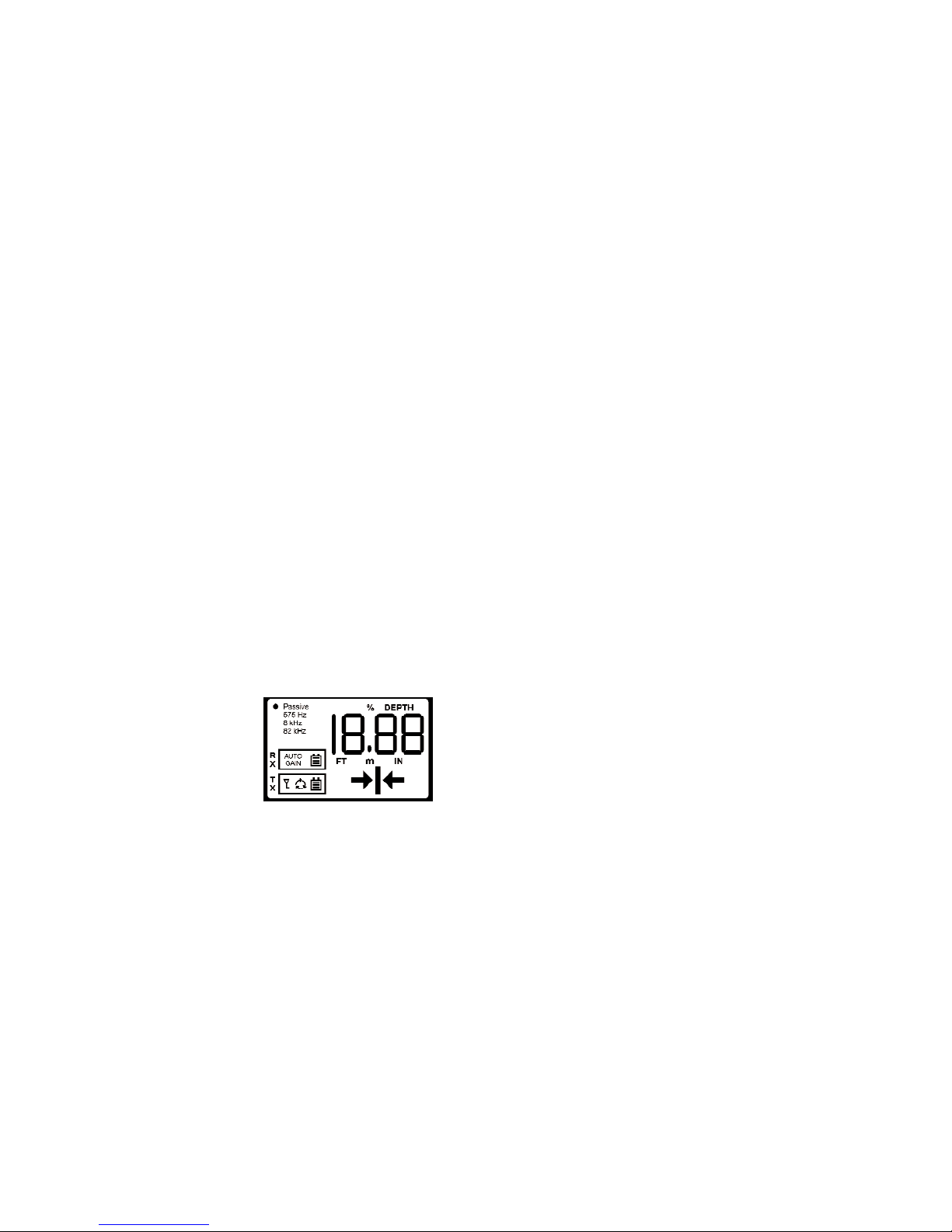
3- LCD Display
The LCD display has five general
areas to display information to the
user: a Receiver (RX) Window, a
Transmitter (TX) Window, a Frequency
Indicator, a Direction Indicator, and a
Numeric Display.
The TraceMaster¤has an ambient light sensor located right under the "s"
of the word "TraceMaster". Under very dim or dark lighting conditions,
this sensor activates backlighting of the LCD to improve readability.
RX WINDOW - This window groups a symbol (BATTERY) and a legend
concerning the receiver status.
19
SECTION IV: OPERATION
1- Operating Hints
1) Determine which is the best method to induce the transmitted signal
into the cable or pipe. The choices are one of the active modes
(conductive, inductive, or inductive clamp) or the passive mode. In
the passive mode the TraceMaster's transmitter does not transmit the
signal, but it is already there due to AC power lines. Whenever
possible, use the conductive mode, which provides the strongest and
best-coupled signal.
2) For Conductive Mode plug the conductive clips into the transmitter
jack BEFORE TURNING THE POWER ON. Connect the red clip to
the access point for the cable or pipe. Connect the black clip to the
ground stake, which should be buried on a line perpendicular to the
utility to be traced and as far from it as possible.
3) For Inductive Mode make sure nothing is plugged into the transmitter
jack. It is recommended that the conductive clips or the inductive
clamp be removed while the transmitter power is OFF. Place the
transmitter case over the buried cable or pipe in the direction
indicated by the arrows on the transmitter case. In this mode best
results are achieved when the cable or pipe to be traced is grounded
at one or both ends.
4) For the optional Inductive Clamp Mode insert the plug into the
transmitter jack BEFORE TURNING THE POWER ON, open the
jaws of the clamp and place it so that it completely encircles the
desired cable or pipe. Make sure the clamp can fully close so that
both ends touch. In this mode best results are achieved when the
cable or pipe to be traced is grounded at near end or both ends.
5) For Passive mode it is not necessary to turn the transmitter on.
However, the receiver always remembers the last frequency it was
operating at when it was turned off. Therefore it is possible for the
receiver to power up in a frequency other than "Passive". If that is the
case it is necessary to turn the transmitter on to allow the RF link to
be established and the receiver frequency to be changed to
Passive". The transmitter will also change to the Passive mode (via
the RF link), then you can turn it back off or leave it in the very low
power consuming Passive mode. Alternatively, the RF link can be
defeated as explained in Section I: General - The Remote Link.