manuals.online logo
Brands
  1. Home
  2. •
  3. Brands
  4. •
  5. Siemens
  6. •
  7. Coffee Maker
  8. •
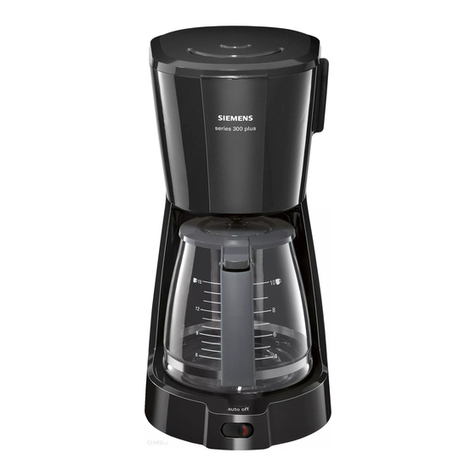
  9. Siemens CT636LE Series User manual

Siemens CT636LE Series User manual

Other manuals for CT636LE Series

3

Other Siemens Coffee Maker manuals

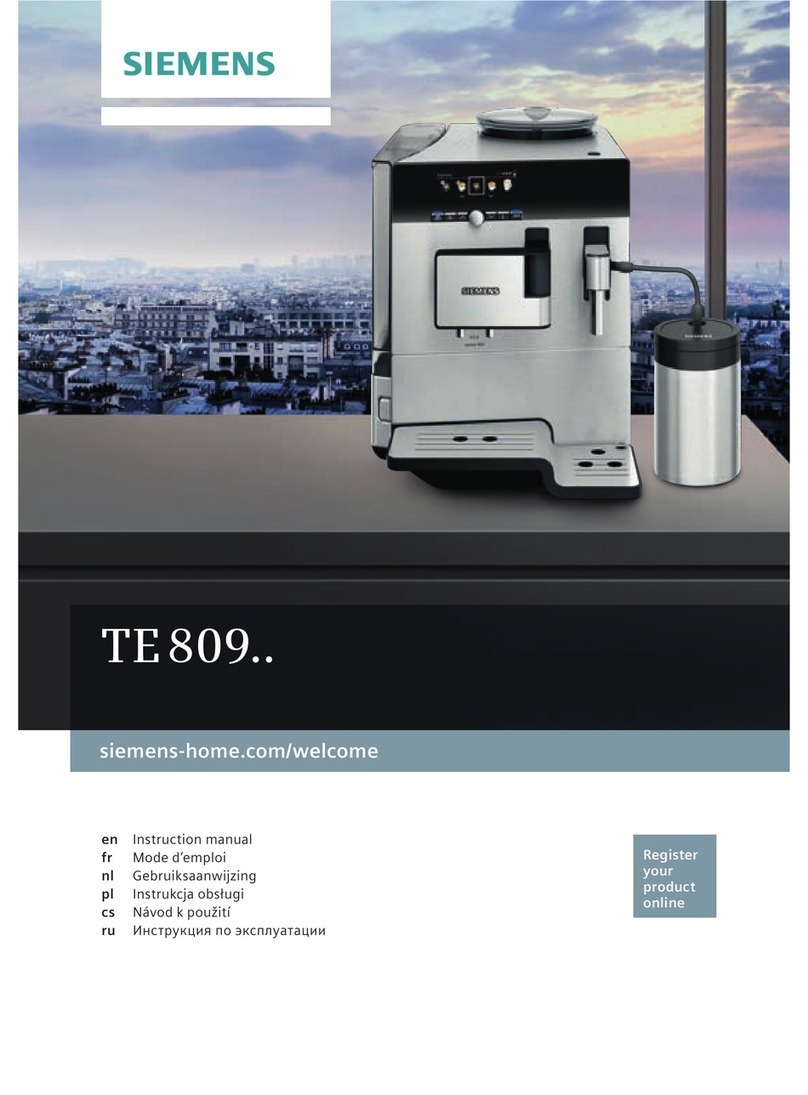
Siemens TE 809 Series User manual

Siemens

Siemens TE 809 Series User manual

Siemens TQ507DF03/10 Specification sheet

Siemens

Siemens TQ507DF03/10 Specification sheet

Siemens TC86303 User manual

Siemens

Siemens TC86303 User manual

Siemens TE 803 series User manual

Siemens

Siemens TE 803 series User manual

Siemens TC863 series User manual

Siemens

Siemens TC863 series User manual

Siemens TI355F09DE User manual

Siemens

Siemens TI355F09DE User manual

Siemens TE716 User manual

Siemens

Siemens TE716 User manual

Siemens EQ.7 Series User manual

Siemens

Siemens EQ.7 Series User manual

Siemens TQ7 Series User manual

Siemens

Siemens TQ7 Series User manual

Siemens EQ.500 classic TP5 Series User manual

Siemens

Siemens EQ.500 classic TP5 Series User manual

Siemens TE 806 series User manual

Siemens

Siemens TE 806 series User manual

Siemens TI90 HC Series User manual

Siemens

Siemens TI90 HC Series User manual

Siemens TI 3 1 Series User manual

Siemens

Siemens TI 3 1 Series User manual

Siemens EQ900 TQ903 Series Specification sheet

Siemens

Siemens EQ900 TQ903 Series Specification sheet

Siemens TI353501DE User manual

Siemens

Siemens TI353501DE User manual

Siemens TI90...HC Series User manual

Siemens

Siemens TI90...HC Series User manual

Siemens TK 52 SERIES User manual

Siemens

Siemens TK 52 SERIES User manual

Siemens TE65 series User manual

Siemens

Siemens TE65 series User manual

Siemens TI 915 Series User manual

Siemens

Siemens TI 915 Series User manual

Siemens tk73001 User manual

Siemens

Siemens tk73001 User manual

Siemens TE 803 User manual

Siemens

Siemens TE 803 User manual

Siemens EQ.500 classic TP5 Series User manual

Siemens

Siemens EQ.500 classic TP5 Series User manual

Siemens EQ.7 Series User manual

Siemens

Siemens EQ.7 Series User manual

Siemens TQ5 Series User manual

Siemens

Siemens TQ5 Series User manual

Popular Coffee Maker manuals by other brands

illy FrancisFrancis X7.1 user manual

illy

illy FrancisFrancis X7.1 user manual

Continental Electric CE23601 instruction manual

Continental Electric

Continental Electric CE23601 instruction manual

Electrolux EKF3 series Instruction book

Electrolux

Electrolux EKF3 series Instruction book

MIA KF 1740 instruction manual

MIA

MIA KF 1740 instruction manual

DeLonghi ECAM26455M Instructions for use

DeLonghi

DeLonghi ECAM26455M Instructions for use

Fagor CG-414 D Instructions for use

Fagor

Fagor CG-414 D Instructions for use

Bunn JDF-2S Installation & operating guide

Bunn

Bunn JDF-2S Installation & operating guide

Somogyi Elektronic Home HG PR 14 instruction manual

Somogyi Elektronic

Somogyi Elektronic Home HG PR 14 instruction manual

Morphy Richards Accents Espresso MR47580 instructions

Morphy Richards

Morphy Richards Accents Espresso MR47580 instructions

Crux 14634 instruction manual

Crux

Crux 14634 instruction manual

Taurus Livorno 6 manual

Taurus

Taurus Livorno 6 manual

Delta-q QUICK instruction manual

Delta-q

Delta-q QUICK instruction manual

Bunn LCA-1 Installation & operating guide

Bunn

Bunn LCA-1 Installation & operating guide

Chris Coffee Service Silvano owner's manual

Chris Coffee Service

Chris Coffee Service Silvano owner's manual

Black & Decker BLACK DECKER HOME DE790 Use and care book

Black & Decker

Black & Decker BLACK DECKER HOME DE790 Use and care book

Saeco Vienna Plus Sup 018M operating instructions

Saeco

Saeco Vienna Plus Sup 018M operating instructions

INCAPTO BXCO1470E Instructions for use

INCAPTO

INCAPTO BXCO1470E Instructions for use

Bosch TASSIMO finesse TAS16B Series user manual

Bosch

Bosch TASSIMO finesse TAS16B Series user manual

manuals.online logo
manuals.online logoBrands
  • About & Mission
  • Contact us
  • Privacy Policy
  • Terms and Conditions

Copyright 2025 Manuals.Online. All Rights Reserved.

siemens-home.com/welcome
Register
your
product
online
de Gebrauchsanleitung
en Instruction manual
fr Mode d’emploi
nl Gebruiksaanwijzing

32
en
Included in delivery
(Figure A on the fold-out pages)
 Fully automatic coffee machine
 Instruction manual
 Filter instructions
 Installation instructions
 Connecting cable
 Assembly bracket
 Spacer
 5 fastening screws (silver)
 2 fastening screws (long/black)
 2 fastening screws (short/black)
 1 sleeve (black)
 2 sleeves (white)
 Quick reference guide
 Measuring spoon
 Water hardness testing strip

 Milk tube (set)
 Milk container
 Suction pipe
Contents
Safety instructions ....................................34
Overview...................................................36
Controls .................................................... 37
Initial use ..................................................38
Display ...................................................... 39
Preparing drinks .......................................40
Preparation using coffee beans ................42
Preparation using milk ..............................43
Preparation using ground coffee ..............44
Dispensing hot water ................................ 44
Personalised drinks .................................. 45
Two cups at once......................................46
Adjusting the grind setting ........................46
Childproof lock ..........................................46
Menu.........................................................47
Care and daily cleaning ............................49
Service programmes ................................53
Tips on energy saving ..............................56
Frost protection.........................................56
Storing accessories .................................. 56
Accessories .............................................. 56
Disposal ....................................................57
Guarantee.................................................57
............................57
Simple troubleshooting .............................58
33
en
How to use these instructions
You can open up the front cover of this
illustrations of the appliance with each part
numbered. These numbers will be referred
to throughout the text.
Example: brewing unit (15)
These instructions also show display texts
and symbols in a special way. These enable
you to clearly see where we refer to texts
or symbols that are marked or displayed on
the appliance.
Display indicators:
“Espresso”
Buttons and controls on the display:

The appliance comes with a quick reference
-
tant functions at a glance. It can be stored
in the accessory drawer of the appliance.
Congratulations ...
... on purchasing this fully automatic coffee
machine! You have now acquired a high-
quality and modern kitchen appliance. It
combines innovative technology with a
range of functions and is easy to use. It will
enable you to prepare a variety of delicious
hot drinks quickly and simply – whether
you’re in the mood for an invigorating
espresso, a creamy cappuccino, a smooth
latte macchiato or white coffee, or a tradi-
tional cup of coffee. At the same time the
appliance offers you a wide range of options
for adapting it to your individual taste.
To ensure that you can use this fully
automatic coffee machine with all its func-
tions and features reliably and safely, we
would like you to familiarize yourself with
its components, functions, displays and
controls. These instructions are designed
to help you. So please take the time to read
them before you switch on the appliance.
34
en
Safety instructions
Please read and follow the operating instructions carefully and
keep them for later reference. Enclose these instructions when
you give this appliance to someone else.
This appliance is designed for the preparation of normal
household quantities in the home, or in household-like,
non-commercial environments. Household-like environments
small businesses or for use by guests at bed-and-breakfast
establishments, small hotels and similar residential facilities.
Danger of electric shock!
Connect and operate the appliance only according to the type plate
carried out by our customer service personnel. If the supply cord
is damaged, it must be replaced by a special cord or assembly
available from the manufacturer or its service agent.
This appliance can be used by children aged from 8 years and
above and by persons with reduced physical, sensory or mental
capabilities or lack of experience and knowledge if they have been
given supervision or instruction concerning use of the appliance in a
safe way and if they understand the hazards involved. Keep children
under 8 years of age away from the appliance and connecting
cable and do not allow them to use the appliance. Children shall
not play with the appliance. Cleaning and user maintenance shall
not be made by children unless they are older than 8 years and
supervised.
Never immerse the appliance or mains cable in water. Use only if
power cord and appliance show no signs of damage. Should a fault
occur, pull the plug or disconnect from the mains immediately.
35
en
electronic implants such as pacemakers or insulin pumps. Persons
with electronic implants should keep a minimum of 10 cm away from
the front of the appliance.
Risk of suffocation!
Do not allow children to play with packaging material. Store small
parts safely as they can be easily swallowed.
Risk of injury!
Do not reach into the grinding unit.
Risk of burns!
The beverage outlet gets very hot.
36
en
1 Appliance door
a)
b) Drip tray
2 Display
3 Controls
4 Outlet system (coffee, milk, hot water),
height-adjustable
a) Cover
5 Milk system
a) Snap lever
b) Beverage outlet (upper part,
lower part)
c) Milk tube (2 pieces)
d) Connecting element, metal
(for magnet holder)
6 Mains switch  (power supply)
7 Accessory drawer
(for quick reference guide and
accessories)
a) Quick reference guide
b) Measuring spoon
c) Water hardness strip
d)
8
a) Lid for water tank
9
a) Lid for bean container
10 Slide regulator for
grinding degree setting
11 Magnet holder for (connecting element)
12
(for ground coffee/cleaning tablet)
13 Holder (for milk tube)
14 Protective cover (for brewing unit)
15 Brewing unit
a) Locking mechanism
b) Cover
16 Eject lever
17 Drip tray
a) Coffee grounds container
18 Collecting tray
19 Holder (for suction pipe)
a) Suction pipe
20
21 Storage shelf with sensor
(for milk container)
22 Milk container
a) Stainless steel container
b) Lower part of the lid
c) Upper part of the lid
Overview
(Figures B to E on the fold-out pages)
 Further information about the appli-
ance, such as how to change the
opening angle of the door, can be
found in the assembly instructions.
37
en
Controls
The appliance features user-friendly menu
navigation to ensure that operation is as
easy as possible while at the same time
offering a wide range of functions. That
means a range of options can be selected
with just a few operating steps.
Mains switch 
Use the mains switch  (to do so open
the door) to switch on the appliance, or to
switch it off fully (power supply off).
 Important: Do not press the mains
switch while the appliance is in use.
Switch off the appliance only when
it is in energy saving mode, so that it
can rinse automatically.
Button 
Press button  to switch on
the appliance or change it to energy
saving mode. The appliance is rinsed
automatically.
The appliance does not rinse if:
if it is still warm when switched on, or
if no coffee was dispensed before it was
switched off.
The appliance is ready for use as soon as
the symbols for the drinks selection appear
on the display.
Button 
Press button  to open the menu.
Settings can be made and information
called up (see the section “Menu”).
Button 
Press button  to open the selection
programme as described in the section
“Service programmes”.
Button 
Press button  to open the selection
of “Personalised beverage preparation”.
Personal settings for coffee drinks can
be saved and called up (see the section
“Personalised drinks”).
Button 
Press button  after selecting a drink to
prepare two cups simultaneously (see the
section “Two cups at once”).
 Press , , 
or  again to exit the respective
menu.
Button 
Press  to either begin preparing
a drink or launch a service programme.
Press  again while the drink
is being prepared to prematurely halt
dispensing.
Rotary selector
Turn the rotary selector to navigate in the
display or to change parameters.
Display (Touchscreen)
Information is shown on the display, or
settings can be made by touching the
touchscreen (see the section “Display”).
38
en
Initial use
General
Fill the appropriate container using only
pure, cold, uncarbonated water and solely
roasted beans (preferably espresso or
coffee bean blends for fully automatic coffee
machines). Do not use coffee beans that
have been glazed, caramelised or treated
with other additives containing sugar, since
they will block the brewing unit.
 Before the appliance can be
switched on and used, it must
be assembled and connected
according to the enclosed assembly
instructions.
Setting up the appliance
 Important: Only use the appliance
in a frost-free room. If it has been
transported or stored at tempera-
tures below 0°C, wait at least 3 hours
before initial use.
Take hold of the appliance door by the
recessed grip and open.
with fresh water up to the “max” mark.
place.
coffee beans and replace.
Set the mains switch to I and close the
appliance door.
The appliance heats up and is rinsed.
The display is activated.
“Select language” appears.
Turn the rotary selector to select the
desired language and touch [ Continue ]
in the display.
“Set water hardness” appears.
 It is important to set the water hard-
ness correctly to enable the appli-
ance to accurately indicate when the
descaling programme should be run.
The preset water hardness is level 4.
If a water softener is installed in the
house, please set the water hard-
ness to level 3. You can also check
the water hardness by asking your
local water supplier.
Use the enclosed test strip to determine
strip in water and check the result after
one minute.
Level Water hardness
German (°dH) French (°fH)
1
2
3
4
1-7
8-14
15-21
22-30
1-13
14-25
26-38
39-54
Turn the rotary selector to set the water
hardness determined.
Touch [ Continue ]. “Complete set-up?”
appears.
Touch [ Apply ]. The settings are saved.
The appliance is ready to use when the
drink symbols are shown on the display.
The integrated fan switches on each time
a drink is dispensed and switches off again
after a few minutes.
after running a service program, or if it has
beverage will not have the full aroma and
should not be consumed.
When the fully automatic coffee machine
cups have been dispensed.

39
en
Switch off appliance
Press the button.
The appliance rinses and switches to
energy saving mode.
Exception: If only hot water is dispensed,
the appliance switches off without rinsing .
To switch the appliance off completely,
open the appliance door and set the
mains switch to .
 Important: Do not press the mains
switch while the appliance is in use.
Switch off the appliance only when
it is in energy saving mode, so it can
rinse automatically.
 The factory settings of the fully
automatic coffee machine are
programmed for optimal perfor-
mance. The appliances switches
automatically to the energy saving
rinses (duration can be set, see
“Switch off after” in the section
“Menu”).
 The appliance is equipped with a
sensor. If there is a milk container,
this will be correspondingly shown
on the display when switching to the
energy saving mode. If there is milk
in the container, please keep in the
fridge.
Display
Information is shown on the display, or
settings can be made by touching the
touchscreen.
Display
The display shows the selected drinks,
settings and setting options, as well as
messages about the appliance’s operating
status.
Examples:
Drink selection
Espresso
40 ml

Adjust
Information
Information disappears after pressing the
button or after a short time.
Water tank almost empty
Instead of text, a small symbol appears in
the lower left area of the display.
Bean container almost empty
Water tank almost empty

Cleaning programme required
Descaling programme required
calc’nClean programme required
40
en
Prompts to take action
Fill water tank
 If the action required was carried
out, e.g. filling the water tank, the
corresponding message and symbol
will disappear.
Operation
Touch texts or symbols combined with
turning the rotary selector to navigate within
the display (for an example, see section
“Drink adjustment”).
An audible signal is heard when touching
the display. These audible signals can be
switched on or off (see the section “Menu –
Key tones”).
Preparing drinks
This fully automatic coffee machine can
be operated using coffee beans or ground
coffee (but not instant coffee).
If using coffee beans, they will be freshly
ground for each brewing. Preferably use
espresso or coffee beans for fully automatic
machines. For optimum quality, deep-freeze
the beans or store in a cool place in sealed
containers. Deep-frozen coffee beans can
also be ground.
 Important: Fill the water tank with
fresh, uncarbonated, cold water
every day. The tank should always
contain sufficient water for operating
the appliance.
 Tip: Cups should be prewarmed,
e.g. with hot water. This applies
particularly to small thick-walled
espresso cups.
 For some settings, coffee is
prepared in two stages (see the
section “aromaDouble Shot” and
“Two cups at once”). Please wait until
the process is completely finished.
Drink selection
Turn the rotary selector to select different
drinks:
The symbol for the drink selected is shown
in the middle. The name of the drink and

the values currently set, e.g. for the strength
and volume are shown in upper row.
Espresso
40 ml

Adjust