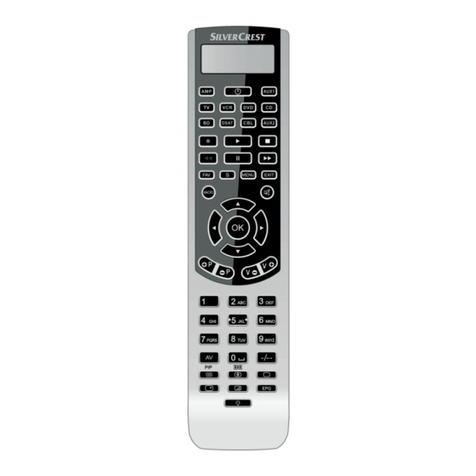
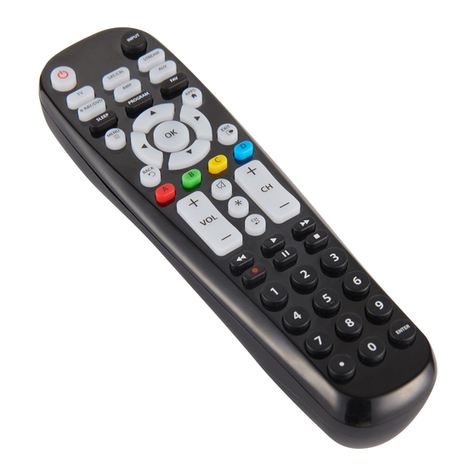
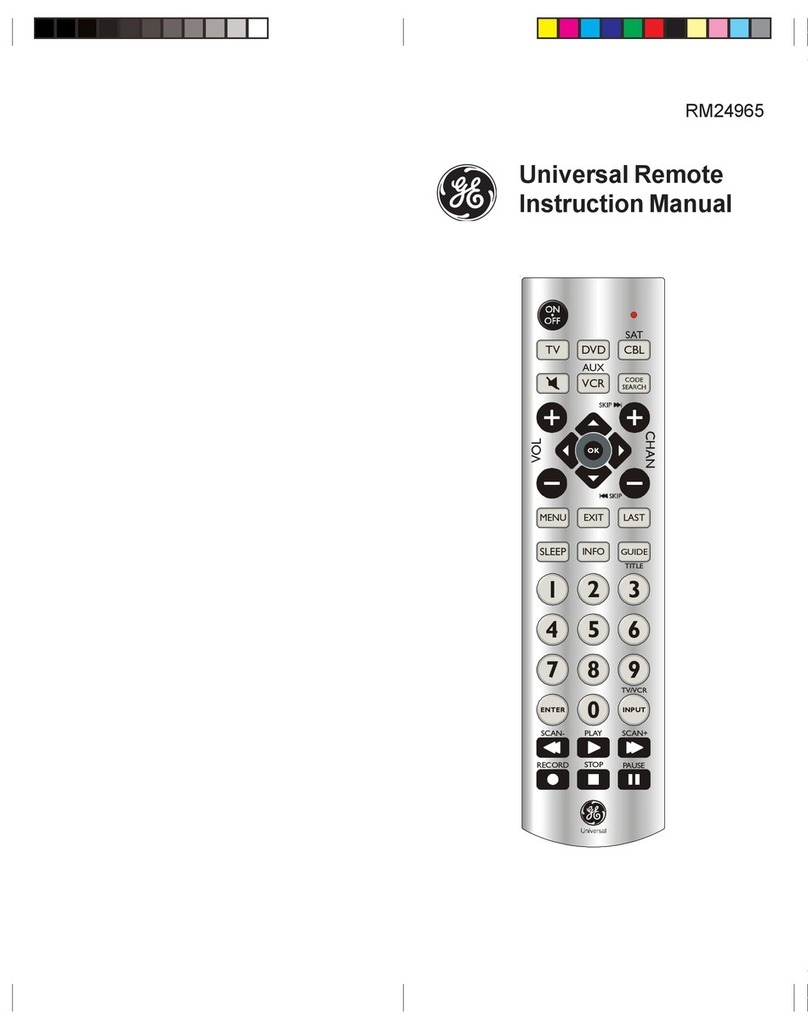
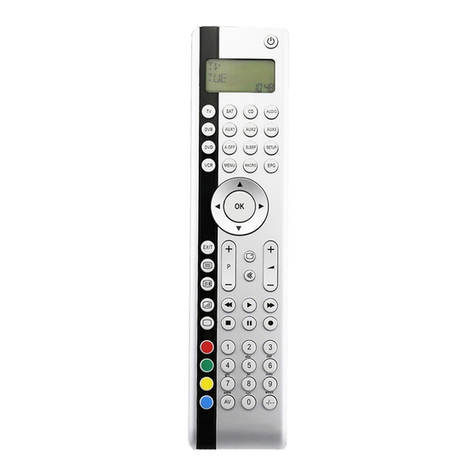
Silvercrest KH2150 User manual

KOMPERNASS GMBH · BURGSTRASSE 21 ·
D-44867 BOCHUM
www.kompernass.com
ID-Nr.: KH2150-07/08-V1
KH2150
UNIVERSAL
REMOTE CONTROL
3BC
UNIVERSAL REMOTE CONTROL
Operating instructions
CV_KH2150_JOE23594_LB3bcI.qxd 05.08.2008 16:53 Uhr Seite 1

KH 2150
1
2
3
4
5
6
7
8
9
10
11
12
13
14
15
16
17
18
19
20
CV_KH2150_JOE23594_LB3bcI.qxd 05.08.2008 16:53 Uhr Seite 4

CONTENT PAGE
Safety 3
Proper use . . . . . . . . . . . . . . . . . . . . . . . . . . . . . . . . . .3
Appliance Overview 4
First use 5
Unpacking the device /
checking the package contents . . . . . . . . . . . . . . . . .5
Inserting the batteries . . . . . . . . . . . . . . . . . . . . . . . . .5
Operating elements 6
LCD display . . . . . . . . . . . . . . . . . . . . . . . . . . . . . . . .6
Buttons . . . . . . . . . . . . . . . . . . . . . . . . . . . . . . . . . . . .7
EXIT button (8) . . . . . . . . . . . . . . . . . . . . . . . . . . . . . .8
SYSTEM-SETUP–System settings 10
VOL/MUTE SETUP . . . . . . . . . . . . . . . . . . . . . . . . . .11
VOL/MUTE SET . . . . . . . . . . . . . . . . . . . . . . . . . . . .12
VOL/MUTE RESET . . . . . . . . . . . . . . . . . . . . . . . . . .12
TIME-SETUP . . . . . . . . . . . . . . . . . . . . . . . . . . . . . . .12
DATE-SETUP . . . . . . . . . . . . . . . . . . . . . . . . . . . . . . .13
BACKLIGHT SETUP . . . . . . . . . . . . . . . . . . . . . . . . .14
SYSTEM-RESET . . . . . . . . . . . . . . . . . . . . . . . . . . . . .14
CODE-SETUP – Device code 15
LIST CODES . . . . . . . . . . . . . . . . . . . . . . . . . . . . . . .15
ENTER CODES . . . . . . . . . . . . . . . . . . . . . . . . . . . . .17
SEARCH CODES . . . . . . . . . . . . . . . . . . . . . . . . . . .17
BRAND CODES . . . . . . . . . . . . . . . . . . . . . . . . . . . .19
Entering device codes for combination devices . . .20
Controlling combination devices . . . . . . . . . . . . . . .20
Display device code . . . . . . . . . . . . . . . . . . . . . . . .20
TIMER SETUP – Timer functions 21
TV SLEEP SETUP . . . . . . . . . . . . . . . . . . . . . . . . . . . .21
TIMER SETUP . . . . . . . . . . . . . . . . . . . . . . . . . . . . . .22
LEARN-SETUP – Learning functions 24
MODE LEARN . . . . . . . . . . . . . . . . . . . . . . . . . . . . .25
MODE CLEAR . . . . . . . . . . . . . . . . . . . . . . . . . . . . .26
ALL LEARN CLEAR . . . . . . . . . . . . . . . . . . . . . . . . . .26
1

IB_KH2150_JOE23594_LB3bcI.qxd 05.08.2008 16:52 Uhr Seite 1

MACRO-SETUP – Macro functions 27
MACRO SET . . . . . . . . . . . . . . . . . . . . . . . . . . . . . .27
MACRO CLEAR . . . . . . . . . . . . . . . . . . . . . . . . . . . .28
Maintenance and Cleaning 29
Battery maintenance . . . . . . . . . . . . . . . . . . . . . . . .29
Cleaning the remote control . . . . . . . . . . . . . . . . . .29
Disposal 29
Troubleshooting 30
Technical data 31
Manufacturer codes 31
Personal macros 32
Personal device codes 32
Conformity 33
Importer 33
Warranty and Service 34
2
Read the operating instructions carefully before using the device
for the first time and preserve these instructions for later re-
ference. Hand over the instruction manual to whomsoever
you might pass the device on to.
IB_KH2150_JOE23594_LB3bcI.qxd 05.08.2008 16:52 Uhr Seite 2

UNIVERSAL REMOTE
CONTROL KH2150
Safety
Proper use
Children may only operate the remote control under adult
supervision.
The universal remote control can replace a maximum of ten
remote controls. It can only be used for entertainment electronics
with infrared receivers.
The functions of the universal remote correspond to those of
the original remote controls. The universal remote control is
intended for private use. It is not suitable for commercial use.
Any other use is considered improper use. The manufacturer
declines to accept responsibility for damage(s) arising from
improper use.
Risk of injury through incorrect
handling of batteries!
Batteries must be handled with special care. Take note of the
following safety instructions:
• Take the batteries out of the battery compartment as soon
as they are empty.
• Do not throw batteries into a fire. Never subject batteries
to high temperatures.
• If you will not be using the device for a longer period of
time, remove the batteries to prevent them from discharging.
• Explosion hazard! Non-rechargeable batteries must never
be recharged.
• Do not open the batteries or short-circuit them.
• Battery acid leaking from a battery can cause inflammation
of the skin. In event of contact with the skin, rinse with large
amounts of water. If the liquid comes into contact with your
eyes, rinse thoroughly with water, do not rub and immediately
consult a doctor.
Laser
The universal remote control has an infrared diode of laser
class 1. A safety system prevents the emission of hazardous
laser radiation during use. To prevent eye injuries, do not
modify or damage the safety system of the device.
3
IB_KH2150_JOE23594_LB3bcI.qxd 05.08.2008 16:52 Uhr Seite 3

Damage to the device
• If the device is defective, do not attempt to repair it yourself.
In case of damage, contact the manufacturer or his service
hotline (see Warranty section).
• If liquid escapes from the device or if the device has been
otherwise damaged, it must be inspected by the manu-
facturer or his service hotline. Contact the manufacturer
or his service hotline (see Warranty section).
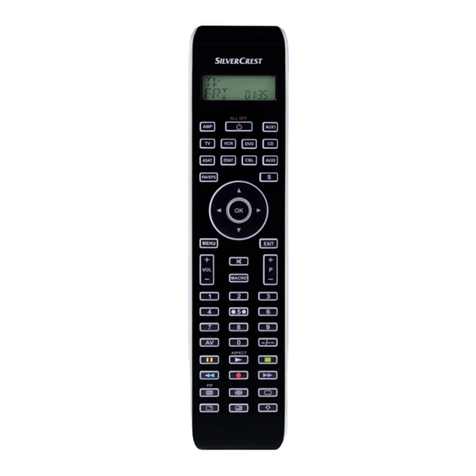
Appliance Overview
1Infrared transmitter/receiver
2LCD display with text field, number field and symbol field
3ALL OFF button
4Device buttons
5S button
6Arrow buttons
7OK button
8EXIT button
9Speaker button
10 VOL button
11 MACRO button
12 Video text buttons
13 Number buttons
14 Button for one-/two-digit programme numbers
15 Playback buttons and function buttons
16 AV button
17 CH button
18 MENU button
19 EPG button
20 Battery compartment
4
IB_KH2150_JOE23594_LB3bcI.qxd 05.08.2008 16:52 Uhr Seite 4

First use
Unpacking the device / checking the package
contents
Attention!
Keep the plastic packaging well away from small children.
There is a risk of suffocation.
• Unpack the device and accessories.
• Check the package contents
- Universal remote control
- Operating instructions
- Manufacturer list with device code list
• Remove the protective foil from the LCD display (2).
Note: Transport damage
If you notice transport damage, contact customer service
(see Warranty section).
Inserting the batteries
Attention!
The universal remote control may only be operated with
1.5 volt batteries.
1. Open the battery compartment (20) in the direction in-
dicated by the arrow.
2. Insert the batteries as shown in the figure and close the
battery compartment.
The LCD display (2) is activated as long as the batteries are
inserted.
The following figure shows the LCD display (2) after the batteries
have been inserted or replaced.
5
IB_KH2150_JOE23594_LB3bcI.qxd 05.08.2008 16:52 Uhr Seite 5

Note:
If the LCD display (2) remains dark, check the polarity of the
batteries or insert new batteries.
The LCD display (2) is explained in the section LCD display.
Operating elements
LCD display
The LCD display (2) is divided into fields.
Text field (21)
The text field has two lines. The first line indicates the current
device, such as DVD, TV or VCR. The second line shows the
day of week information or device code.
Information in the LCD display (2) that is shown in the display
on two lines is shown in these operating instructions on a
single line.
Example
LCD display Operating instructions
SYSTEM- SYSTEM-SETUP
SETUP
Infrared symbol (22)
Every time a button is pressed, an infrared signal is sent and
the infrared symbol lights up.
SET symbol (23)
The SET symbol indicates that the remote control is in setup
mode and device codes can be entered, for example.
Timer symbol (24)
The Timer symbol indicates that a timer function has been
configured and is active.
Zzz symbol (25)
The SLEEPTIMER function for the television is activated.
After the time elapses, the television will be switched off.
6
IB_KH2150_JOE23594_LB3bcI.qxd 05.08.2008 16:52 Uhr Seite 6

AM/PM symbol (26)
If the time is set to 12-hour format, a PM symbol is displayed
in the afternoon between 12:00 and 24:00. (See section
SYSTEM-SETUP – System settings).
Number field (27)
The display field for time and date information as well as the
device code.
Standard display
The standard display on the LCD display (2) consists of the
information for the current device "TV", the day of the week
"SUN“ and the time "12:00“.
How to change the settings for day of the week "SUN“ and
the time "12:00“ is described in the sections DATE-SETUP and
TIME-SETUP.
Lighting
The LCD display (2) lights up as soon as you press a button
on the remote control. The backlight switches off automatically.
The backlight time can be configured. See the section
"BACKLIGHT SETUP“. The default setting is ten seconds.
Buttons
ALL OFF button (3)
Switch device on/off.
Device buttons (4)
The device buttons are used to select which device should
be operated. The TV button is permanently assigned, all other
buttons can be freely configured.
Television
DVD player (Digital Versatile Disk)
Video recorder (Video Cassette Recorder)
Cable connection
Analogue satellite receiver
Digital satellite receiver
Auxiliary 1
7
IB_KH2150_JOE23594_LB3bcI.qxd 05.08.2008 16:52 Uhr Seite 7

CD player (Compact Disk)
Amplifier
Auxiliary 2
S button (5)
Load SETUP menu or activate SHIFT function.
Arrow buttons (6)
Move up, right, left and down in menus.
OK button (7)
You can confirm a menu selection with the OK
button.
EXIT button (8)
#
Leave menu.
Speaker button (9)
Switch sound on/off.
VOL button (10)
Set volume.
MACRO button (11)
Pressing the MACRO button (11) followed by a
number button (13) 1, 2or 3activates the
saved commands.
8
IB_KH2150_JOE23594_LB3bcI.qxd 05.08.2008 16:52 Uhr Seite 8
Table of contents
Other Silvercrest Universal Remote manuals

Silvercrest
Silvercrest KH 2157 User manual

Silvercrest
Silvercrest KH 2158 User manual

Silvercrest
Silvercrest KH 2155 User manual

Silvercrest
Silvercrest KH 2159 User manual

Silvercrest
Silvercrest SFB 10.1 C3 Instruction sheet

Silvercrest
Silvercrest KH 2159 User manual

Silvercrest
Silvercrest SILVERCREST KH 2156 User manual

Silvercrest
Silvercrest URC 101 DT User manual