Charging Battery
A B
CD
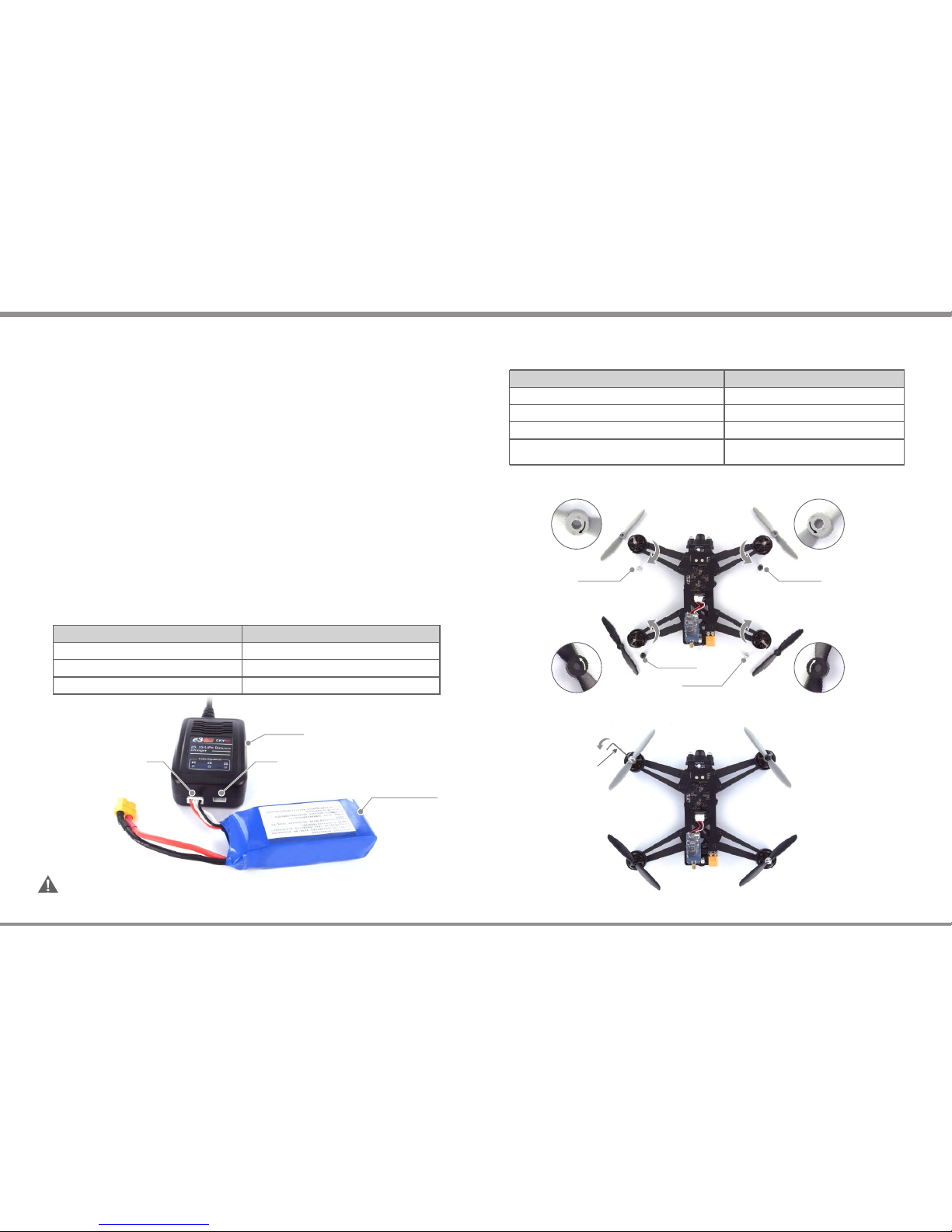
This diagram shows the correct way to connect your battery to the e3 charger while charging.
Failure to connect as shown in this diagram will damage this charger.
CAUTION:
SKYRC e3 charger comes with the built in power supply. You can connect the AC power cord to
the AC socket (100-240V AC) directly.
Insert the AC power cord into the charger.
Insert the AC plug into a wall socket (100-240V). All LEDs will light green and flash red to
indicate the charger is ready to charge.
Connect battery balance wire to balance port which is in front side of the charger, after 2
seconds, the charger detects the voltage of the battery and starts to charge.
The charger starts charging. The LEDs will glow constant red. If the battery pack is 2-cell,
Cell 1 and Cell 2 LEDs will glow constant red; if the battery pack is 3-cell, Cell 1, Cell 2 and
Cell 3 LEDs will glow constant red.
When a cell is completely charged, its corresponding LED will glow constant green. A 2-cell
pack is fully charged when LEDs 1 and 2 are constant green. For 3-cell pack, all LEDs will
glow constant green to indicate the pack is fully charged.
Unplug the battery from the charger and the charge status LED will stay green and flash red
which indicates the charger is ready to charge another battery.
Please refer to following steps to charge the battery,
1)
2)
3)
4)
5)
6)
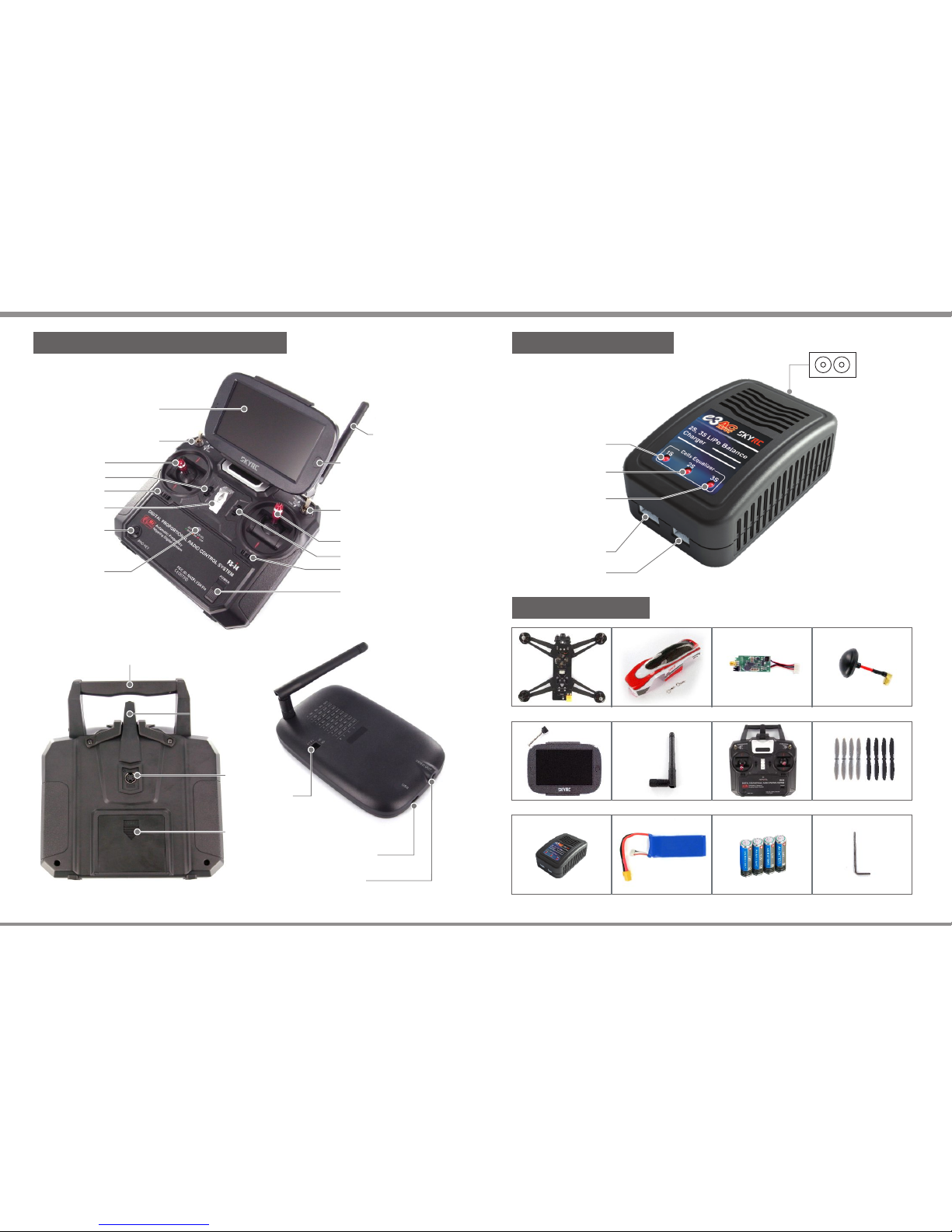
Charger
3SLiPoBattery
CONNECTION DIAGRAM
ChargingPort
for3SLiPoBattery
ChargingPort
for2SLiPoBattery
If you unplug the battery while charging, the charger will stop charging automatically and
enter into standby status.
If the charger encounters overload or short circuit while charging, the charger will stop
charging and three LEDs will flash red.
1
2
Remark:
LED Indicator
LED stays green and flashes red.
LED glows constant red.
LED glows constant green.
The charger is ready to charge.
The charger is charging.
The charging process finishes.
Charger Status
If the charger encounters a problem, all LEDs will flash red to alert you the errors. In this case,
please disconnect the power cord from the wall socket and unplug the battery from the charger.
* Error Message for Charger
All LEDs flashes red once and stop 1 second in cycle.
All LEDs flashes red four times and stop 1 second in cycle.
All LEDs flashes red six times and stop 1 second in cycle.
All LEDs flashes red twice and stop 1 second in cycle.
The battery connects incorrectly.
The voltage of single cell is too high or too low.
There is a 300mv difference of voltage
between battery pack.
The charger encounters overload or short circuit.
Cause of ErrorLED Indicator
Attaching Propellers
Silver Nut
Black Nut
Silver Nut
Black Nut
To attach the propellers correctly, you need match the spin direction on the propellers with
the marking on each arms.
Hold the motor in place with one hand, then using L-Wrench and turn in opposite direction to
secure the propeller.
05 ·
SOKAR FPV DRONE
· 04 SOKAR FPV DRONE
CHARGING BATTERY ATTACHING PROPELLERS
L-Wrench