12 223176
Pot Recognition (PR)
An advantage of the induction heating method is pan detection. If there is no pan or a pan placed on the cooking
zone that is too small, then no energy is transmitted. If the cooking zone is switched on, the pan symbol "u" flashes
in the cooking level display ". During the next 10 minutes the pan detection will identify a pan that has been placed
and it will switch on the selected level. In the same way, the power supply to the cooking zone is interrupted, if the
pan is removed from the cooking zone. If the pots and pans placed on the cooking zone are of smaller dimension,
and the pot detection still switches on, then the power supply will take place with less power.
Power boost
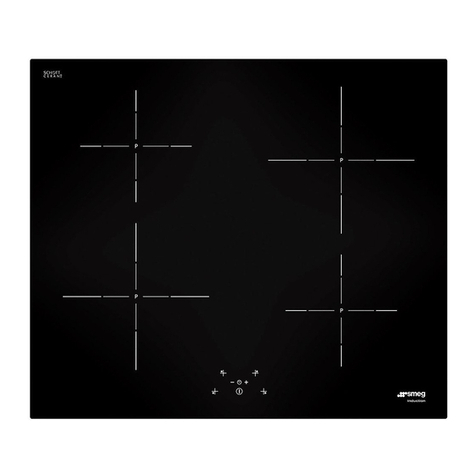
For the induction cooking zone 3an additional power boost can be activated for a fast
parboiling boost. Switch on the cooking zone 3by means of corresponding cooking
zone button 0. Select cooking level 9and switch on the power level by pressing the
plus key 8once more. By activating this power mode, the power supply for the
induction cooking zone 3will be increased to 3000 W for a maximum time of 10
minutes. This will be indicated by a "P". Switching off the power level with the minus
key 7puts the cooking zone at cooking level 9. After ten minutes the cooking zone
is automatically switched from power level to cooking level 9. The power supply for
the cooking zone 2is decreased to 600 W for this time. This will be indicated by
continuous changing in the display between selected cooking range and decreased
cooking range. After switching back from the power mode, the cooking zone 2
provides the full power of 1200 W.
Timer
The timer can be used to automatically switch off a cooking zone after a pre-set time of between 1 and 99 minutes.
The required cooking zone must be activated, stand-by dot §lights up. Select a cooking level from 1 to 9 by
means of the minus or plus keys 7/8. Then press timer key 4. The timer display 5shows "00". Select the
required cooking time between 1 and 99 minutes by means of the minus or plus keys 7/8. The control lamp 6of
the selected cooking zone lights up.
The selected cooking time can be altered at any time. Activate the relevant cooking zone, press timer key 4and
change the cooking time by means of the plus or minus keys 7/8.
When the pre-set cooking time has finished, the cooking zone switches off automatically and an acoustic signal
sounds for two minutes. This can be switched off by pressing any key.
If you want to switch the timer off beforehand, press cooking zone key 0and timer key 4. The minus key 7can
now be used to set the timer 5to "00", or alternatively this can be done by the simultaneous pressing of the minus
and the plus keys 7/8.
The timer can also be used as an egg timer when none of the cooking zones are activated. In this case, no cooking
zone should be activated when the timer 4is being set. (Stand-by dot cooking zone §does not light up?)
Safety switch-off
Continuous operation of each individual cooking zone is
temporally limited by a safety shut-off which switches off the
cooking zone in accordance with the selected cooking level
after a specified time interval. The intervention times of this
safety device are included in the attached time table.
When the safety switch-off has switched off the touch control
system, a "0" is shown in the cooking level display ", or an "H"
if there is still any residual heat left. Pressing the on/off switch
key makes the control system ready for operation again.
If more than one key is pressed simultaneously - with the
exception of the minus and plus keys - the control system will
not accept this as a valid command. If one or more keys are
activated for longer than 30 seconds, for example by boiling
over or the weight for a pan, the control system assumes that
there is an error and switches off automatically. If key
operation continues, a constant acoustic signal sounds.