BT 2800/BL, BT 2800/GR
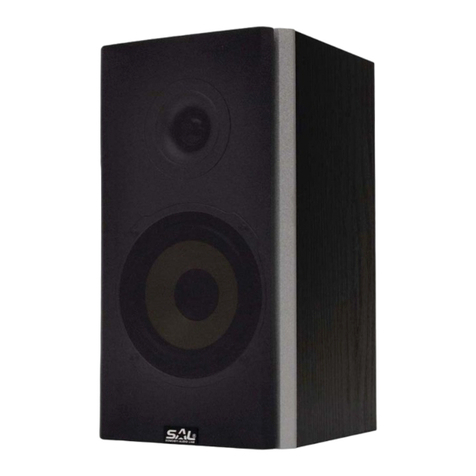
portable multimedia speaker
Before using the product for the rst time, please read the instructions for use below and retain them for later reference. The original instructions were written in the Hungarian
language.
This appliance may only be used by persons with impaired physical, sensory or mental capabilities, or lacking in experience or knowledge, as well as children from the age of 8, if
they are under supervision or have been given instruction concerning use of the appliance by a person responsible for their safety and they have understood the hazards associated
with use. Children should not play with the device. Children only from the age of 8 may only clean or perform user maintenance on the appliance under supervision. Keep the appliance
and its power cord out of reach of children under the age of 8.
• Amplifying Bluetooth devices • Playing MP3 les from SD/USB devices • FM radio with automatic seeking • Wired input (AUX IN) • 5 way of EQ tone adjust mode (MP3) • 4 way of
repeating/random MP3 playing • Announcement by changing operation mode • Continuous colour change with LED • Remote controller for MP3 & radio is included • Classic wooden
speaker box with carrying handle • Double speaker – double bass • Built-in Li-Ion accumulator • Expendable accumulator-capacity (option: BL-5C) • Accessory 0,5 m USB-miniUSB charging
cable / AUX cable
CHARGING THE ACCUMULATOR
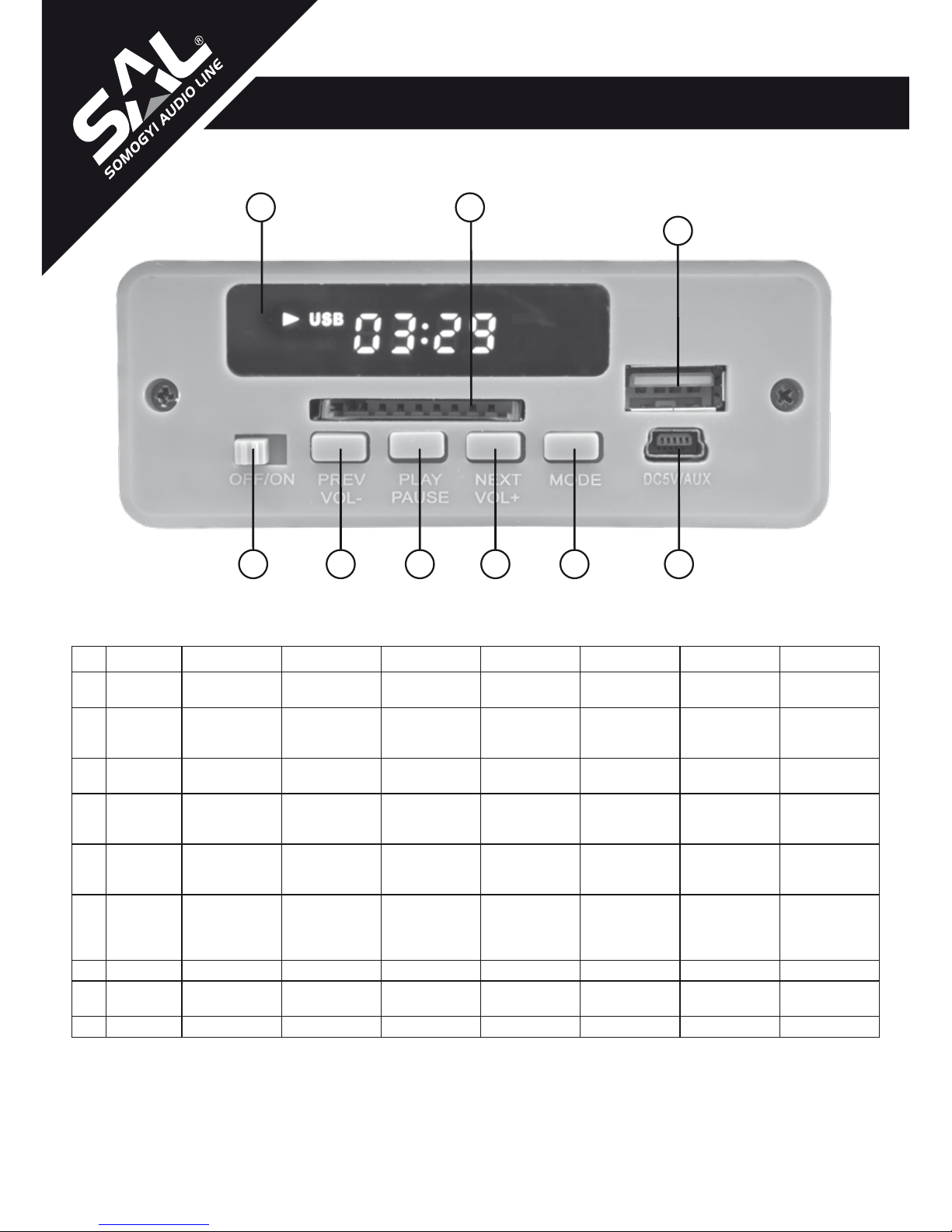
The built-in accumulator need to be charged before rst use. Connect the included charging cable to the (6.) socket, and the other end into a USB port of a computer, for example. You can apply power network
USB charger (e.g. SA1000USB, SA 2100USB) or you can use your mobile phone charger as well. Red LED will be lighting next to the micro USB socket during charging. Finish charging when the LED light
goes out, or at the latest after 15 hours.
• It is not recommended to listen to music while charging, because the lifespan of the accumulator may decrease.
• Start to charge it again, when the sound quality goes bad! Don’t wait till it depletes completely!
• Charge it once a month or two month when it is not in use!
• Available operation time (c.a. 4-6 hours) signicantly depends on the set volume.
• Acting pursuant to the prescriptions it can be recharged approx. 500 times.
EXPANDABLE ACCUMULATOR-CAPACITY (OPTION: BL-5C)
Capacity of built-in accumulator is expandable with BL-5C type accumulator, which is available separately at the mobile phone stores. It can be inserted after removing the cover, located at the back of
unit. The extra accumulator extend the operation time, but the time of charging will increase as well, in case of +1000mAh extra accumulator, it is additional 5-6 hours. In case of different capacity, it can be
calculated proportionally.
Operations on the accumulator must be performed by an adult only! • If you do not use the device for a longer period, immediately remove the extra accumulator! • If there is some liquid own out, then take a
protective glove and clean the battery holder with a dry cloth! • Do not open, burn and short circuit the batteries! • It is forbidden to charge the batteries which are not rechargeable! Risk of explosion! • Do not
use accumulators instead of batteries, because their voltage and efciency is signicantly lower! • In cold circumstances, the power of the batteries weakens, frequent battery replacement may needed!
INSTALLATION, FUNCTION SELECTION
Slide the OFF/ON (1.) switch to the right. BLUE label will ash on the display and a female voice announces that the Bluetooth function is activated. By pushing MODE button repeatedly, you can chose
other operation modes; FREQ DISP (frequency display) for FM radio, or LINE (wired audio input). If you connect memory card or external USB deivce, the playing will start. With MODE button, this function
is available till removing the memory device.
USING THE RADIO
Chose the FM radio mode. Reception frequency will be visible on the display. Plug in the charging cable to the socket located on the front panel, it will functioning as radio antenna as well. To start automatic
tuning and storing push PLAY/PAUSE (3.) button. After storing the radio stations (max. 35), stepping can made by PREV and NEXT (2.) (4.) buttons.
• Seeking will stop, if it detects changing signal strength. – It doesn’t mean the nding of a radio station every time.
• Reception ability of radio depends on the site of use, and the actual reception conditions.
PLAYING MP3 (from SD card or USB device)
By inserting the memory device, the appliance will announce that it will switch to USB operation mode and playing will start. The display shows elapsed time from the current track. Available functions:
(PLAY/PAUSE) playing and pause / (PREV and NEXT) stepping tracks or volume control by keeping it pushed (Volume 00…Volume 30)
• Operation time of accumulator will shorten with larger volume.
• Do not remove the memory card during playing, since it can cause damages in data!
• Recommended le structure for memory card is FAT32. Do not apply NTFS formatted memory unit!
• After inserting the memory card, playing will start from the rst track. If you have been listening to it previously, playing will go on from the last chosen track, even the appliance has been switched off and
card has been removed in the meantime.
• The unique characteristics of the mass storage can cause abnormal operation, it doesn’t indicate the fault of the device!
USING THE BLUETOOTH FUNCTION
The device can be paired with other appliances communicating by the BLUETOOTH protocol, within maximum 10 m operation range. Following that the music played by mobile phone, tablet, notebook or other
similar device, can be listened amplied by the speaker. Chose the BLUE (Bluetooth) function with MODE button. Search for the BLUETOOTH devices, including this speaker located nearby as described in
the user manual of the appliance to be paired. Connect the two devices to each other. Then the desired programme can be heard on the speaker.
• One speaker can be paired with one Bluetooth appliance in the same time.
• Actual operation range depends on the other appliance and the environmental conditions
LINE / AUX IN AUDIO INPUT
If you have such appliance which has 3,5 mm audio output or headphone socket, then you can amplify its sound through the external speaker by applying the included connecting cable. Connect the AUX
(6.) input with the audio output of the appliance.
• Available sound quality depends on the quality of the audio signal provided by the external appliance.
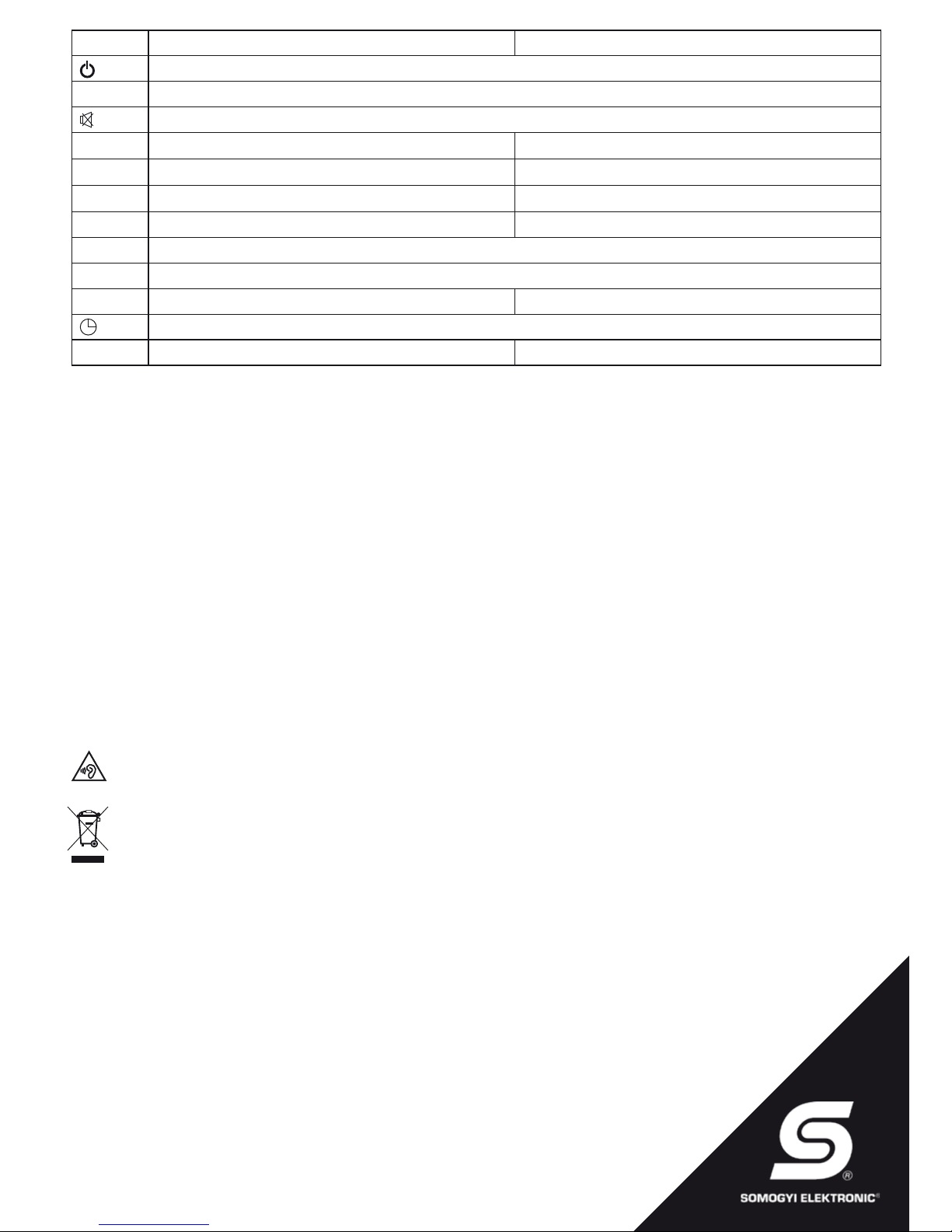
FUNCTIONS OF THE REMOMTE CONTROLLER
To install the remote controller, pull out the extending insulation stripe from the battery holder compartment. If you experience unsteady operation or decreased operation range later, change the battery to a
new CR 2025; 3 V button cell.
• Aim the remote controller during operation to the direction of the sound box display and locate it within 2-3 meters from the device!
• Switch off by the remote controller will switch it to standby position, if you are not going to use it longer, set the slide switch to OFF position
• RPT repeat functions: ALL: repeating all tracks; FOLDER: repeating actual folder; ONE: repeating actual track; RANDOM: shufe play
• To replace the battery, turn the remote controller facing the buttons down, then pull out the battery tray together with the batteries. Make sure that the positive side of the battery inserted is facing up. Follow
the instructions, shown on the back of the remote controller!