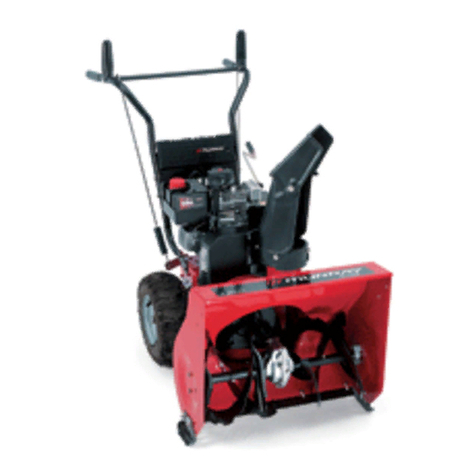
Read and follow the assembly and adjustment
instructions for your snow thrower. All fasteners
are in the parts bag. Do not discard any parts or
material until the unit is assembled.
WARNING: Before doing any
assembly or maintenance to the
snow thrower, remove the wire
from the spark plug.
NOTE: In this instruction book, left and right
describe the location of a part from the
operator’s position behind the unit.
NOTE: Torque is measured in foot pounds
(metric N.m). This measurement describes
how tight a nut or bolt must be. The torque is
measured with a torque wrench.
NOTE: Fasteners and loose parts are shown
at full size in Figure 2 on page 15.
NOTE: Illustrations are located on page 2
and on pages 16 through 20.
Tools Required
1 Knife
1 Pliers
2 1/2 inch open end wrenches
2 9/16 inch open end wrenches
2 3/4 inch open end wrenches
1 Measuring tape or ruler
1 Screwdriver
How To Remove The Snow Thrower
From The Carton
1. (Figure 3) The snow thrower is shown in the
shipping position.
2. Remove packing material from wheels,
handle, and auger housing.
3. Locate and remove the parts bag (some
models do not have a parts bag).
4. Cut open the end of the carton next to the
handle.
5. To roll the snowthrower off of the carton, pull
on the handle.
CAUTION: DO NOT back over cables.
6. Remove any packing material that remains
from handle and auger housing.
7. Cut black plastic shipping ties that may
HANDLE.
8. If the control cables have become
disconnected from the control levers, then
attach the cable to the levers (see Owner’s
Manual for illustration of cable and lever).
How To Assemble The Handle
1. (Figure 4) Loosen, but do not remove, the
fasteners (1) in the upper holes of the lower
handle.
2. Raise the upper handle (2) to the operating
position.
NOTE: Make sure the cables are not
caught between the upper and lower
handle.
3. Tighten all handle fasteners.
Check The Cables
1. (Figure 8) Check the traction drive cable
(1) and the auger drive cable (2). If the
bottom of the cables have become
disconnected, reinstall the cables.
2. (Figure 10) If the top of the cables (5)have
become disconnected from the drive
levers (6), attach the cables (5)to the “Z”
fitting (7).
How To Set The Skid Height (Figure 1)
The snow thrower is equipped with height
adjustable skids (7) mounted on the outside of
the auger housing (4). To adjust the height of
the skids, see “How To Adjust The Height Of
The Skids” in the Maintenance section.
How To Set The Length Of The Cables
The cables were adjusted at the factory and no
adjustments should be necessary. However,
after the handles are put in the operating
position, the cables can be too tight or too loose.
If an adjustment is necessary, see “How To
Check And Adjust The Cables” in the Service
And Adjustment section.
How To Assemble The Drift Cutter
(if equipped)
Drift cutters are used to cut a path through snow
deeper than the auger housing.
1. (Figure 11) Loosen the fasteners (2) that
secure the drift cutters (1) to the auger
housing.
2. Raise the drift cutters (1) to the desired
height.
3. Tighten the fasteners (2).
How To Prepare The Engine
NOTE: The engine was shipped from the
factory filled with oil. Check the level of the
oil. Add oil as needed.
WARNING: Follow the engine
manufacturer’s instructions for the
type of fuel and oil to use. Always
use a safety fuel container. Do not smoke
when adding gasoline to the engine. When
inside an enclosure, do not fill with
gasoline. Before you add fuel, stop the
engine. Let the engine cool for several
minutes.
Check the oil. See the engine manufacturer’s
instructions for the type of fuel and oil to use.
Before you use the unit, read the information on
safety, operation, maintenance, and storage.
Important! Before You Start Operating
Check the fasteners. Make sure all
fasteners are tight.
NOTE: Illustrations are located on page 2
and on pages 16 through 20.
CAUTION: Use only attachments and
accessories approved by the manufacturer
of the snow thrower (such as tire chains,
electric start kits, etc.).
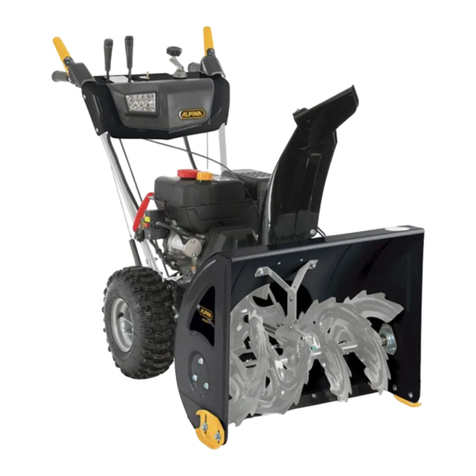
Know Your Snow Thrower (Figure 1)
Read this Instruction Book and safety rules
before operation the snow thrower. Compare the
illustration with your snow thrower to familiarize
yourself with the location of various controls and
adjustments.
How To Control The Discharge Of
The Snow
WARNING: Never direct the
discharge of snow toward
bystanders.
WARNING: Always stop the engine
before unclogging the discharge
chute or the auger housing and
before leaving the snow thrower.
1. (Figure 1) Turn the crank assembly (2) to
change the discharge direction of the snow.
2. Turn the upper chut assembly(21)
the distance.
Move the chute deflector (2)
UP for more distance, DOWN for less distance.
How To Assemble The Chute Deflector
1. Turn crank assembly (18, Figure 5) until
the arrow on outer ring (2, Figure 7) of
chute ring assembly points forward.
NOTE: The chute ring assembly (1) comes
installed on the unit from the factory (see
Figure 7).
2. Place chute ring (3) onto outer ring (2)
so the slot in the chute ring aligns with
the arrow on the outer ring.
3. Install chute deflector (4) using three screws
(5) and nuts (6) in holes as shown. The chute
deflector must point forward for proper
installation.
4. Tighten screws snugly but be careful not to
over-tighten.
secure the control cables to the LOWER
1 3/8 inch open end wrench
1 7/16 inch open end wrench
3. (Figure 12)
to set
How To Stop The Snow Thrower
(Figure 1)
1. To stop discharging snow, release the auger
drive lever (5).
2. To stop the wheels, release the traction
drive lever (1).
3. To stop the engine, pull out the safety key(8).
CAUTION: To stop the engine, do not move
the choke control to CHOKE position.
Backfire or engine damage can occur.
How To Go Forward or Backward
(Figure 1)
1. To change the ground speed, first release the
traction drive lever (1) and then move the
speed shift lever (6) to the desired speed.
2. Ground speed is determined by snow
conditions. Select the speed by moving the
speed shift lever (6) into the appropriate
notch on the shift lever plate.
Speed 1 Wet, Heavy
Speed 2 Light
Speed 3 Very Light
Speed 4,5 Transport only
08