14
When using domeports for wide angle lenses, please note the following:
• Dome glasses act in water like lenses, creating an apparent image of the
actual subject, which is smaller and closer than in reality.
• The lens must be focused on this virtual image.
• The required adjustment of the lens is in the region of 0.15 to 0.3 m, de-
pending on the curvature of the dome.
• A dioptre lens on the camera lens restores the full focusing range under
water.
• The required power of the dioptre lens depends on the lens type and the
type of the domeport. Without these correcting lenses you may not even
be able to get your subject in focus!
• The fogging of the front glasses can be avoided by inserting Silicagel or by
applying an antifogging liquid.
CHANGING A LENS
SUBAL ND810 allows changing the lens without camera removal.
• Unlock the Port Lock (if tted).
• Remove the frontport.
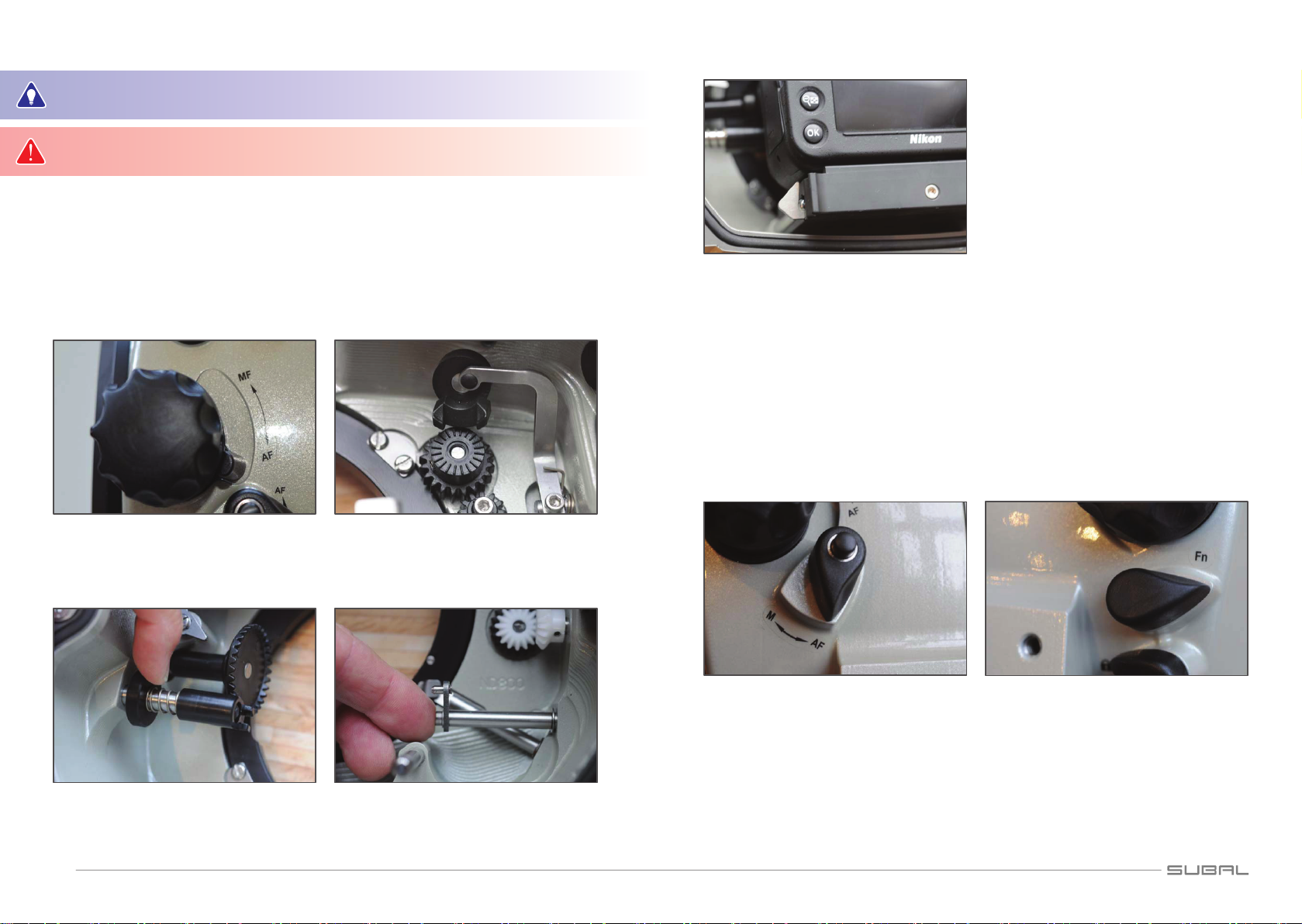
• Turn the lens release knob clockwise approx. one quarter turn and push it
down to release the lens lock mechanism.
• Hold it in position and turn the lens clockwise to remove it.
• Leave the lens release knob, put the new lens onto the camera and attach
the proper port.
OPERATING THE FUNCTIONS
The operation of the camera functions is the same as for surface use: By
pressing the corresponding levers, push buttons or turning of the knobs.
If illumination of the subject is insufcient to guarantee proper autofocus
operation, additional lighting has to be used (pilot light of ash unit, etc.) or
the camera has to be switched over to manual focus.
Therefore a focus gear is required (not possible with all lenses).
Autofocus mode
Switch the Focus Mode Selector to AF (see camera manual). Lenses with an
M - A switch ring have to be set to A.
In order to avoid straining the focus motor of the camera, the lens focus
gear ring (if tted) needs to be decoupled. Turn the focus coupler lever
(below the focus knob) to AF.
This is not necessary if there is no focus gear on the lens.
If the subject in the picture is out of focus, there are a number of methods
available for restoring sharpness:
• Adjust the focus by pressing the shutter release lever slightly until AF
activates, keep it half pressed while you compose the picture and shoot.
• Adjust the focus by pressing down the shutter release lever slightly until
AF activates. Now press the AF-lock lever (the shutter release lever now
can be left) and keep it pressed until you have chosen the wanted frame
and have shot your photo.
• Choose the point of autofocusing with the Focus Area Selector.
Manual focusing operation
To adjust focus manually (not possible with all lens ports) a focus gear ring
on the lens is required.
Please note the mounting instructions enclosed with the focus gear ring.
The crown wheel inside the housing and the focus gear on the lens have to
mesh. Therefore the coupler lever has to be turned to MF and the focus mode
selector switch (M-S-C) has to be set to M.
Lenses providing an M - A switch ring have to be set to M before inserting
into the housing.
The AF-Micro Nikkor 60/2.8 and 105/2.8 lenses can be changed from AF to
MF even under water by the use of the special SUBAL Focus Control Ports.
MOUNTING AND CONNECTING A FLASH UNIT
The SUBAL ND810 is equipped with 2 ports to connect Sea&Sea ber optic
cables. Adapters for other systems (e. g. INON) are available as accessories
(Fig. 12).
Modern strobes with STTL function provide full TTL control!
Optionally a built in ash electronic with up to max. 3 strobe sockets is
available. This can be upgraded by your local dealer.
If you use your strobes via STTL (Strobe TTL) – connected to the sync ports
– the built in strobe of the camera has to be popped up. This will be provided