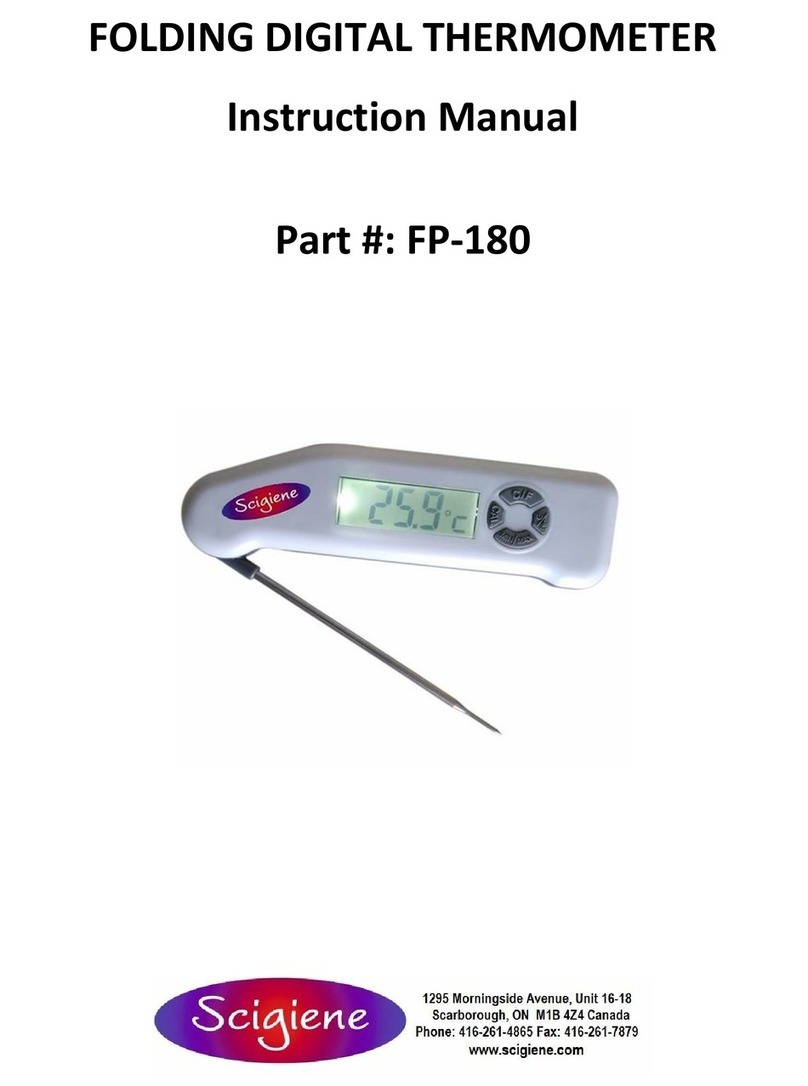
DIGITAL THERMOMETER ART. NO. 230 INSTRUCTION MANUAL
INSTALLATION
1. Pull off the protection foil on the display, is necessary.
2. Insert the battery (or if needed pull off the insulation strip from the battery
compartment)
- Open the battery cover on the backside of the instrument by opening the two
small screws next to the magnet by a screw driver.
- Insert the battery.
- Close the cover.
TEMPERATURE INDICATION
The present temperature in °C or °F measured by the cable sensor is indicated on the
display. Press the +1-switch to change from °C to °F readout.
ON/OFF
Press ON/OFF-button to switch the instrument on and off. Settings are preserved, for
measurements and alerting the instrument must be switched on.
HOLD / MAX- MIN-FUNCTION
When pressing the MAX/MIN-button, the present display is held (HOLD). Pressing again
the MAX/MIN-button, the display shows the maximum temperature since the last reset
(MAX). When pressing the MAX/MIN-button again, the display shows the minimum
temperature since the last reset (MIN). To go back to the present temperature display,
press the MAX/MIN-button once more. To reset maximum and minimum values, hold the
MAX/MIN-button for 3 seconds, while MAX or MIN is indicated (_ _).
UPPER LIMIT AND LOWER LIMIT TEMPEARTURE ALERT
To set an upper temperature limit, that means when passing the temperature an
alarm is beeping, press the ”AL SET”-button. The upper temperature limit ▲is
flashing. Set the desired temperature by pressing the +1-button. Hold and press
the button for a fast count. Now you can activate (alarm symbol appears) or
deactivate (alarm symbol disappears) the alarm pressing MAX/MIN-button.
Confirm by pressing the AL SET-button.
The lower temperature limit ▼is flashing. To set a lower temperature limit, that
means when falling below the temperature an alarm is beeping, press +1-button.
Hold and press the button for a fast count. Now you can activate or deactivate
the alarm pressing MAX/MIN-button. Confirm by pressing the “AL SET”-button.
After setting temperature alarm the symbols ▼ or ▲ show, if an upper or lower
temperature alarms is activated.
When passing or falling below the selected temperature limit an alarm signal will
sound for 1 minute, the buzzer alarm icon and the corresponding arrow ▼ or ▲
will flash. The alarm and the buzzer alarm icon can be turned off manually by
pressing any button.
When temperature is again within the selected limits the alarm signal will stop
(within 1 min.) and the buzzer alarm flashing icon disappears. The arrow keeps
on flashing showing that the temperature was higher/lower than the preset
value at least once in the past. Press +1-button and the arrow will stop flashing.
BATTERY CHANGE
When the battery is used up, low battery icon appears. Open the battery cover on the
backside of the instrument, insert a new battery CR2032 and close the cover.
The user is obligated to take end-of-life devices to a designated collection
point for the disposal of electrical and electronic equipment, in order to
ensure environmentally-compatible disposal.
ATTENTION!
Do not place the display unit near extreme temperatures. Only the probe is heat
resistant.
Do not immerse the display unit into water, water can penetrate and cause
malfunction.
Do not try to repair the unit. Contact the original point of purchase. Please
change the battery before complaining. No guarantee if the instrument is
handled or opened improperly.
TECHNICAL DATA
Measuring range: -40..+70C
Precision: 0,5C from -20 to+25C, 1C besides
Resolution: 0,1C
IP-class: IP65 (dust and hose-water proof)
Battery: CR2032 3V Lithium button cell battery
Measurements: 86 x 57 x 30 mm
This product fulfills the guidelines according to EN 13485.
Suitability: S, T (Stockage, Transport)
Location: A
Accuracy class: 1
Measuring range: -40..+70C
In accordance with EN 13485, this instrument is subject to regular inspections as per EN
13486 (recommendation: yearly).
SUOMEN LÄMPÖMITTARI OY, Yrityspiha 7, 00390 Helsinki
www.suomenlampomittari.fi