manuals.online logo
Brands
  1. Home
  2. •
  3. Brands
  4. •
  5. Supermicro
  6. •
  7. Motherboard
  8. •
  9. Supermicro X10SAE User manual

Supermicro X10SAE User manual

Other manuals for X10SAE

2

Other Supermicro Motherboard manuals

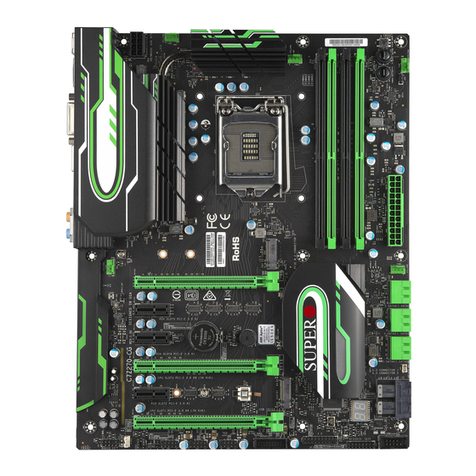
Supermicro Supero C9Z390-CG-IW User manual

Supermicro

Supermicro Supero C9Z390-CG-IW User manual

Supermicro X7DB8 Plus User manual

Supermicro

Supermicro X7DB8 Plus User manual

Supermicro X6DAR-8G User manual

Supermicro

Supermicro X6DAR-8G User manual

Supermicro Supero X7DVL-E User manual

Supermicro

Supermicro Supero X7DVL-E User manual

Supermicro C7Z87 User manual

Supermicro

Supermicro C7Z87 User manual

Supermicro X11 UP User manual

Supermicro

Supermicro X11 UP User manual

Supermicro X7SLM User manual

Supermicro

Supermicro X7SLM User manual

Supermicro X11DSN-TS User manual

Supermicro

Supermicro X11DSN-TS User manual

Supermicro SUPER P6DKS User manual

Supermicro

Supermicro SUPER P6DKS User manual

Supermicro SUPERO X8QB6-F User manual

Supermicro

Supermicro SUPERO X8QB6-F User manual

Supermicro X11SSH-CTF User manual

Supermicro

Supermicro X11SSH-CTF User manual

Supermicro X10DAi User manual

Supermicro

Supermicro X10DAi User manual

Supermicro X10SDD-F User manual

Supermicro

Supermicro X10SDD-F User manual

Supermicro SYS-X11SPi-TF User manual

Supermicro

Supermicro SYS-X11SPi-TF User manual

Supermicro H12DSU-iN User manual

Supermicro

Supermicro H12DSU-iN User manual

Supermicro X8SIA User manual

Supermicro

Supermicro X8SIA User manual

Supermicro A2SAN-H User manual

Supermicro

Supermicro A2SAN-H User manual

Supermicro X11SSL-nF User manual

Supermicro

Supermicro X11SSL-nF User manual

Supermicro B1SD1-TF User manual

Supermicro

Supermicro B1SD1-TF User manual

Supermicro X12SCV-W User manual

Supermicro

Supermicro X12SCV-W User manual

Supermicro X11DPFR-S(N) User manual

Supermicro

Supermicro X11DPFR-S(N) User manual

Supermicro X9DRL-3F User manual

Supermicro

Supermicro X9DRL-3F User manual

Supermicro Supero H8DAR-i User manual

Supermicro

Supermicro Supero H8DAR-i User manual

Supermicro M12SWA-TF User manual

Supermicro

Supermicro M12SWA-TF User manual

Popular Motherboard manuals by other brands

Gigabyte MNJ190I-FH user manual

Gigabyte

Gigabyte MNJ190I-FH user manual

Biostar HI-FI-Z87X-3D Setup manual

Biostar

Biostar HI-FI-Z87X-3D Setup manual

Atmel SAM9753PIA-DK user guide

Atmel

Atmel SAM9753PIA-DK user guide

Coapt GEN2 Handbook

Coapt

Coapt GEN2 Handbook

Supero SUPER P4DL6 user manual

Supero

Supero SUPER P4DL6 user manual

Cypress CY3210-PSoCEVAL1 quick start guide

Cypress

Cypress CY3210-PSoCEVAL1 quick start guide

ASROCK B660M-HDV manual

ASROCK

ASROCK B660M-HDV manual

Fujitsu D2831 Short description

Fujitsu

Fujitsu D2831 Short description

Industrial Computers ADE-6050 user manual

Industrial Computers

Industrial Computers ADE-6050 user manual

Asus TUF Z270 MARK 2 manual

Asus

Asus TUF Z270 MARK 2 manual

DFI NB71-BC user manual

DFI

DFI NB71-BC user manual

ASROCK H61 Pro BTC user manual

ASROCK

ASROCK H61 Pro BTC user manual

Norco POS-7893 user manual

Norco

Norco POS-7893 user manual

Intel DG965MS specification

Intel

Intel DG965MS specification

Asus B85M-VIEW PAKER user manual

Asus

Asus B85M-VIEW PAKER user manual

Asus P5G41T-M LX V2 user manual

Asus

Asus P5G41T-M LX V2 user manual

Gigabyte GA-K8VT800-RH user manual

Gigabyte

Gigabyte GA-K8VT800-RH user manual

Gigabyte Z790M AORUS ELITE user manual

Gigabyte

Gigabyte Z790M AORUS ELITE user manual

manuals.online logo
manuals.online logoBrands
  • About & Mission
  • Contact us
  • Privacy Policy
  • Terms and Conditions

Copyright 2025 Manuals.Online. All Rights Reserved.

X10SAE
USER’S MANUAL
Revision 1.1b
Manual Revision 1.1b
Release Date: August 15, 2014
Unless you request and receive written permission from Super Micro Computer, Inc., you may not
copy any part of this document.
Information in this document is subject to change without notice. Other products and companies
referred to herein are trademarks or registered trademarks of their respective companies or mark
holders.
Copyright © 2014 by Super Micro Computer, Inc.
All rights reserved.
Printed in the United States of America
The information in this User’s Manual has been carefully reviewed and is believed to be accurate.
The vendor assumes no responsibility for any inaccuracies that may be contained in this document,
and makes no commitment to update or to keep current the information in this manual, or to notify
any person or organization of the updates. Please Note: For the most up-to-date version of this
manual, please see our website at www.supermicro.com.
Super Micro Computer, Inc. ("Supermicro") reserves the right to make changes to the product
described in this manual at any time and without notice. This product, including software and docu-
mentation, is the property of Supermicro and/or its licensors, and is supplied only under a license.
Any use or reproduction of this product is not allowed, except as expressly permitted by the terms
of said license.
IN NO EVENT WILL SUPER MICRO COMPUTER, INC. BE LIABLE FOR DIRECT, INDIRECT,
SPECIAL, INCIDENTAL, SPECULATIVE OR CONSEQUENTIAL DAMAGES ARISING FROM THE
USE OR INABILITY TO USE THIS PRODUCT OR DOCUMENTATION, EVEN IF ADVISED OF
THE POSSIBILITY OF SUCH DAMAGES. IN PARTICULAR, SUPER MICRO COMPUTER, INC.
SHALL NOT HAVE LIABILITY FOR ANY HARDWARE, SOFTWARE, OR DATA STORED OR USED
WITH THE PRODUCT, INCLUDING THE COSTS OF REPAIRING, REPLACING, INTEGRATING,
INSTALLING OR RECOVERING SUCH HARDWARE, SOFTWARE, OR DATA.
Any disputes arising between the manufacturer and the customer shall be governed by the laws of
Santa Clara County in the State of California, USA. The State of California, County of Santa Clara
shall be the exclusive venue for the resolution of any such disputes. Supermicro's total liability for
all claims will not exceed the price paid for the hardware product.
FCC Statement: This equipment has been tested and found to comply with the limits for a Class
A digital device pursuant to Part 15 of the FCC Rules. These limits are designed to provide
reasonable protection against harmful interference when the equipment is operated in a commercial
environment. This equipment generates, uses, and can radiate radio frequency energy and, if not
installed and used in accordance with the manufacturer’s instruction manual, may cause harmful
interference with radio communications. Operation of this equipment in a residential area is likely
to cause harmful interference, in which case you will be required to correct the interference at your
own expense.
California Best Management Practices Regulations for Perchlorate Materials: This Perchlorate
warning applies only to products containing CR (Manganese Dioxide) Lithium coin cells. “Perchlorate
Material-special handling may apply. See www.dtsc.ca.gov/hazardouswaste/perchlorate”.
WARNING: Handling of lead solder materials used in this
product may expose you to lead, a chemical known to
the State of California to cause birth defects and other
reproductive harm.

iii
Preface
Preface
This manual is written for system integrators, IT technicians and
knowledgeable end-users. It provides information for the installation and use of the
X10SAE motherboard.
About This Motherboard
The X10SAE supports a single Intel® Xeon E3-1200V3 series processor or
a 4th Generation Intel® Core™ i7/i5/i3 DT processor in an LGA 1150 (H3) socket.
With the Intel® C226 Express chipset built in, the X10SAE motherboard supports
Intel® Active Management Technology (iAMT), offering great system enhancement
to the vPro/AMT workstation platform. Please refer to our website (http://www.su-

permicro.com/products/) for processor and memory support updates. This product
is intended to be installed and serviced by professional technicians.
Manual Organization
Chapter 1 describes the features, specications and performance of the mother-
board, and provides detailed information on the Intel C226 Express chipset.
Chapter 2 provides hardware installation instructions. Read this chapter when in-
stalling the processor, memory modules and other hardware components into the
system. If you encounter any problems, see Chapter 3, which describes trouble-

shooting procedures for video, memory and system setup stored in the CMOS.

Chapter 4 includes an introduction to the BIOS, and provides detailed information
on running the CMOS Setup utility.
Appendix A provides BIOS Error Beep Codes.
Appendix B lists software program installation instructions.
Appendix C contains UEFI BIOS Recovery instructions.
Appendix D lists Crisis BIOS Recovery instructions using the Dual Boot Block
scheme.
iv
Conventions Used in the Manual:
Special attention should be given to the following symbols for proper installation and
to prevent damage done to the components or injury to yourself:
Warning: Critical information to prevent damage to the components or injury to your-
self.
Important: Important information given to ensure proper system installa-
tion or to relay safety precautions.
Note: Additional Information given to differentiate various models or to
provide instructions for correct system setup.
X10SAE User’s Manual
v
Contacting Supermicro
Headquarters
Address: Super Micro Computer, Inc.
980 Rock Ave.
San Jose, CA 95131 U.S.A.
Tel: +1 (408) 503-8000
Fax: +1 (408) 503-8008
Email: [email protected] (General Information)
[email protected] (Technical Support)
Web Site: www.supermicro.com
Europe
Address: Super Micro Computer B.V.
Het Sterrenbeeld 28, 5215 ML
's-Hertogenbosch, The Netherlands
Tel: +31 (0) 73-6400390
Fax: +31 (0) 73-6416525
Email: [email protected] (General Information)
[email protected] (Technical Support)
[email protected] (Customer Support)
Web Site: www.supermicro.nl
Asia-Pacic
Address: Super Micro Computer, Inc.
3F, No. 150, Jian 1st Rd.
Zhonghe Dist., New Taipei City 235
Taiwan (R.O.C)
Tel: +886-(2) 8226-3990
Fax: +886-(2) 8226-3992
Email: [email protected]
Web Site: www.supermicro.com.tw
vi
Table of Contents
Preface
Chapter 1 Introduction
1-1 Overview ......................................................................................................... 1-1
1-2 Chipset Overview ........................................................................................... 1-9
1-3 Special Features ........................................................................................... 1-10
1-4 PC Health Monitoring.................................................................................... 1-10
1-5 ACPI Features................................................................................................1-11
1-6 Power Supply .................................................................................................1-11
1-7 Super I/O....................................................................................................... 1-12
Chapter 2 Installation
2-1 Standardized Warning Statements ................................................................. 2-1
2-2 Static-Sensitive Devices.................................................................................. 2-4
2-3 Processor and Heatsink Installation................................................................ 2-5
Installing the LGA1150 Processor ................................................................. 2-5
Installing a Passive CPU Heatsink ................................................................. 2-8
Removing the Heatsink................................................................................... 2-9
2-4 Installing DDR3 Memory ............................................................................... 2-10
DIMM Installation .......................................................................................... 2-10
Removing Memory Modules ..........................................................................2-11
Memory Support.............................................................................................2-11
Memory Population Guidelines ......................................................................2-11
2-5 Motherboard Installation................................................................................ 2-13
Tools Needed ................................................................................................ 2-13
Location of Mounting Holes .......................................................................... 2-13
Installing the Motherboard ............................................................................ 2-14
2-6 Connectors/IO Ports...................................................................................... 2-15
Backplane I/O Panel ..................................................................................... 2-15
ATX PS/2 Keyboard/Mouse Ports ............................................................ 2-16
Universal Serial Bus (USB)...................................................................... 2-17
Ethernet Ports .......................................................................................... 2-18
Back Panel High Denition Audio (HD Audio) ........................................ 2-18
Front Accessible Audio Header ................................................................ 2-19
HDMI/DP Port........................................................................................... 2-19
VGA/DVI Port ........................................................................................... 2-20
Front Control Panel....................................................................................... 2-21
Front Control Panel Pin Denitions............................................................... 2-22
X10SAE User’s Manual
vii
Table of Contents
Power LED .............................................................................................. 2-22
HDD LED.................................................................................................. 2-22
NIC1/NIC2 (LAN1/LAN2).......................................................................... 2-23
Overheat (OH)/Fan Fail............................................................................ 2-23
Reset Button ........................................................................................... 2-24
Power Button ........................................................................................... 2-24
2-7 Connecting Cables........................................................................................ 2-25
ATX Main PWR & CPU PWR Connectors (JPW1 & JPW2) ................... 2-25
Fan Headers (Fan 1 ~ Fan 5).................................................................. 2-26
Chassis Intrusion (JL1) ........................................................................... 2-26
Internal Buzzer (SP1)............................................................................... 2-27
Speaker (JD1) .......................................................................................... 2-27
Onboard Power LED (JLED1).................................................................. 2-28
Serial Ports (COM1/COM2)...................................................................... 2-28
DOM PWR Connector (JSD1).................................................................. 2-29
Wake-On-Ring (JWOR1).......................................................................... 2-29
SPDIF_Out (JSPDIF_OUT)...................................................................... 2-30
T-SGPIO 1/2 Headers .............................................................................. 2-30
TPM Header/Port 80 Header ................................................................... 2-31
Standby Power Header ............................................................................ 2-31
IEEE 1394_1/1394_2 Connectors............................................................ 2-32
2-8 Jumper Settings ............................................................................................ 2-33
Explanation of Jumpers ................................................................................ 2-33
LAN1/LAN2 Enable/Disable ..................................................................... 2-33
CMOS Clear (JBT1) ................................................................................. 2-34
PCI Slot SMB Enable (I2C1/I2C2)............................................................. 2-34
IEEE 1394_1/2 Enable............................................................................. 2-35
Front Panel Audio Enable (JPAC1).......................................................... 2-35
HD Audio Enable (JHD_AC1) .................................................................. 2-35
Manufacturer Mode Select ....................................................................... 2-36
Watch Dog Enable/Disable ...................................................................... 2-37
BIOS Recovery Enable (JBR1)................................................................ 2-37
2-9 Onboard Indicators........................................................................................ 2-38
LAN 1/LAN 2 LEDs .................................................................................. 2-38
Onboard Power LED (LED1) .................................................................. 2-38
2-10 SATA Connections......................................................................................... 2-39
SATA Connections (I-SATA0~I-SATA5) .................................................... 2-39
viii
Chapter 3 Troubleshooting
3-1 Troubleshooting Procedures ........................................................................... 3-1
3-2 Technical Support Procedures ........................................................................ 3-3
3-3 Frequently Asked Questions ........................................................................... 3-4
3-4 Battery Removal and Installation .................................................................... 3-5
3-5 Returning Merchandise for Service................................................................. 3-6
Chapter 4 BIOS
4-1 Introduction...................................................................................................... 4-1
4-2 Main Setup ...................................................................................................... 4-2
4-3 Advanced Setup Congurations...................................................................... 4-4
4-4 Event Logs .................................................................................................... 4-27
4-5 Boot Settings................................................................................................. 4-29
4-6 Security Settings ........................................................................................... 4-31
4-7 Save & Exit ................................................................................................... 4-32
Appendix A BIOS Error Beep Codes
A-1 BIOS Error Beep Codes .................................................................................A-1
Appendix B Software Installation Instructions
B-1 Installing Software Programs ..........................................................................B-1
B-2 Conguring SuperDoctor® III..........................................................................B-2
Appendix C UEFI BIOS Recovery Instructions
C-1 An Overview to the UEFI BIOS ......................................................................C-1
C-2 How to Recover the UEFI BIOS Image (the Main BIOS Block).....................C-1
C-3 To Recover the Main BIOS Block Using a USB-Attached Device..................C-1
Appendix D Dual Boot Block
D-1 Introduction......................................................................................................D-1
D-2 Steps to Reboot the System by Using Jumper JBR1 ....................................D-2
X10SAE User’s Manual
Chapter 1: Introduction
1-1
Chapter 1
Introduction
1-1 Overview
Checklist
Congratulations on purchasing your computer motherboard from an acknowledged
leader in the industry. Supermicro boards are designed with the utmost attention to
detail to provide you with the highest standards in quality and performance.
Please check that the following items have all been included with your motherboard.
If anything listed here is damaged or missing, contact your retailer.
The following items are included in the retail box:
•One (1) Supermicro Motherboard
•Six (6) SATA cables (Gift Box)
•One (1) I/O shield
•One (1) Driver CD (Gift Box)
•One (1) Quick Reference Guide
Note: For your system to work properly, please follow the links below to
download all necessary drivers/utilities and the user's manual for your
motherboard.
SMCI product manuals: http://www.supermicro.com/support/manuals/
Product Drivers and utilities: ftp://ftp.supermicro.com/
If you have any questions, please contact our support team at support@supermicro.
com.
1-2
X10SAE User’s Manual
X10SAE Motherboard Image
Note: All graphics shown in this manual were based upon the latest PCB Revision
available at the time of publishing of the manual. The motherboard you've received
may or may not look exactly the same as the graphics shown in this manual.