Page: 6
5.Microwave cooking
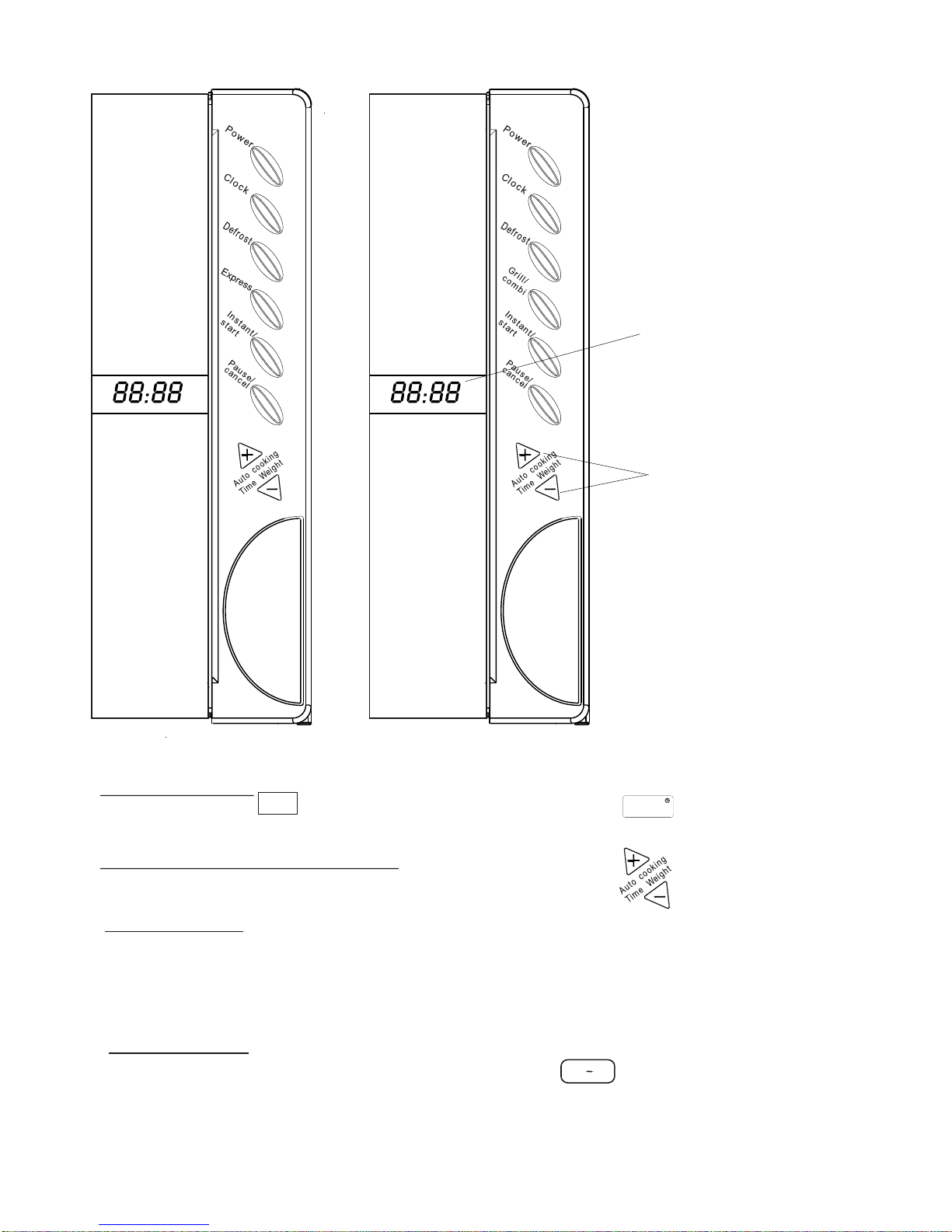
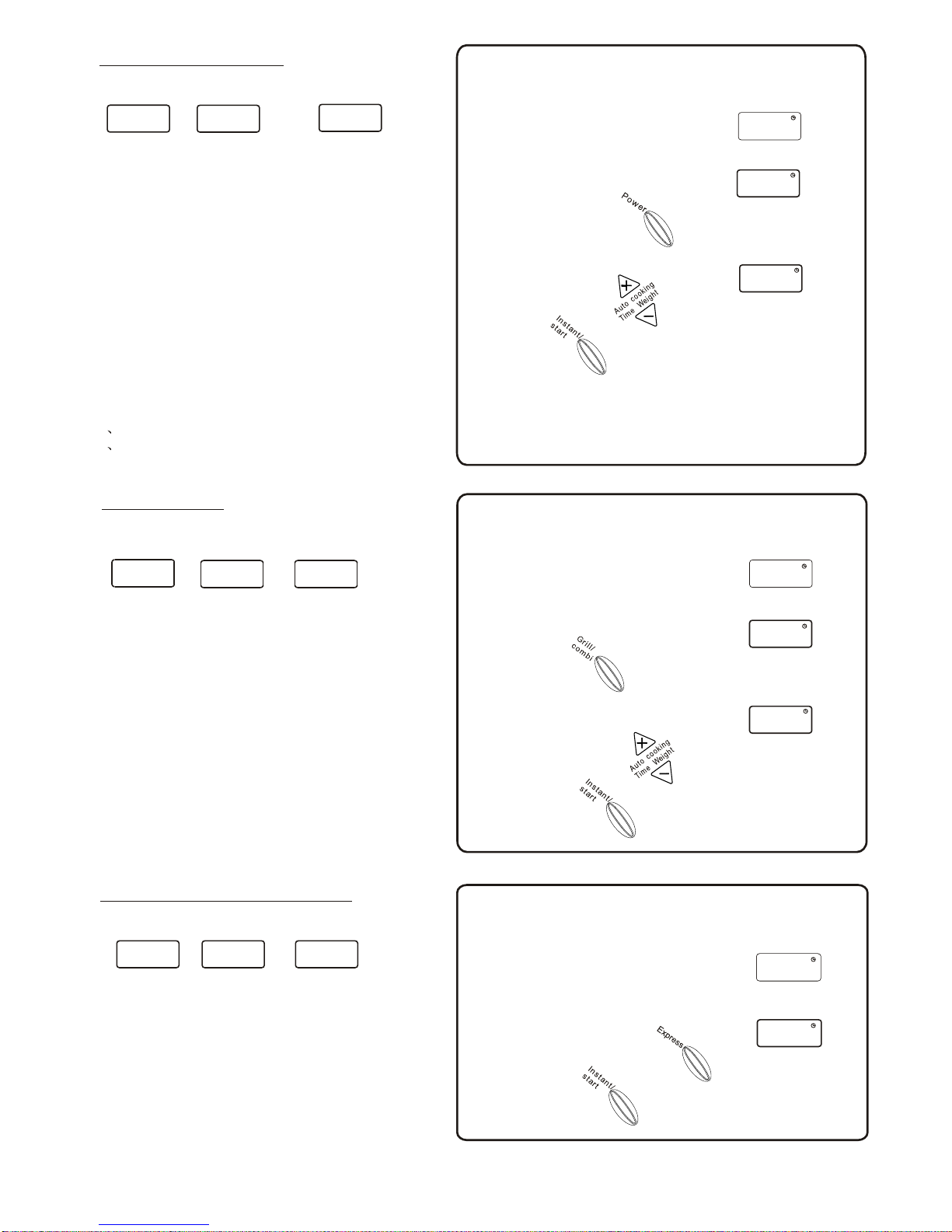
Press Power button, LED willcycle to show
100P--- High power, 100% microwavepower.Applicable
for quick andthorough cooking.
80P--- Medium Highpower, 80%microwave power .
Applicable for medium express cooking
60P--- Medium power, 60% microwavepower .
Applicable for steaming food
40P--- Medium LowPower, 40%microwave power .
Applicable for defrostingfood.
20P--- Low power, 20% microwave power .
Applicable for keeping warm.
NOTE :
1 The max timeto be set is 99 minutesand 99 seconds.
2 Never use theGrill rack duringmicrowave cooking.
:
:
Display
Depress
100P 80P 20P
2.Select the desiredmicrowave
power by depressing the Power
button consecutively.
Set cooking timeby pressing thebutton.
10:30
3.
4.
You may change thecooking time duringcooking. It is
recommend to turnthe food during cooking after you have turned
the food press Instant/start button once tocontinue...
Press to start,and LED willcount down
showing running time.
Display
Depress
2. Select desired cookingmenu
Example :To grill foodwith C2 menu for 10and half minutes.
C2
10:30
4.
3. Set cooking time
depending on thetype of food,
experience and taste
Start cooking .
6.Grill/combi (for XBSM2055 only )
Press this buttonand the LED Display will cycle to show:
G--- Grill, the heat element willbe energized during
operation time. Ideal for grilling thin meatssuch
as steak,sausage and chicken wings.
C1--- Combination ofGrill and microwavecooking.
The heat element andmagnetron is energized in an
alternate way. Ideal for western-style steak
C2--- Same asC1 except,more microwave cooking
time is applied.Ideal forthick meats e.g. chicken,drumsticks.
Caution: Extreme caremust be takenwhen turning
food or removing food. It is strongly
recommended to useheat-resistant gloves.
7.Express (for SM2050 only)
Press this buttonLED Display willcycle to show
This function willallow you toheat a cupof water or
beverage conveniently, omitting thesteps of settingthe time.
Choose yourtime depending onthe beverage
capacity.
30---default 30 secoperation time
1:00---default 1 minute operationtime
1:30---default time is1 and half minutes.
30
Display
Depress
2.
Depress the button consecutively
to select desired menu
3.
1:00
180
Example :To cook with express for 1 minute
1:30
Start cooking .
1:00
80P
G. C1 C2
.
.
..
..
1. Afterpower- up, thecolon flashes
or Press Pause/Cancel button once
:
Example :To cook at 80P for 10 and halfminutes.
1. Afterpower- up, thecolon flashes
or Press Pause/Cancel button once
:
1 . After power- up, the colon flashes
or Press Pause/Cancel button once
: