Additional Functions
Changing the Aspect Ratio: How and Why
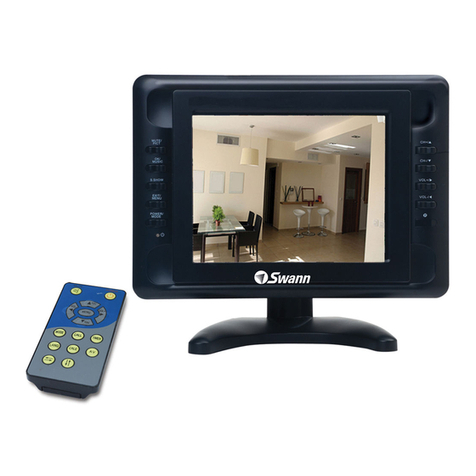
The key on the remote and the ZOOM function in the menu will make black
bars appear on the sides of the monitor, squeezing the image to a size which
mimics the shape of a standard television screen.
Basically, if things in the picture seem ‘stretched’, then you’ve probably got a video
signal which should be square which is being warped and distorted to fit the wider
screen. On the other hand, things might seem too tall if squeezed down to the
square frame - in this case, change the setting back to widescreen.
Mirroring and Flipping the Image
You can flip the image on the screen with just a touch of a button. If you have
the monitor upside down, and you want to see the image as though the monitor
was the right way up, you’ll need to flip both the image both vertically and
horizontally.
Usage in a Car or other Vehicle
If you want to install the monitor in a vehicle, then you can power it from the cars
cigar lighter socket (DC 12V) - you’ll just need a cable to connect it. Remember
that you’ll also need to power the camera. Alternately, if you have a portable DVD
player or game console, these can easily be attached to the 7” monitor in the same
way as the PNP-51.
Remember that you might need to change the aspect ratio to match the output
of the device you connect to the monitor (see above). Additionally, many external
devices can be configured to put out a wide-screen or standard ratio video signal.
The Final Word
The 7” Monitor and PNP-51 package is a great entry-level CCTV system for limited
applications. It is lightweight, convenient and easy to setup and use. However, it
is an entry-level, miniature monitoring system. It will not function like the mythical
technology shown on popular television shows such as CSI or 24 (we’d like it
to, but it turns out that technology like that costs millions of dollars and doesn’t
actually work that well in real life).
Bear this in mind when placing the PNP-51 and choosing what you want to monitor.
If, for example, you want to be able to accurately identify a person’s face or read a
vehicles registration tag, you’ll probably have to have the camera within a few feet
(no more than 6ft/2m) away from what you want to see.
Finally, remember that a microphone cannot hear sound through walls or glass, and
can’t separate different sounds in a noisy environment. Basically, it can hear what your
ear could in the same place, minus some detail due to the reproduction of the sound.
Remember that the microphone is in the cable, not the camera itself.