If the exact channel of your transmitter is known,
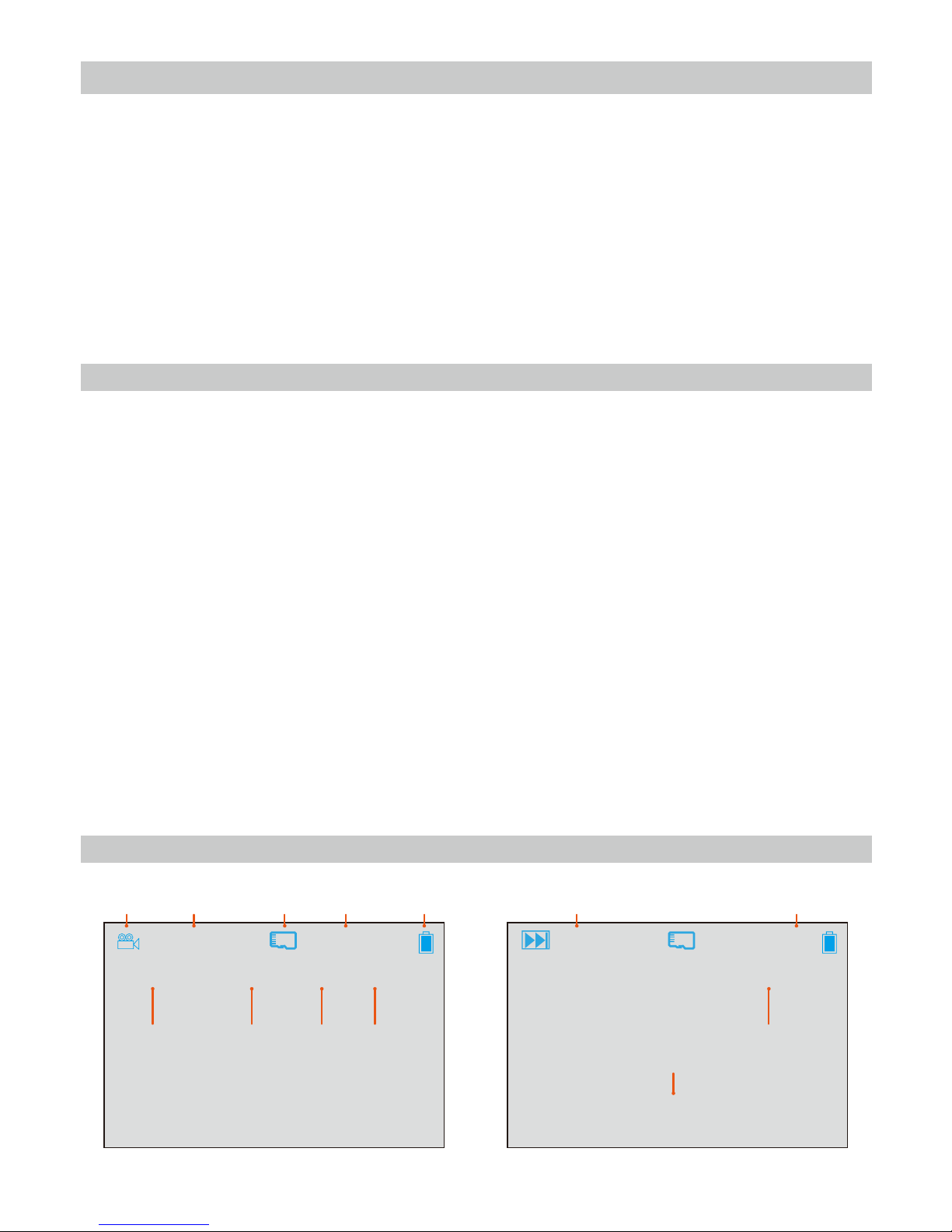
in RF (FPV) mode, use the BAND [1] and CH [2]
buttons to select the matching channel .
If the exact channel your drone transmits its FPV
signal is unknown, then in RF (FPV) mode, briefly
press the SEARCH button [5] to automatically
search for an FPV signal from your drone. The
screen will display the search progress and the
bands and channels being scanned. When the
search is complete, the screen will display the
current channel information. If the scan has not
selected the best channel for your drone, briefly
press the button again to continue searching until
the correct channel is displayed and the picture
from your drone is clearly received. If a strong
signal is not found after searching all channels, the
receiver will stop searching.
Before recording video using your Goggle Glasses S3, we recommended formatting the TF/SD
card using the goggles. Follow the instructions in the Format SD Card section of this manual.
Recording your FPV
Video Recording and Playback
Manual Frequency Selection
Frequency interface
00: 01: 12 25. 16G
RF RBAND: E CH: 1 5705MHz
Automatic Frequency Search
Automatic search frequency interface
Search…
E/5