manuals.online logo
Brands
  1. Home
  2. •
  3. Brands
  4. •
  5. Tappan
  6. •
  7. Range
  8. •
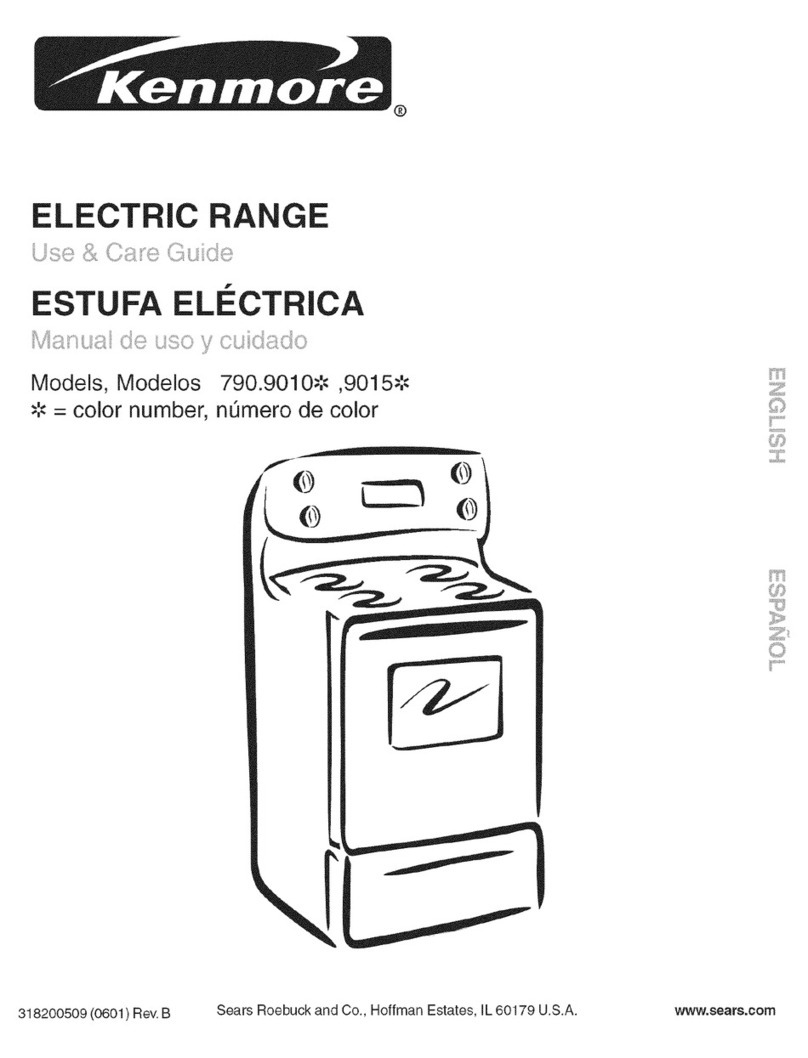
  9. Tappan 318200511 User manual

Tappan 318200511 User manual

Other Tappan Range manuals

Tappan Millennia TEF365BHWA User manual

Tappan

Tappan Millennia TEF365BHWA User manual

Tappan 318200505 User manual

Tappan

Tappan 318200505 User manual

Tappan TGF645WFW3 User manual

Tappan

Tappan TGF645WFW3 User manual

Tappan 316000191 User manual

Tappan

Tappan 316000191 User manual

Tappan 318200409 User manual

Tappan

Tappan 318200409 User manual

Tappan GEF351FSA Owner's manual

Tappan

Tappan GEF351FSA Owner's manual

Tappan Millennia TGF326WHTB User manual

Tappan

Tappan Millennia TGF326WHTB User manual

Tappan 318200506 User manual

Tappan

Tappan 318200506 User manual

Tappan TGF365CHTB User manual

Tappan

Tappan TGF365CHTB User manual

Tappan Convectionare 30-3866 Manual

Tappan

Tappan Convectionare 30-3866 Manual

Tappan TGF657BFW2 User manual

Tappan

Tappan TGF657BFW2 User manual

Tappan Millennia 316000189 User manual

Tappan

Tappan Millennia 316000189 User manual

Tappan Designer Series User manual

Tappan

Tappan Designer Series User manual

Tappan TGF605WFW5 User manual

Tappan

Tappan TGF605WFW5 User manual

Tappan TGF645WFD3 User manual

Tappan

Tappan TGF645WFD3 User manual

Tappan TGF326WGTG User manual

Tappan

Tappan TGF326WGTG User manual

Tappan 33-1247 User manual

Tappan

Tappan 33-1247 User manual

Tappan Millenia User manual

Tappan

Tappan Millenia User manual

Tappan MEF352BGDA User manual

Tappan

Tappan MEF352BGDA User manual

Tappan Millennia TEF352BHWA User manual

Tappan

Tappan Millennia TEF352BHWA User manual

Tappan TGF657BFW9 User manual

Tappan

Tappan TGF657BFW9 User manual

Tappan 318200764 User manual

Tappan

Tappan 318200764 User manual

Tappan TGF351RB User manual

Tappan

Tappan TGF351RB User manual

Tappan TGF605EU1 User manual

Tappan

Tappan TGF605EU1 User manual

Popular Range manuals by other brands

Maytag MGR5875QDW - 30 Inch Gas Range Use and care guide

Maytag

Maytag MGR5875QDW - 30 Inch Gas Range Use and care guide

Frigidaire FFGF3024SS use & care

Frigidaire

Frigidaire FFGF3024SS use & care

Capital Precision Series GCR484W Specifications

Capital

Capital Precision Series GCR484W Specifications

Officine Gullo GGS8P Installation and use instruction

Officine Gullo

Officine Gullo GGS8P Installation and use instruction

LG LSD4913 Series owner's manual

LG

LG LSD4913 Series owner's manual

Kenmore 4101 - Elite 30 in. Slide-In Electric Range installation instructions

Kenmore

Kenmore 4101 - Elite 30 in. Slide-In Electric Range installation instructions

Moffat Blue Seal Evolution G576 Technical data sheet

Moffat

Moffat Blue Seal Evolution G576 Technical data sheet

CornuFé C1NF user guide

CornuFé

CornuFé C1NF user guide

GE JGS650SEFSS Dimensions and installation information

GE

GE JGS650SEFSS Dimensions and installation information

LG LDG3015ST Manual De Propietario

LG

LG LDG3015ST Manual De Propietario

Whirlpool RF350PXP Use and care guide

Whirlpool

Whirlpool RF350PXP Use and care guide

Samsung FCQ321HTUW Service manual

Samsung

Samsung FCQ321HTUW Service manual

Kenmore 790.45712 Use & care guide

Kenmore

Kenmore 790.45712 Use & care guide

Wolf CHR CHSSR owner's manual

Wolf

Wolf CHR CHSSR owner's manual

Smeg Built-in Microwave Oven Instructions for the user

Smeg

Smeg Built-in Microwave Oven Instructions for the user

Zanussi ZCG054G user manual

Zanussi

Zanussi ZCG054G user manual

GE JCSS630 quick start guide

GE

GE JCSS630 quick start guide

Samsung NX58M9960P series installation manual

Samsung

Samsung NX58M9960P series installation manual

manuals.online logo
manuals.online logoBrands
  • About & Mission
  • Contact us
  • Privacy Policy
  • Terms and Conditions

Copyright 2025 Manuals.Online. All Rights Reserved.

ELECTRICRANGE
READAND SAVETHESEINSTRUCTIONS OWNER'S GUIDE
PIN 318200511 (0705) Rev. A
Product Registration
Register Your Product
The self-addressed PRODUCT
REGISTRATION CARD should be filled in
completely, signed and returned to
Electrolux Home Products North America.
Thank you for choosing this appliance. The information contained with in this
Owner's Guide will instruct you on how to properly operate and (:arefor your
range. Pleaseread through the information contained in your literature pack to
learn more about your new appliance.
Record Your Model and Serial Numbers
Record in the space provided belowthe model and serial numbers. The numbers
are found on the serial plate located atthe right of the range frame and are visible
when the drawer isopen.
Mode[ Number:
Serial Number:
Date of Purchase:
Note: The instructions appearing in this
Owner's Guide are not meant to (:overevery
possible condition and situation that may
occur. Common senseand caution must be
practiced when installing, operating and
maintaining any appliance.
This Owner's Guide contains general operating instructions for your range and
feature information for several models. Your range may not have all the
described features. The graphics shown are representational. Tile graphics on
your range may not look exactly like those shown.
important: Keep a copy of your bill of sale.
The date on the bill establishes tile warranty period service be required. Placeit
where it can be easily retrieved. If service is performed while the appliance is
under warranty, you may have to show your bill of sale.
Contents Page
Product Registration ........................................... 2
Important Safety Instructions ........................... 3-4
Installation Instructions .................................... 5-6
Oven Light ......................................................... 6
Surface Light ..................................................... 6
Setting Surface Controls ..................................... 7
Selecting Surface Cooking Utensils .................... 7
Specialty Pans& Trivets...................................... 8
Canning Tips & Information ............................... 8
Indicator Light .................................................... 9
Oven Baking ...................................................... 9
Air Circulation .................................................. 10
Broiling ............................................................. 10
Oven Settings ................................................... 10
Cleaning the appliance ................................ 11-14
To Remove and Replace the Oven Door ............ 14
To Remove and Replace Storage Drawer ........... 15
To Remove and Replace Decorative Drawer
Front Panel ....................................................... 15
Avoid Service Checklist ................................ 16-19
Warranty .......................................................... 20
@ 2007 Electrolux Canada Corp
All rights reserved
Printed in United States
IMPORTANT SAFETY MNSTRUCTIONS
Read amminstructions before using this appmiance.
Save these instructions for future reference,
This guide contains important safety symbols and instructions. Please pay special attention to these symbols and follow all
instructions given. Here isa brief explanation of these symbols.
This symbol will help you to situations that may cause serious bodily harm, death or property damage.
This symbol will help you to situations that may cause bodily injury or property damage.
Remove all tape and packaging wrap before using the range,
Destroy the carton and plastic bags after unpacking the
range. Never allow children to play with packaging material,
Proper mnsta[latJon--Be sure your appliance is propedy in-
stalled and grounded by a qualified technician in accordance
with the National Electrical Code ANSm/NFPA No. 70--latest
edition and local code requirements. Install only per installation
instructions provided in the literature package for this range
Ask your dealer to recommend a qualified technician and an
authorized repair service. Know how to disconnect the electrical
power to the range at the circuit breaker or fuse box in case of an
emergency
User Servicing -- Do not repair or replace any part of the
appliance unless specifically recommended in the manuals. All
other servicing should be done only by a qualified technician to
reduce the risk of personal injury and damage to the range,
Never modify or alter the construction of a range by remov-
ing leveling mess, panems, wire covers, anti-tip brackets/
screws, or any part of the product.
All ranges can
tip,
Injury to per-
sons could re-
sult
Install antPtip
device packed
with range
See Installa-
tion Instruc-
tions,
To reduce
the risk of tipping of the
range, the range must be
secured by properly in-
stalled antPtip bracket(s)
provided with the range To
check if the bracket(s) is in-
stalled properl); remove the
lower panel or storage
drawer and verify that the
anti-tip bracket(s) is en-
gaged_ Refer to the installa-
tion instructions for proper
antiotip bracket(s)installa-
tion
Stepping, leaning or sitting on the door or
drawer of this range can result in serious injuries and may also
cause damage to the range. Do not allow children to climb or play
around the range. The weight of a child on an open door may cause
the range to tip, resulting in serious burns or other injury
Do not use the oven for storage.
Storage in or on Appliance -- Flammable materials should
not be stored in an oven, near surface units or in the storage
drawer (if equipped)_ This includes paper, plastic and cloth
items, such as cookbooks, p[asticware and towels, as well as
flammable liquids, Do not store explosives, such as aerosol cans,
on or near the range Flammable materials may explode and result
in fire or property damage,
Do not store items of interest to children in the
cabinets above a range or on the backguard of a range,
Children climbing on the range to reach items could be seriously
injure&
Do not leave children alone. Children should not be left alone
or unattended in the area where an appliance is in use. They
should never be allowed to sit or stand on ant,part of the
appliance_
DO NOT TOUCH SURFACE UNITS, AREAS NEAR THESE
UNITS, OVEN HEATING ELEMENTS OR INTERIOR SURFACES
OF THE OVEN. Both surface units and oven heating elements
may be hot even though they are dark in color. Areas near surface
units may become hot enough to cause burns. During and after
use, do not touch, or let clothing or other flammable materials
touch these areas until they have had sufficient time to cool.
Among these areas are the cooktop, surfaces facing the cooktop,
the oven vent openings and surfaces near these openings, oven
door and window
Wear Proper Apparel -- Loose-fitting or hanging garments
should never be worn while using the appliance. Do no[ let
clothing or other flammable materials contact hot surfaces
Never use your appliance for warming or
heating the room.
Do Not Use Water or Flour on Grease Fires--Smother the
fire with a pan lid, or use baking soda, a dry chemical or
foam-type extinguisher.
When heating fat or grease, watch it dosemy.Fat or greasemay
catch fire if allowed to become too hot,
Use Only Dry Potholders -- Moist or damp potholders on hot
surfaces may resuff in burns from steam. Do not let the
potholders touch hot heating surface units or interior oven
elements Do not use a towel or other bulky cloth instead of a
potholder
Do Not Heat Unopened Food Containers--Build-up of pres-
sure may cause the container to burst and result in injury.
Remove the oven door from any unused range if it is to be
stored or discarded.
mMPORTANT--Do not attempt to operate the oven during a
power failure. If the power faims,always turn the oven off. If
the oven is not turned off and the power resumes, the oven wi[[
begin to operate again_ Food left unattended could catch fire or
spoil.
Electronic controllers can be damaged by cold
temperatures. When you use your range for the first time, or if
it has not been used for a long period of time, make sure that it
has been exposed to a temperature above 0°C/32°F for at
[east 3 hours before connecting it to the power supply.

iMPORTANT SAFETY iNSTRUCTiONS (continued)
iMPORTANT iNSTRUCTiONS FOR USING
YOUR COOKTOP
Know which knob controls each surface heating unit.
Use Proper Pan Size -- This appliance is equipped with one or
more surface units of different sizes Select utensils having fiat
bottoms large enough to cover the surface unit_ The use of
undersized utensils will expose a portion of the surface heating
unit to direct contact and may result in ignition of c[othing_ Proper
relationship of utensil to the surface unit will also improve
efficiency
Utensil Handles Should Be Turned Inward and Should Not
Extend Over Adjacent Surface Units -- To reduce the risk of
burns, ignition of flammable materials, and spillage due to
unintentional contact with the utensil
Never Leave Surface Units Unattended -- BoiJovers cause
smoking and greasy spiiiovers that may ignite, or a pan that has
boiled dry may melt
, Protective Liners -- Do not use aluminum foil to line oven
bottom or any other part of the range Only use aluminum foil as
recommended for baking if used as a cover placed on the food_
Any other use of protective liners or aluminum foil may result in a
risk of electric shock or fire or a short circuit_
Glazed Cooking Utensils -- Only certain types of glass, glass/
ceramic, ceramic, earthenware, or other glazed utensils are suit-
able for rangetop service without breaking due to the sudden
change in temperature_ Check the manufacturer's recommenda-
tions for rangetop use.
IMPORTANT INSTRUCTIONS FOR USING YOUR
OVEN
Use Care When Opening Door -- Stand to the side of the range
when opening the door of a hot oven. Let hot air or steam escape
before you remove or replace food in the oven_
Keep Oven Vent Ducts Unobstructed. The oven is vented
between the cooktop and the backguard Touching the surfaces
in this area when the oven is operating may cause severe burns_
Also, do not place plastic or heat-sensitive items on or near the
oven vent These items could melt or ignite_
Placement of Oven Racks,Always placeoven racksin desired
location while oven is cook Removeaii utensilsfrom the rack
before removing rack_ff rack must be moved while oven is hot, use
extreme caution_ Use pothoJders and grasp the rack with both
hands to reposition_ Do not Jetpotholders contact the hot oven
dement or interior of the oven
Do not use your broiler pan without its insert. Broiler pan and
grid allow dripping fat to drain and be kept away from the high
heat of the broiler_
Do not cover the broiler grid with aluminum foil Exposed fat
and grease could ignite
Do not touch a hot light bulb with a damp cloth. Doing so
could cause the bulb to break Disconnect the range or turn off
the power to the range before removing and replacing light bulb.
IMPORTANT INSTRUCTIONS FOR
CLEANING YOUR RANGE
Clean the range reguJady to keep a[[ parts free of grease
that could catch fire. Exhaust fan ventilation hoods and grease
filters should be kept clean. Do not allow grease to accumulate_
Greasy deposits in the fan could catch fire When flaming food
under the hood turn the fan on Refer to the hood manufacturer's
instructions for cleaning
Cleaners/Aerosols -- Always follow the manufacturer's recomo
mended directions for use_ Be aware that excess residue from
cleaners and aerosols may ignite causing damage and!or injury
SELF-CLEANING OVENS:
Clean in the self-cleaning cycle only the parts of the oven
misted in this owner's guide. Before self-cleaning the oven,
remove all utensils stored in the oven
Do not clean the oven door gasket. Care should be taken not to
rub, damage or move the gasket
Do not use oven cleaners. No oven cleaner or oven liner
protective coating of any kind should be used in or around any
part of the oven
Remove oven racks. Oven racks colour will change if left in the
oven during a self<leaning cycle
The health of some birds is extremely sensitive
to the fumes given off during the self-clean cycle of any range.
Move birds to another well ventilated room.
IMPORTANT SAFETY NOTICE
The California Safe Drinking Water and Toxic Enforcement Act requires the Governor of California to publish a list of substances known
to the state to cause cancer, birth defects or other reproductive harm, and requires businesses to warn customers of potential exposure
to such substances
SAVE THESE INSTRUCTIONS
mnstaMMationmnstructions
Installation and service must be performed by a qualified technician,
IMPORTANT." Save for the local electdcal inspector's use.
Read and save these instructions for future reference,
Clearances and Dimensions
a. Provideadequate clearances between the range and adjacent combustible surface (1/16" to the cabinet side walls and the rear
wall).
b. Location--Check location where the range will be installed. Check for proper electrical supply and the stability of floor.
c. Dimensions that are shown must be used. Given dimensions provide minimum clearance. Contact surface must be solid and
level.
FRONT
VmEW
I"_- 13" _1
Maximum depth fol
cabinets above
range top.
RANGE DIMENSIONS
A B C
24" 24" 25" 24"
f
48"
Maximurr
A --€_ _
45 _
Door Open _ \
30" Minimum clearance between the top of the cooking surface and the bottom of an unprotected wood or metal cabinet; or
24" Minimum when bottom of wood or metal cabinet isprotected by not lessthan I/4" flame retardant millboard covered with
not lessthan 0.015" stainless steel, 0.024" aluminum or 0.020" copper. 1/I 6" clearance isthe minimum for the rear and sides
of the range. Follow all dimension requirements provided above to prevent property damage, Potential fire hazard, and incorrect
countertop and cabinet cuts.
To eliminate the risk of burns or fire by reaching over heated surface units, cabinet storage space located above the
surface units should be avoided. If cabinet storage is to be provided, the risk can be reduced by installing a range hood
that projects horizontally a minimum of 5" beyond the bottom of the cabinets.
Location
Set your new range I/16" away from the rear wall and line it up with the kitchen counters.
Make sure there is at least 1/16" of clearance between each side of the range and the
kitchen counters. Allow 3" minimum clearance between your range and the refrigerator, if
they are side by side.
Leveling
For good baking results, your range should be level. Screw type leveling legs are provided at
each corner of the range at the base. Removethe storage drawer to adjust the leveling legs.
(Refer to Storage Drawer section). 24" Models
mnstaMMation nstructions (continued)
To tevel the range:
1. Usea ! -1/4" open end key or an adjustable wrench to equally unscrew the four leveling legs
two to three turns each.
2. Install an oven ra(k in the center of the oven.
o 3. Move the range to its final position, then put a spirit levelon the rack to check for levelness.
Take two readings, one with the level placed diagonally first in one direction, and then the
other.
4. Usethe !-1/4" key or wrench to adjust tile leveling legs. Turn each one until the range stands
firm without wobbling.
5. Some models are supported by smooth glide rollers to facilitate moving.
If floor is flat and level, open the drawer and lower the front roller locking levers (some
models) to prevent the range from moving.
If floor isnot flat or level or if this model has rollers without locking levers, usethe 4 leveling
legsto level, support and prevent the range from moving.
Oven Light (somemode s)
Do not turn the oven tight on during the self-deaning cyde. High
temperature wilt reduce tamp tife,
On some models an interior oven light will turn on automatically when the oven door is
opened.
The oven light may be turned on when tile door isclosed by using tile oven light switch located
on or underneath the control panel.
On a self clean oven the lamp is covered with a glass shield held in place by a wire holder.
THIS GLASS SHIELD MUST BE tN PLACE WHENEVER THE OVEN tS tN USE.
To replace the tight bulb:
BE SUREOVEN ISCOOL.
1. Turn tile power off at the main source.
2. Wear a leather-faced glove for protection against possible broken glass.
3. Replace bulb with a 40 watt appliance bulb only.
4. Forself-cleaning oven, presswire holder to one side to releaseglass shield, change bulb and be sure to replace glass shield.
Surface Light (somemode s)
Be sure alt surface element control knobs are turned off "@" and
eJements are cool
Use switch located on or underneath the control panel to turn tile surface light ON/OFF.
Replace the surface light, if after repeated attempts to turn it on you are not successful.
To remove and replace the fluorescent tight:
1. Lift up tile control panel cover.
2. Placeyour fingers on the tube at approximately 8" from each end.
3. To remove, turn the tube 90° then pull it out of its sockets.
4. To replacethe tube, engage the new tube into the sockets, then rotate and snap the tube in
place light to make it sure it will lit.
Setting Surface ControMs
OFF
MIN MAX
3 7
4 6
MED
NOTE: Control knob shown is /
]
typical on_yo
5
1. Placethe pan on the surface element.
2. Pushin and turn the surface element control knob to desired setting.
3. The surface signal light will glow when one or more elements are turned on. Always turn tile
element off before removing the pan.
The suggested settings found in the chart below are based on cooking in medium-weight
aluminum panswith lids. Settings may vary when using other types of pans.
Note: The size and type of utensil used, and the amount and type of food being cooked
wilt influence the setting needed for best cooking results.
Do not place plastk items such
as satt and pepper shakers, spoon holders or
plastic wrappings on top of the cooktop
when it is in use. These items could melt or
ignite. Potholders, towels or wood spoons could
catch fire if placed too close to the element.
Setting Type of Cooking
MAX Start most foods, bring water to a boil, pan broiling.
MEDIUM Maintain a slow boil, thicken saucesand gravies,
steam vegetables.
MEDIUM LOW Keep foods cooking, poach, stew.
MIN Keep warra, melt, simmer.
Selecting Surface Cooking Utensils
For best results and energy conservation, choose cooking utensils that have these characteristics:
Pans should have flat bottoms that make
good contact with the entire surface ele-
ment Check for flatness by rotating a ruler
across the bottom There should be no
gaps between the pan and ruler,
Note: Always use a utensil for its intended
purpose, Follow manufacturer's instruc-
tions Some utensils were not made to be
used in the oven or on the cooktop
*GOOD
J
t t
Flat bottom and straightsides,
Tight fitting lids
Weight of handle does not tilt pan, Pan
iswell balanced,
Pansizesmatch the amount of food to
be prepared andthe sizeof the surface
element.
Madeof materialthat conductsheat
well.
Easyto clean
Specialty pans such as lobster pots, griddles
and pressure cookers may be used but must
conform to the above recommended cook-
ware requirements
POOR
Curved and warped pan bottoms
* Panoverhangsunit by morethan 1"
* Heavyhandletilts pan,
Pan is smaller than element,
ktiii
Speda[ty Pans & Trivets
Woks with flat bottoms suitable for
use on your cooktop are available in
most cookshop or hardware stores.
Round-bottomed woks (with a support
ring that does not extend beyond the
heating element) may also be used.
The metal ring was designed to sup-
port the wok safely when it is filled
with large amounts of liquids (soup
making) or fat (frying).
DO NOT usetwo elements to heat one large pan such asa roaster
or griddle, or allow cooking utensils to boil dry. The bottom surface of the pan in
either of these situations could cause discoloring or crazing of the porcelain enamel
range surface, and damage to the surface elements and/or damage to the drip pans
(if equipped).
Wire trivets: Do not use wire trivets. Cookware bottoms must be in direct contact
with tile surface elements.
DO NOT use a wok if it isequipped with
a metal ring that extends beyond the
surface element. Becausethis ring traps
heat, the surface element and cooktop
surface could be damaged.
Canning Tips & Information 1.
Canning can generate
large amounts of steam. Use extreme
caution to prevent burns. Always raise
the lid to vent steam away from you.
;u .-",,C>
Use tested recipes and follow instructions carefully. Check with your local
Cooperative Agricultural Extension Service or a manufacturer of glassjars for
the latest canning information.
2. Use flat-bottomed canners only. Heat isspread more evenly when the bottom
surface is flat.
3. Center canner on the surface element.
4. Start with hot water and a high heat setting to reduce the time it takes to bring
the water to a boil; then reduce the heat setting aslow aspossible to maintain
a constant boil.
5. It is best to can small amounts and light loads.
Prevent damage to cooktop:
1. Do not use water bath or pressure canners that extend more than one inch
Bond the edge of the surface element.
2. Do not leave water bath or pressure canners on high heat for an extended
amount of time.
3. Alternate surface elements between each batch to allow the units and
surrounding surfaces to cool down. Tryto avoid canning on the same element
all day.
Safe canning requires that harmful micro-organisms are
destroyed and the jars are sealed completely. When canning in a water bath
canner, a gentle but steady boil must be maintained continuously for tile required
time.
mndicator Light
Some models have an indicator light for each heating unit, other models have an indicator light for each pair of heating units.
The indicator light glows as soon as a heating unit is turned on. Check if the indicator light glows when the control knob of the
individual heating unit isturned on. If the knob isset to a very low temperature setting, the indi(ator may glow and yet, the heating
unit may not be heating at all. If this happens, turn the knob to a higher setting until the heating unit comes on.
When cooking isfinished, a quick glance at the indicator lights isan easy check to be sure allthe control knobs have been turned
to OFF "@".
Oven Baking
For best cooking results, heat the oven before baking cookies, breads, cakes, piesor pastries,etc... There isno need to preheat the
oven for roasting meat or baking casseroles.
The cooking times and temperatures needed to bake a product may vary slightly from your previously owned appliance.
Baking Problems and Solutions Chart
Baking Causes Corrections
Problems
Cookies and biscuits
burn on the bottom.
Cakes too dark on
top or bottom.
Cakes not done in
the center.
o
Cakes not level.
o
Foods not done when *
cooking time is up.
Cookies and biscuits put into the
oven before the preheating time is
completed,
Oven rack overcrowded
Dark pan absorbs heat too fast.
Cakes put into the oven before
preheating time is completed_
• Rack position too high or low
• Oven too hot
Oven too hot
Incorrect pan size
Pan not centered in oven_
Range not level
Pan too close to oven wall or rack
overcrowded
Pan warped_
Oven too cool
Oven overcrowded.
Ovendoor opened too frequently
• Allow oven to preheat to the selected temperature before
placing food in oven,
• Choose pan sizes that will permit 2" to 4" of air space on all
sides when placed in the oven,
Use a medium-weight aluminum baking sheet
• Allow oven to preheat to the selected temperature before
placing food in the oven_
Use proper rack position for baking needs_
• Set oven temperature 25°F/12°C lower than recommended,
Use pan size suggested in recipe_
Use proper rack position and place pan so there is 2" to 4" of
space on all sides of pan,
• Place a marked glass measuring cup filled with water on the
center of the oven rack_ If the water level is uneven, refer to
the installation instructions for leveling the range
• Be sure to allow 2" to 4" of clearance on all sides of each pan
in the oven
Do not use pans that are dented or warped_
• Set oven temperature 25°F/12°C higher than suggested and
bake for the recommended time_
Be sure to remove all pans from the oven except the ones to
be used for baking
• Open oven door only after shortest recommended baking
time_
Air CircuMation in the
Oven
For good air circulation in the oven and
best baking results, center pans asmuch
as possible. Allow 2" to 4" around the
utensil(s)for proper air circulation and be
sure pans do not touch each other, the
door, sides or back of oven. The hot air
must circulate around the pans for even
heat to reach all parts of the oven.
If using multiple pans, stagger asshown.
If using one pan, place in center of oven.
BroiMing
Broiling isa method of cooking
Open door
to the "Broil Stop"
position when broiling.
Always pure] oven rack out
to the "stop" position be-
fore turning or removing
food.
tender cuts of meat by direct heat under the broil element of the oven.
Preheating
Preheating issuggested when searing rare steaks. (Remove all utensils before preheating. Foods
will stick if placed on hot metal.) To preheat, set the oven control(s) to BROILasinstructed in the
Owner's Guide. Wait for the element to become red-hot, usually about 2 minutes. Preheating is
not necessarywhen broiling meats well-done.
To Broil
Broil on one side until the food isbrowned; turn and cook on the second side. Seasonand serve.
Always pull rack out to the "stop" position before turning or removing food.
Determining BroiJing Times
Broiling times varx so watch tile food closely. Time not only depends on tile distance from the
element, but on the thickness and aging of meat, fat content and aloneness preferred. Tile first
side usually requires a few minutes longer than tile second. Frozen meats also require additional
time.
Broiling Tips (some models)
Broiler pan and its grid allow dripping greaseto drain and be kept away from the high heat of the
broiler.
DO NOT usethe pan without its grid. DO NOT cover the grid with foil.
The exposed grease could ignite.
Should an oven fire occur, close the oven door and turn off the oven. If the fire
continues, throw baking soda on the fire or use afire extinguisher. DO NOT put water or flour on
the fire. Flour may be explosive.
Grid
Broiler Pan
(some models)
BroiJer CJean-Up Tips (some modeJs):
Tomake cleaning easier, line the bottom of the broiler pan with aluminum foil. DO NOT cover the broiler grid with foil.
To prevent grease from baking on, remove tile broiler pan from the oven as soon as cooking is completed. Use hot pads
because the broiler pan isextremely hot. Pour off grease. Soak the pan in HOT,soapy water.
Clean the broiler pan as soon as possible after each use. If necessary,use soap-filled steel wool pads. Heavy scouring may
scratch the grid.
Oven Settings
Foroven settings, refer to the timer section or tile electronic oven control.
10