6
7
BACK PANEL DESCRIPTION
1) AC POWER SOCKET WITH MAIN FUSE.
2) ON-OFF MAIN POWER SWITCH.
3) MP3 PLAY
4) CONVECTION FAN
5) IP CONTROL
6) THRU OUTPUT ON XLR CONNECTOR
This is a male XLR-type connector that produces exactly the same signal that is connected to the main
input jack or a mix of input1 and input2.
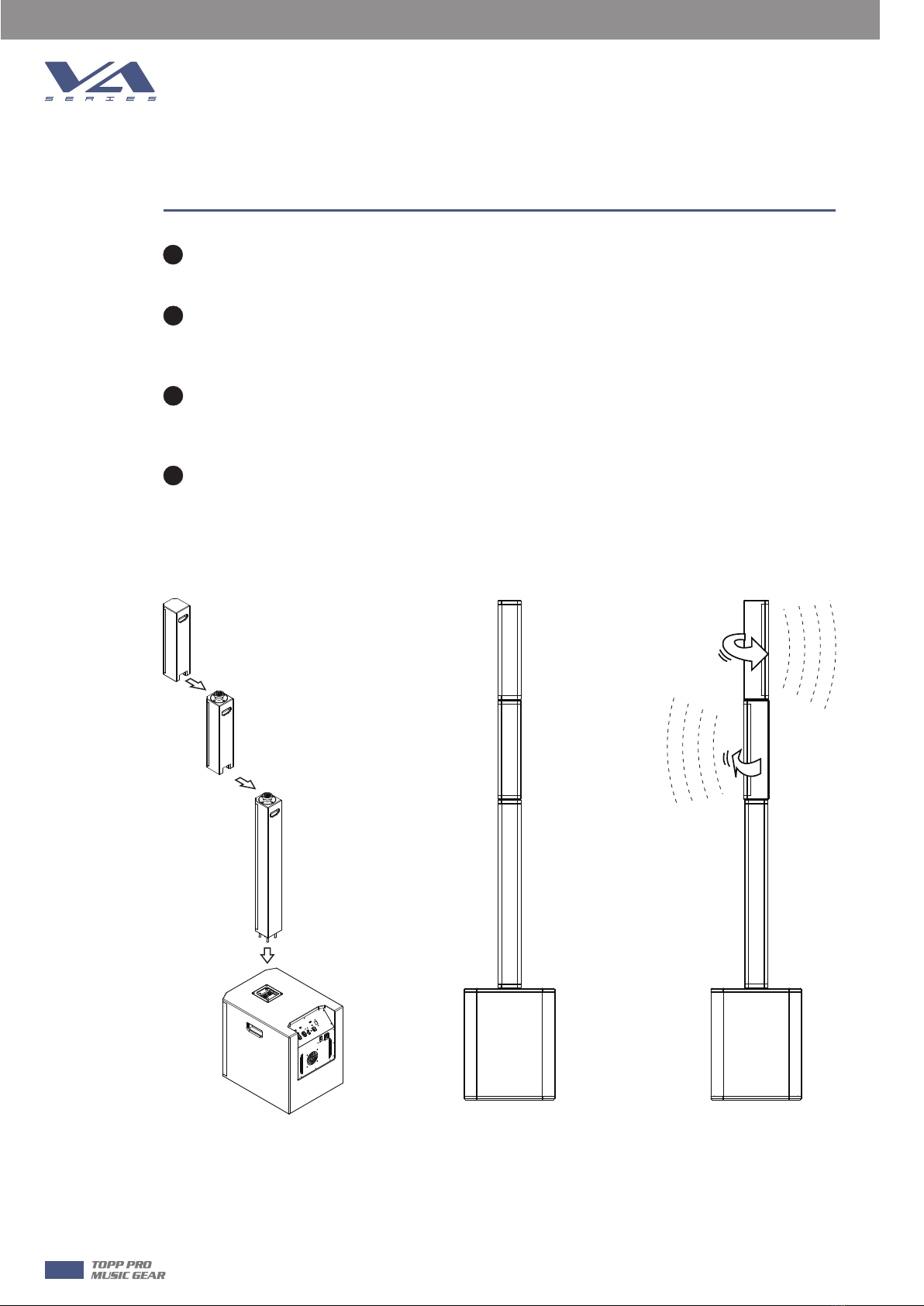
7) CENTER/OPEN/USER
CENTER:Allow use this subwoofer with the 2 satellite(VA42TP and VA42BM).Defaults factory
preset for Both satellites never rotate and keep grill towards front
OPEAN: Allow use this subwoofer with the 2 satellite(VA42TP and VA42BM). Defaults factory
preset for the VA42TP (or VA42BM)turn 45 degree towards left,another turn 45 degree towards
right.
8) SWITCH FOR FRONT LED ON OR OFF
9) POWER. GREEN LED, INDICATE ON STATUS.
10) SIGNAL / LIMIT, RED LED, INDICATE ON STATUS.
11) INPUT2 ON COMBO CONNECTOR.
12) LINE / MIC SWITCH(CHANNEL INPUT1 ONLY)
13) LINE / MIC INPUT1 ON COMBO CONNECTOR.
14) XLR AND 1/4” COMBO INPUT2
INPUT2 may accept Hi-Z sources (such as guitars) via the TRS 1/4” input, or line-level signal via XLR.
NEVER connect the output of an amplifier directly to the input of the loudspeaker. This could damage
the input circuitry of the active loudspeaker.
15) XLR AND 1/4” COMBO INPUT1
INPUT1 may accept a MIC or line-level signal via XLR or line-level signal via TRS 1/4” cable.
Be aware of the position of the MIC / line switch (12).
16) RCA INPUTS (INPUT2 ONLY).
17) INPUT1 / MIX SWITCH (THRU OUTPUT)
This switch allows you to choose whether only the input1 signal is sent out to the next
loudspeaker(switch out-input1) or mix of the input1 and input2 signals are sent out to the next
loudspeaker(switch in-Mix).