logo
Brands
  1. Home
  2. •
  3. Brands
  4. •
  5. Toshiba
  6. •
  7. Laptop
  8. •
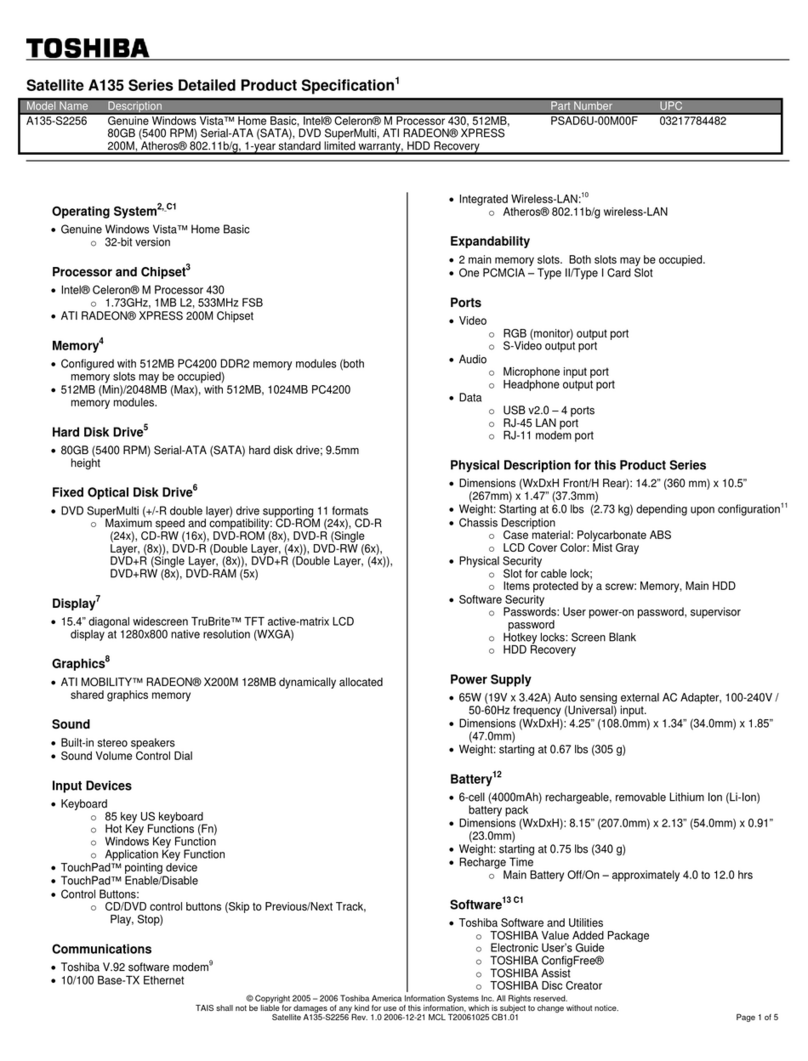
  9. Toshiba C50-B User manual

Toshiba C50-B User manual

Other manuals for C50-B

2

This manual suits for next models

4

Other Toshiba Laptop manuals

Toshiba Qosmio G35-AV650 Series User manual

Toshiba

Toshiba Qosmio G35-AV650 Series User manual

Toshiba L655-S5060 User manual

Toshiba

Toshiba L655-S5060 User manual

Toshiba L25-S1195 User manual

Toshiba

Toshiba L25-S1195 User manual

Toshiba A215S4747 - Satellite - Turion 64 X2 1.8 GHz User manual

Toshiba

Toshiba A215S4747 - Satellite - Turion 64 X2 1.8 GHz User manual

Toshiba Portege 7010CT User manual

Toshiba

Toshiba Portege 7010CT User manual

Toshiba Z830-BT8300 Firmware update

Toshiba

Toshiba Z830-BT8300 Firmware update

Toshiba Tecra M10-SP5922C User guide

Toshiba

Toshiba Tecra M10-SP5922C User guide

Toshiba U925t-S2300 User manual

Toshiba

Toshiba U925t-S2300 User manual

Toshiba Satellite P305-S8915 User manual

Toshiba

Toshiba Satellite P305-S8915 User manual

Toshiba Satellite 1955 Series Firmware update

Toshiba

Toshiba Satellite 1955 Series Firmware update

Toshiba L505D-S5992 User manual

Toshiba

Toshiba L505D-S5992 User manual

Toshiba P105-S6177 User manual

Toshiba

Toshiba P105-S6177 User manual

Toshiba Tecra A7-ST5112 User manual

Toshiba

Toshiba Tecra A7-ST5112 User manual

Toshiba T130-EZ1301 User manual

Toshiba

Toshiba T130-EZ1301 User manual

Toshiba M640-ST2NX1 User manual

Toshiba

Toshiba M640-ST2NX1 User manual

Toshiba L675-S7044 User manual

Toshiba

Toshiba L675-S7044 User manual

Toshiba U405-S2856 User manual

Toshiba

Toshiba U405-S2856 User manual

Toshiba Portege M700-S7002 User manual

Toshiba

Toshiba Portege M700-S7002 User manual

Toshiba Tecra 700CS User manual

Toshiba

Toshiba Tecra 700CS User manual

Toshiba P750-ST4N01 User manual

Toshiba

Toshiba P750-ST4N01 User manual

Toshiba A215-S48171 User manual

Toshiba

Toshiba A215-S48171 User manual

Toshiba Satellite 2715XDVD User manual

Toshiba

Toshiba Satellite 2715XDVD User manual

Toshiba A505-S6034 User manual

Toshiba

Toshiba A505-S6034 User manual

Toshiba T135-S1309 User manual

Toshiba

Toshiba T135-S1309 User manual

Popular Laptop manuals by other brands

Lenovo ThinkPad X201 Tablet null

Lenovo

Lenovo ThinkPad X201 Tablet null

Lenovo THINKPAD X31 null

Lenovo

Lenovo THINKPAD X31 null

Lenovo THINKPAD X60S null

Lenovo

Lenovo THINKPAD X60S null

Lenovo ThinkPad X230 Tablet null

Lenovo

Lenovo ThinkPad X230 Tablet null

Lenovo IdeaPad N585 null

Lenovo

Lenovo IdeaPad N585 null

Lenovo ThinkPad Z61E null

Lenovo

Lenovo ThinkPad Z61E null

Lenovo ThinkPad Edge E220s null

Lenovo

Lenovo ThinkPad Edge E220s null

Lenovo V200 null

Lenovo

Lenovo V200 null

Lenovo ThinkPad Edge E120 null

Lenovo

Lenovo ThinkPad Edge E120 null

Lenovo ThinkPad X230 Tablet null

Lenovo

Lenovo ThinkPad X230 Tablet null

Lenovo V200 null

Lenovo

Lenovo V200 null

Lenovo ThinkPad L430 null

Lenovo

Lenovo ThinkPad L430 null

Lenovo ThinkPad R61e null

Lenovo

Lenovo ThinkPad R61e null

Lenovo ThinkPad Edge E320 null

Lenovo

Lenovo ThinkPad Edge E320 null

Lenovo THINKPAD R40 null

Lenovo

Lenovo THINKPAD R40 null

Lenovo ThinkPad Edge E335 null

Lenovo

Lenovo ThinkPad Edge E335 null

Lenovo R50 null

Lenovo

Lenovo R50 null

Lenovo ThinkPad T430s null

Lenovo

Lenovo ThinkPad T430s null

https://manuals.online logo
https://manuals.online logoBrands
  • About & Mission
  • Contact us
  • Privacy Policy
  • Terms and Conditions

Copyright 2025 Manuals.Online. All Rights Reserved.

User's Manual
Satellite C50-B/C50D-B/C50t-B/
C50Dt-B
Series
Table of Contents
Chapter 1 TOSHIBA Legal, Regulatory and Safety
Copyright, Disclaimer and Trademarks .............................................. 1-1
Regulatory Information ......................................................................... 1-2
Video Standard Notice .......................................................................... 1-7
OpenSSL Toolkit License Issues ......................................................... 1-8
FreeType License Issues .................................................................... 1-10
ENERGY STAR® Program .................................................................. 1-14
Disposing of the computer and the computer's batteries ............... 1-14
Optical disc drive safety instructions ............................................... 1-14
General Precautions ........................................................................... 1-15
Safety Icons ......................................................................................... 1-18
Chapter 2 Getting Started
Equipment checklist ............................................................................. 2-1
Conventions ........................................................................................... 2-1
Using your computer for the first time ................................................ 2-2
Getting to know Windows ..................................................................... 2-7
Turning off the power ............................................................................ 2-9
Chapter 3 The Grand Tour
Front with the display closed ............................................................... 3-1
Left side .................................................................................................. 3-2
Right side ............................................................................................... 3-3
Back ........................................................................................................ 3-4
Underside ............................................................................................... 3-5
Front with the display open .................................................................. 3-5
Internal Hardware Components ........................................................... 3-8
Power Condition Descriptions ........................................................... 3-11
Chapter 4 Operating Basics
Using the Touch Screen ....................................................................... 4-1
Using the Touch Pad ............................................................................. 4-2
The Keyboard ......................................................................................... 4-3
Optical disc drives ................................................................................ 4-5
CyberLink PowerDVD for TOSHIBA ................................................... 4-11
3D Playback on an External 3D Device ............................................. 4-13
Battery .................................................................................................. 4-14
LAN ....................................................................................................... 4-18
User's Manual ii
Memory media ..................................................................................... 4-19
External Display .................................................................................. 4-22
Security lock ........................................................................................ 4-26
Optional TOSHIBA Accessories ........................................................ 4-27
Sound System and Video mode ......................................................... 4-27
Chapter 5 Utilities and Advanced Usage
Utilities and Applications ...................................................................... 5-1
Special features ..................................................................................... 5-6
TOSHIBA Password Utility ................................................................... 5-7
TOSHIBA System Settings ................................................................. 5-10
TOSHIBA Media Player by sMedio TrueLink+ .................................. 5-11
TOSHIBA PC Health Monitor .............................................................. 5-12
TOSHIBA Gesture Controller .............................................................. 5-13
System Recovery ................................................................................ 5-17
Chapter 6 Troubleshooting
Problem solving process ...................................................................... 6-1
Hardware and system checklist ........................................................... 6-4
TOSHIBA support ................................................................................ 6-14
Chapter 7 Appendix
Specifications ........................................................................................ 7-1
AC Power Cord and Connectors .......................................................... 7-2
Information for Wireless Devices ........................................................ 7-4
Legal Footnotes ................................................................................... 7-14
Glossary ............................................................................................... 7-16
Index
User's Manual iii
User's Manual iv
Chapter 1
TOSHIBA Legal, Regulatory and
Safety
This chapter states the Legal, regulatory and safety information applicable
to TOSHIBA computers.
Copyright, Disclaimer and Trademarks
Copyright
© 2014 by TOSHIBA Corporation. All rights reserved. Under the copyright
laws, this manual cannot be reproduced in any form without the prior
written permission of TOSHIBA. No patent liability is assumed, with respect
to the use of the information contained herein.
First edition February 2014
Copyright authority for music, movies, computer programs, databases and
other intellectual property covered by copyright laws belongs to the author
or to the copyright owner. Copyrighted material can be reproduced only for
personal use or use within the home. Any other use beyond that stipulated
above (including conversion to digital format, alteration, transfer of copied
material and distribution on a network) without the permission of the
copyright owner is a violation of copyright or author's rights and is subject
to civil damages or criminal action. Please comply with copyright laws in
making any reproduction from this manual.
Disclaimer
This manual has been validated and reviewed for accuracy. The
instructions and descriptions it contains are accurate for your computer at
the time of this manual’s production. However, succeeding computers and
manuals are subject to change without notice. TOSHIBA assumes no
liability for damages incurred directly or indirectly from errors, omissions or
discrepancies between the computer and the manual.
Trademarks
Intel, Intel SpeedStep, Intel Core and Centrino are trademarks or registered
trademarks of Intel Corporation.
AMD, the AMD Arrow logo, PowerPlay, Vari-Bright and combinations
thereof are trademarks of Advanced Micro Devices, Inc.
User's Manual 1-1
Windows, Microsoft and Windows logo are registered trademarks of
Microsoft Corporation.
The Bluetooth® word mark and logos are registered trademarks owned by
Bluetooth SIG, Inc. and any use of such marks by Toshiba Corporation and
its affiliates is under license.
The terms HDMI and HDMI High-Definition Multimedia Interface, and the
HDMI Logo are trademarks or registered trademarks of HDMI Licensing
LLC in the United States and other countries.
sMedio and sMedio TrueLink+ are trademarks or registered trademarks of
sMedio, Inc.
CyberLink, CyberLink PowerDVD and CyberLink MediaStory are registered
trademarks of CyberLink Corporation.
Secure Digital and SD are trademarks of SD Card Association.
MultiMediaCard and MMC are trademarks of MultiMediaCard Association.
DTS, the Symbol, & DTS and the Symbol together are registered
trademarks and DTS Studio Sound is a trademark of DTS, Inc. © DTS, Inc.
All Rights Reserved.
Realtek is a registered trademark of Realtek Semiconductor Corporation.
All other product names and service names in this manual may be
trademarks or registered trademarks of their respective companies.
Regulatory Information
FCC information
FCC notice "Declaration of Conformity Information"
This equipment has been tested and found to comply with the limits for a
Class B digital device, pursuant to part 15 of the FCC rules. These limits
are designed to provide reasonable protection against harmful interference
in a residential installation. This equipment generates, uses and can
radiate radio frequency energy and, if not installed and used in accordance
with the instructions, may cause harmful interference to radio
communications. However, there is no guarantee that interference will not
occur in a particular installation. If this equipment does cause harmful
interference to radio or television reception, which can be determined by
turning the equipment off and on, the user is encouraged to try to correct
the interference by one or more of the following measures:
Reorient or relocate the receiving antenna.
Increase the separation between the equipment and receiver.
Connect the equipment into an outlet on a circuit different from that to
which the receiver is connected.
Consult the dealer or an experienced radio/TV technician for help.
User's Manual 1-2

Only peripherals complying with the FCC class B limits may be attached to
this equipment. Operation with non-compliant peripherals or peripherals not
recommended by TOSHIBA is likely to result in interference to radio and
TV reception. Shielded cables must be used between the external devices
and the computer’s External RGB monitor port, Universal Serial Bus (USB
2.0 and 3.0) ports, HDMI port and Headphone/Microphone combo jack.
Changes or modifications made to this equipment, not expressly approved
by TOSHIBA or parties authorized by TOSHIBA could void the user’s
authority to operate the equipment.
FCC conditions
This device complies with part 15 of the FCC Rules. Operation is subject to
the following two conditions:
1. This device may not cause harmful interference.
2. This device must accept any interference received, including
interference that may cause undesired operation.
Contact
Address: TOSHIBA America Information Systems, Inc.
9740 Irvine Boulevard
Irvine, California 92618-1697
Telephone: (949) 583-3000
This information is only applicable for the countries/regions where it is
required.
EU Declaration of Conformity
This product is carrying the CE-Mark in
accordance with the related European Directives.
Responsible for CE-Marking is TOSHIBA EUROPE
GMBH, Hammfelddamm 8, 41460 Neuss,
Germany. The complete and official EU
Declaration of Conformity can be found on
TOSHIBA’s web site
http://epps.toshiba-teg.com on the Internet.
CE compliance
This product is labeled with the CE Mark in accordance with the applicable
European Directives, notably RoHS Directive 2011/65/EU, Radio
User's Manual 1-3
Equipment and Telecommunications Terminal Directive 1999/5/EC,
Ecodesign Directive 2009/125/EC (ErP) and the related implementing
measures.
This product and the original options are designed to observe the related
EMC (Electromagnetic Compatibility) and safety standards. However,
TOSHIBA cannot guarantee that this product still observes these EMC
standards if options or cables not produced by TOSHIBA are connected or
implemented. In this case the persons who have connected/implemented
those options/cables have to provide assurance that the system (PC plus
options/cables) still fulfils the required standards. To avoid general EMC
problems, the following guidance should be noted:
Only CE marked options should be connected/implemented
Only best shielded cables should be connected
Working environment
This product was designed to fulfil the EMC (Electromagnetic Compatibility)
requirements to be observed for so-called “Residential, commercial and
light industry environments”. TOSHIBA do not approve the use of this
product in working environments other than the above mentioned
“Residential, commercial and light industry environments”.
For example, the following environments are not approved:
Industrial Environments (e.g. environments where a mains voltage of
380 V three-phase is used)
Medical Environments
Automotive Environments
Aircraft Environments
Any consequences resulting from the use of this product in working
environments that are not approved are not the responsibility of TOSHIBA.
The consequences of the use of this product in non-approved working
environments may be:
Interference with other devices or machines in the near surrounding
area.
Malfunction of, or data loss from, this product caused by disturbances
generated by other devices or machines in the near surrounding area.
Therefore TOSHIBA strongly recommend that the electromagnetic
compatibility of this product should be suitably tested in all non-approved
working environments before use. In the case of automobiles or aircraft,
the manufacturer or airline respectively should be asked for permission
before use of this product.
Furthermore, for general safety reasons, the use of this product in
environments with explosive atmospheres is not permitted.
User's Manual 1-4
VCCI Class B Information (Japan Only)
󳆷󳇒󱳾󱝯󳇓󳆏󳈋󳉅󳈕󳊣󰕒󰀯󰙼󱲻󱳾󱝯󳇋󳆽󳆐󳆷󳇒󱳾󱝯󳇓󳆏󰈦󰏙󱄄󰁛󳇋
󱅋󳆽󳇯󳆷󳇌󳇶󱊂󱈼󳇌󳆻󳇊󳆨󳇢󳆽󳆰󳆏󳆷󳇒󱳾󱝯󳆰󳉅󳈔󳈆󳇨󳈢󳉈󳈯󳈔󳉃󳉏
󰭰󳇏󲃎󰜳󳆻󳇊󱅋󳆹󳇰󳇯󳇌󳆏󲑻󰈣󳇶󰐢󳆱󱾁󳆷󳆽󳆷󳇌󳆰󳆦󳇮󳇢󳆽󳆐
󰙳󱸲󰢠󰥁󳇏󰒆󳇇󳇊󰯽󳆻󳆨󳇮󰙳󳆨󳇶󳆻󳇊󳆳󳇄󳆹󳆨󳆐
󳊷󳊤󳊤󳊪󳊎󳊣
Canadian regulatory information (Canada only)
This digital apparatus does not exceed the Class B limits for radio noise
emissions from digital apparatus as set out in the Radio Interference
Regulation of the Canadian Department of Communications.
Note that Canadian Department of Communications (DOC) regulations
provide, that changes or modifications not expressly approved by
TOSHIBA Corporation could void your authority to operate this equipment.
This Class B digital apparatus meets all requirements of the Canadian
Interference-Causing Equipment Regulations.
Cet appareil numérique de la class B respecte toutes les exgences du
Règlement sur le matériel brouileur du Canada.
Following information is only valid for EU-member
States:
Disposal of products
The crossed out wheeled dust bin symbol indicates that
products must be collected and disposed of separately
from household waste. Integrated batteries and
accumulators can be disposed of with the product. They
will be separated at the recycling centres.
The black bar indicates that the product was placed on the
market after August 13, 2005.
By participating in separate collection of products and
batteries, you will help to assure the proper disposal of
products and batteries and thus help to prevent potential
negative consequences for the environment and human
health.
For more detailed information about the collection and
recycling programmes available in your country, please
visit our website
( www.toshiba.eu/recycling ) or contact your local city
office or the shop where you purchased the product.
User's Manual 1-5
Disposal of batteries and/or accumulators
The crossed out wheeled dust bin symbol indicates that
batteries and/or accumulators must be collected and
disposed of separately from household waste.
If the battery or accumulator contains more than the
specified values of lead (Pb), mercury (Hg), and/or
cadmium (Cd) defined in the European Battery Directive,
then the chemical symbols for lead (Pb), mercury (Hg)
and/or cadmium (Cd) will appear below the crossed out
wheeled dust bin symbol.
By participating in separate collection of batteries, you will
help to assure the proper disposal of products and
batteries and thus help to prevent potential negative
consequences for the environment and human health.
For more detailed information about the collection and
recycling programmes available in your country, please
visit our website
( www.toshiba.eu/recycling ) or contact your local city
office or the shop where you purchased the product.
These symbols may not stick depending on the country and region where
you purchased.
REACH - Compliance Statement
The new European Union (EU) chemical regulation, REACH (Registration,
Evaluation, Authorization and Restriction of Chemicals), entered into force
on 1 June 2007, with phased deadlines to 2018.
TOSHIBA will meet all REACH requirements and is committed to provide
our customers with information about the presence in our articles of
substances included on thecandidate list according to REACH regulation.
Please consult the following website
www.toshiba.eu/reach for information about the presence in our articles of
substances included on the candidate list according to REACH in a
concentration above 0.1 % weight by weight.
User's Manual 1-6