2DS9854-007B
ENGLISH
INDEX
USER MANUAL
1. NORMAL OPERATION ........................................................................................................................... 2
1.1. CALL RECEIVING ........................................................................................................................... 2
1.2. INTERCOM FUNCTION BETWEEN SMARTPHONES .................................................................... 4
2. THE Urmet CallMe APP.......................................................................................................................... 5
3. CREATE A NEW ACCOUNT OR USE A SAVED ACCOUNT .................................................................. 6
3.1. CREATE NEW ACCOUNT............................................................................................................... 6
3.2. USE A SAVED ACCOUNT (SIGN IN)............................................................................................... 7
3.3. ACCOUNT MANAGEMENT ............................................................................................................ 8
INSTALLER MANUAL
4. DEVICE CONFIGURATION FROM THE Urmet CallMe APP................................................................... 9
5. Urmet CallMe CONFIGURATION MENU.............................................................................................. 12
6. DEVICE INSTALLATION ....................................................................................................................... 12
6.1. IN A CONTROL PANEL................................................................................................................. 13
6.2. WALL MOUNTING WITH THE KIT REF. 1083/88 ......................................................................... 14
6.3. DESCRIPTION OF COMPONENTS .............................................................................................. 15
7. TECHNICAL SPECIFICATIONS ............................................................................................................ 16
7.1. KEY TO SYMBOLS ....................................................................................................................... 17
8. SIMPLIFIED EU DECLARATION OF CONFORMITY ........................................................................... 17
9. CONNECTION DIAGRAMS .................................................................................................................. 18
9.1. VIDEO DOOR PHONE SYSTEM WITH ELECTRONIC CALL ........................................................ 18
9.2. DOOR PHONE SYSTEM WITH ELECTRONIC CALL.................................................................... 19
9.3. KEY TO DIAGRAMS...................................................................................................................... 20
9.4. NOTES ON DIAGRAMS ................................................................................................................ 20
USER MANUAL
1.
NORMAL OPERATION
1.1. CALL RECEIVING
To be able to receive video door phone calls on
your smartphone, you must:
Have the Urmet CallMe App (with notifications
enabled) installed on your Smartphone.
Have the app open (it may also be open in
background.)
NOTE: If the app is closed unintentionally, you
will be unable to receive calls!
Smartphone battery use optimisation or energy
—
—
saving applications could affect the operation
of the Urmet CallMe application when it is
active in background (off screen).
Have a user account correctly configured.
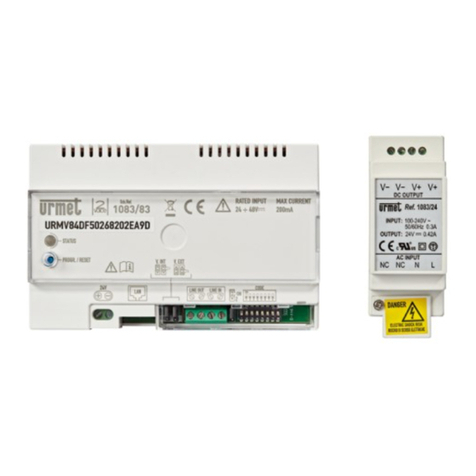
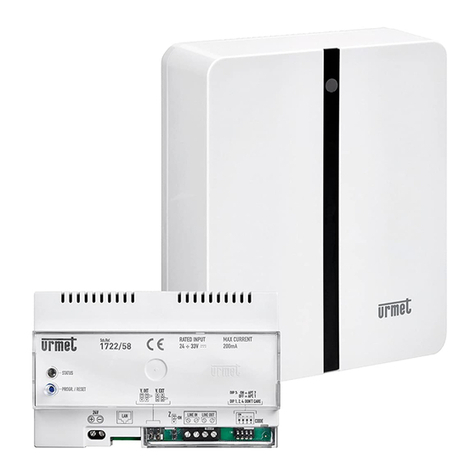
Have a Call Forwarding Device correctly
installed and configured and able to access the
Internet.
For more information about installation and
configuration, please check with your installer.
Whenever there is an incoming a call, your
smartphone will ring and a notification will be
shown.
—
—