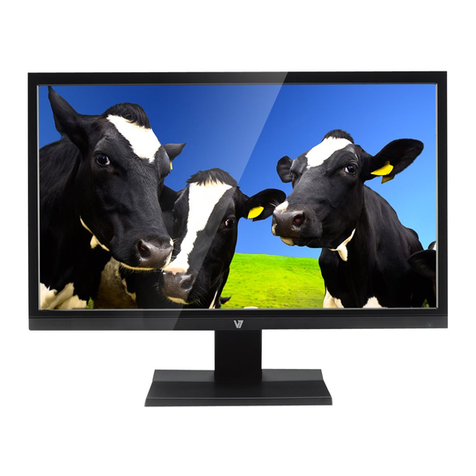
V7 L236E User manual

USER MANUAL
L236E
23.6”Full HD Widescreen LED Monitor

TABLE OF CONTENTS
1 Getting Started
2 Control Panel/ Back Panel
3 On Screen Display
4 Technical Specs
5 Care & Maintenance
6 Troubleshooting
7 Safety Info & FCC warning

1
GETTING STARTED
Package includes
• AC power cord
• VGA cable
• Quick Start Guide
• Tool Kit
AC Power Cord VGA Cable x3

GETTING STARTED
Installation
Power on Computer and Monitor
1
2
VGADVI
Power
Connect power and video cables

CONTROL PANEL/ BACK PANEL
Control Panel/Back Panel
2
100x100mm VESA
Menu Scroll Up Scroll Down
Enter/Select Power
DVIAC Power VGA

ON SCREEN DISPLAY
3Using On Screen Display (OSD) Functions
Main Menu
Button Function
Brightness / Contrast
Brightness
To adjust the luminance of the video.
increase brightness, decrease brightness adjust brightness (Between 1-100)
Contrast
To adjust the foreground white level of screen image.
increase contrast, decrease contrast. adjust contrast (Between 1-100)
Active Contrast
To detect the distribution of the visual signals inputs, and create
an optimized contrast. to switch On/O
Preset Mode
Provides an optimum display environment depending on the
contents displayed. It contains 4 user-selectable presets. PC /
MOVIE / GAME / ECO
to switch between PC, Move, Game
and ECO
Input Setting
Input Setting
When Input Setting is pressed, change Input signal to VGA or
DVI to switch between VGA and DVI
Auto Search
Auto search input to switch On/O

ON SCREEN DISPLAY
Button Function
Color Setting
Warm
Nature
Cool
User
User color: Individual adjustments for red
(R), green (G), blue (B).
1. Press button to select the desired
color.
2. Press button to adjust selected
color.
Image Setting
Auto Adjust
Optimize the H-Position, V-Position, Clock, and Phase (For VGA
Input only) to switch On/O
Aspect Ratio
Select between full and t aspect ratios
to switch between full and t
aspect ratios
H-Position
move screen left and right
move image left and right
(Between 1-100)
V-Position
move screen up and down move image up and down (Between
1-100)
Clock
Reduce the vertical icker of character on the screen (For VGA
Only)
to adjust vertical icker of characters
on the screen (Between 1-100)
Phase
Reduce the horizontal icker of character on the screen (For
VGA Only)
to adjust horizontal icker of
characters on the screen (Between 1-100)
Sharpness
option to adjust the sharpness of the display. Set the value from
-2 to 2.
adjust sharpness up and down
(Between 1-100)
View Mode
Switch between Video and PC Mode to switch between Video and PC
Mode
Response Time
Available settings are Minimum, Intermediate, and Maximum to switch between Minimum,
Intermediate and Maximum

ON SCREEN DISPLAY
Button Function
OSD Setting
Language
to change OSD language
H-Position
moves menu left and right (Between 1-100)
V-Position
moves menu up and down (Between 1-100)
Transparency
to
adjust transparency (between 0-100%)
OSD Time-Out
to adjust time OSD appears on screen (1-100)
OSD Color
to scroll through three OSD color modes
System
DDC / CI
A collection of protocol which operates over the DDC channel to
provide interactive control of a display and, optional associated
devices.
to switch On/O
Factory Reset
Reset Monitor to Factor Defaults
to switch On/O
Information
Displays Monitor information: Display horizontal frequency, Vertical
Frequency, Resolution information
to switch On/O

TECHNICAL SPECS
4Technical Specication
LCD Panel 59.9cm (23.6”) TFT (with LED back light)
Power
Management
VESA DPMS compatible
O Mode, < 0.5 W
Displayable
Resolution
Full HD 1920 x 1080 max.
Vertical Frequency 60Hz max.
Pixel Dimension 0.2715(H) ×0.2715(V) mm
LCD Display Color 16.7M colors
Tilt -5°~20° (±3°)
Active Display
Area 521.28(H) × 293.22(V)mm
Temperature Operating: 0°C ~ + 40°C
Storage: -20°C ~ + 60°C
Compliance CE, FCC, EPA7.0
Power Input Voltage AC100-240 V

CARE & MAINTENANCE
5Care
• Avoid exposing your monitor directly to sunlight or other heat source. Place your monitor away from the sun to reduce glare.
• Put your monitor in a well ventilated, clean, dry area.
• Do not place any heavy things on top of your monitor.
• Keep your monitor away from magnets, motors, transformers, speakers, and TV sets.
Safety Tips
• If smoke, abnormal noise or odor came out from your monitor, caution you should remove the power cord immediately and
call your service center.
• Never remove the rear cover of your monitor cabinet. The display unit inside contains high-voltage parts and may cause
electric shock to human bodies.
• Never try to repair your monitor yourself. Always call your service center or a qualied technician to x it.
Table of contents
Other V7 Monitor manuals