Verkada CM41 User manual


Introduction
What’s in the box
What you’ll need
●A working Internet connection
●802.3af Power over Ethernet (PoE) switch, or
a PoE injector. For operation below -20° C,
use 802.3at PoE.
●A smartphone or laptop
●A #2 Phillips screwdriver or power drill with a
#2 Phillips driver bit
●1/4 inch (6.5mm) drill bit for wall anchors
●1/8 inch (3mm) drill bit for pilot holes
●3/16-inch (4.5mm) drill bit for machine
screws
●A Cat5 or Cat6 Ethernet cable with a
0.2-0.25 inch outside diameter (5-6.5mm)
Verkada Inc. 405 E 4th Ave, San Mateo, CA 94401
All specifications are subject to change without notice
Copyright © Verkada Inc. All rights reserved.
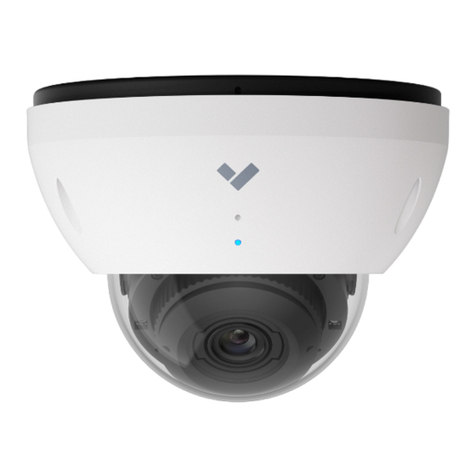
CM41 Indoor Mini Dome Camera Mount plate
(Attached to camera)
2 Wingnuts and Washers 3 Wall anchors3 Screws
Length: 52.5mm (Incl. head)
Width: 4mm, head width 8.3mm
Connect
For easy registration and setup, scan the QR
code on the product.
If you prefer to manually register your product,
please proceed to: verkada.com/start
3
2 Machine screws
Length: 27.6mm (Incl. head)
Width: 4mm, head width 7mm

Verkada Inc. 405 E 4th Ave, San Mateo, CA 94401
All specifications are subject to change without notice
Copyright © Verkada Inc. All rights reserved.
4
Introduction
LED Behaviors
Regular operation
Solid Orange
Camera is on and booting up.
Flashing Orange
Camera is updating firmware.
Solid Blue
Camera is running, connected,
and recording data.
Network errors
1 Blue, 1 Orange
Camera is connected to the PoE, but
unable to connect to the Switch.
1 Blue, 2 Orange
Camera has not received an IP address.
1 Blue, 3 Orange
Camera has detected duplicate IP
addresses on the LAN.
1 Blue, 4 Orange
Camera is not able reach the router.
The LED will flash in a specific order,
depending on the error state. You will
see 1 blue flash, followed by a number of
orange flashes.
Example of 1 Blue, 5 Orange flash sequence
1 Blue, 5 Orange
Camera is not able to resolve Verkada
hostnames.
1 Blue, 6 Orange
Camera is not able to receive a
response from the NTP Server.
1 Blue, 7 Orange
Camera is not able to certify the SSL
connection, likely due to SSL inspection.
1 Blue, 8 Orange
Verkada endpoints are not reachable
after boot up.
Status LED
–

Installation
Connect
Grasp the plastic mount
plate strap and pull the
cover off of the camera.
Verkada Inc. 405 E 4th Ave, San Mateo, CA 94401
All specifications are subject to change without notice
Copyright © Verkada Inc. All rights reserved.
5
Connect the camera to an 802.3af
Power over Ethernet port on your
network. An orange LED on the
camera’s Ethernet port will
indicate that it is powered and
booting up. A green LED on the
Ethernet port will indicate the
camera is active.
Go to www.verkada.com/start

Installation
Mount 1/3
Note
On the bottom of the camera, rotate the
mount plate clockwise until it stops and is
lined up with its corresponding blue
colored notch on the camera base.
Verkada Inc. 405 E 4th Ave, San Mateo, CA 94401
All specifications are subject to change without notice
Copyright © Verkada Inc. All rights reserved.
When placing the mount plate, take care
to orient it such that your camera’s target
is situated within the “Camera Pan Angle”.
6
Firmly pull and separate the mount plate
from the camera base. Remove and
discard the plastic mount plate strap.

Installation
Mount 2/3
Note
If your cable is routed through a
hole in the mounting surface,
position one of the mount plate’s
notches labeled “Cable” as close
to the cable hole as possible.
Verkada Inc. 405 E 4th Ave, San Mateo, CA 94401
All specifications are subject to change without notice
Copyright © Verkada Inc. All rights reserved.
7
Use the mount plate to mark holes
for mounting screws.

Installation
Mount 3/3
For drywall, drill 1/4-inch holes.
Insert plastic anchors into holes
and drive mounting screws into
anchors.
Verkada Inc. 405 E 4th Ave, San Mateo, CA 94401
All specifications are subject to change without notice
Copyright © Verkada Inc. All rights reserved.
8
For a drop ceiling, drill 3/16-inch
holes through the ceiling tile and
insert machine screws. Behind the
ceiling tile, place washers and
wing nuts on each screw and
hand-tighten.
For a solid material like wood or
metal, drill 1/8-inch pilot holes.
Drive mounting screws directly into
the pilot holes.

Installation
Secure
Route the cable snuggly between
the camera base and the mount
plate. Place the cover on the
camera. Be sure the magnets
have pulled the cover flush
against the mounting surface.
Verkada Inc. 405 E 4th Ave, San Mateo, CA 94401
All specifications are subject to change without notice
Copyright © Verkada Inc. All rights reserved.
9
Plugin the camera. Line up the blue
notches on the mount plate and
the camera body and place the
camera over the center pin on the
mount plate.
With the camera on the mount
plate, rotate the entire camera
body on the mount plate to adjust
the pan angle. Tilt and rotate just
the camera lens for further
adjustment.

Appendix
CM41 Compliance
Caution 1. Maintenance and repair work must always be carried out by qualified technical personnel.
Disconnect power from the unit when performing a maintenance task.
2. Wiring methods used for the connection of the equipment to earth shall be in accordance with the
National Electrical Code, ANSI/NFPA 70, and the Canadian Electrical Code, Part 1, CSA C22.1.
3. The product must be installed and protected in a location that is not easily accessible and is away
from impacts or heavy vibration.
4. The device is only to be connected to PoE networks without routing to outside plants.
5. If powered by a power adapter, the adapter should be properly grounded.
6. Please contact certified dealers for power adapters.
PoE
Adapter
To reduce potential safety issues, only use the PoE adapter provided with the product, a replacement PoE
adapter provided by Verkada, or a PoE adapter purchased as an accessory from Verkada.
Verkada Inc. 405 E 4th Ave, San Mateo, CA 94401
All specifications are subject to change without notice
Copyright © Verkada Inc. All rights reserved.
10
Other manuals for CM41
1
Table of contents
Other Verkada Digital Camera manuals