manuals.online logo
Brands
  1. Home
  2. •
  3. Brands
  4. •
  5. Whirlpool
  6. •
  7. Microwave Oven
  8. •
  9. Whirlpool MW3500XP User manual

Whirlpool MW3500XP User manual

Other Whirlpool Microwave Oven manuals

Whirlpool MH7140XFZ0 User manual

Whirlpool

Whirlpool MH7140XFZ0 User manual

Whirlpool MT6125XBB/Q User manual

Whirlpool

Whirlpool MT6125XBB/Q User manual

Whirlpool MW8570XR User manual

Whirlpool

Whirlpool MW8570XR User manual

Whirlpool Estate TMH16XSD0 User manual

Whirlpool

Whirlpool Estate TMH16XSD0 User manual

Whirlpool WMH76719 User manual

Whirlpool

Whirlpool WMH76719 User manual

Whirlpool YUMV4084 User manual

Whirlpool

Whirlpool YUMV4084 User manual

Whirlpool 30 " Eye-Level Gas Range User manual

Whirlpool

Whirlpool 30 " Eye-Level Gas Range User manual

Whirlpool RJM 7600 User manual

Whirlpool

Whirlpool RJM 7600 User manual

Whirlpool WOC95EC0AS User manual

Whirlpool

Whirlpool WOC95EC0AS User manual

Whirlpool MT1145SL User manual

Whirlpool

Whirlpool MT1145SL User manual

Whirlpool UMC5225GZ User manual

Whirlpool

Whirlpool UMC5225GZ User manual

Whirlpool 8205959 User manual

Whirlpool

Whirlpool 8205959 User manual

Whirlpool JT 369 SL User manual

Whirlpool

Whirlpool JT 369 SL User manual

Whirlpool MWO 165/NB User manual

Whirlpool

Whirlpool MWO 165/NB User manual

Whirlpool MIcrowave Ovens User manual

Whirlpool

Whirlpool MIcrowave Ovens User manual

Whirlpool JQ 276 User manual

Whirlpool

Whirlpool JQ 276 User manual

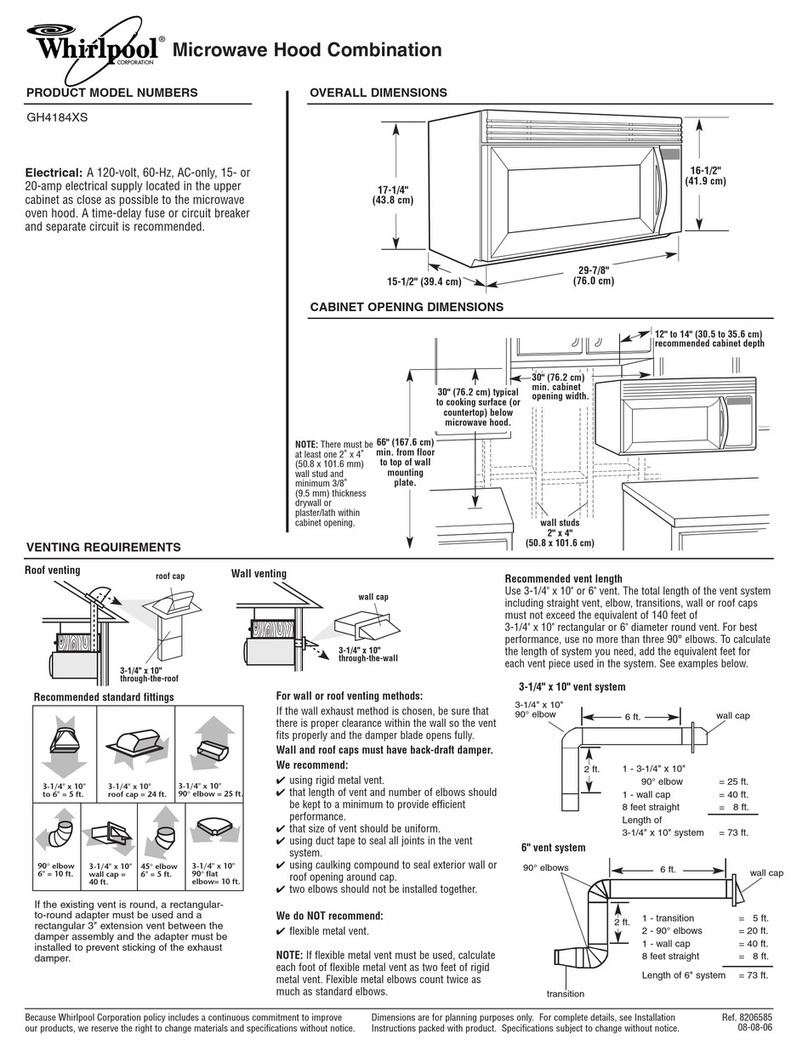
Whirlpool MICROWAVE HOOD COMBINATION User manual

Whirlpool

Whirlpool MICROWAVE HOOD COMBINATION User manual

Whirlpool WMHA9019HZ User manual

Whirlpool

Whirlpool WMHA9019HZ User manual

Whirlpool GMH3204XVQ Use and maintenance manual

Whirlpool

Whirlpool GMH3204XVQ Use and maintenance manual

Whirlpool MT 242 WH User manual

Whirlpool

Whirlpool MT 242 WH User manual

Whirlpool YUMV4084BS0 User manual

Whirlpool

Whirlpool YUMV4084BS0 User manual

Whirlpool MH6700XW-1 User manual

Whirlpool

Whirlpool MH6700XW-1 User manual

Whirlpool W6-ME550 Installation and operation manual

Whirlpool

Whirlpool W6-ME550 Installation and operation manual

Whirlpool YGH8155XJ User manual

Whirlpool

Whirlpool YGH8155XJ User manual

Popular Microwave Oven manuals by other brands

Sharp R-390D manual

Sharp

Sharp R-390D manual

PROFILO MD1000 instruction manual

PROFILO

PROFILO MD1000 instruction manual

Candy MIC 201 EX User instructions

Candy

Candy MIC 201 EX User instructions

PITSOS GMW3101B user manual

PITSOS

PITSOS GMW3101B user manual

Sears 5648744780 Use & care manual

Sears

Sears 5648744780 Use & care manual

BOMANN CB 1272 Instruction manual & guarantee

BOMANN

BOMANN CB 1272 Instruction manual & guarantee

Conrad Electronic 2372935 operating instructions

Conrad Electronic

Conrad Electronic 2372935 operating instructions

GE Spacemaker JVM1440BH datasheet

GE

GE Spacemaker JVM1440BH datasheet

DAEWOO ELECTRONICS KOR-6L8K5S83 Operating instructions & cook book

DAEWOO ELECTRONICS

DAEWOO ELECTRONICS KOR-6L8K5S83 Operating instructions & cook book

DAEWOO ELECTRONICS KOR-1N5A9S Operating instructions & cook book

DAEWOO ELECTRONICS

DAEWOO ELECTRONICS KOR-1N5A9S Operating instructions & cook book

Daewoo KQG-6617G Operating instructions & cook book

Daewoo

Daewoo KQG-6617G Operating instructions & cook book

Samsung M1779 Owner's instructions

Samsung

Samsung M1779 Owner's instructions

GE JES1143 Use and care & cooking guide

GE

GE JES1143 Use and care & cooking guide

Miele H6200BM(TB) Operating and installation instructions

Miele

Miele H6200BM(TB) Operating and installation instructions

Jocel JMO011480 instruction manual

Jocel

Jocel JMO011480 instruction manual

Sharp R-752M Operation manual with cookbook

Sharp

Sharp R-752M Operation manual with cookbook

Electrolux EVL8E00X user manual

Electrolux

Electrolux EVL8E00X user manual

STOVES Q900GRF DO User, installation & servicing instructions

STOVES

STOVES Q900GRF DO User, installation & servicing instructions

manuals.online logo
manuals.online logoBrands
  • About & Mission
  • Contact us
  • Privacy Policy
  • Terms and Conditions

Copyright 2025 Manuals.Online. All Rights Reserved.

MICROWAVE
Model MW3500XP
i Freezers. Relrlgerator-freerers Ice Makers. Dishwashers BuiltbIn Ovens and
Surface Units.
Ranges. Microwave Ovens, Trash Compactors, Room AIC Condltloners. Oehumldl
Contents
Page Page
Parts and Features 2 Delayed Start 13
Before You Use Your Microwave Oven 3 Cancelling lnstructlons 14
Prec autlons to Avoid Posseble Programming lone 14
Exaosure to Excessive Other Operating Hints 14
M crowave Energy 3 Installation Instructions 15
Important Safety Instructions 4 Custom Mounting Your
Using Your Microwave Oven 5 Microwave Oven 17
Microwave Oven Controls 5 Caring for Your Microwave Oven 17
Settl.lg the Clock 6 Cleaning the Microwave Oven 17
Coc,<clng In Your Microwave Oven 6 Replacing the Light Bulb 17
Cot <clng In One Cycle 7 Operating Safety Precautions 18
HI gh Cook Power 7 If You Need Service or Assistance 20
Dcbfrosting and Cooking at Lower 1 Before Calling for Assistance 20
Zook Powers 8 2. If You Need Assistance 20
Defr Isting and Cooking In 3 If You Need Service 21
Two Zycles 9 4 IfYou Have a Problem 21
Min Ite Timer 12
c 1985 Whirlpool Corporation
Parts and features
Model MW3500XP
LIFT-UP DOOR HANDLE
DOOR / MODEL AND
LATCH NUMBER PLATE
Copy your Vodel and Serial
Numbers here...
Ifyoi, need service or call with a questlon. have
this InformatIon ready
1 Complete Model and Serial Numbers [from ~~~~~~ ~~
the plate lust behind the microwave oven door Model
Number
on the oven frame]
2 Purchase date from sales slop
Seriol Number
Copy this information in thesespaces Keep this
book, your warranty and sales slip together In a Purchase Date
handy place There
IS
no warranty registration to
return. Proof-of-purchase is all that
IS
required for ~ ~~ ~~ ~~
in-warranty service. Service
Company Phone Number
2
Fill out and return the “Microwave Registration Card” inside the oven. Ifthe card is missing,
please send the model number of your microwave oven, with your name and address to...
Whirlpool Corporation
Microwave Registration Departmeni
AdminIstratIve Center
2000 U.S 33 North
Benton Harbor, Mtchigan 49022
This Information will help us reach you ofthere ISever a need to pass along Information aboi
microwave oven
Before you install your microwave oven
Read and carefully follow he “INSTALLATION INSTRUCTIONS”
found on page 15 of this “Use & Care Guide!’
Before you use your microwave oven
Read this “Use & Care Guide” carefully for important use and safety information
Store in a convenient place for future use
It is your personal responsibility and obligation to be sure your microwave
l
Has been installed where it ISprotected from the elements The microwave
oven should be at a temperature above 50°F (10°C) for proper operation.
l
Has been installed on a surface strong enough to support Its weight
l
Has been properly connected to electrical supply and grounded.
(See “Installation Instructions”)
l
Is not used by anyone unable to operate it properly
l
Is properly maintained
l
Is used only for jobs expected of a home microwave oven
PRECAUTIONS TO AVOID
POSSIBLE EXPOSURE TO EXCESSIVE
MICROWAW ENERGY...
energy. It is important not to
DO NOT
attempt to oper-
defeat or tamper with the
safety interlocks.
ate this oven with the door
open since open-door op-
eration can result in harm-
ful exposure to microwave no damage to the
DO NOT
operate the
(1) Door (bent),
[2) Hinges and latches
oven if it ISdamaged. It is
(broken or loosened),
(3) Door seals and sealing
particularly important that
surfaces.
the oven door close
properly and that there is
The microwave oven
should be checked for
microwave leakage by
qualified service personnel
after a repair is made.
DO NOT
place any object
between the oven front
face and the door or allow
soil or cleaner residue
to accumulate on sealing
surfaces.
The oven should not be
adjusted or repaired by
anyone except properly
qualified service
personnel.
In/l PORTANT
S,WI TY I NSTRI’C‘TIONS
Microwave ovens have been used successfully in homes for a number of years.
They are thoroughly tested for safe operation when used properly. However, as
with any appliance, there are some special installation and safety precautions
which must be followed for safe and satisfactory operation and to prevent
damage to the unit.
WARNING -
To reduce the risk of burns, electric shock,
fire, injury to persons or exposure to excessive mrcrowave energy.
1.
Read all Instructtons before
IJSlng
appltanc e
2. Read and follow the specific “PRECAU-
TIONS TO AVOID POSSIBLE EXPOSURE TO
EXCESSIVE MICROWAVE ENERGY” found
on page 3
3. Thts appliance must be grounded Con-
nect only to properly grounded outlet. See
“GROUNDING INSTRUCTIONS” found on
page 14.
4. Install or locate this appliance only In
accordance with the provided “INSTALLA-
TION INSTRUCTIONS” found on page 15.
5. Some products such as whole eggs and
sealed containers - for example, closed
glass tars - may explode and should not
be heated in this oven.
6. Use this appliance only for its intended
use as described in this manual.
7. As with any appliance, close supervr-
sion is necessary when used by children.
8.
Do not operate this appliance if it has a
damaged cord or plug, if it is not working
properly, or if it has been damaged or
dropped. Electric shock, fire or other haz-
ards may result.
9. This appliance should be serviced only
by qualified service personnel. Call a
Whirlpool authorized TECH-CAREa Service
Company for examination, repair or
adjustment.
10.
Do not cover or block any opening on
the appliance, for fire may result.
11.
Do not use outdoors for damage to the
oven or electric shock may result.
12. Do not Immerse cord or plug in water for
electrrc shock may result.
13. Keep cord away from heated surfaces
for electric shock may result.
14. Do not let cord hang over edge of table
or counter for electric shock may result.
15.
See door surface cleaning instructions
on page 17.
16.
To reduce the risk of fire in the oven
cavity:
a. Do not overcook food. Carefully attend
appliance if paper, plastic, or other com-
bustible materials are placed inside the
oven to facilitate cooking. Paper can char
or burn, and some plastics can melt if used
when heating foods.
b. Test dinnerware or cookware before
using. See page 20. Some dishes
[melamine, Centura,” etc.) absorb micro-
wave energy, becoming too hot to handle
and slowing cooking times. Remove wire
twist-ties from paper or plastic bags before
placing bag in oven. Cooking in metal
containers can damage the oven. So can
containers with hidden metal (twist-ties, foil-
lining, staples, metallic glaze or trim).
c. If materials inside the oven should ignite,
keep oven door closed, turn oven off, and
disconnect the power cord, or shut off
power at the fuse or circuit breaker panel.
17. Read and follow “OPERATING SAFETY
PRECAUTIONS” starting on page 18.
SA\E THESE INSTRUCTIONS

Using your microwave
Microwave oven controls
There are three parts In the control section
-The Digital Display/Clock, and
Indicator Lights
-Command Pads
-Number Pads
These will be covered on the followlng
pages Read them carefully
oven
When you first plug in the oven, a tone sounds
and the Display will be blank. If after you set tl
Clock [page 6), the Display becomes blank
again, it means your electricity was off for a
while Reset the Clock
Digital display/clock and indicator
and shows you what
number pads you
touched.
Command pads
what order A few
examples
-CLOCK SETtells
the oven you are
oven to start See
page14 for Information on the tone you hear
when touching any pad
Each Command Pad, except STARTand
CANCEL, lights an Indicator Light. The Indi-
cator Light comes on when you touch the
Command Pad.
While the oven is running, an Indicator Light
[or lights] will be on to show what the oven is
doing.
Number pads
Setting the clock
When the oven ISfrrst plugged In, the Display WIII be blank. Ifthe electric power ever goes
off the Display will also be blank when the power comes back on.
You can cook without setting the clock, but the Display WIII show a colon for 5 minutes
after the cookrng ISdone, then go blank
DO THIS...
.
Em
I. Touch CLOCK SET.
2.
Touch CHANGE/CANCEL
Pad once.
3. Touch Number Pads for
the correct time of day.
THIS HAPPENS...
The CLOCK Indicator Light will come
on and the Display will show a
colon
4.
Touch START.
Cooking in your microwave oven
Be sure to read your MICRO MENUS” Cookbook packed with your microwave oven. It contains
information about:
l
What microwave energy is
l
How food is cooked by microwave energy
l
What affects cooking speed and cooking evenness
l
Safety tips
l
Utensils to use when cooking in the microwave oven
l
Cooking times for different foods
The MICRO MENUS uCookbook will help you get the BESTCOOKING RESULTS.
6
The CLOCK Indicator Light and the
colon will blink
The Drsplay will show what numbers
you touched in the order you touched
them. This example shows 3-25
The Display will show the time of
day, and the CLOCK Indicator Light
stays on
If you have touched In an Incorrect
time such as12.65, the Display WIII
goblankandyouwillhearabeep
Reset the Clock
Important things to remember to get the best cooking results.
ALWAYS cook food for the mrnrmum recommended cooking time. If necessary, add
time In one or two minute periods, then check for doneness to avoid overcooking the
food
Stir,turn or rearrange the food being cooked about halfway through the cooking trme
for most even doneness wtth all recipes
If a glass cover
IS
not available, use waxpaper, paper towels or Saran@ Wrap Turn back
a corner to vent steam during cooking
Cooking in one cycle
The oven door can be opened any time during operatton; the oven wtll automatrcally
stop cookrng and marntarn the time setting. for up to 5 minutes, until the door
IS
closed and
the STARTPad
IS
touched
High cook power
DO THIS...
1. Put food in the oven
and close the door.
2. Touch COOK l&2 once.
3. Touch Number Pads for
the cooking time you
want.
4.
Touch START.
THIS HAPPENS...
The COOK 1Indicator Light will
come on and the Display will show
a colon.
The Display will show the numbers
you touched in the order you
touched them. This example shows
1 minutes, 30 seconds
The oven will automatically cook
at high Cook Power.
The COCK 1Indicator Light will stay
on to show the oven is cooking in
the first cycle.
The Display counts down the time to
show how much cooking time ISleft
in the Cook cycle
When the cooking time ends you
will hear 3 beeps. When the beep-
ing stops, the Display will show the
time of day.
Changing the cooking time
You can change the cooking time during the cycle
1 Touch CHANGE/CANCEL Pad once. [Note: The oven will go off and the Display will show a colon.)
2 Touch numbers for new time
3 Touch START.
The COOK 1cycle
will
start cooking for the new time
Defrosting and cooking at lower cook powers
For best results, some recipes call for lower Cook Powers. The lower the Cook Power, the
slower the cooking. Each Number Pad on your microwave oven stands for a different
percentage of Cook Power (10% 50%, 80% etc.). Many recipes in your MICRO MENUS”
Cookbook tell you, by name, which Cook Power to use. Recipes in other books and
magazines may tell you by number (5,6,7, etc.).
The following chart grves you the percentage of Cook Power each Number Pad stands
for, and Cook Power name generally used.
automatic 100’6 of full power HIGH 4 40% of full power
9 90°0 of full power 3 30% of full power DEFROST
8 80°0 of full power REHEAT 2 20% of full power
7 70% of full power MEDIUM-HIGH 1 10% of full power WARM
6 60% of full power 0 no power [fan and light will be off)
5 50% of full power MEDIUM
Use Cook Power 3 to DEFROST frozen food before cooking. For suggested
defrost times, see the chart in your MICRO MENUS’ Cookbook.
DO THIS...
1.
Put food in the oven and
close the door.
2. Touch COOK l& 2 once.
3. Touch Number Pads for
the cooking time you
want.
4.
Touch COOK POWER.
5. Touch a Number Pad for
the Cook Power you want.
THIS HAPPENS...
The COOK 1Indicator Light WIII
come on and the Display will show
a colon
The Display WIII show the numbers
you touched in the order you
touched them. This example shows
7 minutes. 30 seconds
The COOK POWER Indicator Light
will come on and the Display will
show “HI:’
The Display will show what you
touched. This example shows 30%
of full power.
6. Touch START.
dcount
own
Changing cook powers
The COOK 1Indicator Light will stay
on to show that the oven is cooking.
The Cook Power Indicator Light
will go off The oven will cook in the
Cook Power YOU selected.
The Display counts down the time to
show how much cooking time is left
The Cook Power can be checked
by touching the COOK POWER Pad.
The COOK POWER Indicator Light
will come on and the Display will
show the Cook Power you selected.
Touch STARTto return the Display
to the countdown.
When the cooking time ends, you
will hear 3 beeps. When the beep-
ing stops, the Display will show
the time of day.
l
Cook Power can be changed at any time during the cooking cycle
-Touch COCK POWER
-Touch a number for the new Cook Power.
-Touch STARTThe oven WIII continue to cook at the new Cook Power
OR...
-Touch COOK POWER
-Touch CHANGE/CANCEL Pad once, then touch STARTlf you want to change a
lower Cook Power to HIGH
Faster or slower defrosting
When you DEFROST at Cook Power 3, the microwave oven automatically uses 30%
of full power. For slower or faster defrosting:
l
Use 20% of full power for slower defrosting.
l
Use 50% of full power for faster defrosting. Defrosting at Cook Powers
higher than 30% can cause more cooking on the outside of the food.
Standing time
For best results, allow the food to stand for a whrle after defrosting. This helps
equalize the temperature of the food to provide more even cooking
Defrosting and cooking in two cycles
For best results, some recipes call for one Cook Power for a certain length of time, and
another Cook Power for different length of time. Your microwave oven can be set to
change from one to another automatically.
The controls on your microwave oven can also be set to defrost in Cookl, then
automatrcally cook in Cook 2
DO THIS... THIS HAPPENS...
1.
Put food in the oven and
close the door.
2.
Touch COOK 1812 once.
3. Touch Number Pads for
the cooking time you want
in the first cycle.
The COOK 1Indicator Light will
come on and the Display will show
a colon.
The Display will show the numbers
you touched in the order you
touched them. This example shows
3 minutes, 25 seconds
The COOK POWER lndlcator Light
will come on and the Display will
show “HI”
4.
Touch COOK POWER.
(Option: Skip to step 6 if
you want to cook at high
power.)
The Display will show what you
touched. This example shows 30%
of full power for defrosting.
5. Touch a Number Pad for
the Cook Power you want
in the first cycle.
The COOK 2 Indicator Light will
come on and the Display will show
a colon
6.
7.
Touch COOK I& 2
a second time.
Touch Number Pads for
the cooking time you want
in the second cycle.
The Display will show the numbers
you touched in the order you
touched them. This example shows
4 minutes, 30 seconds
The COOK POWER Indicator Light
will come on and the Display will
show “HI:’
8.
Touch COOK POWER.
(Option: Skip to step 10 if
you want to cook at high
power.)
10