manuals.online logo
Brands
  1. Home
  2. •
  3. Brands
  4. •
  5. Whirlpool
  6. •
  7. Oven
  8. •
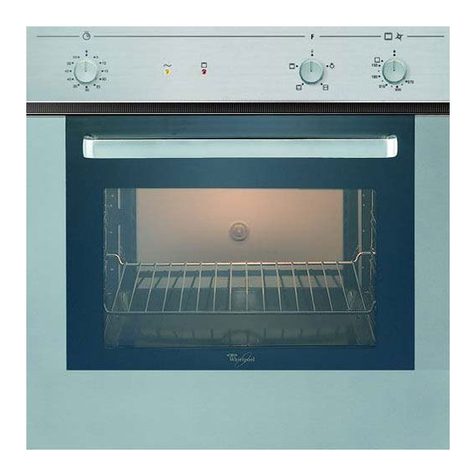
  9. Whirlpool AKP 542 User manual

Whirlpool AKP 542 User manual

This manual suits for next models

1

Other Whirlpool Oven manuals

Whirlpool GY398LXPB00 User manual

Whirlpool

Whirlpool GY398LXPB00 User manual

Whirlpool RBS305PV Series User manual

Whirlpool

Whirlpool RBS305PV Series User manual

Whirlpool RBS275PRB02 User manual

Whirlpool

Whirlpool RBS275PRB02 User manual

Whirlpool GBD277PDT User manual

Whirlpool

Whirlpool GBD277PDT User manual

Whirlpool GBD277PDT User manual

Whirlpool

Whirlpool GBD277PDT User manual

Whirlpool AKZM 778 Operating instructions

Whirlpool

Whirlpool AKZM 778 Operating instructions

Whirlpool GH6178XPQ0 User manual

Whirlpool

Whirlpool GH6178XPQ0 User manual

Whirlpool AKZ146 User manual

Whirlpool

Whirlpool AKZ146 User manual

Whirlpool AKZM 765 Operating instructions

Whirlpool

Whirlpool AKZM 765 Operating instructions

Whirlpool AKZM 662 Operating instructions

Whirlpool

Whirlpool AKZM 662 Operating instructions

Whirlpool GBD307PRB01 User manual

Whirlpool

Whirlpool GBD307PRB01 User manual

Whirlpool AKZM 766 Operating instructions

Whirlpool

Whirlpool AKZM 766 Operating instructions

Whirlpool GW395LEPB01 User manual

Whirlpool

Whirlpool GW395LEPB01 User manual

Whirlpool BUILT-IN MICROWAVE OVEN User manual

Whirlpool

Whirlpool BUILT-IN MICROWAVE OVEN User manual

Whirlpool Oven Operating instructions

Whirlpool

Whirlpool Oven Operating instructions

Whirlpool WOS31ES0JS User manual

Whirlpool

Whirlpool WOS31ES0JS User manual

Whirlpool ENTRY BASIC Specification sheet

Whirlpool

Whirlpool ENTRY BASIC Specification sheet

Whirlpool MBI 540 User manual

Whirlpool

Whirlpool MBI 540 User manual

Whirlpool OMSK58CU1SB User manual

Whirlpool

Whirlpool OMSK58CU1SB User manual

Whirlpool AKZ 431 User manual

Whirlpool

Whirlpool AKZ 431 User manual

Whirlpool AKZ 360 01 IX User manual

Whirlpool

Whirlpool AKZ 360 01 IX User manual

Whirlpool AKZM 6610 Operating instructions

Whirlpool

Whirlpool AKZM 6610 Operating instructions

Whirlpool WOS92EC0AS User manual

Whirlpool

Whirlpool WOS92EC0AS User manual

Whirlpool OBI C50 User manual

Whirlpool

Whirlpool OBI C50 User manual

Popular Oven manuals by other brands

Brandt FC 222 user manual

Brandt

Brandt FC 222 user manual

aumate TOA20M04N-1E instruction manual

aumate

aumate TOA20M04N-1E instruction manual

Maytag CWE4100AC - 24" Single Electric Wall Oven Dimension Guide

Maytag

Maytag CWE4100AC - 24" Single Electric Wall Oven Dimension Guide

Kernau KBO 1076 S PT B instruction manual

Kernau

Kernau KBO 1076 S PT B instruction manual

Bosch HB 37 N Series User manual and installation instructions

Bosch

Bosch HB 37 N Series User manual and installation instructions

Electrolux EOD5420AA user manual

Electrolux

Electrolux EOD5420AA user manual

Mx Onda MX-HC2183 instruction manual

Mx Onda

Mx Onda MX-HC2183 instruction manual

Daewoo F6EV19SM2 Service manual

Daewoo

Daewoo F6EV19SM2 Service manual

Blodgett MT3870 Specifications

Blodgett

Blodgett MT3870 Specifications

GE ZET2F owner's manual

GE

GE ZET2F owner's manual

GE JK3000DF3WW owner's manual

GE

GE JK3000DF3WW owner's manual

eka EKF 523 NT Operating and instruction manual

eka

eka EKF 523 NT Operating and instruction manual

AEG Electrolux E3191-5 user manual

AEG Electrolux

AEG Electrolux E3191-5 user manual

Pratica Rocket Express quick start guide

Pratica

Pratica Rocket Express quick start guide

Viking Professional VGSO260T user guide

Viking

Viking Professional VGSO260T user guide

FM RX203 instruction manual

FM

FM RX203 instruction manual

Bosch HBN331 9B Series instruction manual

Bosch

Bosch HBN331 9B Series instruction manual

NEFF B95M42N0MK Instructions for use

NEFF

NEFF B95M42N0MK Instructions for use

manuals.online logo
manuals.online logoBrands
  • About & Mission
  • Contact us
  • Privacy Policy
  • Terms and Conditions

Copyright 2025 Manuals.Online. All Rights Reserved.

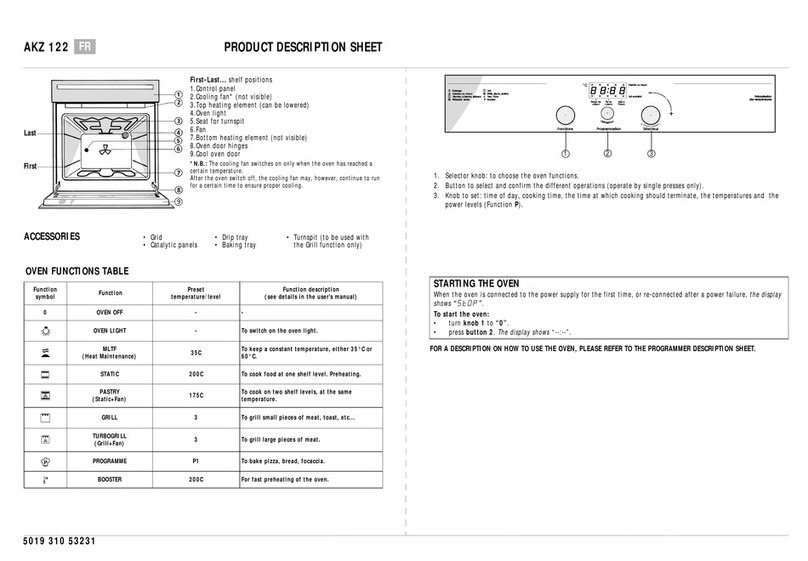
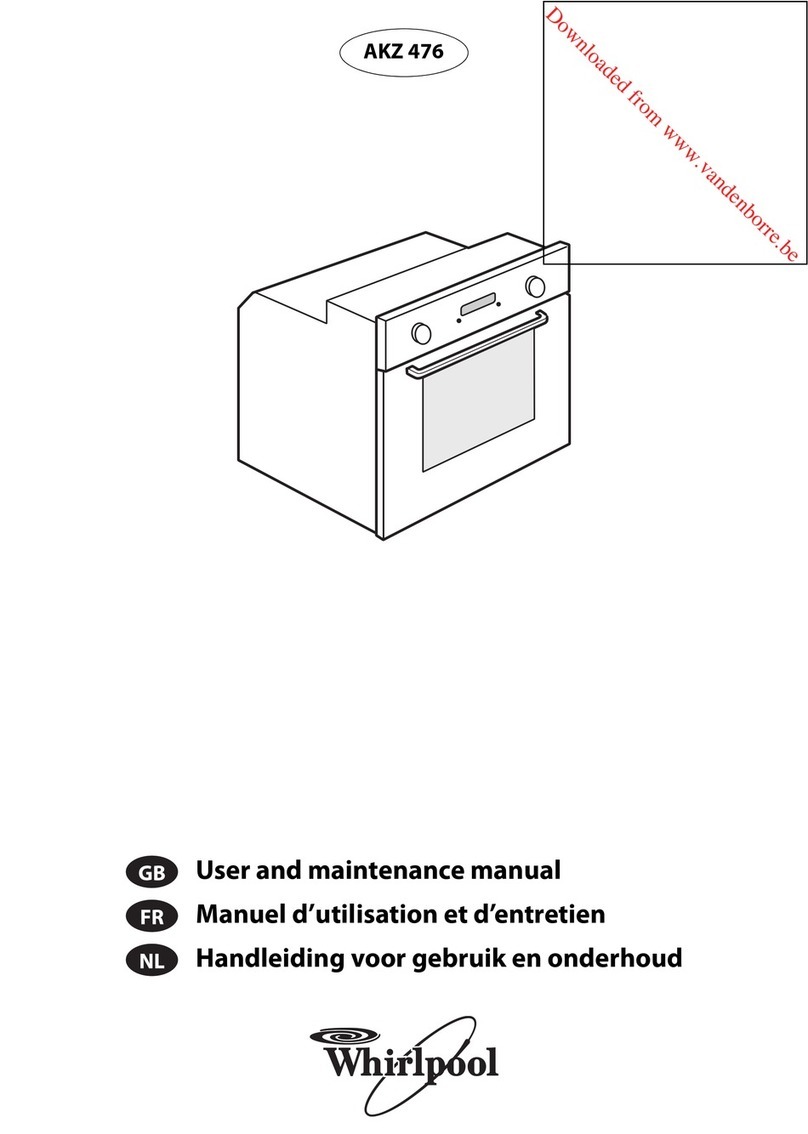
AKP 542 PRODUCT DESCRIPTION SHEET
FR
5019 310 54941
OVEN
First...Last: Runner positions
1. Control panel
2. Cooling fan (not visible)
3. Upper heating element
4. Grill element
5. Oven light
6. Seat for turnspit
7. Lower heating element (not visible)
8. Oven door hinges
9. Oven door
Accessories:
•Grid
•Bakingtray
CONTROL PANEL
1. Programmer
2. Thermostat control knob
3. Functions selector knob
4. Thermostat red indicator light
Important: An optional kit consisting of an oven door
glass and of relevant mounting components, is
available by the After-Sales Service. The use of the kit
reduces the temperature of the outer oven surface and
is strongly recommended if there are kids in the house.
Code N°: 4819 310 39186.
0Off
Oven light
BOTTOM HEATING FUNCTION
Use:
-To finish baking fruitcakes or cheesecakes.
-To thicken sauces.
-Use the lower heating function for the last 10 or 15
minutes of cooking time.
STATIC FUNCTION
Use when all the food is on the same runner level.
-Pre-heat the oven to the required cooking
temperature and place the food inside as soon as
the red thermostat indicator light switches off.
-Ideally, the shelf should be on the second runner
level when using the static function.
GRILL FUNCTION
Use the grill function to cook small pieces of meat
(steaks, sausages) and for making toasts.
-The oven door must be closed during the cooking
cycle.
-Pre-heat the grill for about 5 minutes.
-Arrange the meat on the grid with the drip tray
underneath. Pour water in the drip tray to cover the
bottom to reduce smoke and fat spatters.
-Turn over the meat about half-way through cooking
time.
GRILL +TURNSPIT FUNCTION
-Place the food on the spit and secure it with the
two forks.
-Place the grid supporting the spit inside the oven
on the second runner.
-Insert the spit in the hole provided on the rear wall,
laying it on the support grid.
-Remove the handle from the spit.
-Place the drip tray under the grid. We suggest you
poured some water in the drip tray to reduce
smokes and grease spatters.
-Close the oven door.
Turn the selector knob to the required symbol.
The oven light switches on.
• Turn the thermostat knob clockwise to the required
temperature.
The red thermostat indicator light switches on.
• When the required temperature is reached, the red
thermostat indicator light switches off.
End of the cooking cycle:
• Return the knobs to the OFF position (0-•).
OVEN FUNCTIONS
SWITCHING THE OVEN ON
First
Last
Important: the programmer symbols are given as an indication
only; for correct operation of the programmer, follow the
instructions and illustrations given on these pages.
CONTROL BUTTONS AND SYMBOLS
1. Button used to select minute minder with acoustic signal
2. Button used to set the cooking duration
3. Button used to set the end-of-cooking time
4. Button used to select manual operation
5. Button used to set or change data
6. Button used to set or change data
AUTO: when permanently alight, indicates operation of the
oven in automatic mode.
AUTO: will also blink to confirm end-of-cooking, prompt
further programming or indicate a wrong selection.
indicates that the oven is in operation and enabled in
manual mode.
indicates operation of the minute minder.
SETTING THE CLOCK, AND SELECTING MANUAL OPERATION
When the appliance is installed new, or following a power
failure, digits 0:00 and the AUTO symbol will blink in the
display. All other functions remain inhibited.
Press and hold buttons 2and 3simultaneously, and set the
clock using buttons 5and 6.
To operate the oven manually, press button 4: the symbol
will be displayed.
USING THE MINUTE MINDER WITH ACOUSTIC SIGNAL
This function is independent of oven operation
•Press button 1: digits 0:00 are displayed
•Press button 5or 6to display the desired cooking time.
Having released the buttons, or a few seconds afterwards, the
actual time and the symbol are displayed.
The acoustic signal warns that the set time has elapsed.
Press button 1to silence the acoustic signal.
PROGRAMMING THE COOKING TIME
Press button 2: digits 0:00 are displayed; set the desired
cooking time with buttons 5and 6. After a few seconds, the
actual time is displayed with AUTO and the symbol both
permanently alight.
•Set the oven control knob to the temperature required:
the oven will come into operation immediately.
•Once the cooking time has elapsed, an acoustic
signal indicates that the oven has switched off.
Return the oven control knob to position “0”, then press
button 4to silence the acoustic signal.
Note: the time remaining until end-of-cooking can be checked
or altered at any moment by pressing button 2.
The end-of-cooking time can also be displayed by pressing button 3.
USING THE PROGRAMMER
PROGRAMMING DURATION AND END OF COOKING TIME
•Press button 2: digits 0:00 are displayed; set the
desired cooking time with buttons 5and 6. After a
few seconds, the actual time is displayed with AUTO
and the symbol both permanently alight.
•Press button 3to set the end of cooking time,
which is selected using buttons 5and 6. The
symbol will now go out, and reappear again when
the oven comes into operation automatically at the
start of the programmed duration.
•Set the oven control knobs to the temperature and
functions required.
•Once the cooking time has elapsed, an acoustic
signal indicates that the oven has switched off.
Return the oven control knob to position “0”, then press
button 4to silence the acoustic signal.
USING THE PROGRAMMER