DAB1000 / English Instruction Manual
1
TABLE OF CONTENTS
Pack Contents..............................................................................................................................3
Location of controls......................................................................................................................4
Remote Control............................................................................................................................5
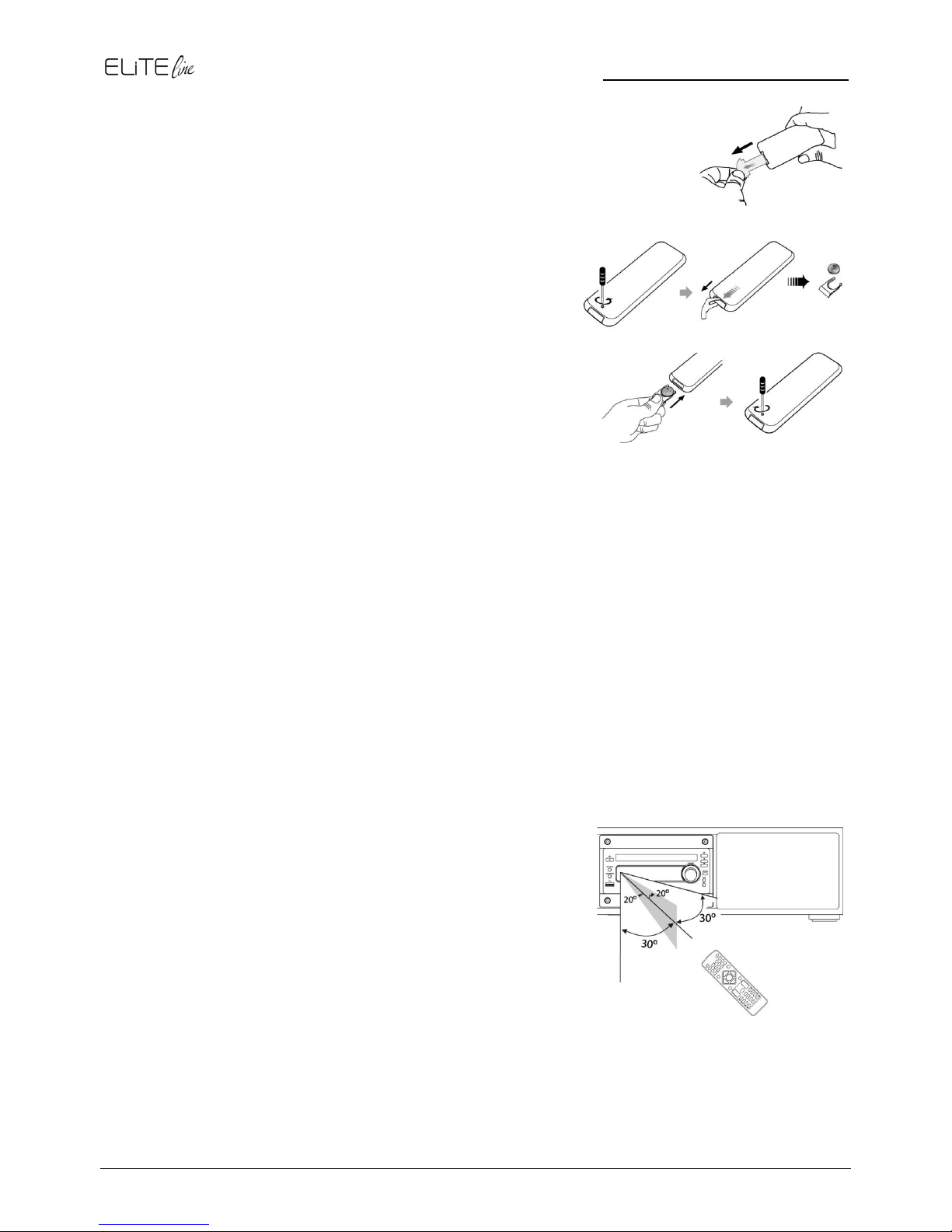
Installation of Battery.............................................................................................................6
Replace Remote Control Battery...........................................................................................6
Handling the Remote Control ................................................................................................6
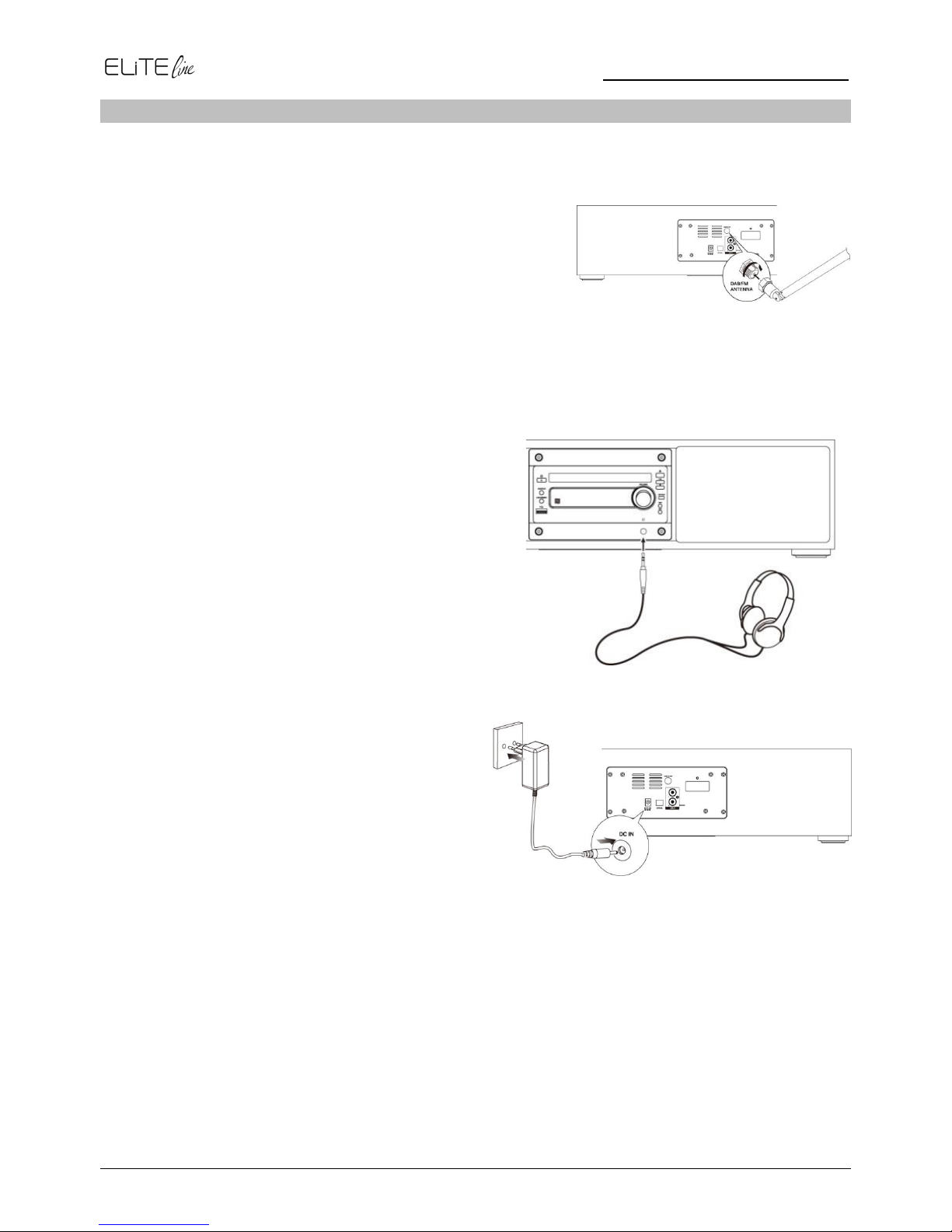
Connections.................................................................................................................................7
Connect the DAB/FM Telescopic antenna.............................................................................7
Connecting the Headphone...................................................................................................7
Connecting the AC-Adapter...................................................................................................7
ECO Power / Standby Features...................................................................................................8
Switching ON/OFF.................................................................................................................8
Switching the system to ECO Power/Standby mode.............................................................8
Power-saving automatic standby...........................................................................................8
Setting the Clock..........................................................................................................................8
Automatically synchronized Clock Time ................................................................................8
Setting the clock manually.....................................................................................................8
Display the Clock...................................................................................................................8
Volume Adjustment......................................................................................................................8
DAB Radio...................................................................................................................................9
Store DAB+ radio stations automatically ...............................................................................9
Tuning to a DAB+ radio station..............................................................................................9
Sore DAB+ radio stations manually.......................................................................................9
Tuning to Preset DAB+ stations.............................................................................................9
DAB+ Information Display .....................................................................................................9
FM Radio ...................................................................................................................................10
Tuning a station...................................................................................................................10
Auto Tuning.........................................................................................................................10
Manual Tuning.....................................................................................................................10
Preset Tuning (Available only after the stations are preset) ................................................11
Program radio stations.........................................................................................................11
Change the FM Reception Mode.........................................................................................11
RDS (Radio Data System) Reception..................................................................................11
CD Mode....................................................................................................................................12
Disc Playing.........................................................................................................................12
Skip Search and play...........................................................................................................12
Search and play...................................................................................................................12
Programme Play (For audio CDs and MP3/WMA discs) .....................................................12
Playing the Beginning (Intro) of each Track.........................................................................12
Random Play.......................................................................................................................12
To Select Album (For MP3/WMA discs) ..............................................................................13