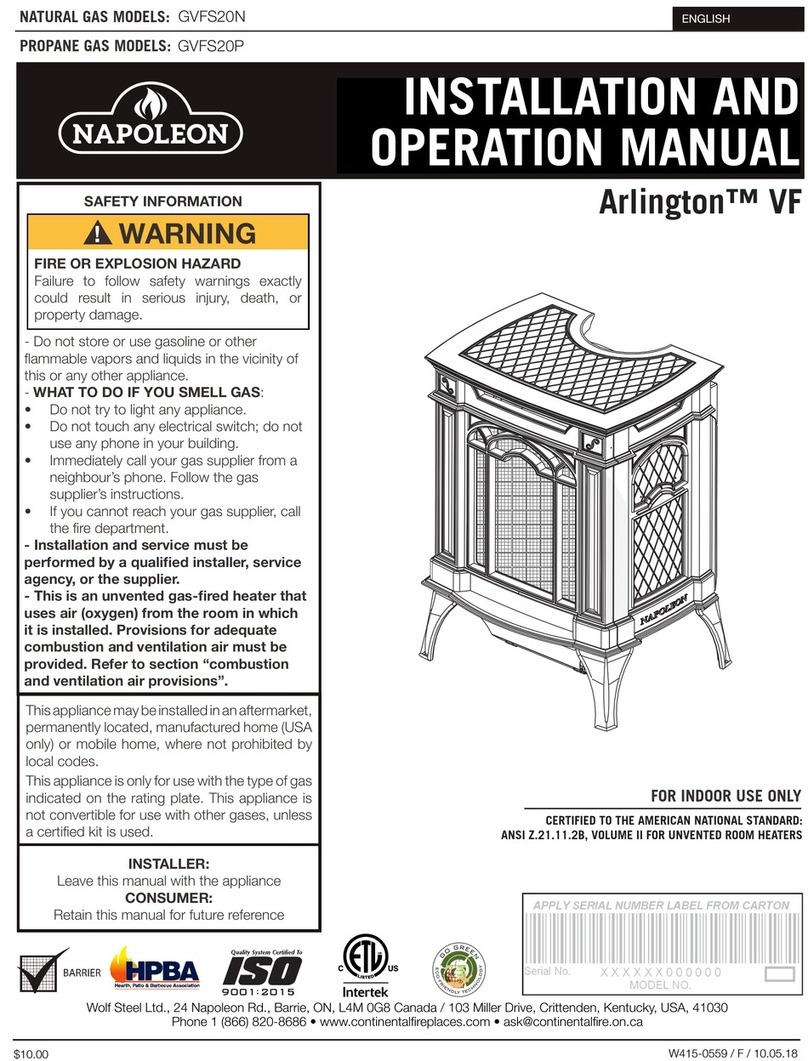
Wolf Steel NZ6000 User manual

INSTALLATION INSTRUCTIONS FOR
NZ6000 KITS
FP_, UG_, KS_, H335_
Logo
Location
1Remove the facing
template held in place
with the 12 screws shown.
Discard the screws and
template.
2Mount the keystone and
upper grill to the faceplate, as
shown, using the 4 nuts
supplied.
Right Door Handle (operating)
- Insert the door rod through the round
hole of the latch ensuring the flat edge
ofthe“D”shapedholepointstowards
the hinges.
-Slide the endof the doorrod
through the bushing at the
top of the door as shown.
- Insert the handle shaft
through the door
and the latch.
-Secure with 2 flat
washers and a nut.
Left Door Handle
(fixed)
- Insert the handle shaft
through the door.
-Securewithalockwasher,
2 flat washers and a nut.
- Feed the handle through
the handle spacer and
into the handle shaft.
3Secure the faceplate
to the unit, using the 14
screws supplied.
Start all 14 screws, then
tighten evenly.
Remember to document your serial # in the manual for
future quick reference.
- Feed the handle
through the handle
spacer and into the
handle shaft.
See Note #1
opposite side
See Note #2
opposite side
Ensure that the pressure switch actuating arm and air control
rod, protrude through the faceplate when installed.
Remove the backing and place logo onto the bottom
left corner of the faceplate.
4
:ROI6WHHO/WG1DSROHRQ5G%DUULH21/0*&DQDGD ID[ ZZZQDSROHRQILUHSODFHVFRP

5Placebrasswashers
onto the faceplate
hinge bushing (2 extra
washers are supplied in
order to level the doors
if needed).
To remove the doors, open them slightly and lift them out of the
faceplate hinge bushings.
Install the air
control threaded
rod and knob.
Note #1: You may need to move washers to the other side of the
latch to obtain sufficient door seal.
Note #2: The final angle of the left door handle should mirror the
right door handle in the closed position. Tighten the nut to secure
the left handle at the desired angle.
Slidethe door hingepin into
thefaceplatehingebushing.
6
HINGE
PIN
SET
SCREW
7To adjust the doors, loosen the set screw on the side of
each top door hinge,
using a 3/32” Allen Key
. With the doors
closed and not
tightly latched,
rotate the hinge
pin using a slotted
screw driver to the
desired position
and tighten the set
screw.
HINGE
PIN
SET
SCREW
:ROI6WHHO/WG1DSROHRQ5G%DUULH21/0*&DQDGD ID[ ZZZQDSROHRQILUHSODFHVFRP
W415-0452 / E / 11.07.11

Rondelles
plates
Écrou
Côté
plat de
la
forme
en “D”
Espaceur
de poignée
Poignée
Rondelle
de
blocage
Manche
de
poignée
Côté
plat de
la forme
en “D”
Rondelles
plates
Écrou
Espaceur de
poignée
Poignée
Tige de
porte
Bague
Côté
plat de
la forme
en “D”
Manche
de
poignée
Loquet de
porte
INSTRUCTIONS D’INSTALLATION
DES ENSEMBLES FP_, UG_, KS_ ET H335_
POUR LE MODÈLE NZ6000
Place de
Logo
1Retirez le gabarit de
façade retenu par 12 vis
tel qu’illustré. Jetez les vis
et le gabarit.
2Fixez l’ornement central et
la grille supérieure à la façade
tel qu’illustré à l’aide des
4 écrous fournis.
Poignée de porte droite (fonctionnelle)
- Insérez la tige de la porte dans le trou circulaire
du loquet en vous assurant que le côté plat
dutrouenformede“D”soitorienté vers
les charnières.
- Insérez l’extrémité de la tige
de porte dans la bague qui se
trouve dans le haut de la
porte tel qu’illustré.
- Insérez le manche de
la poignée dans la
porte et le loquet.
- Fixez à l’aide de
deux rondelles
platesetd’unécrou.
- Insérez la poignée
dans l’espaceur et
dans le manche de
la poignée.
Poignée de porte
(fixe)
- Insérez le manche de
la poignée dans la porte.
-Fixez avec unerondelle
de blocage, deux
rondelles plates et un
écrou.
-Insérez la poignéedans
l’espaceur et dans le
manche de la poignée.
3Fixez la façade à
l’appareil à l’aide des 14
vis fournies.
Insérez les 14 vis, puis
serrez-les de façon
uniforme.
N’oubliez pas d’inscrire votre numéro de série dans le
manuel pour consultation ultérieure.
Voir note #1 au
verso
Voir note #2
au verso
Assurez-vous que le bras de commande de l’interrupteur et la tige
du contrôle d’air traversent la façade une fois qu’elle est installée.
Retirez le papier dorsal du logo et placez-le dans le coin inférieur
gauche de la façade.
4
:ROI6WHHO/WG1DSROHRQ5G%DUULH21/0*&DQDGDWpOpFRSLHXUZZZQDSROHRQIR\HUVFRP

:ROI6WHHO/WG1DSROHRQ5G%DUULH21/0*&DQDGDWpOpFRSLHXUZZZQDSROHRQIR\HUVFRP
5Placez les ron-
delles de laiton sur les
bagues de roulement de
la façade (2 rondelles
supplémentaires sont
fournies pour niveler la
porte si nécessaire).
Pour retirer les portes, ouvrez-les légèrement, puis soulevez-les
hors des bagues de roulement.
Installez la
tige filetée et
la poignée du
contrôle d’air.
Note #1 : Il sera peut-être nécessaire de déplacer les rondelles
de l’un ou l’autre côté du loquet pour obtenir une étanchéité
suffisante pour la porte.
Note #2 : L’angle final de la poignée gauche doit être semblable à
la poignée droite lorsqu’elle est en position fermée. Serrez l’écrou
de la poignée gauche jusqu’à obtention de l’angle désiré.
Insérez les tiges des
charnières de porte dans
les bagues de roulement
de la façade.
6
TIGE DE
CHARNIÈRE
VIS DE
PRESSION
7Pour ajuster les portes, desserrez la vis de pression sur
le côté de chaque charnière de porte supérieure,
à l’aide d’une
clé Allen de 3/32”
. Les portes étant fermées et non solidement
verrouillées,
tournez la tige de
charnière avec un
tournevis à lame
plate à la position
voulue puis serrez
la vis de pression.
TIGE DE
CHARNIÈRE
VIS DE
PRESSION
W415-0452 / E / 11.07.11
Table of contents
Languages:
Other Wolf Steel Stove manuals




Popular Stove manuals by other brands


Exquisit
Exquisit EKC601-5 Instructions for use and installation

Stanley
Stanley Oisin Oil MK II Installation and operation instruction
Thermocet
Thermocet Brookfield S/CC Operating and installation instructions
HASE
HASE delhi operating instructions
Vermont Castings
Vermont Castings Intrepid 2 User instructions

Italiana Camini
Italiana Camini CLASSICA Installation, use and maintenance