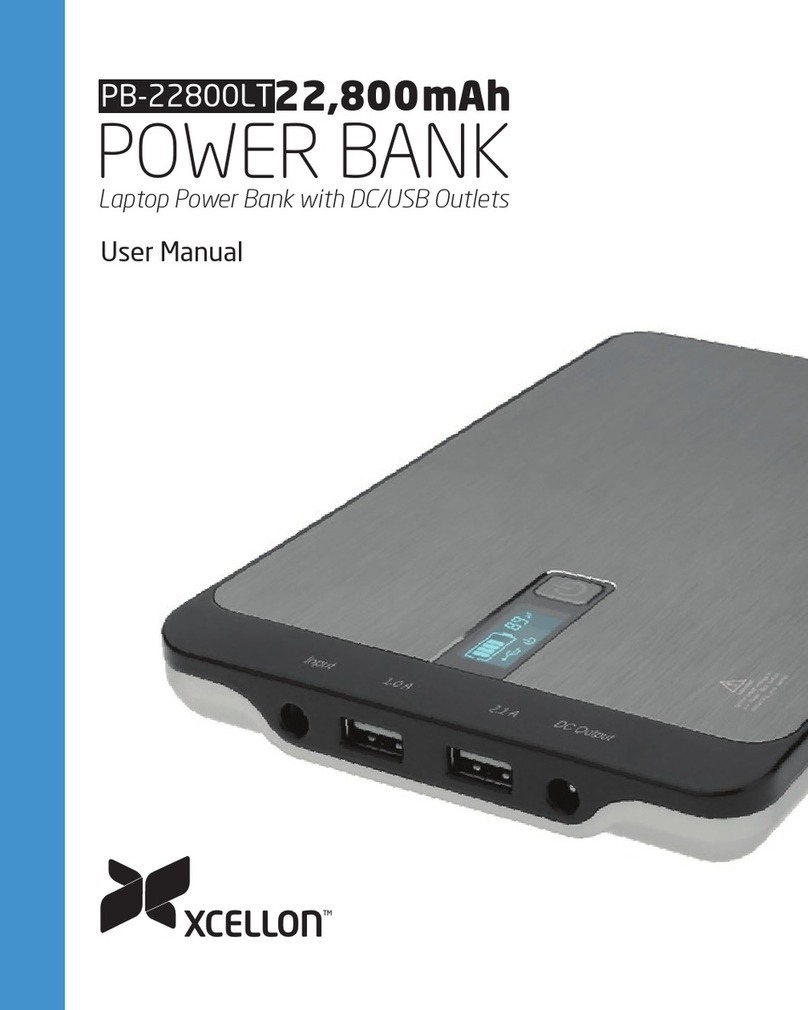
Xcellon PB-1200AC User manual

12,000 mAh
PB-1200AC
POWER BANK
Portable Power Bank with AC/USB Outlets
User Manual

2
Thank you for choosing Xcellon.
The Xcellon PB-1200AC is a versatile and portable charger
that oers a wide variety of power and charging options
when you’re on the go. The Power Bank features USB and
AC outputs and puts 12,000 mAh of power in your hands
whenever you need it.
The USB output boasts 5 V and 2.4 A of power for quickly
recharging smartphones, iPads, tablets, GoPro chargers, and
other USB devices. The AC output can be used for charging
laptop computers and camera batteries, but can also be used
to power devices that draw up to 65 watts of power such
as small desk fans, desk lamps (with 60 W bulbs), routers,
printers, DVRs, and computer displays.
The Power Bank is fully charged in 3 hours and includes
LED lights that indicate the battery’s capacity. Intelligent
microprocessor technology provides surge, overload, and
short-circuit protection, as well as automatic shutdown in
case of overheating. A universal AC plug adapter is included
for international chargers.

3
Precautions
Do not use this unit around water or any
flammable gases or liquids.
Keep fingers clear of contact with the prongs of the AC
plug and AC outlet and use caution when inserting or
removing the AC plug from an AC outlet. If the prongs of
the AC plug are bent, they can become a shock hazard.
Some chargers for small NiCd batteries can be damaged if
connected to the Power Bank. Do not use the Power Bank
with devices that request a sine wave power source.
Do not connect live AC power to the Power Bank’s
AC outlet. This will damage the Power Bank.
»Please read and follow these instructions,
and keep this manual in a safe place.
»Make sure that this product is intact and
that there are no missing parts.
»Use only the correct, recommended voltage.
»Keep this product away from children.
»All photos are for illustrative purposes only.

4
Overview
Top
1 AC charging port
Side
2 USB charging port
3 USB indicator light
4 Charge indicator lights
5 Check/On button
6 AC switch
7 AC indicator light
Rear
8 AC adapter input
Also Included
9 AC adapter
10 AC cable
11 Universal AC plug adapter
12 Carry pouch
13 User manual
1
2
9
3
4
10
5
6
11 12 13
8
27
5
Charging the Power Bank
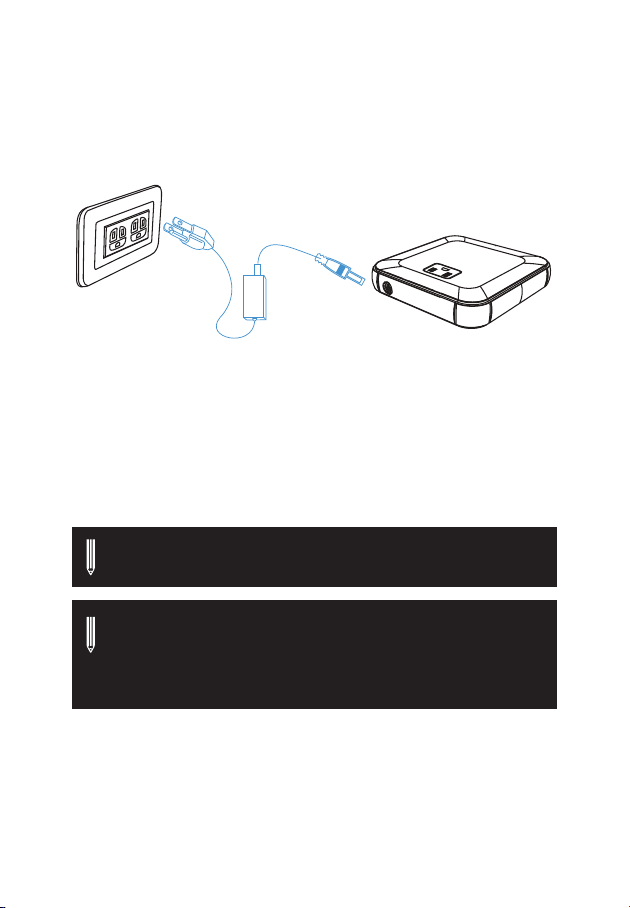
1. Use the included AC plug to connect the AC adapter to an
outlet. Insert the plug of the adapter into the input port of
the Power Bank.
2. The indicator lights will blink to signify that the unit is
charging. Four constant lights indicate the unit is fully
charged.
3. Check the battery capacity of the Power Bank by pressing
the Check button for 2 seconds. The lights will indicate the
level of charge in the Power Bank. Each light signifies 25%
capacity.
Note: If all four indicator lights are flashing, the input voltage
is too low to charge the Power Bank.
Note: The Power Bank cannot charge a device when it is
plugged into an AC outlet. When an AC outlet is connected
to the input plug, the power to the USB output and the AC
output are cut o.

6
Charging a Device Using the USB Output
The USB output port is capable of charging smartphones, iPads,
tablets, GoPro chargers, and other USB-powered devices.
To charge a device using the USB output, follow these steps:
1. Plug the device into the USB output on the Power Bank.
2. Press and hold the On/O
button for 2 seconds.
The indicator lights will
illuminate to show the
remaining charge in the
Power Bank, and the blue
LED in the USB output
will glow to indicate that
the device is charging.
The indicator lights will
turn o after 10 seconds.
3. When the device has fully charged, the Power Bank will
automatically shut o.
Note: To check the battery capacity while a USB device is
charging, press the Check button.

7
Charging a Device Using the AC Output
The AC output is capable of charging devices such as laptop
computers and camera or camcorder batteries, and it can power
devices such as small desk fans, desk lamps with 60 W bulbs,
routers, printers, DVRs, and computer displays.
Important: Only devices that require less than 65 watts of
power can be operated.
To charge or power a device using the AC output, follow these
steps:
1. Plug the device into the Power Bank’s AC Output.
2. Press and hold the On/
O button for 2 seconds.
The indicator lights will
illuminate to show the
remaining charge in the
Power Bank.
3. Move the AC Switch to the
On position. The red LED
will illuminate, indicating
that the device is charging.
4. As the device charges, the battery capacity of the Power
Bank drops. When the battery capacity gets too low, the
Power Bank automatically shuts o to prevent damage to the
battery.
8
Using the Universal Plug Adapter
Important: The Universal AC Plug Adapter is not a power
converter and should not be used in that capacity.
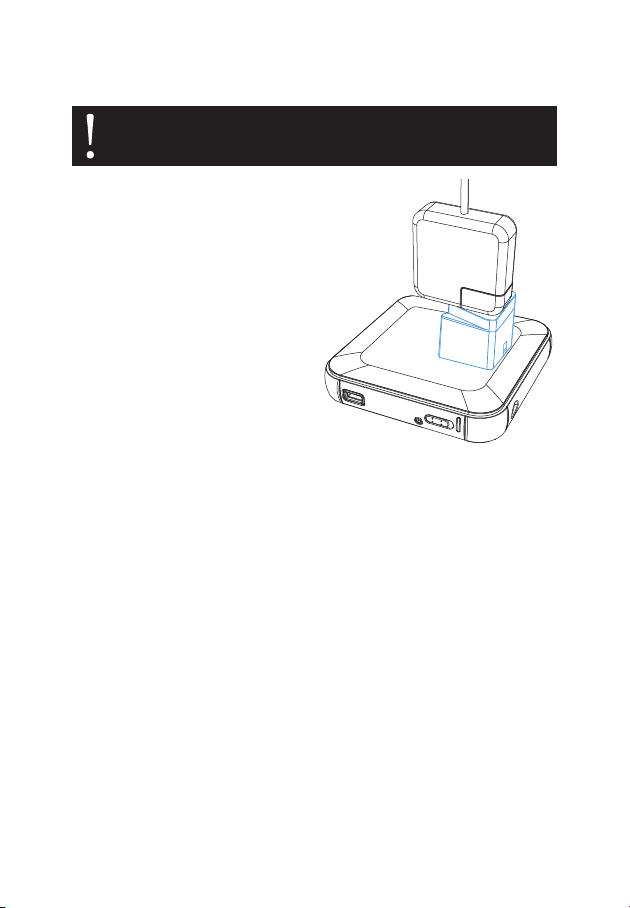
1. Plug your device into the
Universal Plug Adapter.
2. Plug the adapter into the
Power Bank’s AC output.
3. Proceed with the
instructions under
Charging a Device using
the AC Output on page 7.

9
Problem Solution
The Power Bank
won’t charge.
• Make sure that the Power Bank is securely
connected to the wall outlet.
• Make sure you have properly connected the AC
plug and power adapter to the Power Bank.
A USB device is
plugged into the
Power Bank but
isn’t charging.
• Make sure the device is securely
connected to the USB output.
• Press the On/O button to make sure that the battery
has enough capacity remaining to charge the device.
• The battery capacity of the Power Bank may
be too low. Recharge the Power Bank.
• Make sure the Power Bank is not connected to an AC
outlet. When an AC outlet is connected to the input
plug, the power to the USB and AC outputs is cut o.
A device is
plugged into
the AC output
but isn’t getting
power.
• Make sure the device is completely
plugged into the Power Bank.
• Make sure you have pressed the On/O button
and that the LED indicators are lit before you
move the AC switch to the On position.
• Make sure the Power Bank is not connected to an AC
outlet. When an AC outlet is connected to the input
plug, the power to the USB AC outputs are cut o.
• Make sure the device does not draw
more than 65 watts of power.
A device with a
motor is plugged
into the AC
output but is not
working.
• Products that require a high-surge voltage
or require a sine wave output should not
be powered by the Power Bank.
The Power Bank
suddenly shut
down.
• The battery is low and the Power
Bank needs to be recharged.
• The device being powered exceeds the
surge capacity of the Power Bank.
Troubleshooting

10
Specifications
Dimensions (H × W × D) 1” × 5.1” × 5.1” (2.6 × 13 × 13 cm)
Weight 0.95 lb. (0.4 kg)
Capacity 12,000 mAh
Battery Type Li-ion
Input 20 V DC/2 A (Max.)
Wave Form Modified sine wave
Output Ports USB, AC
USB Output 5 V DC/2.4 A (max.)
AC Output 120 V 60 Hz
Maximum Power Output 65 W
Operating Temperature 32°F–104°F (0°C–40°C)
Storage Temperature 14°F–140°F (-10°C–60°C)
Operating/Relative Humidity 5%–95% (noncondensing)
Safeguards
»Overcharge protection with maximum voltage limited
»Overheat protection with automatic shutdown
»High/low-voltage protection with automatic shutdown
»Short-circuit protection
»Overdischarge protection
»Overcurrent protection
»Auto power o
Table of contents
Other Xcellon Accessories manuals