Zenith z-server lt User manual

Z■SERVER LT
■■■■■■■
■■■■■■■
■■■■■
■■■■■
■■■■■
ZENITH DATA SYSTEMS ■■■
A Bull Company ■■■■■
■■■■■■■
■■■■■■■
■■■■■■■
■■■■■■■
■■■■■■■
■■■■■■■
User’s Guide ■■■■■■■
04/APRIL/93 – 595-5484-UU 1

Before using this equipment, read the Safety Notices at the end of this manual.
Copyright © 1993 Zenith Data Systems Corporation.
Trademarks
IBM is a registered trademark of International Business Machines Inc.
Microsoft is a registered trademark of Microsoft Corporation.
OverDrive is a trademark of Intel Corporation.
Printed in the United States of America.
This material may be reproduced by or for the U.S. Government pursuant to the copyright license under the clause at
DFARS 252.227-7013 (Oct. 1988); or, if provided under a contract or subcontract with NASA or a civilian agency of the
Government, this material may be reproduced in accordance with the provisions of the contract or subcontract with Zenith
Data Systems Corporation, Hilltop Road, St. Joseph, Michigan, 49085, U.S.A. All other rights reserved.
04/APRIL/93 – 595-5484-UU 2

Contents
Chapter 1 Introduction
Chapter 2 Features
Chapter 3 Configuring Your System
Chapter 4 Upgrades and Options
Chapter 5 Problem Solving
Appendix A Keyboards
Appendix B Memory Configurations
Appendix C Option Boards
Appendix D Devices
Safety Notices
Glossary
Equipment Log
04/APRIL/93 – 595-5484-UU 3

Chapter 1
Introduction
Contents
Organization ...............................1-1
Notational Conventions ..........................1-3
04/APRIL/93 – 595-5484-UU 5
5
Introduction

This guide tells you how to configure and upgrade your system.
Its goal is to familiarize you with all aspects of system
configuring and upgrading.
Organization
Chapter 1
Introduction — Introduces you to the purpose and structure of
this guide.
Chapter 2
Features — Gives you an overview of the system and describes
major system components.
Chapter 3
Configuring Your System — Tells you how to configure the
system and provides instructions for running the Setup program
and the EISA Configuration Utility (ECU). Chapter 3 also tells
you how to use jumpers to set specific operating parameters.
Chapter 4
Upgrades and Options — Provides you with instructions for
upgrading your system.
Chapter 5
Problem Solving — Provides you with helpful information for
solving problems that might occur with your system.
Appendix A
Keyboards — Provides language specific keyboard layouts.
04/APRIL/93 – 595-5484-UU 7
7
1-1
Introduction

Appendix B
Memory Configurations — Defines the allowable memory
configurations for your system and the expansion memory
module.
Appendix C
Option Boards — Explains the use of option board jumpers.
Appendix D
Devices — Explains the use of peripheral device jumpers.
Glossary — Defines the standard acronyms and technical terms
used in this manual.
Index — Includes important terms arranged in alphabetical
order for quick reference.
Equipment Log — Provides you with a sample equipment log
for documenting the system configuration and updates.
04/APRIL/93 – 595-5484-UU 8
8
1-2
Introduction
Notational Conventions
The notational conventions listed below are used throughout this
manual.
F1
A letter, number, symbol, or word in CAPs represents a key on
your keyboard. For example, the instruction “press F1” means
press the key labeled “F1” on your keyboard.
ENTER
The ENTER key is interchangeably used as RETURN and
CARRIAGE RETURN.
CTRL + ALT
Two or three key names, separated by plus sign (s), indicate
multiple-key entries. For example, CTRL + ALT + DEL means
hold down the CTRL and ALT keys and press the DEL key.
The special notices listed below are used throughout this manual
to emphasize specific information:
Warning: Warning indicates a hazard that can cause serious
personal injury or death if the hazard is not avoided.
Caution: Caution indicates a hazard that might cause personal
injury.
04/APRIL/93 – 595-5484-UU 9
9
1-3
Introduction

Notice:Noticeindicatesthepotentialtodamage equipmentordata
is present if the user does not take the necessary precautions
recommended by the Notice.
Note: Notes are used to identify or amplify a point to the reader.
A Note may be used to emphasize a recommended sequence of
steps.
04/APRIL/93 – 595-5484-UU 10
10
1-4
Introduction

Chapter 2
Features
System Board Features .........................2-3
CPU Module .............................2-3
Memory ................................2-3
FLASH ROM .............................2-3
Real-Time Clock/Calendar ......................2-4
Bus Master I/O Expansion Slots ...................2-4
Keyboard and Mouse Interface ...................2-4
Serial Ports ..............................2-4
Parallel Port .............................2-4
Video .................................2-5
System Keylocks ...........................2-6
Security Loophole ..........................2-7
04/APRIL/93 – 595-5484-UU 11
Features
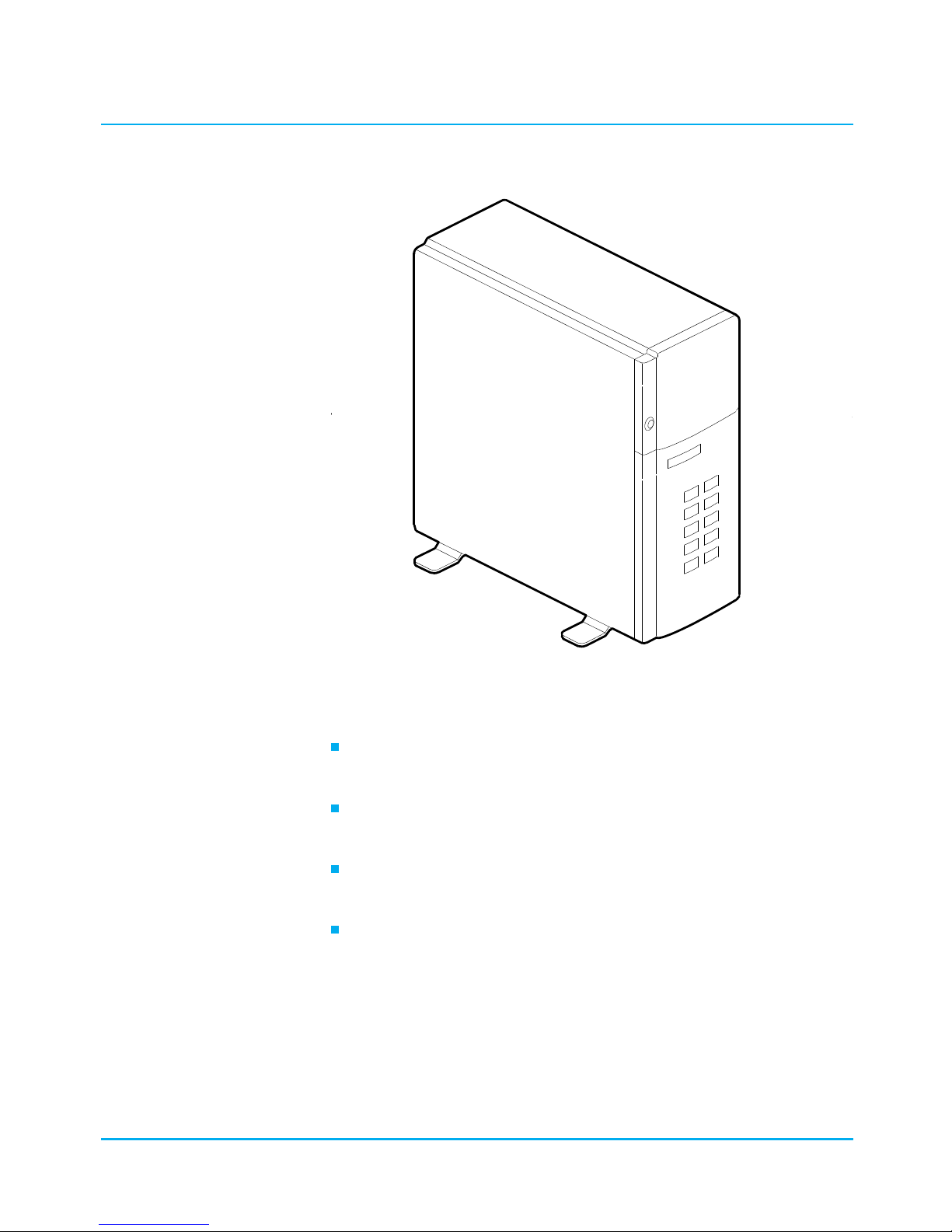
(F2-1 OM02152A)
The Z ■SERVER-LT is a modular system that is based on the
following major components:
A eight-slot (six bus master) EISA Bus Master system board
with PC I/O ports and up to 128M of onboard memory.
An onboard EISA Bus Master dual channel SCSI-II controller
board that supports two channels.
A CPU module connector that supports a number of different
CPU module types. A CPU module is included with the system.
An optional memory module that supports up to a maximum
of 256M of memory.
04/APRIL/93 – 595-5484-UU 13
2-1
Features
Table of contents
Other Zenith Server manuals