2
For correct usage, read this user guide carefully and keep in a safe place for future reference.
Introduction
Rediscover those old songs with Tape To Digital by turning your tapes into MP3’s to use on your computer, iPod or in the car! Tape
To Digital is a portable, handheld USB tape player that works with all kinds of tapes. It has an easy-to-use USB connection for
converting the music on your tapes into MP3 files. You can listen to MP3’s on your computer, load them onto your portable music
player, or record them onto a CD and listen in your car. Its portable size allows it to fit in virtually any bag and enables you to play
and transfer music anywhere. It runs on battery or USB power when connected to your computer for flexible operation. This
powerful yet easy-to-use program guides you through transferring your music and even can integrate with your iTunes Music
Library. In addition to transferring your tapes, Tape To Digital has an audio output that enables you to listen on your stereo,
headphones, or other speaker systems for hours of enjoyment!
Product features
Rediscover your old cassette tapes on the go
Convert your old mix tapes and cassettes to MP3 to playback on iPods/ MP3 players or burn to CD
Portable design fits in virtually any bag and enables you to play and transfer anywhere
Plug ''n'' Play USB device, no drivers required
Flexible battery or USB-powered operation
Comes with Tape Converter software to guide you through transfer
Audio output enables you to listen on your stereo, headphones, or other speaker system .
Unpacking the Tape to Digital Converter
Make sure that the items listed below are included in the box:
Tape to Digital converter
CD
USB Cable
User guide
Inserting/ replacing the batteries
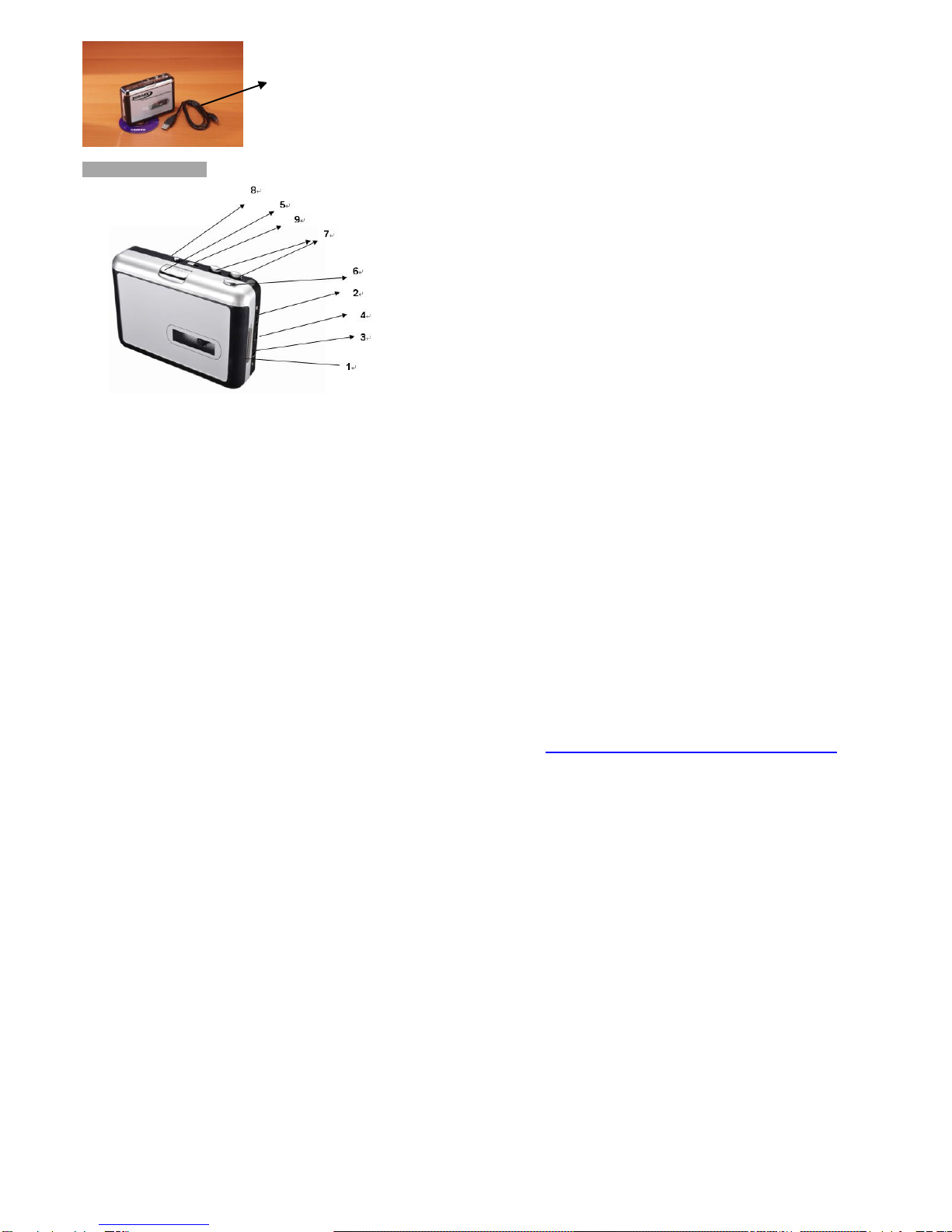
If you wish, you can run the Tape To Digital Converter via batteries. To insert the batteries, slide back switch 1 (see page 7) to open the
tape to digital converter. Open the battery compartment and insert 1 x AA battery (making sure the battery is correctly aligned) and
replace the battery compartment.
Installing the software
Insert the CD (supplied) into the CD drive and follow the onscreen instructions. Once the software is installed, you can connect the tape
to digital converter to your computer using the USB cable (supplied) to transfer your audio.