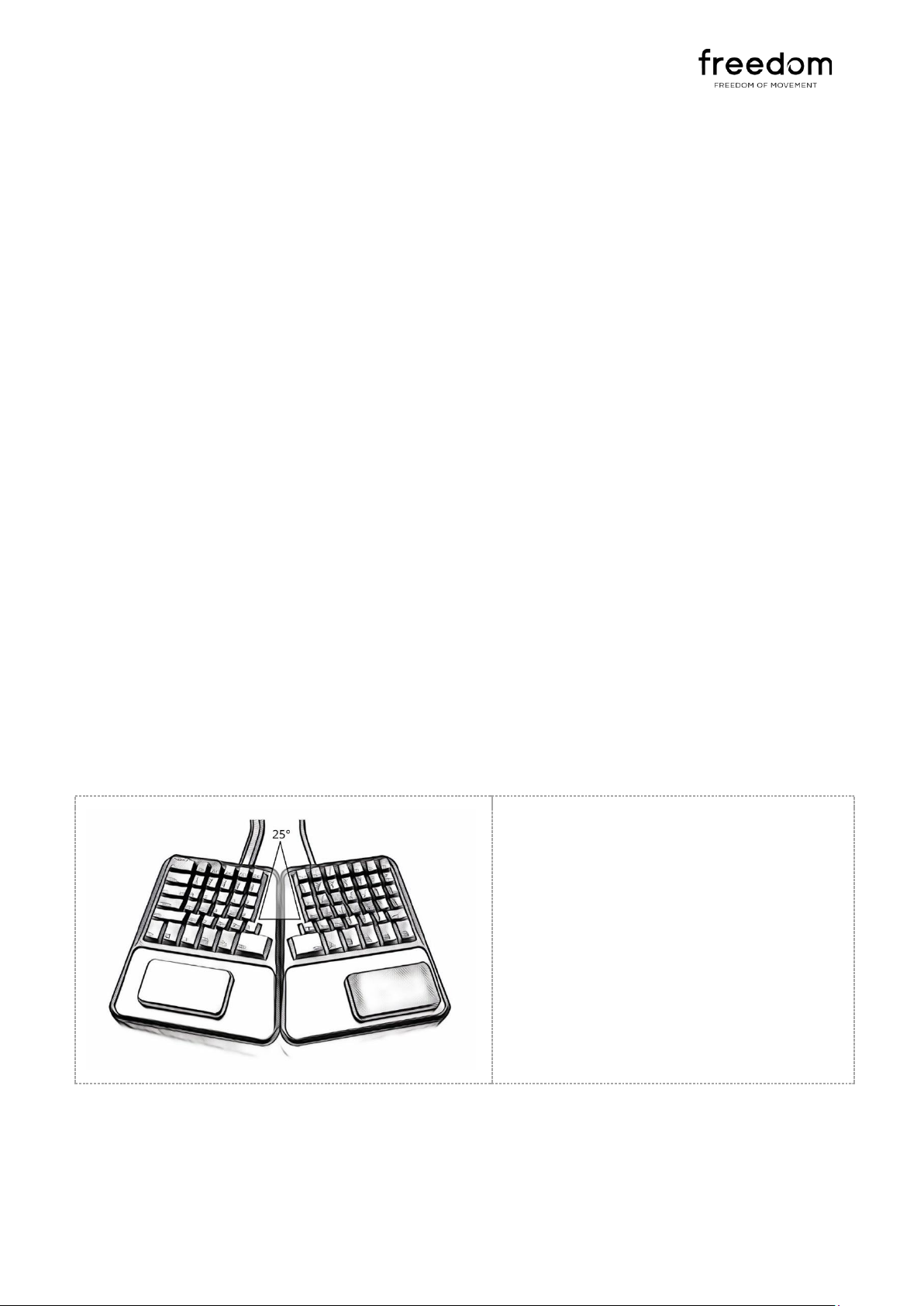
Depending on your seating arrangements,
users might find this inclined angle more
comfortable. This is especially true for uses
whose forearms are relatively lower than desk
height and approach the keyboard from
below. The default tenting angle of 5 degrees
is maintained.
ACCESSORIES
KEYCAP PULLER
The Freedom is shipped with a custom made keycap puller. This small device is used to safely remove the
keycaps from your keyboard. The puller has two widths: The shorter width is used to remove the shorter
keycaps found on rows 1 to 5, while the wider width is used to remove the
longer keycaps on the bottom row.
To remove a keycap, place the keycap puller over the key and press down until
the switch springs back into the arms. The hooks of the keycap puller will now
be under the base of the keycap. Pull up to remove.
WARNING: Keycaps should only be removed using the provided keycap puller.
Keycaps removed using fingers or third party pullers are known to cause
breakage of the keycap or key switch stems. Keycaps broken due to removal
without the supplier keycap puller are not covered under warranty.
O-RING SOUND DAMPENERS AND SHOCK ABSORPTION
The Freedom is supplied with a set of ‘O-Rings’. O-Rings are small circular
pieces of rubber that are placed around the stem underneath the keycap.
This rubber hits the key switch on a down press, limiting the ‘clacks’
associated with mechanical keyboards and makes for quieter typing. They
are also ergonomically effective at reducing the shock and stress on your
fingers associated with strong tying.
The Freedom is not assembled with the O-Rings under the keycaps. To
install the O-Rings, you will need to remove the keycaps using the
supplied keycap puller, adding the O-Rings to each key.