manuals.online logo
Brands
  1. Home
  2. •
  3. Brands
  4. •
  5. 3dBanRC
  6. •
  7. Toy
  8. •
  9. 3dBanRC BanRC2 User manual

3dBanRC BanRC2 User manual

Popular Toy manuals by other brands

FUTABA GY470 instruction manual

FUTABA

FUTABA GY470 instruction manual

LEGO 41116 manual

LEGO

LEGO 41116 manual

Fisher-Price ColorMe Flowerz Bouquet Maker P9692 instruction sheet

Fisher-Price

Fisher-Price ColorMe Flowerz Bouquet Maker P9692 instruction sheet

Little Tikes LITTLE HANDIWORKER 0920 Assembly instructions

Little Tikes

Little Tikes LITTLE HANDIWORKER 0920 Assembly instructions

Eduard EF-2000 Two-seater exterior Assembly instructions

Eduard

Eduard EF-2000 Two-seater exterior Assembly instructions

USA Trains EXTENDED VISION CABOOSE instructions

USA Trains

USA Trains EXTENDED VISION CABOOSE instructions

Modellbau Laffont Z1601 Assembly instructions

Modellbau Laffont

Modellbau Laffont Z1601 Assembly instructions

NOCH 12905 instruction manual

NOCH

NOCH 12905 instruction manual

Eduard Ki-61-Id quick start guide

Eduard

Eduard Ki-61-Id quick start guide

Viessmann Vollmer 45616 Mounting instruction

Viessmann

Viessmann Vollmer 45616 Mounting instruction

Vollmer 42004 Mounting instruction

Vollmer

Vollmer 42004 Mounting instruction

Phoenix Model CLASSIC-EP instruction manual

Phoenix Model

Phoenix Model CLASSIC-EP instruction manual

H-KING Sopwith Camel British WW1 Fighter instruction manual

H-KING

H-KING Sopwith Camel British WW1 Fighter instruction manual

MODSTER Predator 4x4 Crawler user manual

MODSTER

MODSTER Predator 4x4 Crawler user manual

DHK Hobby 8136 User instruction manual

DHK Hobby

DHK Hobby 8136 User instruction manual

THUNDER TIGER Raptor 50 V2 kit manual

THUNDER TIGER

THUNDER TIGER Raptor 50 V2 kit manual

Timberkits Skateboarder instructions

Timberkits

Timberkits Skateboarder instructions

Hangar 9 Funtana 125 Assembly manual

Hangar 9

Hangar 9 Funtana 125 Assembly manual

manuals.online logo
manuals.online logoBrands
  • About & Mission
  • Contact us
  • Privacy Policy
  • Terms and Conditions

Copyright 2025 Manuals.Online. All Rights Reserved.

1
3D BANRC
BanRC2 User Guide
Hi,
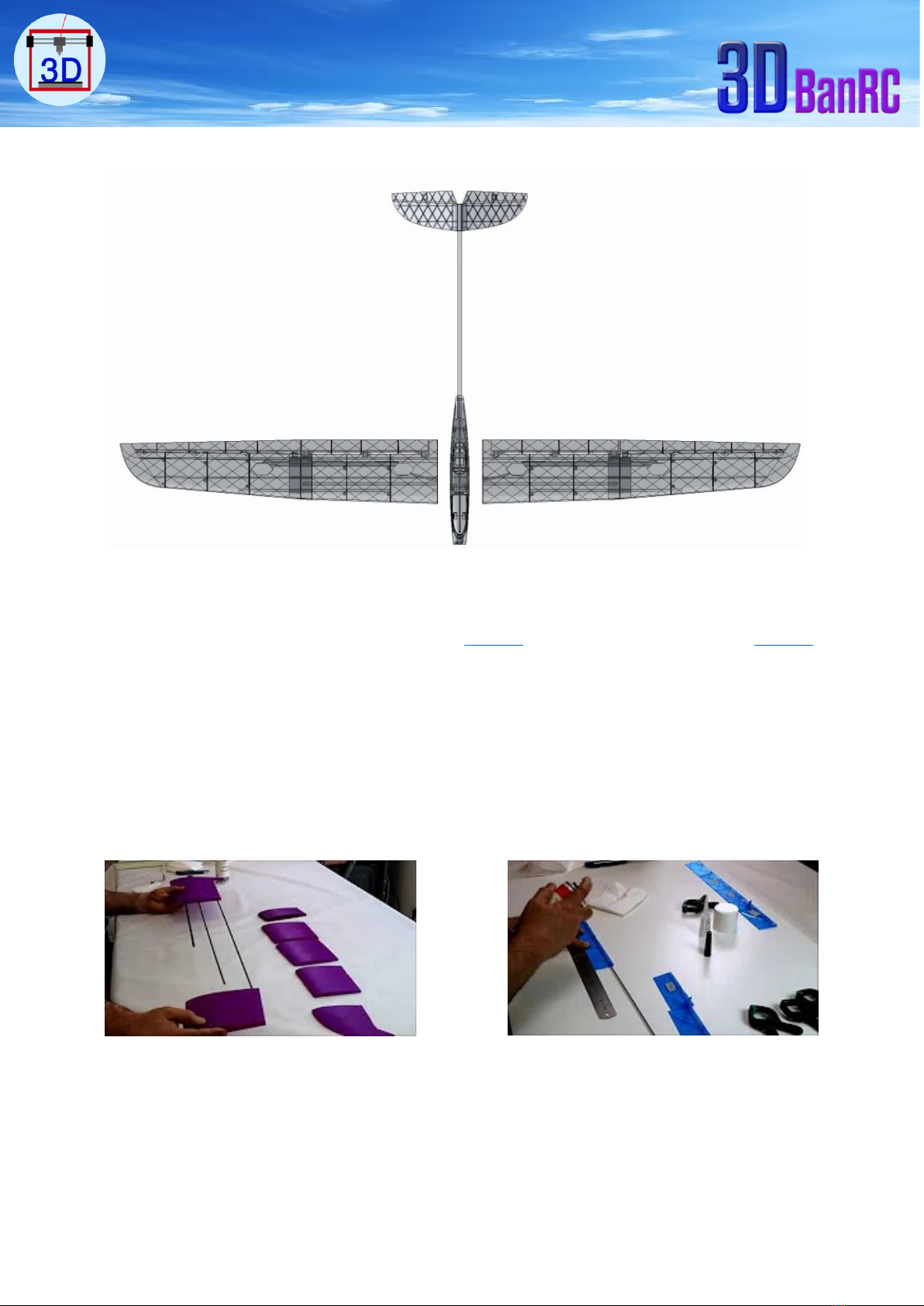
Thank you for your interest and welcome at BANRC 3D print gliders. BanRC2 it’s a very
dynamic 2 meters two parts wing glider, easy to print and assemble. This user guide will help
you on how to print and get your glider on sky.
Please do not share the STL files you bought. I trust your best and kindness on this matter.
2
Overview:
I started aero modalism on 2013 and 3D print on 2016. It takes me two years on design, print,
test & fly the 1st model. Sep 2017 first glider BanRC1 has born, 8 month later this BanRC2
glider was on sky.
The challenge was being to find the proper ratio between the rigidity and weight, easy design
to print and design can be printed with the most printers available in market.
Printer I’m using is Anet A8, with PLA filament 1.75mm, slicer Cura. Glass on bed with 3DLAC.
3
Technical data:
Wingspan:
2 meters
Length:
0.915m
Weight:
1,450kg on Fly
Wing area:
34,7dm2
Recommended
Motor:
XPower XC3514/14 or equivalent (screws hole distance
25mm). Ready to modify this distance according to your
motor.
ESC 40A - 45A:
Aliexpress OR Gearbest or equivalent.
Battery:
LiPo HOT LIPS 11,1V 2200mAh (3S), 195-200gm
Prop:
Folding propeller 11x8”
Spinner:
Folding Prop Spinner Ø38mm/Ø4mm
Radio & Receiver:
6 or 8 channels
Servo:
Ailerons: 2 servos
Elevator: 1 servo
Rudder: 1 servo
Flaps: 2 servos
Electronic installation in fuselage, refer to this video.
4
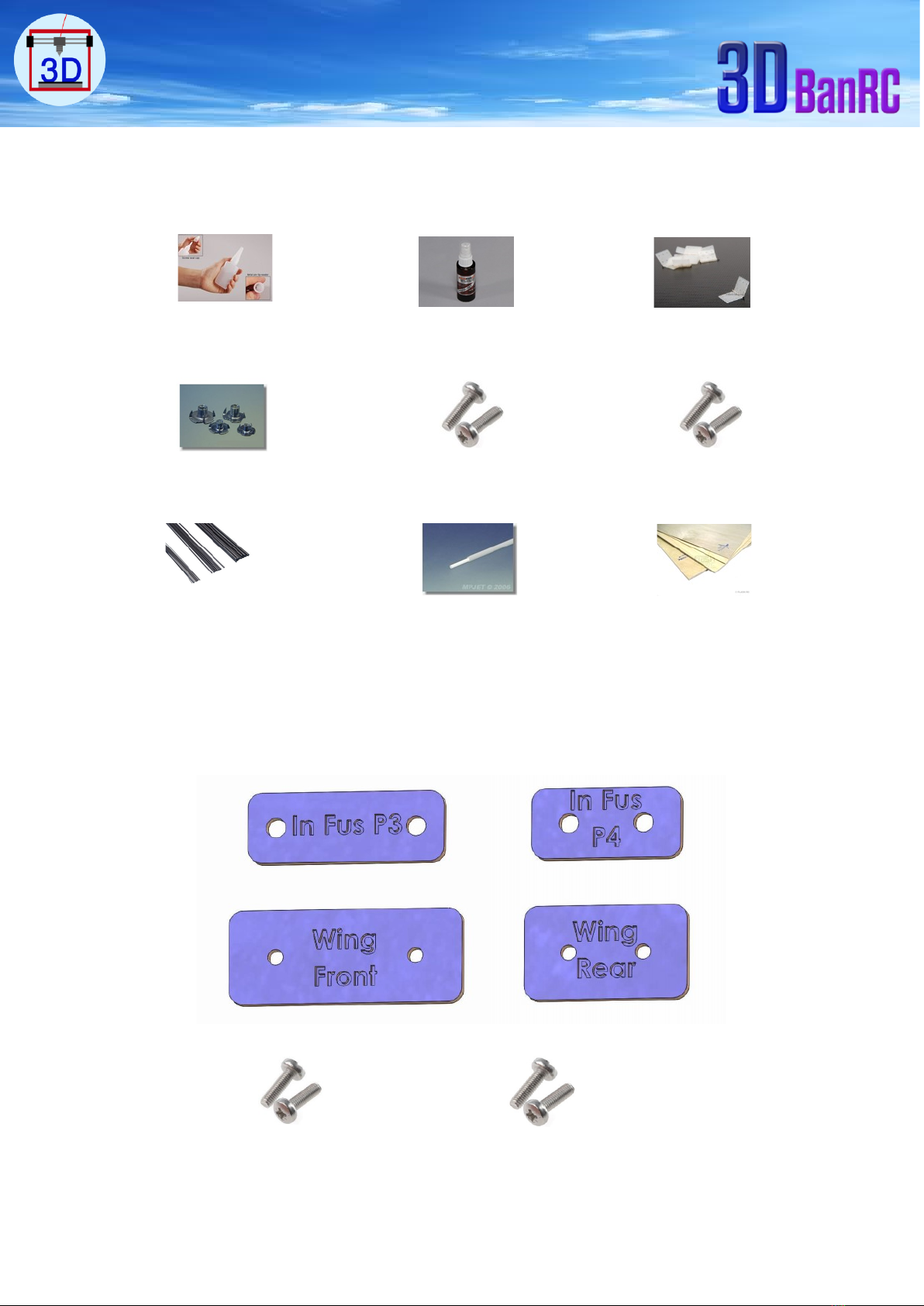
Accessories:
Super glue CA. CA glue spray Accelerator hinge 15 x 28.5 mm. Qty = 14
3mm claw nut. Qty = 4. Screw M3x20mm. Qty = 2 Screw M3x30mm. Qty = 2
1mm piano steel wire. Qty = 2 3mm pushrod 1 meter. Qty = 2 Plywood 2mm
Fuselage and wing screws support. Plywood 2mm. You can print these frames and sketch them on
the plywood for presice cut. They are remarked to easy know the location of each after printing.
Inside fuselage part 3
Inside fuselage part 4
Front Wing Support
Rear Wing Support
30x3mm
20x3mm
5
STL files:
Files are designed for an easy use with printers available in market and all type of slicers.
Important is to use the same setting shown in slicer tables.
You can print the STL files individually or in groups, individually is recommended.
G.Code files:
You can download them on your SD card for directly use them on your printer. Using these
files are on your own risk of your printer safety. OR you can generate your own G.Codes files
using the STL files for being sure that they will be applicable for your printer.
Option 1:
Download the G.Codes on SD card, insert the SD card in your printer. Heat end set to 200°C -
210°C and bed temperature set to 60°C. You can change the speed and temperature on printer
screen. Enjoy the printing.
Option 2:
Slice the STL file, save the G.Code on SD card, insert the SD card in printer. Enjoy the printing.

STL Files
G.Code
files
G.Code
file
Or another
slicer
Before you buy, you can test your printer on the biggest part wing part1 STL file.
Download Test STL file.
6
Assembling guide:
Materials and assembling videos.
Carbon tubes:
Tube epoxy resin
Item Part Dimension Qty Length
1 365mm
1 365mm
1 374mm
2 926mm
2 967mm
Ø6mm 2 513mm
3 Flap 2 396mm
4 Aileron 2 482mm
2156
2236
Ø3mm
Ø4mm
Ø2mm
1
Fuselage
2
Wing
Rudder
5
Item Part Dimension Qty Length
1
Wing
removable tube
Ø8mm 1 838mm
2
Fuselage tube
Boom Ø12mm 1
550mm
72mm in fuselage
Carbon Tubes
Tube Epoxy Resin
7
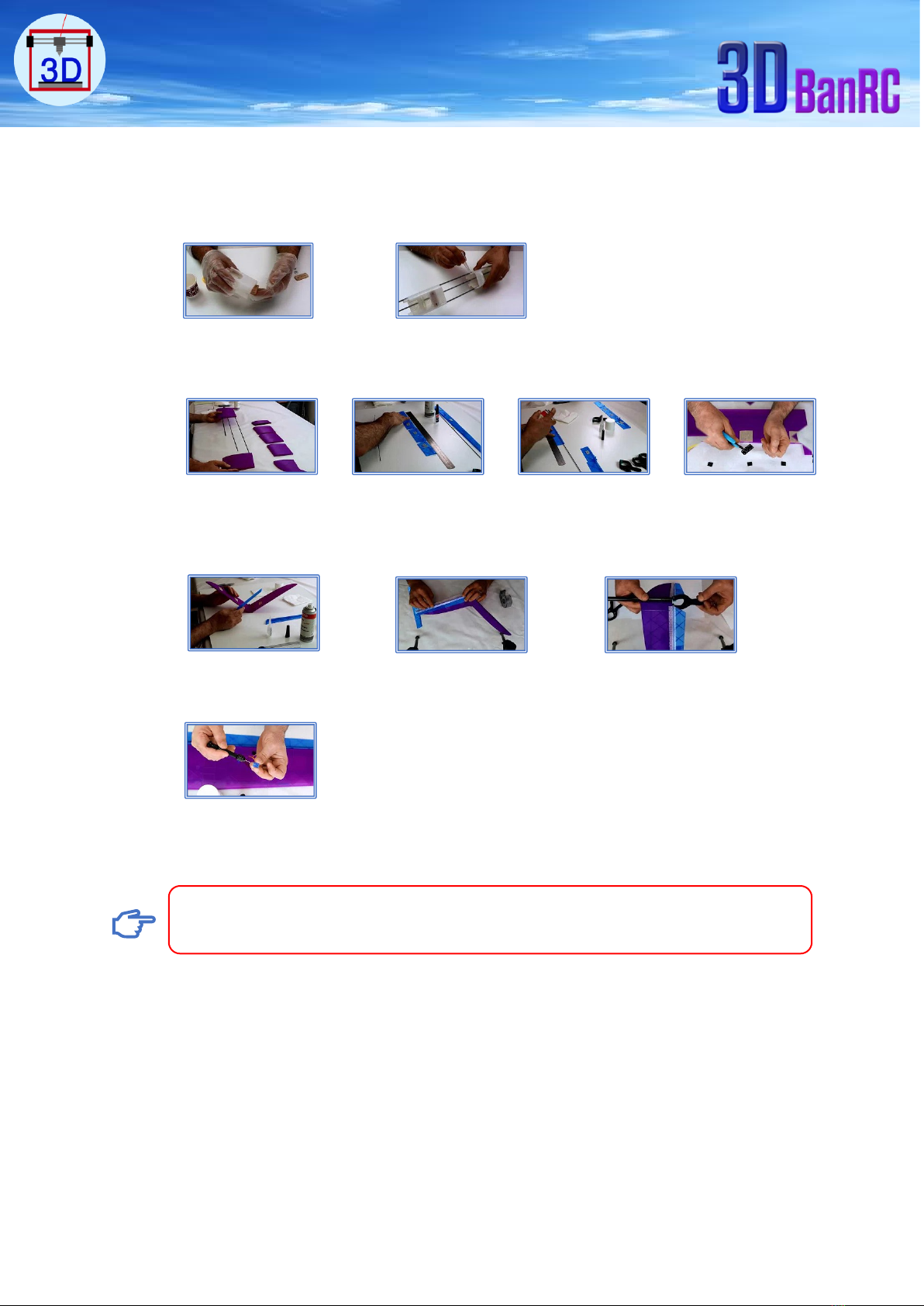
Assembling videos.
-Fuselage
-Wing
-Rudder Elevator
-Wing Servos.
Before you glue the parts, slid each carbon tube in each related part to be sure of easy
and smooth insertion and to check the parts match and alignment.
Step 1-2
Step 2-2
Step 1-4
Step 2-4
Step 3-4
Step 4-4
Step 1-3
Step 2-3
Step 3-3
Design modified, servos control horns upside of the wing. Covers screws
holders integrated in wing
8
CG:Glider should be in fly condition.
Do not glue the boom with fuselage till you check the balance of the model according to
weight “gm” of electronics you will use.
Steps:
1- Glue the Rudder Elevator with Boom.
2- Start with boom 700mm.
3- Insert the boom in fuselage.
4- Put the gilder on CG balance tool, if tail heavy, then shorten the boom by 100 “mm”
and check again, if tail still heavy, shorten boom by 50mm and check again. The
boom should be not less than 500mm
CG 75mm
Boom
9
Carbon Tubes: locations related to length.
Ø4mm
926mm
Ø4mm
967mm
Wing part 1
Ø6mm
513mm
Wing part 2
Ø8mm
838mm
Ø2mm
236mm
Ø2mm
156mm
Ø3mm
365mm
Ø3mm
374mm
10
Cockpit:
Two parts glue them. Steel wire Ø1-1,5mm 85mm length, slide it and glue it in part 1 hole.
Magnet Ø10mmx1.5mm.
Ø12mm
478mm
550mm
Boom