Black Out
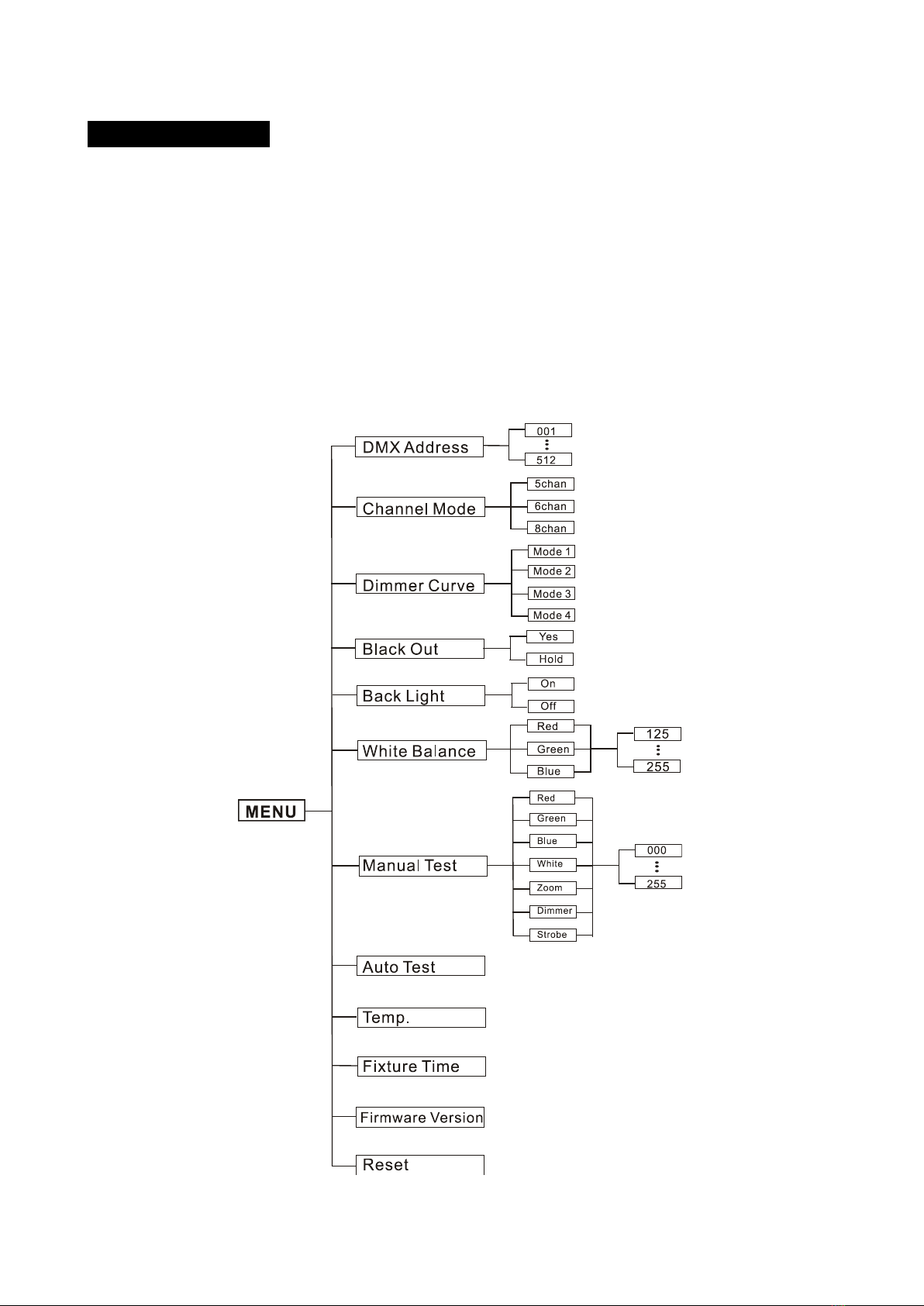
Select the Black Out, press the ENTER button and the display will blink. Use the DOWN and UP
button to select the Yes (blackout) or Hold (keep the present status). Once selected, press the
ENTER button to save or automatically exit menu mode without any change. Back to the previous
functions without any change press the MENU button.
Back Light
Select the Back Light, press the ENTER button and the display will blink. Use the DOWN and UP
button to select the On or Off. Once selected, press the ENTER button to save or automatically exit
menu mode without any change. Back to the previous functions without any change press the
MENU button.
White Balance
Select the White Balance, press the ENTER button and the display will blink. Use the DOWN and
UP button to find the color (Red, Green,Blue) you wish to adjust. Press the ENTER button to
confirm and use DOWN and UP button to adjust the value (125~255), once select press ENTER
button to setup or automatically exit menu mode without any change after 7seconds. To go back
to the last function without any change press the MENU button.
Manual Test
Select the Manual Test, press the ENTER button and the display will blink. Use the DOWN and UP
button to find the Red, Green, Blue, White, Zoom and Dimmer or Strobe. Once you find a
function or color you wish to test, press the ENTER button, the displayed value will begin to flash.
You can now adjust the values (000~255) by pressing the DOWN and UP button. Once you have
finished testing press the ENTER button. To go back to the last function without any change press
the MENU button.
Auto Test
Select the Auto Test,press the ENTER button, the unit will run the built-in programmer for self test.
Press the MENU button to exit.
8D