manuals.online logo
Brands
  1. Home
  2. •
  3. Brands
  4. •
  5. Acnodes
  6. •
  7. Server
  8. •
  9. Acnodes RMC 7152 User manual

Acnodes RMC 7152 User manual

Other manuals for RMC 7152

1

Other Acnodes Server manuals

Acnodes RMC 7182 User manual

Acnodes

Acnodes RMC 7182 User manual

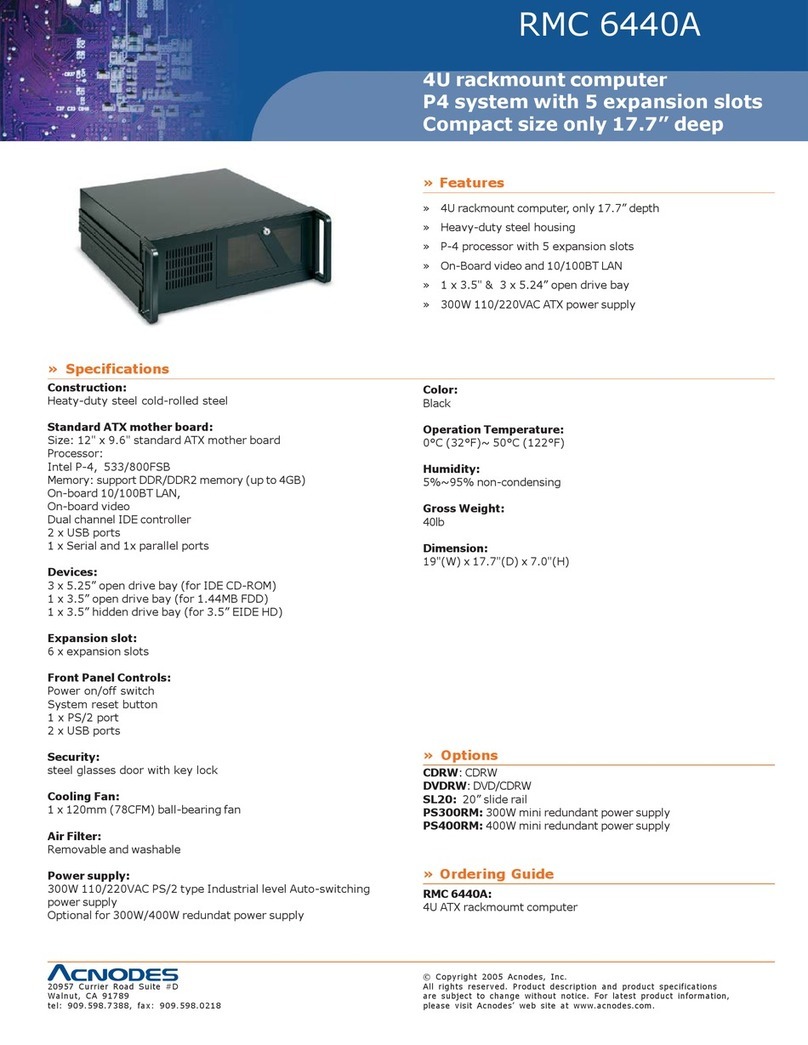
Acnodes RMC 6440A User manual

Acnodes

Acnodes RMC 6440A User manual

Acnodes RMC 7132 User manual

Acnodes

Acnodes RMC 7132 User manual

Acnodes RMC 7155 User manual

Acnodes

Acnodes RMC 7155 User manual

Acnodes RMC 7189 User manual

Acnodes

Acnodes RMC 7189 User manual

Acnodes RMC 7152 User manual

Acnodes

Acnodes RMC 7152 User manual

Acnodes RMC 7130 User manual

Acnodes

Acnodes RMC 7130 User manual

Acnodes RMC 7150 User manual

Acnodes

Acnodes RMC 7150 User manual

Popular Server manuals by other brands

HP Tc2120 - Server - 256 MB RAM installation guide

HP

HP Tc2120 - Server - 256 MB RAM installation guide

Lenovo ThinkServer RD230 manual

Lenovo

Lenovo ThinkServer RD230 manual

Avocent CPS810 Installer/user guide

Avocent

Avocent CPS810 Installer/user guide

Dell PowerEdge R6615 Installation and service manual

Dell

Dell PowerEdge R6615 Installation and service manual

FreeWave HT2+ installation guide

FreeWave

FreeWave HT2+ installation guide

GIGA-BYTE TECHNOLOGY G492-Z50 user manual

GIGA-BYTE TECHNOLOGY

GIGA-BYTE TECHNOLOGY G492-Z50 user manual

Lanner HTCA-E400 user manual

Lanner

Lanner HTCA-E400 user manual

Bull NovaScale T840 E2 user guide

Bull

Bull NovaScale T840 E2 user guide

Asus RS740-E70RS24-EG Configuration guide

Asus

Asus RS740-E70RS24-EG Configuration guide

Meinberg LANTIME M300/TCR manual 

Meinberg

Meinberg LANTIME M300/TCR manual 

HP ProLiant SL335s G7 Maintenance and service guide

HP

HP ProLiant SL335s G7 Maintenance and service guide

ZyXEL Communications VANTAGE RADIUS 50 user guide

ZyXEL Communications

ZyXEL Communications VANTAGE RADIUS 50 user guide

Lantronix xDirect-IAP quick start guide

Lantronix

Lantronix xDirect-IAP quick start guide

Fujitsu PRIMEQUEST 2400E3 General description

Fujitsu

Fujitsu PRIMEQUEST 2400E3 General description

IBM 9040-MR9 manual

IBM

IBM 9040-MR9 manual

IBM 306m - eServer xSeries - 8849 user guide

IBM

IBM 306m - eServer xSeries - 8849 user guide

green hippo Hippotizer Nevis+ quick start guide

green hippo

green hippo Hippotizer Nevis+ quick start guide

IBM 8203-E4A Brochure & specs

IBM

IBM 8203-E4A Brochure & specs

manuals.online logo
manuals.online logoBrands
  • About & Mission
  • Contact us
  • Privacy Policy
  • Terms and Conditions

Copyright 2025 Manuals.Online. All Rights Reserved.

14628 Central Blvd,
Chino, CA91710
tel:909.597.7588, fax:909.597.1939
© Copyright 2011 Acnodes, Inc.
All rights reserved. Product description and product specifications
are subject to change without notice. For latest product information,
please visit Acnodes’ web site at www.acnodes.com.
RMC 7152
14” short depth serverRMC 7152
14” short depth server
1
RMC 7152
14” short depth server
User Manual
RMC 7152: 14” short depth server with two Intel Xeon
processors
© Copyright 2011 Acnodes, Inc.
All rights reserved. Product description and product specifications
are subject to change without notice. For latest product information,
please visit Acnodes’ web site at www.acnodes.com.
PC 5150
15-inch touch panel PC
2
RMC 7152
14” short depth server
14628 Central Blvd,
Chino, CA91710
tel:909.597.7588, fax:909.597.1939
About This Manual
The information in this User’s Manual has been carefully reviewed and is believed to be accurate. The vendor
assumes no responsibility for any inaccuracles that may be contained in this document, makes no commitment to
update or to keep current the information in this manual, or to notify that person or organization of the updates.
Please Note: For the most up-to-date version of this manual, please see our web site at www.acnodes.com.
Acnodes Corp. reserves the right to make changes to the product described in this manual at any time and without
notice. This product, including software, if any, and documentation may not, in whole or in part, be copied,
photocopied, reproduced, translated or reduced to any medium or machine wihtout prior written consent.
IN NO EVEN WILL ACNODES BE LIABLE FOR DIRECT, INDIRECT, SPECIAL, INCIDENTAL, SPECULATIVE OR
CONSEQUENTIAL DAMAGES ARISING FROM THE USE OR INABILITY TO USE THIS PRODUCT OR DOCU-
MENTATION, EVEN IF ADVISED OF THE POSSIBILITY OF SUCH DAMAGES. IN PARTICULAR, ACNODES
CORP SHALL NOT HAVE LIABILITTY FOR ANY HARDWARE, SOFTWARE, OR DATA STORED OR USED WITH
THE PRODUCT, INCLUDING THE COSTS OF REPAIRING, REPLACING, INTEGRATING, INSTALLING OR RE-
COVERING SUCH HARDWARE, SOFTWARE, OR DATA.
Any disputes arising between maufacturer and customer shall be governed by the laws of Walnut in the State of
California, USA. The State of California, Walnut shall be the exclusive venue for the resolution of any such dis-
putes. Acnodes’ total liability for all claims will not exceed the price paid for the hardware product.
FCC Statement: This equipment has been tested and fount to comply with the limits for a Class A digital device
pursuant to Part 15 of the FCC Rules. These limits are designed to provide reasonable protection against harmful
interference when the equipment is operated in a commercial environment. This equipment generates, uses, and
can radiate radio frequency energy, and if not installed and used in accordance with the maufacturer’s instruction
manual, may cause harmful interference with radio communications. Operation of this equipment in a residential
area is likely to cause harmful interference, in which case you would be required to correct the interference at your
own expense.
California Best Management Practices Regulations for Perchlorate Materials.
This manual is written for professional system integrators and PC technicials. It provides information for the
installation and use of the RMC 7152. Installation and maintenance should be performed by experienced techni-
cians only.
The RMC 7152 is a 1U rackmount server. Please refer to our website for updates on supported processors.

14628 Central Blvd,
Chino, CA91710
tel:909.597.7588, fax:909.597.1939
© Copyright 2011 Acnodes, Inc.
All rights reserved. Product description and product specifications
are subject to change without notice. For latest product information,
please visit Acnodes’ web site at www.acnodes.com.
RMC 7152
14” short depth serverRMC 7152
14” short depth server
3
RMC 7152
14” short depth server
Manual Organization
Manual Organization
Chapter 1: Introduction
The first chapter provides a checklist of the main components included with the server system and describes the main
features of the Super X8DTL-i serverboard and the SC811TQ-520B chassis.
Chapter 2: Server Installation
This chapter describes the steps necessary to install the RMC 7152 into a rack and check out the server configuration prior
to powering up the system. If your server was ordered without the processor and memory components, this chapter will refer
you to the appropriate sections of the manual for their installation.
Chapter 3: System Interface
Refer to this chapter for details on the system interface, which includes the functions and information provided by the control
panel on the chassis as well as other LEDs located throughout the system.
Chapter 4: System Safety
You should thoroughly familiarize yourself with this chapter for a general overview of safety precautions that should be followed
when installing and servicing the RMC 7152.
Chapter 5: Advanced Serverboard Setup
Chapter 5 provides detailed information on the X8DTL-i serverboard, including the locations and functions of connectors,
headers and jumpers. Refer to this chapter when adding or removing processors or main memory and when reconfiguring the
serverboard.
Chapter 6: Advanced Chassis Setup
Refer to Chapter 6 for detailed information on the SC811TQ-520B chassis. You should follow the procedures given in this
chapter when installing, removing or reconfiguring Serial ATA or peripheral drives and when replacing system power supply
units and cooling fans.
Chapter 7: BIOS
The BIOS chapter includes an introduction to BIOS and provides detailed informa- tion on running the CMOS Setup Utility.
Appendix A: BIOS Error Beep Codes
Appendix B: Installing Windows
Appendix C: System Specifications
© Copyright 2011 Acnodes, Inc.
All rights reserved. Product description and product specifications
are subject to change without notice. For latest product information,
please visit Acnodes’ web site at www.acnodes.com.
PC 5150
15-inch touch panel PC
4
RMC 7152
14” short depth server
14628 Central Blvd,
Chino, CA91710
tel:909.597.7588, fax:909.597.1939
CHAPTER 1 INTRODUCTION
1.1 Overview
The Acnodes RMC 7152 is a 1U rackmount server designed for optimal space efficiency. The RMC 7152 is comprised of
two main subsystems: the SC811TQ-520B 1U chassis and the X8DTL-i serverboard. Please refer to our web site for informa-
tion on operating systems that have been certified for use with the RMC 7152.
In addition to the mainboard and chassis, various hardware components may have been included with the RMC 7152, as
listed below.
- Two passive CPU heatsinks
- One slim DVD-ROM drive
- One mini IDE to SATA adapter for DVD-ROM drive
- Two 10-cm blower fans
- One air shroud
- SAS/SATA Accessories:
One internal SAS/SATA backplane
Two SATA cables
One SGPIO cable
Two SATA drive carriers
- One PCI-Express riser card
- Rackmount hardware with screws
- One CD containing drivers and utilities
- RMC 7152 User's Manual
Note: "B" indicates black.
14628 Central Blvd,
Chino, CA91710
tel:909.597.7588, fax:909.597.1939
© Copyright 2011 Acnodes, Inc.
All rights reserved. Product description and product specifications
are subject to change without notice. For latest product information,
please visit Acnodes’ web site at www.acnodes.com.
RMC 7152
14” short depth serverRMC 7152
14” short depth server
5
RMC 7152
14” short depth server
1.2 Serverboard Features
The X8DTL-i is a dual processor serverboard based upon Intel's 5500 + ICH10R chipset. Below are the main features of the
X8DTL-i.
Processor
The X8DTL-i supports single or dual two Intel® 5500 Series processors in LGA1366 sockets. Please refer to our
web site for a complete listing of supported processors (www.Acnodes.com).
Memory
The X8DTL-i has six 240-pin DIMM slots that can support up to 24 GB of ECC registered DDR3-1333/1066/800
SDRAM.
Serial ATA
An on-chip (ICH10R) SATA controller is integrated into the X8DTL-i to provide a six-port, 3 Gb/sec SATA sub-
system, which is RAID 0, 1, 5 and 10 supported. The SATA drives are hot-swappable units. For more information on SATA
HostRAID confi guration, please refer to the Intel SATA HostRAID User's Guide posted on our website at http://
www.Acnodes.com/support/manuals.
Note: You must have RAID set up to enable the hot-swap capability of the SATA drives.
PCI Expansion Slots
The X8DTL-i has two PCI Express 2.0 x8 slots, one PCI Express 2.0 x4 slot, one PCI Express x4 slot and two PCI
33 MHz slots. The PCI-E x8 (in a x16 slot) may be populated with a riser card (included).
Backpanel Ports
Onboard I/O backpanel ports include one COM port, a VGA port, two USB ports, PS/2 mouse and keyboard ports
and two Gigabit LAN (NIC) ports.
Other Features
Other onboard features that promote system health include voltage monitors, a chassis intrusion header, auto-
switching voltage regulators, chassis and CPU overheat sensors, virus protection and BIOS rescue.
© Copyright 2011 Acnodes, Inc.
All rights reserved. Product description and product specifications
are subject to change without notice. For latest product information,
please visit Acnodes’ web site at www.acnodes.com.
PC 5150
15-inch touch panel PC
6
RMC 7152
14” short depth server
14628 Central Blvd,
Chino, CA91710
tel:909.597.7588, fax:909.597.1939
14628 Central Blvd,
Chino, CA91710
tel:909.597.7588, fax:909.597.1939
© Copyright 2011 Acnodes, Inc.
All rights reserved. Product description and product specifications
are subject to change without notice. For latest product information,
please visit Acnodes’ web site at www.acnodes.com.
RMC 7152
14” short depth serverRMC 7152
14” short depth server
7
RMC 7152
14” short depth server
1-3 Server Chassis Features
The RMC 7152 is built on the 1U rackmount server chassis. The following is a general outline of the main features of the
chassis.
System Power
For the RMC 7152, the chassis includes a single 520W power supply.
Serial ATA Subsystem
The chassis was designed to support two SATA hard drives. The SATA drives are hot-swappable units.
Note: The operating system you use must have RAID support to enable the hot- swap capability of the SATA drives.
Control Panel
The control panel provides important system monitoring and control information. LEDs indicate power on, network activity,
hard disk drive activ- ity and system overheat conditions. The control panel also includes a main power button and a system
reset button.
Rear I/O Panel
The rear I/O panel accommodates one expansion card slot, one COM port (another is internal), two USB ports, PS/2 mouse
and keyboard ports, a graphics port and two Gb Ethernet ports.
Cooling System
The chassis has an innovative cooling design that features two 10-cm blower system cooling fans. The blower fans plug into a
chassis fan header on the serverboard. A fan speed control setting in BIOS allows fan speed to be determined by system
temperature.
1.4 Contacting Acnodes
HEADQUARTERS
Address: Acnodes Corp.
661 Brea Canyon Rd.
Walnut, CA 91789
Tel: (909) 598-7388
Fax: (909) 598-0218
Email: info@acnodes.com
Website: www.acnodes.com
© Copyright 2011 Acnodes, Inc.
All rights reserved. Product description and product specifications
are subject to change without notice. For latest product information,
please visit Acnodes’ web site at www.acnodes.com.
PC 5150
15-inch touch panel PC
8
RMC 7152
14” short depth server
14628 Central Blvd,
Chino, CA91710
tel:909.597.7588, fax:909.597.1939
CHAPTER 2
2.1 Overview
This chapter provides a quick setup checklist to get your RMC 7152 up and running. FOllowing the steps in the order given
should enable you to have the system operational within a minimal amount of time. This quick setup assumes that your
system has come to you with the processor and memory preinstalled. If your system is not already fully integrated with a
serverboard, processor, system memory etc., please turn to the chapter or section noted in each step for details on installing
specific components.
2.2 Unpacking the System
You should inspect the box the server was shipped in and note if it was damaged in any way. If the server itself shows
damage, you should file a damage claim with the carrier who delivered it.
Decide on a suitable location for the rack unit that will hold the server. It should be situated in a clean, dust-free area that is
well ventilated. Avoid areas where heat, electrical nose and electromagnetic fields are generated. You will also need it placed
near a grounded power outlet. Read the rack and server precations in the next section.
2.2 Preparing for Setup
The RMC 7152 does not ship with a rack rail hardware package as the system can be rack mounted without the use of rails.
An optional rack rail package is available if you wish to order from Acnodes. Follow the steps in the order given to complete
the installation process in a minimal amount of time. Please read this section in its entirety before you begin the installation
procdeure outlined in the sections that follow.
14628 Central Blvd,
Chino, CA91710
tel:909.597.7588, fax:909.597.1939
© Copyright 2011 Acnodes, Inc.
All rights reserved. Product description and product specifications
are subject to change without notice. For latest product information,
please visit Acnodes’ web site at www.acnodes.com.
RMC 7152
14” short depth serverRMC 7152
14” short depth server
9
RMC 7152
14” short depth server
2.4 Installing the System into a Rack
This section provides information on installing the RMC 7152 into a rack. If the system has already been mounted into a
rack, you can skip ahead to Sections 2-5 and 2-6.
There are a variety of rack units on the market, which may mean the assembly procedure will differ slightly. The following is a
guideline for installing the unit into a rack with the rack rails provided with the system. You should also refer to the installation
instructions that came with the rack unit you are using.
Basic Installation Procedure
You should have received two rack rail assemblies with the RMC 7152. Each of these assemblies consist of two sections: an
inner fixed chassis rail that secures to the unit (A) and an outer fi xed rack rail (B) that secures to the rail brackets. A sliding
rail guide sandwiched between the two should remain attached to the fixed rack rail (see Figure 2-1). The A and B rails must be
detached from each other to install.
To remove the fixed chassis rail (A), pull it out as far as possible - you should hear a "click" sound as a locking tab emerges
from inside the rail assembly and locks the inner rail. Then depress the locking tab to pull the inner rail completely out. Do this
for both the left and right side rack rail assemblies.
Figure 2-1. Identifying the Sections of the Rack Rails
© Copyright 2011 Acnodes, Inc.
All rights reserved. Product description and product specifications
are subject to change without notice. For latest product information,
please visit Acnodes’ web site at www.acnodes.com.
PC 5150
15-inch touch panel PC
10
RMC 7152
14” short depth server
14628 Central Blvd,
Chino, CA91710
tel:909.597.7588, fax:909.597.1939
Installing the Chassis Rails
Position the fixed chassis rail sections you just removed along the side of the chassis making sure the five screw holes line up.
Note that these two rails are left/right specific. Screw the rail securely to the side of the chassis (see Figure
2-2). Repeat this procedure for the other rail on the other side of the chassis. You will also need to attach the rail brackets
when installing into a telco rack.
Locking Tabs: As you have seen, both chassis rails have a locking tab, which serves two functions. The first is to lock the
server into place when installed and pushed fully into the rack, which is its normal position. Secondly, these tabs also lock the
server in place when fully extended from the rack. This prevents the server from coming completely out of the rack when you
pull it out for servicing.