QuickStartGuide
Congratulations on purchasing your new Acoustic Research High Fidelity Hi-Res In-Ear
Earphones. Please read these instructions for quick tips on using the earphones.
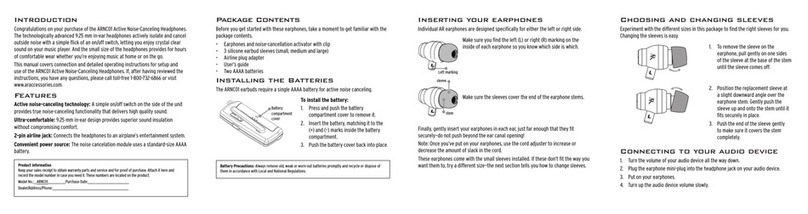
Unpack
Make sure you have the following items in the product package:
• Audiocablewith3.5mmTRSStereoplug
• Audiocablewith4.4mmTRRRS5-poleplug(E10only)
• BluetoothAudiocable
• USBchargingcable
• Carryingcase
• Siliconerubbereartips*(Size:S,M(pre-installed)&L)
• Memoryfoameartips*(Size:S&L)
*Ifnecessary,changetheeartipstoadierentsizetomakesuretheysnuglytinyourears.
Connectingtotheaudiosource
YoucanconnecttheearphonestoyouraudiosourcethroughBluetoothAudioorconventional
cableconnection.
• ForBluetoothAudioconnection,usetheBluetoothAudiocable.
• Forconventionalcableconnection,usetheaudiocablewith3.5mmTRSStereoplugor
theaudiocablewith4.4mmTRRRS5-poleplug(E10only).
Inallcases,youhavetorstconnecttherequiredcabletotheearpieces.
Connectingtotheearpieces
Connectthecableconnectorstothecorrespondingearpieces.Makesurethe“L”or“R”markon
thecableconnectorsandearpiecesarematchingandfacingthesameside(seeFig. A).
Wearing the ear pieces
Makesurethecablesgoaroundthebackofyourears(seeFig. B).
BluetoothAudio
Charging
Forbestperformance,fullychargetheBluetoothAudiocablebeforeuse.Connectthecharging
port 3toaUSBpowersource(e.g.computerorUSBcharger)withtheUSBchargingcable.Un-
plugtheUSBchargingcablewhenchargingisdone(theindicator 4changesfromredtoblue).
Switching on/o
• PressandholdO2forabout1-2secondstoswitchonoro.
• Iftheindicator 4blinksslowlyafterswitchedon,theearphonesaretryingtoautomati-
callyreconnectwiththepreviouslypaireddevice.Ifyouwanttopairanewdevice,see
the next section.
Pairing
1. Whenswitchedo,pressandholdO2forabout6secondsuntiltheindicator 4starts
blinkingrapidly.
2. EnableBluetoothonyourSmartphoneoraudiosource.
3. Select“E10_E100”fromthelistofavailabledevices.Theindicatorblinksintermittently
when pairing is successful.
Controls
• PressO2tostartorpauseplayback.
• Press+1or –5once to increase or decrease the volume. Press and hold +or –to skip
to the next or previous song.
• PressOto answer or end a phone call.
L R
AR-E10
www.acoustic-research.com
AB
123
45