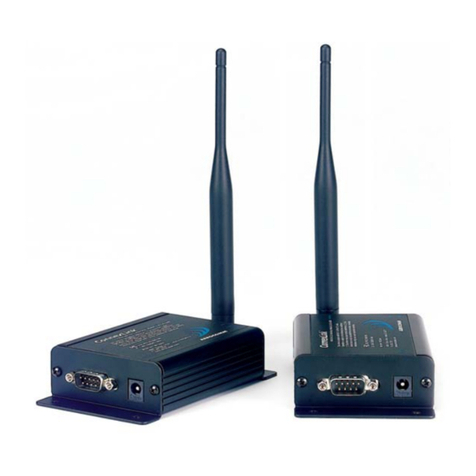
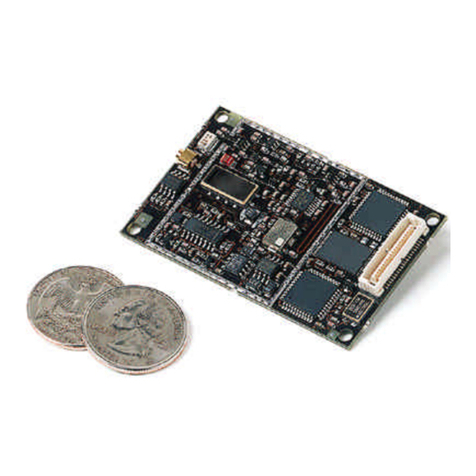
AeroComm AC4490 User manual


Contents
AC4490 TRANSCEIVER MODULE 1
AC4490 features 1
Overview 1
SPECIFICATIONS 3
Pin Definitions 4
Electrical Specifications 6
THEORY OF OPERATION 7
RF Architecture 7
Modes of Operation 7
Transmit Mode 7
Receive Mode 7
Command Mode 8
API CONTROL 8
Receive API Packet 9
API Transmit Packet 9
API Send Data Complete 9
API Receive Packet 9
Protocol Status/Receive Acknowledgement 10
Protocol Status 10
Receive Acknowledgement 10
Long Range Mode 10
SERIAL INTERFACE 12
Serial Communications 12
Asynchronous Operation 12
Parity 12
OEM Host Data Rate 13
Serial Interface Baud Rate 13
Interface Timeout / RF Packet Size 14
Flow Control 15
Half Duplex / Full Duplex 15
System Timing & Latency 15
System Throughput 16
SOFTWARE INTERFACE 17
Networking 17
One Beacon Mode / Range Refresh 18
Auto Config Parameters 18
Interface Options 19
Modem Mode 19
RS485 Modem Mode 20
Max Power 20
TIMING DIAGRAMS 21
AC4490 Timing Diagrams 21
HARDWARE INTERFACE 23
Pin Definitions 23
Generic I/O 23
TXD & RXD 23
Hop Frame 23
CTS 23
GND 23
RTS 23
Test / 9600 Baud 24
RSSI 24
UP_Reset 25
Command/Data 25
AD In 25
CONFIGURING THE AC4490 26
AT Commands 27
On-the-Fly Control Commands 27
Command Descriptions 30
EEPROM PARAMETERS 36
DIMENSIONS 40
Mechanical Drawings 40
ORDERING INFORMATION 44
Product Part Number Tree 44
Developer Kit Part Numbers 44
COMPLIANCY INFORMATION 45
AC4490-1x1 45
Agency Identification Numbers 45
Approved Antenna List 45
FCC / IC Requirements for Modular Approval 46
OEM Equipment Labeling Requirements 46
Antenna Requirements 47
Warnings required in OEM Manuals 47
Channel Warning 47
APPENDIX I - SAMPLE POWER SUPPLY 48
Bill of Materials 48
Schematic 49
PCB Layout 49
APPENDIX II - 5V TO 3.3V LEVELS 51
Voltage Level Conversion IC’s 51
Passive Resistor Voltage Divider 51
APPENDIX III - API 52
Polling Network 52
Addressed Transmit API 53
Broadcast Transmit API 53
Receive API 54
Downloaded from Elcodis.com electronic components distributor

Contents
Enhanced Receive API 55
Normal Receive Mode (non-API) 55
Loopback Repeater 55
Time Division Multiple Access Network 56
APPENDIX IV - SYNC TO CHANNEL 57
Sync to Channel 57
What is it and do I need it? 57
How do I configure Sync to Channel? 59
I've configured my radios, what's next? 65
Downloaded from Elcodis.com electronic components distributor

DOCUMENT INFORMATION
Copyright © 2007 AeroComm, Inc. All rights reserved.
The information contained in this manual and the accompanying software programs are copyrighted and all rights are
reserved by AeroComm, Inc. AeroComm, Inc. reserves the right to make periodic modifications of this product without
obligation to notify any person or entity of such revision. Copying, duplicating, selling, or otherwise distributing any
part of this product or accompanying documentation/software without the prior consent of an authorized
representative of AeroComm, Inc. is strictly prohibited.
All brands and product names in this publication are registered trademarks or trademarks of their respective holders.
This material is preliminary
Information furnished by AeroComm in this specification is believed to be accurate. Devices sold by AeroComm are
covered by the warranty and patent indemnification provisions appearing in its Terms of Sale only. AeroComm makes
no warranty, express, statutory, and implied or by description, regarding the information set forth herein. AeroComm
reserves the right to change specifications at any time and without notice.
AeroComm’s products are intended for use in normal commercial and industrial applications. Applications requiring
unusual environmental requirements such as military, medical life-support or life-sustaining equipment are specifically
not recommended without additional testing for such application.
Limited Warranty, Disclaimer, Limitation of Liability
For a period of one (1) year from the date of purchase by the OEM customer, AeroComm warrants the OEM
transceiver against defects in materials and workmanship. AeroComm will not honor this warranty (and this warranty
will be automatically void) if there has been any (1) tampering, signs of tampering; 2) repair or attempt to repair by
anyone other than an AeroComm authorized technician.
This warranty does not cover and AeroComm will not be liable for, any damage or failure caused by misuse, abuse,
acts of God, accidents, electrical irregularity, or other causes beyond AeroComm’s control, or claim by other than the
original purchaser.
In no event shall AeroComm be responsible or liable for any damages arising: From the use of product; From the loss
of use, revenue or profit of the product; or As a result of any event, circumstance, action, or abuse beyond the control
of AeroComm, whether such damages be direct, indirect, consequential, special or otherwise and whether such
damages are incurred by the person to whom this warranty extends or third party.
If, after inspection, AeroComm determines that there is a defect, AeroComm will repair or replace the OEM transceiver
at their discretion. If the product is replaced, it may be a new or refurbished product.
Downloaded from Elcodis.com electronic components distributor

DOCUMENT INFORMATION
Revision Description
Version 1.0 3/15/02 - Initial Release Version
Version 1.1 12/18/02 - Preliminary Release
Version 1.2 12/20/02 - Preliminary Release. Changed location of new interface pins for higher
compatibility with AC4424 family.
Version 1.3 1/29/03 - Updated interface baud rate formula/table. Updated current consumption
table. Corrected RSSI plot. Updated interface timeout information. Renamed
product family to AC4490. Multiple EEPROM read/write now allowed.
Version 1.4 2/18/03 - Added Max Power Byte. Removed Write Enable references. Fixed Power
Down/Up command response. Removed peer-to-peer bit. Added Auto Destination.
Added unicast only bit. Added 500 mW product. Revised part numbers. Updated
channel number settings.
Version 1.5 Not released.
Version 1.6 11/07/03 - Added One beacon and modem modes. Included AC4486 product line.
Added 500 mW specifications. Updated part numbers. Added AT Commands.
Eliminated Commercial designation; All transceivers are now Industrial qualified.
Version 1.7 7/9/04 - Changed Range Refresh so 0x00 is an invalid setting. Updated AC4490-500
output power. Added warranty information. Updated part numbers. Removed
support of One Beacon mode. Added DES.
Version 1.8 1/03/04 - Changed minimum timeout at 19,200 to 3. Added support for One Beacon
mode. Changed voltage requirements for -200. Added on the fly read temperature
and EEPROM read/write commands. Removed AC4486 product information. Added
Auto Channel.
Version 1.9 7/29/05 - Removed documentation for static commands. Added Australian channels.
Added CC 26 command. Updated mechanical drawing for MMXC version. Included
new RSSI table. Added 1x1 documentation. Added Protocol Status, Received
Acknowledgement, and Receive API modes.
Version 2.0 9/06/05 - Added Appendix 1 - Sample Power Supply
Version 2.1 10/06/05 - Added CC 27 command. Added Long Range mode. Added EEPROM
write warning.
Version 2.2 11/08/05 - Removed CC 27 command. Removed Long Range mode. Corrected RS-
485 DE Control.
Version 2.3 12/20/05 - Removed stream mode documentation. Added Enhanced API commands.
Updated Australian channels.
Version 2.4 Not released.
Version 2.5 7/03/06 - Removed sub hop adjust documentation. Removed Configuration Mode
documentation. Added Probe command. Added Max Power Backup byte (address
0x8E). Added Product ID bytes (addresses 0x90 - 0x9F). Changed default Enhanced
API value to 0xF8. Added Serial Communications documentation. Added 4490LR-
200 documentation. Updated ording information and product tree. Added Appendix
II - 5V to 3.3V levels. Added Appendix III - API. Added Appendix IV - Sync to Channel.
Downloaded from Elcodis.com electronic components distributor

DOCUMENT INFORMATION
Version 2.6 7/13/06 - Added AC4490LR-1000 documentation. Added Long Range documentation
and EEPROM parameters. Removed Read/Write API Control Commands. Updated
ordering information and product tree.
Version 2.7 8/3/06 - Added Table of Contents.
Version 2.8 10/16/06 - Updated Approved Antenna List.
Version 2.9 1/9/07 - Updated Approved Antenna List. Updated Agency Identification numbers.
Version 3.0 2/1/07 - Added CMD/Data RX disable and RS485 Modem Modes. Added Industrial
Temperature enhancement information and commands. Changed range refresh
defintion for servers with sync-to-channel enabled and updated sync-to-channel
information.
Version 3.1 7/8/07 - Updated Approved Antenna List. Updated Agency Identification numbers.
Version 3.2 Corrected PDL in API sections. updated auto config table. Updated One Beacon
mode table. Updated RF channel lists.
Version 3.2.1 Added information about Brazillian and Australian Modes
Updated Commads: Change Channel, Read Temperature and Set Sync Channel
Revision Description
Downloaded from Elcodis.com electronic components distributor

www.aerocomm.com
AC4490 TRANSCEIVER MODULE
1
The compact AC4490 900MHz transceiver can replace miles of cable in harsh industrial environments. Using field-proven
FHSS technology which needs no additional FCC licensing in the Americas, OEMs can easily make existing systems wireless
with little or no RF expertise.
AC4490 FEATURES
NETWORKING AND SECURITY
• Drop-in replacement for AC4424 2.4 GHz product family
• Generic I/O digital lines and integrated DAC/ADC functions
• Retries and Acknowledgements
• API Commands to control packet routing and acknowledgement on a packet-by-packet basis
• Frequency Hopping Spread Spectrum for security and interference rejection
• Customizable RF Channel number and system ID
• Dynamic link analysis, remote radio discovery
• Low latency and high throughput
• Hardware Protocol Status monitoring
EASY TO USE
• Continuous 76.8 kbps RF data stream
• Software selectable interface baud rates from 1200 bps to 115.2 kbps
• Low cost, low power and small size ideal for high volume, portable and battery powered
applications
• All modules are qualified for Industrial temperatures (-40°C to 85°C)
• Advanced configuration available using AT commands
OVERVIEW
The AC4490 is a member of AeroComm’s ConnexRF OEM transceiver family. The AC4490 is a cost effective, high
performance, frequency hopping spread spectrum transceiver; designed for integration into OEM systems operating
under FCC part 15.247 regulations for the 900 MHz ISM band.
AC4490 transceivers provide an asynchronous TTL/RS-485 level serial interface for OEM Host communications.
Communications include both system and configuration data. The Host supplies system data for transmission to
other Host(s). Configuration data is stored in the on-board EEPROM. All frequency hopping, synchronization, and RF
system data transmission/reception is performed by the transceiver.
To boost data integrity and security, the AC4490 uses AeroComm’s field-proven FHSS technology featuring optional
Data-Encryption Standards (DES). Fully transparent, these transceivers operate seamlessly in serial cable
replacement applications.
AC4490 transceivers can operate in a Point-to-Point, Point-to-Multipoint, Client-Server, or Peer-to-Peer architecture.
One transceiver is configured as a Server and there can be one or many Clients. To establish synchronization
between transceivers, the Server emits a beacon. Upon detecting a beacon, the Client transceiver informs its Host
and an RF link is established.
Downloaded from Elcodis.com electronic components distributor

AC4490 TRANSCEIVER MODULE
2
This document contains information about the hardware and software interface between an AeroComm AC4490
transceiver and an OEM Host. Information includes the theory of operation, specifications, interface definition,
configuration information and mechanical drawings. The OEM is responsible for ensuring the final product meets all
appropriate regulatory agency requirements listed herein before selling any product.
Note: Unless mentioned specifically by name, the AC4490 modules will be referred to as the “radio” or “transceiver”.
Individual naming is used to differentiate product specific features. The host (PC/Microcontroller/Any device to which
the AC4490 module is connected) will be referred to as “OEM Host”.
Downloaded from Elcodis.com electronic components distributor

www.aerocomm.com
SPECIFICATIONS
2
Table 1: AC4490 Specifications
General
20 Pin Interface Connector Molex 87759-0030, mates with Samtec SMM-110-02-S-D
RF Connector Johnson Components 135-3711-822
Antenna AC4490-1x1: Customer must provide
AC4490-200: MMCX Connector or integral antenna
AC4490-1000: MMCX Connector
Serial Interface Data Rate Baud rates from 1200 bps to 115,200 bps
Power Consumption (typical) Duty Cycle (TX=Transmit; RX=Receive)
10%TX 50%TX 100%TX 100%RX Pwr-Down Deep Sleep
1x1: 33mA 54mA 80mA 28mA 15mA 3mA
200: 38mA 68mA 106mA 30mA 19mA 6mA
1000: 130mA 650mA 1300mA 30mA 19mA 6mA
Channels 3 Channel Sets comprising 56 total channels
Security One byte System ID. 56-bit DES encryption key.
Interface Buffer Size Input/Output:256 bytes each
Transceiver
Frequency Band 902 – 928 MHz
RF Data Rate 76.8 kbps fixed
RF Technology Frequency Hopping Spread Spectrum
Output Power Conducted (no antenna) EIRP (3dBi gain antenna)
1x1: 10mW typical 20mW typical
200: 100mW typical 200mW typical
1000: 743mW typical 1486mW typical
Supply Voltage 1x1: VCC: 3.3V, ±50mV ripple
VPA: 3.3V, ±50mV ripple
200: VCC: 3.3 – 5.5V, ±50mV ripple
VPA: 3.3 – 5.5V, ±50mV ripple
1000*: VCC: 3.3 – 5.5V ±50mV ripple
VPA: 3.3 ±3%, ±100mV ripple
* VCC & VPA may be tied together, provided the supply voltage never falls below 3.3 V and is
capable of supplying 1.5 A of current. VCC & VPA are internally connected on the AC4490-200
only.
Sensitivity -100dBm typical @ 76.8kbps RF Data Rate
-110dBm typical @ 76.8kbps RF Data Rate (AC4490LR-200/-1000)
*Receive Sensitivity listed for US and Australian Modes. Radios ordered per Brazillian Regula-
tions have a Receive Sensitivity of -80dBm.
EEPROM write cycles 20000
Downloaded from Elcodis.com electronic components distributor

SPECIFICATIONS
4
Hop period 20 ms
Transceiver (Cont’d)
Range, Line of Site (based on 3dBi gain
antenna)
1x1: Up to 1 mile
200: Up to 4 miles
LR200: Up to 8 miles
1000: Up to 20 miles
LR1000:Up to 40 miles
*Distances based on US and Australian Modes
Environmental
Temperature (Operating) -40°C to 80°C
Temperature (Storage) -50°C to +85°C
Humidity (non-condensing) 10% to 90%
Physical
Dimensions Transceiver w/ MMCX Connector:1.65” x 1.9” x 0.20”
Transceiver w/ Integral Antenna: 1.65” x 2.65” x 0.20”
AC4490-1x1: 1.00” x 1.00” x 0.162”
Certifications
AC4490-200A AC4490-200/AC4490LR-200 AC4490-1000
FCC Part 15.247 KQLAC4490-100 KQL-4x90200 KQLAC4490
Industry Canada (IC) 2268C-AC4490 2268C-4x90200 2268C-AC44901000
Table 1: AC4490 Specifications
Downloaded from Elcodis.com electronic components distributor

5
AC4490 User’s Manual SPECIFICATIONS
www.aerocomm.com
PIN DEFINITIONS
The AC4490 has a simple interface that allows OEM Host communications with the transceiver. Table 2 below shows
the connector pin numbers and associated functions.
Table 2: AC4490 Pin Definitions
Module
Pin
1x1
Pin Type Signal
Name Function
1 4 O GO0 Generic Output pin
2 6 O TXD Serial data output from the module to the OEM Host.
I/O RS485 A
(True)1Non-inverted RS-485 representation of serial data
3 7 I RXD Serial data input to the module from the OEM Host.
I/O RS485 B
(Invert) 1 Mirror image of RS-485 A
4 52GI0 Generic Input pin
5 3 GND GND Signal Ground
6 O Hop Frame Pulses low when the transceiver is hopping frequencies.
7 9 O CTS Clear to Send – Active Low when the transceiver is ready to accept data for transmission. CTS
should be monitored by the OEM Host & data flow to the radio should cease when CTS is High.
8102IRTS Request to Send – When enabled in EEPROM, the OEM Host can take this High when it is not
ready to accept data from the transceiver.
NOTE: Keeping RTS High for too long can cause data loss.
919 OGO1 Generic Output pin
10 2PWR VCC Powers the radio and microcontroller. Must be connected.
1x1: 3.3V, ±50mV ripple
200: 3.3 – 5.5V, ±50mV ripple (Pin 10 is internally connected to Pin 11)
1000: 3.3 – 5.5V, ±50mV ripple
11 11 PWR VPA Powers the power-amplifier and draws most current when in TX mode. Must be connected.
1x1: 3.3V, ±50mV ripple
200: 3.3 – 5.5V, ±50mV ripple (Pin 11 is internally connected to Pin 10)
1000: 3.3V ±3%, ±100mV ripple
12 23 ITest Test Mode – When pulled logic Low and then applying power or resetting, the transceiver’s
serial interface is forced to a 9600, 8-N-1 rate. To exit, the transceiver must be reset or power-
cycled with Test Mode logic High.
13 12 ORSSI Received Signal Strength - An analog output giving an instantaneous indication of received sig-
nal strength. Only valid while in Receive Mode.
14 212IGI1 Generic Input pin
15 16 IUP_RESET RESET – Controlled by the AC4490 for power-on reset if left unconnected. After a stable power-
on reset, a logic High pulse will reset the transceiver.
16 13 GND GND Signal Ground
Downloaded from Elcodis.com electronic components distributor

SPECIFICATIONS
6
17 17 ICMD/Data When logic Low, the transceiver interprets OEM Host data as command data. When logic High,
the transceiver interprets OEM Host data as transmit data.
18 153IAD In 10-bit Analog Data Input
19 204ODA_Out 10-bit Analog Data Output
20 18 OIn_Range When logic Low, a Client is in range of a Server on same Channel and System ID. Always low on
a Server radio.
N/A 14 RF RF Port RF Interface
N/A 22 IReset Active Low version of UP_RESET. If RESET is used, UP_RESET should be left floating and if
UP_RESET is used, RESET should be left floating.
1. When ordered with a RS-485 interface (not available on the AC4490-1x1).
2. Must be tied to VCC or GND if not used. Should never be permitted to float.
3. If used, requires a shunt 0.1μF capacitor at pin 15 followed by a series 1k resistor.
4. If used, requires a series 1k resistor at pin 20 followed by a shunt 0.1μF capacitor.
ENGINEER’S TIP
Design Notes:
• All I/O is 3.3V TTL with exception of 5V inputs on AC4490-200.
• All inputs are weakly pulled High (10k) and may be left floating during normal operation.
• Minimum Connections: VCC, VPA, GND, TXD, & RXD.
• Signal direction is with respect to the transceiver.
• Unused pins should be left disconnected.
Table 2: AC4490 Pin Definitions
Module
Pin
1x1
Pin Type Signal
Name Function
Downloaded from Elcodis.com electronic components distributor

7
AC4490 User’s Manual SPECIFICATIONS
www.aerocomm.com
ELECTRICAL SPECIFICATIONS
Table 3: Input Voltage Characteristics
AC44901x1 / AC4490-1000M AC4490-200X
Signal Name High
Min.
High
Max.
Low
Min.
Low
Max.
High
Min.
High
Max.
Low
Min.
Low
Max. Unit
RS485A/B N/A 12 -7 N/A N/A 12 -7 N/A V
RXD 2.31 3.3 00.99 25.5 00.8 V
GI0 2.31 3.3 00.99 25.5 00.8 V
RTS 2.31 3.3 00.99 25.5 00.8 V
Test 2.31 3.3 00.99 25.5 00.8 V
GI1 2.31 3.3 00.99 25.5 00.8 V
UP_RESET 0.8 3.3 00.6 0.8 5 0 0.6 V
CMD/Data 2.31 3.3 00.99 25.5 00.8 V
AD In N/A 3.3 0N/A N/A 3.3 0N/A V
Table 4: Output Voltage Characteristics
Signal Name Module
Pin
1x1
Pin Type High
Min.
Low
Max. Unit
GO0 119 O2.5 @ 8mA 0.4 @ 8mA V
TXD 2 6 O 2.5 @ 2mA 0.4 @ 2mA V
RS485A/B 2,3 N/A I/O 3.3 @ 1/8 Unit Load N/A V
Hop Frame 6 1 O 2.5 @ 2mA 0.4 @ 2mA V
CTS 7 9 O 2.5 @ 2mA 0.4 @ 2mA V
GO1 919 O2.5 @ 2mA 0.4 @ 2mA V
RSSI 13 12 OSee Figure 1 See Figure 1 V
DA_Out 19 20 ON/A N/A V1
1. DA_Out is an unbuffered, high impedance output and must be buffered by the OEM Host when used.
In Range 20 18 O2.5 @ 2mA 0.4 @ 2mA V
Downloaded from Elcodis.com electronic components distributor

www.aerocomm.com
THEORY OF OPERATION
3
RF ARCHITECTURE
The AC4490 utilizes a Server-Client network where all Clients synchronize their hopping to the Server. The Server
transmits a beacon at the beginning of every hop (20 ms). The Client transceivers listen for this beacon and upon
hearing it assert In_Range Low and synchronize their hopping with the Server.
Each network should consist of only one Server and there should never be two servers on the same RF Channel
number in the same coverage area as the interference between the two servers will severely hinder RF
communications. For those applications requiring collocated servers, we recommend using the Sync-to-Channel
feature explained in detail in the Sync-to-Channel Appendix.
MODES OF OPERATION
The AC4490 has three different operating modes; Receive, Transmit, & Command Mode. If the transceiver is not
communicating with another radio, it will be in Receive Mode actively listening for a beacon from the Server. If the
Client determines that the beacon is from a server operating on the same RF Channel and System ID, it will respond
by asserting In_Range Low. A transceiver will enter Transmit or Command mode when the OEM Host sends data over
the serial interface. The state of the CMD/Data pin (Pin 17) or the data contents determine which of the two modes will
be entered.
Transmit Mode
All packets sent over the RF are either Addressed or Broadcast packets. Broadcast and Addressed delivery can be
controlled dynamically with the API Control byte and corresponding on-the-fly commands. To prohibit transceivers
from receiving broadcast packets, Unicast only can be enabled.
ADDRESSED PACKETS
When sending an addressed packet, the RF packet is sent only to the receiver specified in destination address. To
increase the odds of successful delivery, Transmit retries are utilized. transparent to the OEM Host; the sending radio
will send the RF packet to the intended receiver. If the receiver receives the packet free of errors, it will return an RF
acknowledge within the same 20 ms hop. If a receive acknowledgement is not received, the radio will use a transmit
retry to resend the packet. The radio will continue sending the packet until either (1) an acknowledgement is received
or (2) all transmit retries have been used. The received packet will only be sent to the OEM Host if and when it is
received free of errors.
BROADCAST PACKETS
When sending a broadcast packet, the RF packet is broadcast to all eligible transceivers on the network. To increase
the odds of successful delivery, the radio uses Broadcast attempts. Transparent to the OEM Host, the sending radio
will send the RF packet to the intended receiver(s). Unlike transmit retries, all broadcast attempts are used;
regardless of when the RF packet is actually received and without RF acknowledgements. If the packet is received on
the first attempt, the receiver will ignore the remaining broadcast attempts. The received packet will only be sent to
the OEM Host if and when it is received free of errors. Because of the inherent redundancy associated with Broadcast
Attempts, the overall latency may increase.
Downloaded from Elcodis.com electronic components distributor

9
AC4490 User’s Manual THEORY OF OPERATION
www.aerocomm.com
Receive Mode
When a transceiver is not in Transmit or Command mode, it will be in Receive Mode listening for data. While in
Receive Mode, subsequent data of up to 80 bytes can be received every hop (20 ms).
Command Mode
A radio will enter Command Mode when data is received over the serial interface from the OEM Host and either the
Command/Data pin (pin 17) is logic Low or the received data contains the “AT+++” (Enter AT Command Mode)
command. Once in Command Mode, all data received by the radio is interpreted as command data. Command Data
can be either EEPROM Configuration or On-The-Fly commands.
Figure 1: Pending RF and Data in Buffer Flow
Receive Mode
Broadcast
Packet
Receive full
packet and
check CRC Addressed Packet
Matching
Destination
MAC
Validate CRC
Duplicate
Packet
Send RF
Acknowledge
Send Packet over
RF
Duplicate
Packet
Discard Packet Discard Packet
Send Packet over
RF
Pending RF
Received
Yes
Yes
Yes
Yes
Yes
Yes
Receive Mode
Pin 17 Low
Data in Buffer
AT+++
RF Data
Broadcast Packet Addressed Packet
Transmit Packet Transmit Packet
Decrement
Broadcast
Attempts
Broadcast
Attempts = 0
Receive ACK
Decrement
Transmit Attempts
Transmit
Attempts = 0
Command/Data
Mode
Downloaded from Elcodis.com electronic components distributor

THEORY OF OPERATION
10
API CONTROL
API Control is a powerful feature that the AC4490 offers. When enabled, the API Receive Packet, API Transmit Packet,
API Send Data Complete and Enhanced API Receive Packet features provide dynamic packet routing and packet
accounting ability to the OEM Host, thereby eliminating the need for extensive programming on the OEM Host side.
This ability of the protocol makes it ideal for any legacy system. API operation utilizes specific packet formats;
specifying various vital parameters used to control radio settings and packet routing on a packet-by-packet basis.
The API features can be used in any combination that suits the OEM’s specific needs.
Receive API Packet
Implemented in v6.3 of the firmware and later. Receive API Packet can be enabled to determine the sender of a
message. This causes the radio to append a header to the received packet detailing the length of the data packet and
the sender’s MAC address. The Receive API Packet will follow the following format.
Note: If Receive API is enabled, the Enhanced API Receive feature should be disabled by clearing bit-0 of EEPROM
address 0xC6.
API Transmit Packet
Implemented in v6.7 of the firmware and later. API Transmit Packet is a powerful command that allows the OEM Host
to send data to a single or multiple (broadcast) transceivers on a packet-by-packet basis. This can be useful for many
applications; including polling and/or mesh networks. Refer to the API Appendix for further details.
API Transmit Packet is enabled when bit-1 of the Enhanced API Control byte is enabled. The OEM Host should use
the following format to transmit a packet over the RF.
1If the OEM Host does not encode the header correctly, the transceiver will send the entire string (up
to 80 bytes) and will look for the header in the next data.
2Although the 7 bytes of overhead are not sent over the RF, they are kept in the buffer until the packet
is sent. Keep this in mind so as not to overrun the 256-byte buffer.
3Setting the MAC to 0xFF 0xFF 0xFF will broadcast the packet to all available transceivers.
API Send Data Complete
Implemented in v6.7 of the firmware and later. API Send Data complete can be used as a software acknowledgement
indicator. When a radio sends an addressed packet, it will look for a received acknowledgement (transparent to OEM
Host). If an acknowledgement is not received, the packet will be retransmitted until one is received or all retries have
been used.
API Send Data Complete is enabled when bit-2 of the Enhanced API Control byte is enabled. The transceiver sends
the OEM Host the following data upon receiving an RF acknowledge or exhausting all attempts.
1RSSI* is how strong the local transceiver heard the remote transceiver.
2Successful RF Acknowledge updates the Success/Failure bit.
0x83
Payload
Data
Length
Sender’s
MAC Payload Data
0x81
Payload Data
Length
(0x01 - 0x50)
Aerocomm
Use
Transmit
Retries/Broadcast
Attempts
Destination
MAC (2,1,0)
Payload
Data
0x82 Aerocomm
Use RSSI* 0x00: Failure
0x01: Success
Downloaded from Elcodis.com electronic components distributor

11
AC4490 User’s Manual THEORY OF OPERATION
www.aerocomm.com
3A success will always be displayed when sending broadcast packets after all broadcast attempts
have been exhausted.
Enhanced API Receive Packet
Implemented in v6.7 of the firmware and later. By default, the source MAC is not included in the received data string
sent to the OEM Host. For applications where multiple radios are sending data, it may be necessary to determine the
origin of a specific data packet. When API Receive Packet is enabled, all packets received by the transceiver will
include the MAC address of the source radio as well as an RSSI indicator which can be used to determine the link
quality between the two.
API Receive Packet is enabled when bit-0 of the Enhanced API Control byte is enabled. Upon receiving a packet the
radio sends its OEM Host the packet in the following format:
Note: If Enhanced API Receive is enabled, the Receive API feature should be disabled by setting EEPROM byte 0xC1
to 0xFF.
PROTOCOL STATUS/RECEIVE ACKNOWLEDGEMENT
Implemented in v6.3 of the firmware and later. When enabled in EEPROM, GO0 and GO1 will perform the functions of
Protocol Status and Receive Acknowledgement.
Protocol Status
Every time the radio hops to hop bin 0, the radios will assert GO0 Low for the entire hop bin. GO0 will go Low at the
falling edge of the Hop Frame at the start of bin 0 and will go High with the rising edge of Hop Frame at the end of bin
0. During all other hops, GO0 will be high. This mode is incompatible with modem mode.
Receive Acknowledgement
The radio uses GO1 to signal that a valid RF acknowledgement has been received from the remote radio. GO1 is
normally Low and will go High within approximately 75 us of receivinng a valid RF acknowledgement. It will remain
High until the end (rising edge) of the next hop. This mode is incompatible with Modem mode.
LONG RANGE MODE
Specific to the AC4490LR-200 and AC4490LR-1000 transceivers, Long Range mode increases the receiver sensitivity
and range of the radio when enabled in EEPROM. Under some circumstances, such as in areas with extrememly high
interference levels, Long Range Mode may provide unsatisfactory results. In such cases, normal radio operation can
0x81
Payload Data
Length
(0x01 - 0x50)
Aerocomm
Use RSSI* Source MAC
(2,1,0)
Payload
Data
ENGINEER’S TIP
When both API Send Data Complete and API Receive Packet are enabled, the Send Data
Complete will be received before the transceiver sees the Receive API Packet. This order may
get reversed when the API Send Data Complete is missed and is being resent after the API
Receive Packet is received.
Downloaded from Elcodis.com electronic components distributor

THEORY OF OPERATION
12
be achieved by disabling Long Range Mode; either temporarily using CC Commands or permanently by writing to the
EEPROM.
Note: Long Range Mode is only available on the AC4490LR-200 and AC4490LR-1000 transceivers.
Table 5: Long Range Requirements
Module Board Number Board Revision
AC4490LR-200 0050-00100 Rev. 0 and higher
AC4490LR-1000 0050-00102 Rev. 0 and higher
Downloaded from Elcodis.com electronic components distributor

www.aerocomm.com
SERIAL INTERFACE
4
In order for the OEM Host and a transceiver to communicate over the serial interface they need to have the same
serial data rate. Refer to the following sections to ensure that the OEM Host data rate matches the serial interface
baud rate.
SERIAL COMMUNICATIONS
The AC4490 is a TTL device which can be interfaced to a compatible UART (microcontroller) or level translator to allow
connection to serial devices. UART stands for Universal Asynchronous Receiver Transmitter and its main function is
to transmit or receive serial data.
Asynchronous Operation
Since there is no seperate clock in asynchronous operation, the receiver needs a method of synchronizing with the
transmitter. This is achieved by having a fixed baud rate and by using START and STOP bits. A typical asynchronous
mode signal is shown below.
Figure 2: Asynchronous Mode Signal
The UART outputs and inputs logic level signals on the TX and RX pins. The signal is high when no data is being
transmitted and goes low when transmission begins.
The signal stays low for the duration of the START bit and is followed by the data bits; LSB first. The STOP bit follows
the last data bit and is always high. After the STOP bit has completed, the START bit of the next transmission can
occur.
Parity
A parity bit is used to provide error checking for a single bit error. When a single bit is used, parity can be either even
or odd. Even parity means that the number of ones in the data and parity sum to an even number and vice-versa. The
ninth data bit can be used as a parity bit if the data format requires eight data bits and a parity bit as shown below.
Downloaded from Elcodis.com electronic components distributor

SERIAL INTERFACE
14
Figure 3: Even Parity Bit
Note: Enabling parity cuts throughput and the interface buffer in half.
OEM HOST DATA RATE
The OEM Host Data Rate is the rate with which the OEM Host and transceiver communicate over the serial interface.
This rate is independent of the RF baud rate, which is fixed at 76.8 kbps. Possible values range from 1200 bps to
115,200 bps. Note: Enabling Parity cuts throughput in half and the Interface Buffer size in half. The following
asynchronous serial data formats are supported:
SERIAL INTERFACE BAUD RATE
This two-byte value determines the baud rate used for communicating over the serial interface to a transceiver. The
Table below lists values for some common baud rates. Baud rates below 1200 baud are not supported. For a baud
rate to be valid, the calculated baud rate must be within ±3% of the OEM Host baud rate. If the Test pin (Pin 12) is
pulled logic Low at reset, the baud rate will be forced to 9,600. The RF baud rate is fixed at 76.8 Kbps and is
independent of the interface baud rate. For Baud Rate values other than those shown below, the following equations
can be used:
Table 6: Supported Serial Formats
Data Bits Parity Stop Bits Transceiver Programming Requirements
8 N 1 Parity Disabled
7 N 2 Parity Disabled
7E, O, M, S 1Parity Disabled
9 N 1 Parity Enabled
8 N 2 Parity Enabled
8E, O, M, S 1Parity Enabled
7E, O, M, S 2Parity Enabled
Mark (M) corresponds to 1 & Space (S) corresponds to 0
Downloaded from Elcodis.com electronic components distributor
Other manuals for AC4490
2
Table of contents
Other AeroComm Transceiver manuals
AeroComm
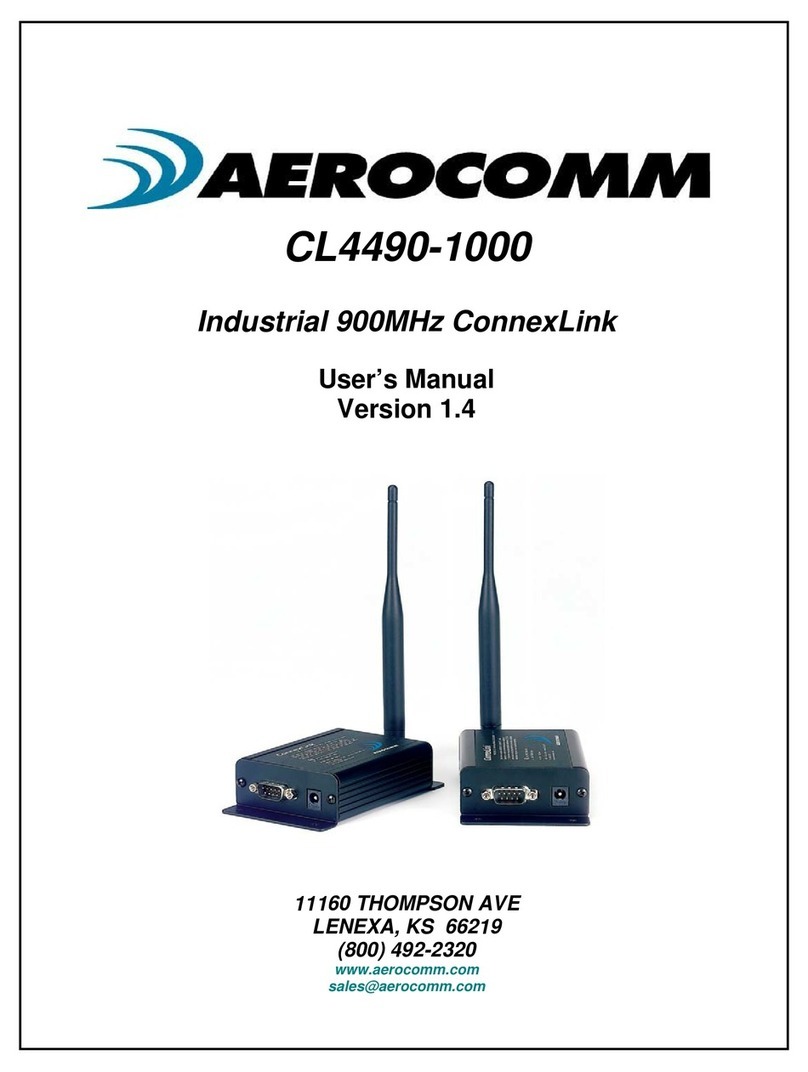
AeroComm CL4490-1000 User manual
AeroComm
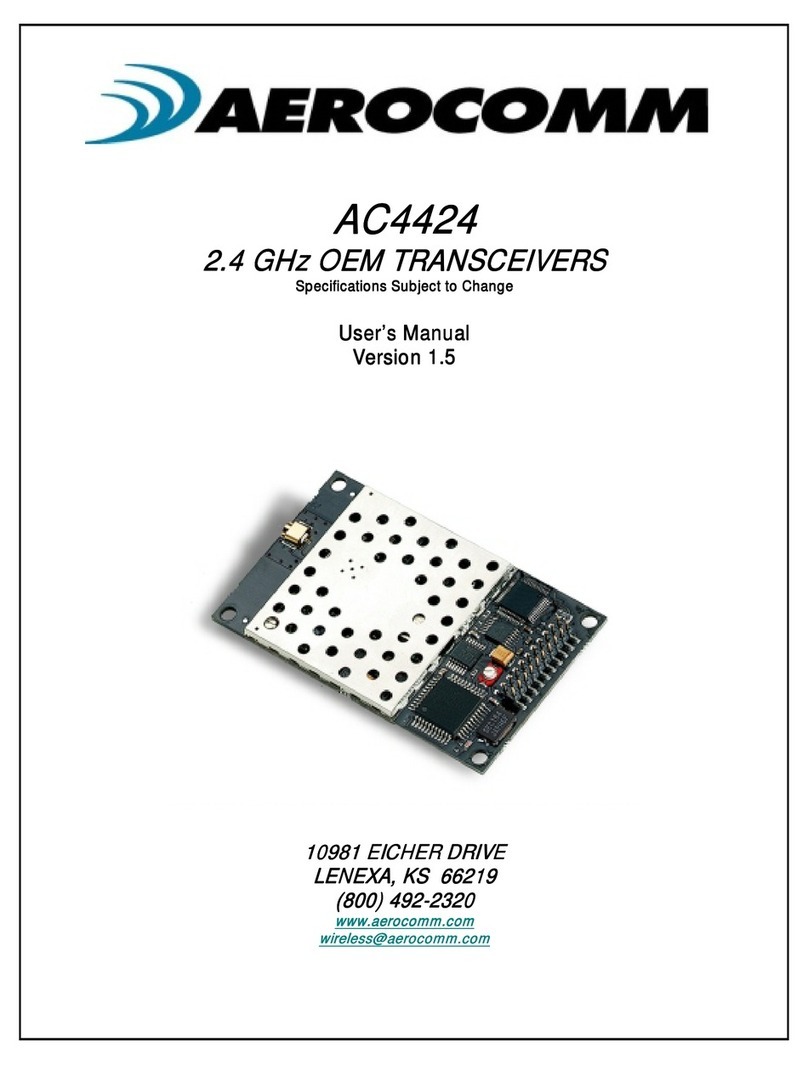
AeroComm AC4424-10 User manual
AeroComm
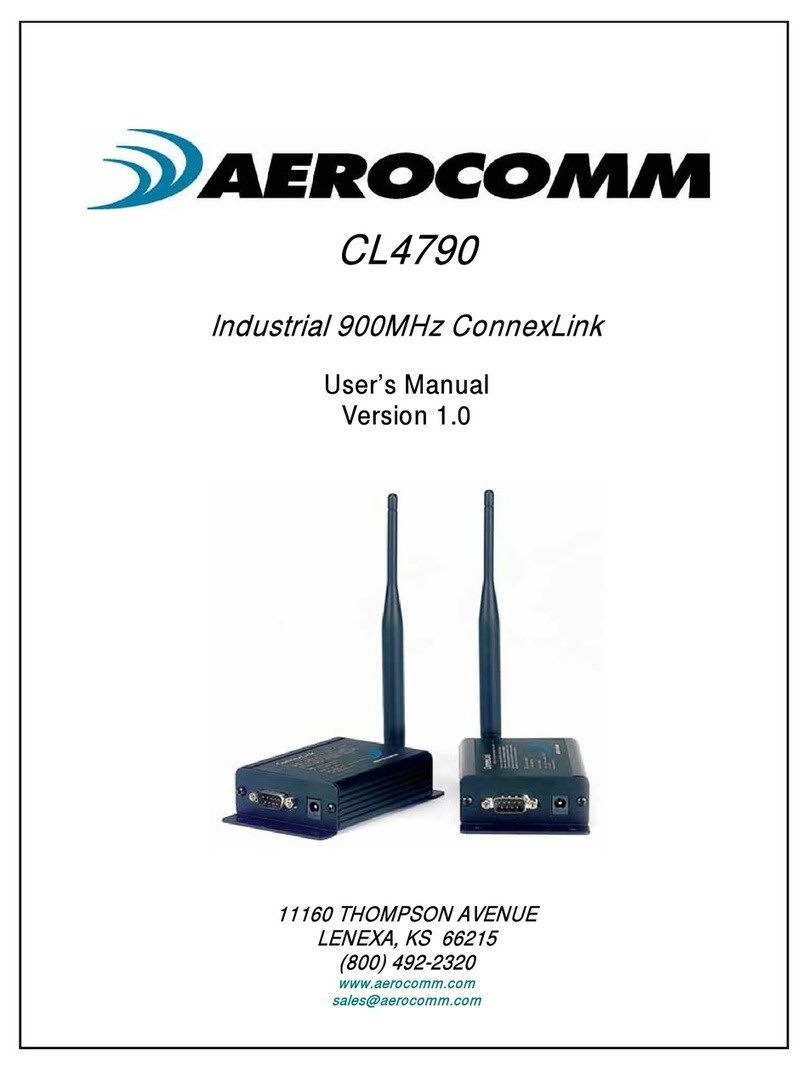
AeroComm CL4790 User manual

AeroComm
AeroComm TRANSCEIVER ZB2430 User manual
AeroComm
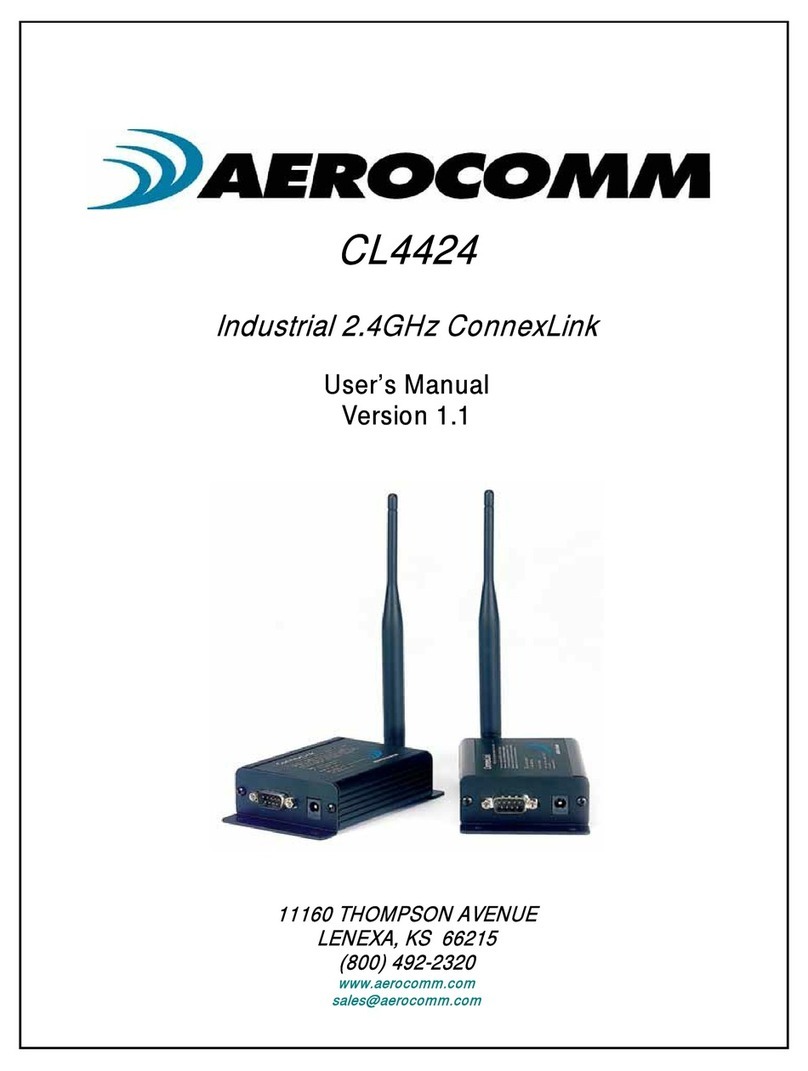
AeroComm CL4424 User manual
AeroComm
AeroComm AC4490 User manual

AeroComm
AeroComm AC4790 User manual

AeroComm
AeroComm CL4490PRO User manual
AeroComm
AeroComm AC5124 User manual
AeroComm
AeroComm AC4490 User manual