manuals.online logo
Brands
  1. Home
  2. •
  3. Brands
  4. •
  5. AIRTRONICS
  6. •
  7. Receiver
  8. •
  9. AIRTRONICS MX-Sport User manual

AIRTRONICS MX-Sport User manual

Other manuals for MX-Sport

2

Other AIRTRONICS Receiver manuals

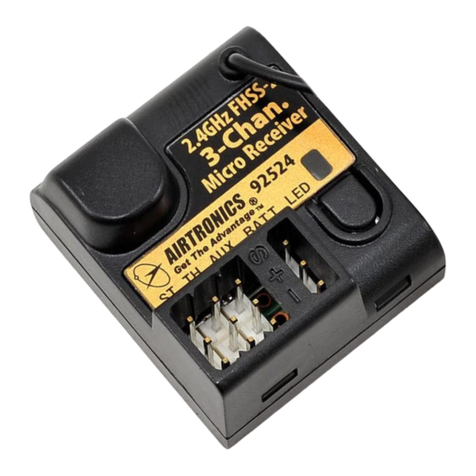
AIRTRONICS 92524 User manual

AIRTRONICS

AIRTRONICS 92524 User manual

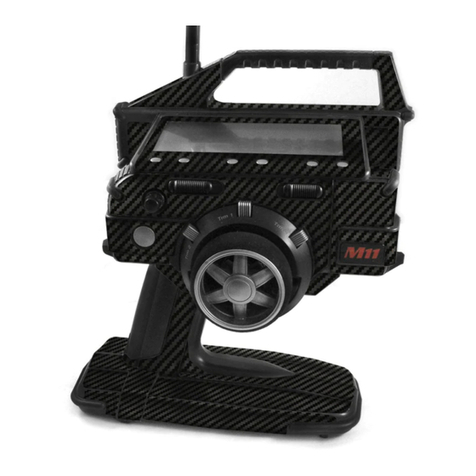
AIRTRONICS M11 User manual

AIRTRONICS

AIRTRONICS M11 User manual

AIRTRONICS 92451SR User manual

AIRTRONICS

AIRTRONICS 92451SR User manual

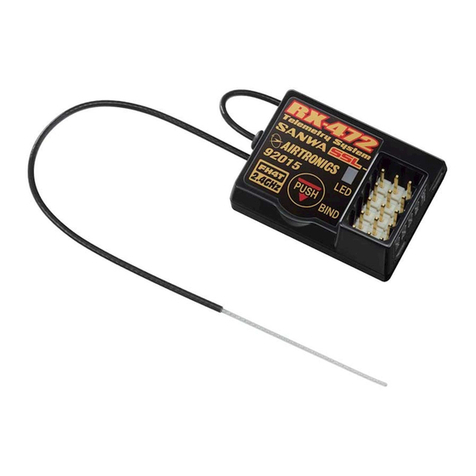
AIRTRONICS RX-472 User manual

AIRTRONICS

AIRTRONICS RX-472 User manual

AIRTRONICS RX-700 User manual

AIRTRONICS

AIRTRONICS RX-700 User manual

Popular Receiver manuals by other brands

Televes ZAS HD SAT user manual

Televes

Televes ZAS HD SAT user manual

Realistic DX-75 Operating and service instructions

Realistic

Realistic DX-75 Operating and service instructions

Saris 4620 Assembly instructions

Saris

Saris 4620 Assembly instructions

Mini DTR 206C PVR user manual

Mini

Mini DTR 206C PVR user manual

RF Elements TwistPort manual

RF Elements

RF Elements TwistPort manual

Denon DN-200WS user guide

Denon

Denon DN-200WS user guide

Yamaha RX-V467 owner's manual

Yamaha

Yamaha RX-V467 owner's manual

Russound SaphIR 858 instruction manual

Russound

Russound SaphIR 858 instruction manual

Quasonix RDMS Firmware update procedure

Quasonix

Quasonix RDMS Firmware update procedure

Pioneer XV-HTD1 Service manual

Pioneer

Pioneer XV-HTD1 Service manual

ATZ HDMI-V2-44HE150 manual

ATZ

ATZ HDMI-V2-44HE150 manual

Sony XNV-770BT MyTomTom Specifications

Sony

Sony XNV-770BT MyTomTom Specifications

Grundig STR 7122 TWIN Service manual

Grundig

Grundig STR 7122 TWIN Service manual

Creative Blaster Modem user guide

Creative

Creative Blaster Modem user guide

Panduit ATLONA AT-OME-RX11 installation guide

Panduit

Panduit ATLONA AT-OME-RX11 installation guide

VOLTCRAFT UTPS-40 operating instructions

VOLTCRAFT

VOLTCRAFT UTPS-40 operating instructions

JVC KW-ADV794 instructions

JVC

JVC KW-ADV794 instructions

Litelink VT-1001 operating instructions

Litelink

Litelink VT-1001 operating instructions

manuals.online logo
manuals.online logoBrands
  • About & Mission
  • Contact us
  • Privacy Policy
  • Terms and Conditions

Copyright 2025 Manuals.Online. All Rights Reserved.

~
l)}
-0I
0,
Ij
.,
'I
J LJ .~- ,
~~-~::1;J ~
"=1) ~
~
~ !~,!~,~!!~:
/
Q:)
~CD
(::2::)
j~
!:~/I
:!!~ 3 CHANNEL
COMPUTER
--RADIO SYSTEM
."lr~~:JII:f-
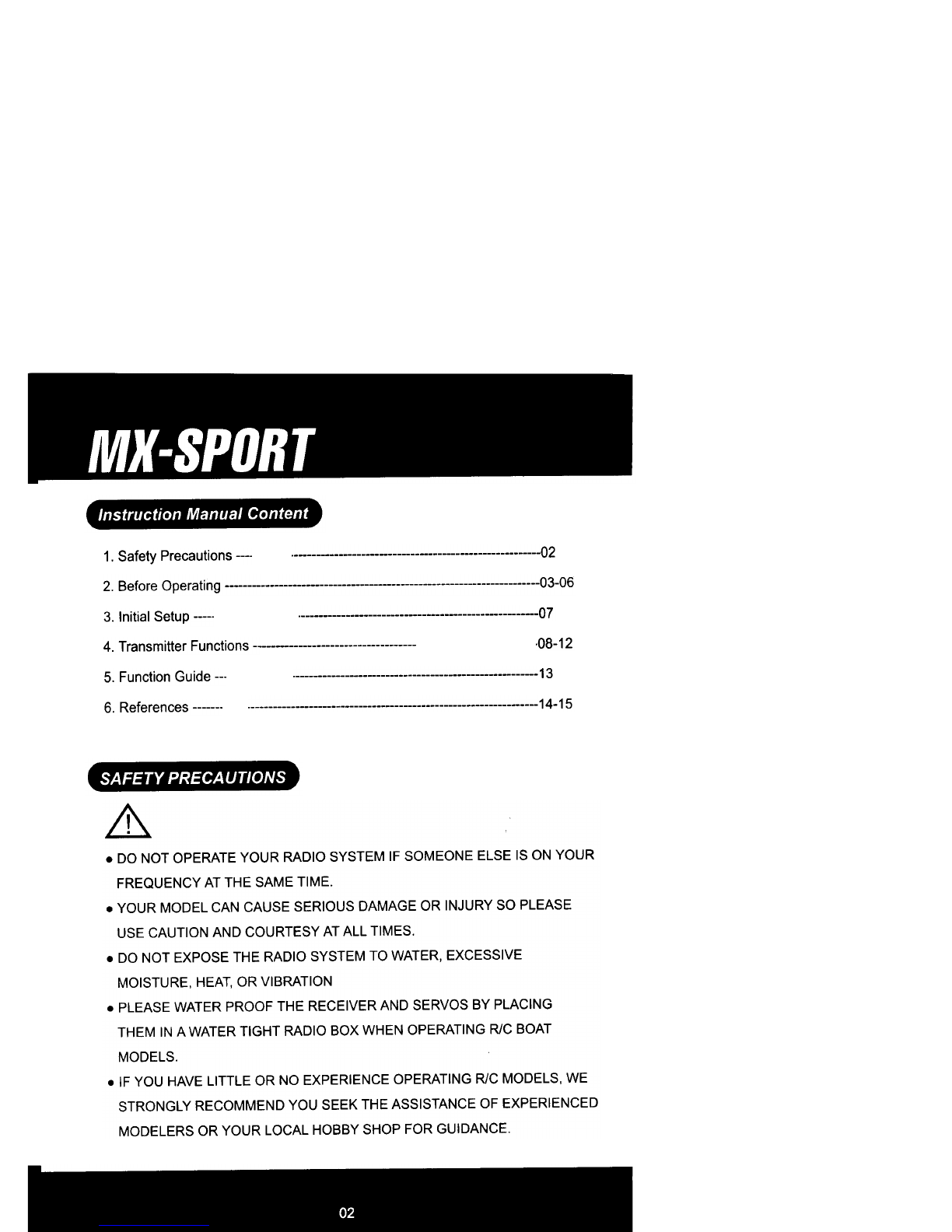
Instruction Manual Content
SAFETY PRECAUTIONS
~~
02
1. Safety Precautions
2. Before Operating 03-06
07
3. Initial Setup
.08-12
4. Transmitter Functions -
13
5. Function Guide ---
14-15
6. References 0
&.
.DO NOT OPERATE YOUR RADIO SYSTEM IF SOMEONE ELSE IS ON YOUR
FREQUENCY AT THE SAME TIME.
.YOUR MODEL CAN CAUSE SERIOUS DAMAGE OR INJURY SO PLEASE
USE CAUTION AND COURTESY AT ALL TIMES.
.DO NOT EXPOSE THE RADIO SYSTEM TO WATER, EXCESSIVE
MOISTURE, HEAT, OR VIBRATION
.PLEASE WATER PROOF THE RECEIVER AND SERVOS BY PLACING
THEM IN A WATER TIGHT RADIO BOX WHEN OPERATING R/C BOAT
MODELS.
.IF YOU HAVE LITTLE OR NO EXPERIENCE OPERATING R/C MODELS, WE
STRONGLY RECOMMEND YOU SEEK THE ASSISTANCE OF EXPERIENCED
MODELERS OR YOUR LOCAL HOBBY SHOP FOR GUIDANCE.
"",,""",-
-~~
~ili1iT~
~
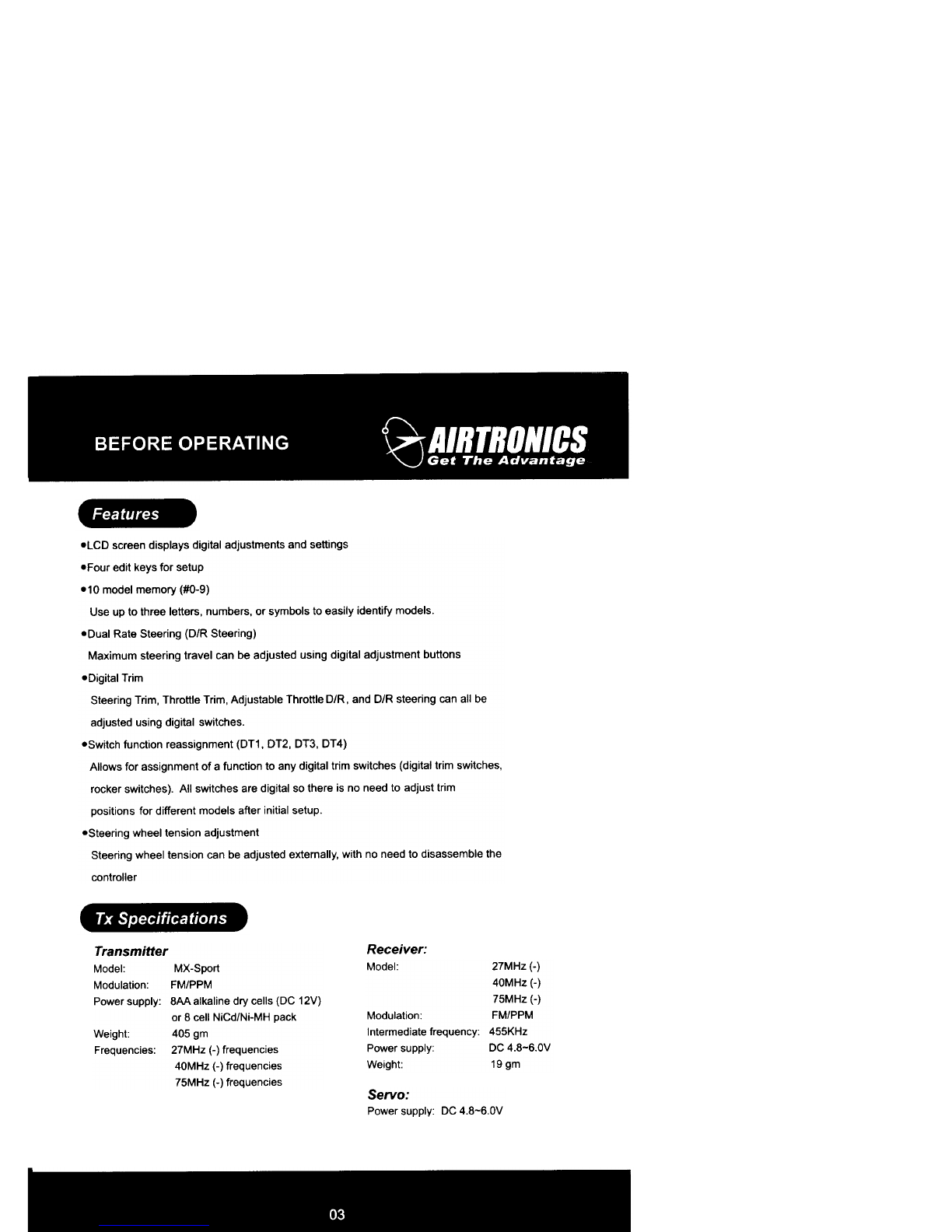
.LCD screen displays digital adjustments and settings
.Four edit keys for setup
.10 model memory (#0-9)
Use up to three letters, numbers, or symbols to easily identify models.
.Dual Rate Steering (D/R Steering)
Maximum steering travel can be adjusted using digital adjustment buttons
.Digital Trim
Steering Trim, Throttle Trim, Adjustable Throttle D/R, and D/R steering can all be
adjusted using digital switches.
.Switch function reassignment (DT1, DT2, DT3, DT4)
Allows for assignment of a function to any digital trim switches (digital trim switches,
rocker switches). All switches are digital so there is no need to adjust trim
positions for different models after initial setup.
.Steering wheel tension adjustment
Steering wheel tension can be adjusted externally, with no need to disassemble the
controller
Receiver:
Model. 27MHz (-)
40MHz (-)
75MHz (-)
Modulation: FM/PPM
Intermediate frequency. 455KHz
Power supply. DC 4.8-6.0V
Weight: 19 gm
Transmitter
Modelo MX-Sport
Modulation° FM/PPM
Power supply: 8AA alkaline dry cells (DC 12V)
or 8 cell NiCd/Ni-MH pack
Weight" 405 gm
Frequencies: 27MHz (-) frequencies
40MHz (-) frequencies
75MHz (-) frequencies
Servo:
Power supply' DC 4.8-6,OV
~~~'j:;ll:f-
-n;m;mn i~
~~
~~
~~
~
Steering Wheel , Steering Trim (DT1 )
(See Page 7 for the operating instructions)
Power
Indicating
LED
~
Auxilia~
(CH3)
switch
On/Off Switch
Throttle Trigger
Back of transmitter
Crystal
Antenna
.Controls
Throttle Trim (DT2)
(See Page 7 for the operating instructions)
LCD Screen ~
Throttle D/R !,
(See Page 7 for the operating
instructions)
SteerinQ Dual Rate (DT3)
(See Page 7 for the operating instructions)
/"
~~
Battery Compartment
"",,,,"~-
~
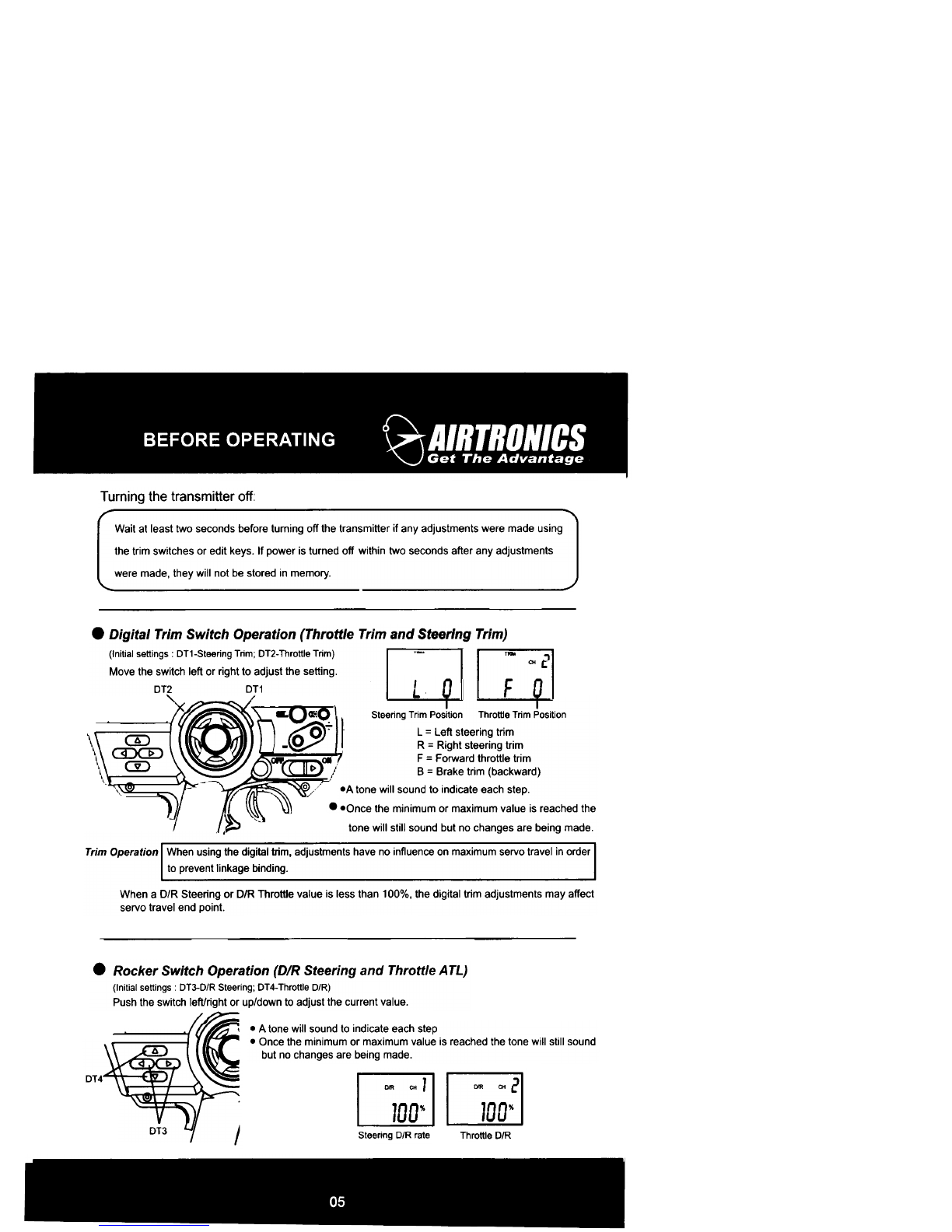
Wait at least two seconds before turning off the transmitter if any adjustments were made using
the trim switches or edit keys. If power is turned off within two seconds after any adjustments
were made, they will not be stored in memory.
nn
~ ~
~~
DT4
~
Turning the transmitter off:
.Digital Trim Switch Operation (Throttle Trim and Steering Trim)
(Initial settings DT1-Steering Trim; DT2-Throttle Trim)
Move the switch left or right to adjust the setting.
DT2 DT1
~
1
CHC
-L.\U-L+
Steering Trim Position Throttle Trim Position
L = Left steering trim
R = Right steering trim
F = Forward throttle trim
B = Brake trim (backward)
.A tone will sound to indicate each step.
..Once the minimum or maximum value is reached the
~ tone will still sound but no changes are being made.
Trim Operation When using the digital trim, adjustments have no influence on maximum servo travel in order
to prevent linkage binding.
When a D/R Steering or D/R Throttle value is less than 100%, the digital trim adjustments may affect
servo travel end point.
.Rocker Switch Operation (D/R Steering and Throttle A TL)
(Initial settings DT3-D/R Steering; DT4-Throttle D/R)
Push the switch left/right or up/down to adjust the current value.
.A tone will sound to indicate each step
.Once the minimum or maximum value is reached the tone will still sound
but no changes are being made.
Steering D/R rate Throttle D/R
~J'II:~~~/J:f-
~
An alarm will sound if the transmitter
voltage drops below 8.5V. This alarm
is meant as a safety feature only. The
transmitter should not be operated
below 9.0V. If the low battery alarm
sounds, replace batteries immediately
with fresh AA batteries to prevent loss
of control.
~
~ ~
rIm
.Battery Replacement
For dry cell battery system
Loadthe eight batteries in accordancewith the polarity markingon the battery holder.(8M Size Batteries)
Battery Replacement
1. Remove the battery cover from the transmitter.
2. Remove the old batteries.
3. Insert the eight new AA batteries according to the polarity markings.
4. Replace the battery cover.
5. Slide the power switch to the ON position and check the LCD for the battery voltage.
If voltage is low, or if the transmitter fails to turn on, check that the batteries are properly
inserted and are making sufficient contact.
Low Battery Alarm
An alarm will sound if the transmitter
voltage drops below 8.5V. This alarm
is meant as a safety feature only. The
transmitter should not be operated
below 9.0V. If the low battery alarm
sounds, replace batteries immediately
with fresh AA batteries to prevent loss
of control.
O Always check the voltage of the transmitter before use.
& Caution
O Always be sure to insert the batteries correctly according
to the markings or the transmitter may be damaged.
O When the transmitter will not be used for a long time,
remove the batteries to prevent leaks and corrosion. If a
leak should occur, clean the battery compartment and
contacts thoroughly, making sure all contacts are
corrosion free.
.Data Backup
The data for every function of the transmitter is stored in a memory chip that does not require a battery
backup.
""""""'-
-n:1imi1I [~ "!:rn1!8
~
u
n
~
.Slide the on/off swich to the ON position.
NO1- Model Number
Display when power is turned ON
12. O v- Battery Voltage
DIR CH ,
100% I
Steering D/R Rate .
DT4
ATl Pool110n
Dual rate steering (DT3)
Initially, D/R steering is assigned to DT3 (see drawing above). Manipulate the DT3 switch to make
sure that the D/R steering value displays and operates. After verifying that the value changes,
reset the D/R steering value to 100%.
.Dual rate throttle (DT4)
Initially, throttle D/R is assigned to DT4 (see drawing above). Manipulate the DT4 switch to make
sure that the D/R value displays and changes. After verifying that the value changes, reset to 100%
.Transmitter Crystal
Use Airtronics FM crystal sets for this transmitter and its receiver. The transmitter and receiver
crystal frequencies must match or the system will not function.
.Model Number Check
When the power is turned on the currently selected model number is displayed. To setup a different
model number, please use the Model Setup Function found on page 12.
.Digital Trim Setup
-Steering trim (DT1)
Initially, steering trim is assigned to DT1 (see drawing below). Manipulate the DT1 switch to make
sure that the steering trim value is displayed and operates. After verifying that the value changes,
reset trim value to center (0).
-Throttle trim (DT2)
Initially, throttle trim is assigned to DT2 (see drawing below). Manipulate the DT2 switch to make
sure that the throttle trim value is displayed and operates. After verifying that the value changes,
reset trim value to center (0).
DT2 DJ1 DT1 ~ QI3- t~
-,'I':~'i:JI1:f-
..~:~.:Ia~.
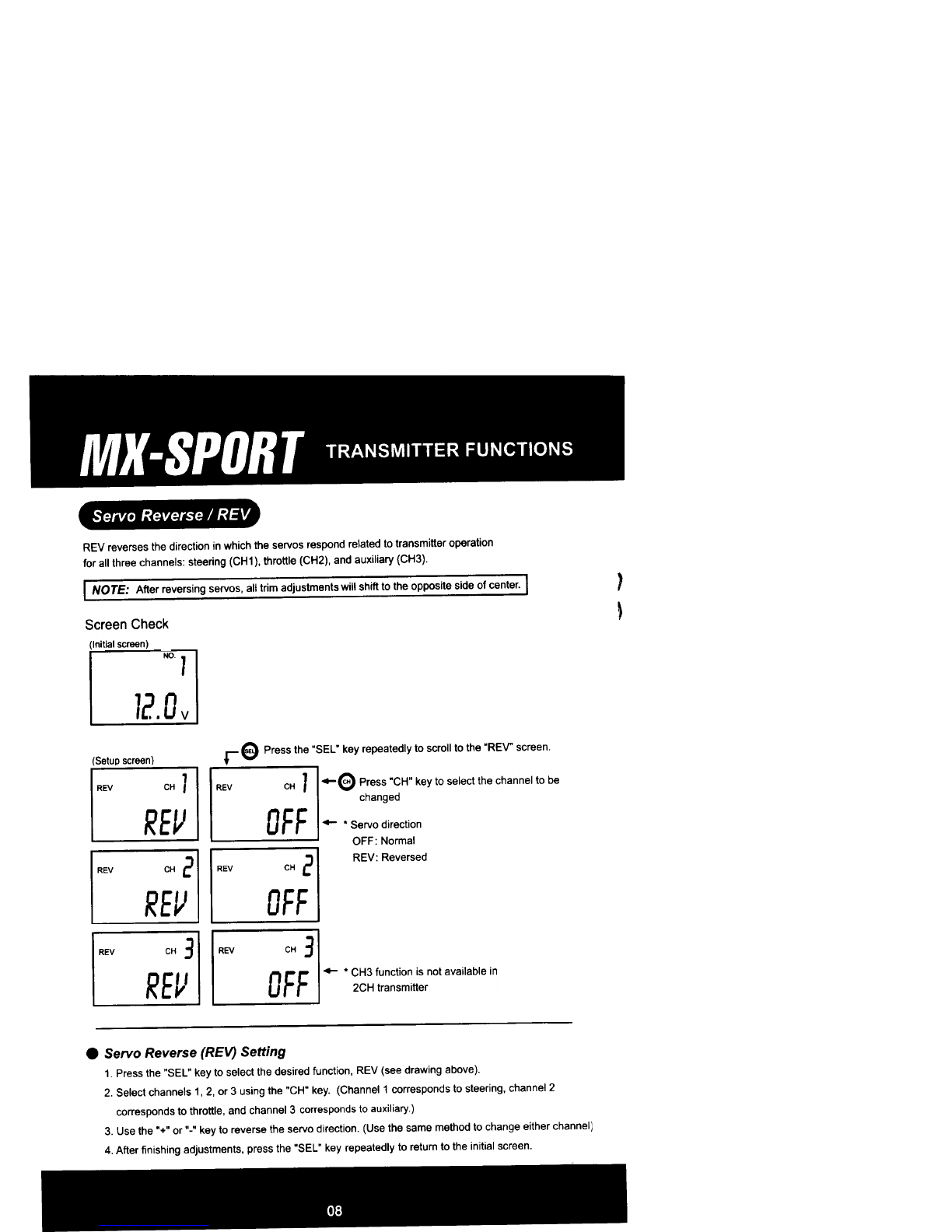
NOTE: After reversing servos, all trim adjustments will shift to the opposite side of center.
~
Q
~Q
~
r-"'Tl
LJfllJ
Q[J
~
REV reverses the direction in which the servos respond related to transmitter operation
for all three channels' steering (CH1). throttle (CH2). and auxiliary (CH3).
)
~
Screen Check
(Initialscreen)
r e Press the "SEL" key repeatedly to scroll to the "REV" screen.
(Setup screen)
-e Press "CH" key to select the channel to be
changed
-.Servo direction
OFF: Normal
REV: Reversed
-* CH3 function is not available in
2CH transmitter
.Servo Reverse (REV) Setting
1. Press the "SEL" key to select the desired function, REV (see drawing above).
2. Select channels l' 2, or 3 using the "CH" key. (Channel 1 corresponds to steering, channel 2
corresponds to throttle, and channel 3 corresponds to auxiliaryJ
3. Use the "+" or "-" key to reverse the servo direction. (Use the same method to change either channel)
4. After finishing adjustments, press the "SEL" key repeatedly to return to the initial screen.
...~81~=-
-."~-, ""-""--",""m".-
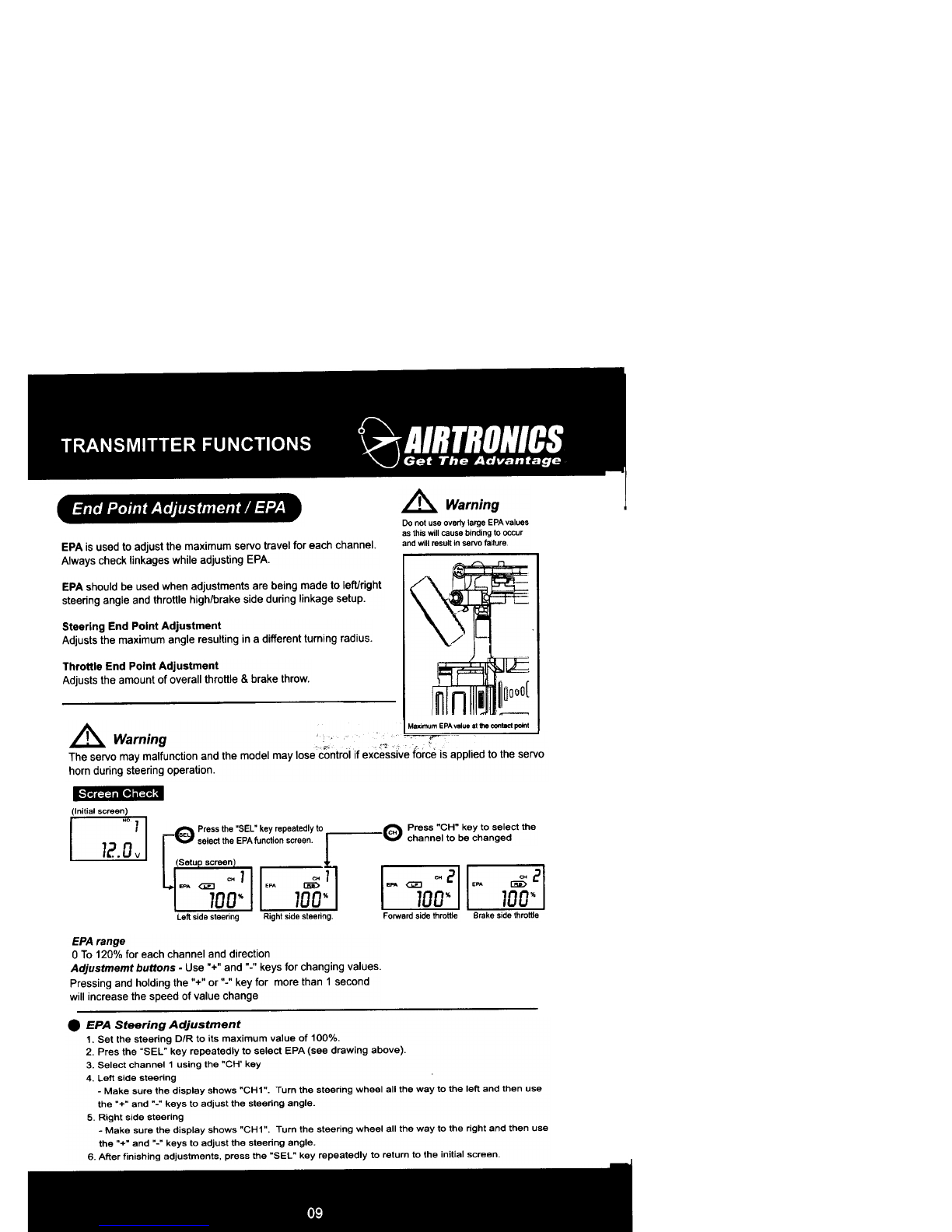
End Point Adjustment / EPA
~
MoxI""",, EPA value at the oontacl paint
\
~ '
CH1
'PA JOo" I EPA @ "I
LJ.611:J
I~
~
~
~
~~
(Initial screen)
I NO1 I
I 12.Ov I
A Warning
Do not use overly large EPA values
as this will cause binding to occur
and will result in servo feilure
EPA is used to adjust the maximum servo travel for each channel.
Always check linkages while adjusting EPA. ~;~,8
EPA should be used when adjustments are being made to left/right
steering angle and throttle high/brake side during linkage setup.
Steering End Point Adjustment
Adjusts the maximum angle resulting in a different turning radius.
Throttle End Point Adjustment
Adjusts the amount of overall throttle & brake throw.
Maximum EPA valuo at Ule contad paint
A Warning ,~cf"
c' "
O Press "CH" key to select the
'""' channel to be changed
-Q Press the "SEL" key repeatedly to
~ select the EPA function screen
(SetuDscreen)
Brake side throttle
Left side steering Right side steering Forward side throttle
EPA range
0 To 120% for each channel and direction
Adjustmemt buttons -Use "+" and "-" keys for changing values.
Pressing and holding the "+" or "-" key for more than 1 second
will increase the speed of value change
.EPA Steering Adjustment
1. Set the steering D/R to its maximum value of 100%.
2. Pres the "SEL" key repeatedly to select EPA (see drawing above).
3. Select channel 1 using the "CH' key
4 left side steering
-Make sure the display shows "CH1". Turn the steering wheel all the way to the left and then use
the "+" and "-" keys to adjust the steering angle.
5. Right side steering
-Make sure the display shows "CH1". Turn the steering wheel all the way to the right and then use
the "+" and "-" keys to adjust the steering angle.
6. After finishing adjustments. press the "SEl" key repeatedly to return to the initial screen.
The servo may malfunction and the model may lose control if excessive force is applied to the servo
horn during steering operation.
.1'11:~'j~//:f-
...~8!iT:TiI:.
EXP Steering EXP Throttle
~~~~
-
(Initial screen)
I ~ 1 I ~ Press the "SEL" key repeetedlyto
I 12.0v I ~~select theEXPIu QctiOnscreen.Datu screan~1 ~~
EXP EXP
0" 0"
EXP Range
(-)100% To (+)100% for each channel.
Adjustment buttons -use "+" or "." keys for changing values.
IP..1tIv8 S'""na EXPFa.tar S8M) movement
In centar, slower altar
EXP percentaga
~
II~
l~
Jlo~
JI~
I1OO-o--- ~
NogotIvo-EXP PooIIIw Th- EXP
Slowerservomovement Fasterservomovement
inoenter.fasraranar ;ncantar.--
EXPpetoantage EXP-
R 100 B 100
F. ~-:~ f~
I ~I ( ~I 0J
F1OO~ -F1OO-.-
Trtgger rnovemenl Trtgger -
.EPA Throttle Adjustment
1. Set the throttle D/R (DT4) to its maximum value (100%).
2. Press the "SEL" key repeatedly to select EPA.
3 Select channel 2 using the .CH" key.
4. Forward throttle adjustment
-Make sure the display shows .CH2.. Pull the throttle trigger all the way back and then use the .+. and .-.
keys to adjust maximum forward throttle amount. If using an Electronic Speed Controller. set value to 100%.
5. Brake/reverse Throttle Adjustment
-Make sure the display shows .CH2". Push the throttle trigger all the way forward and then use the .+" and
.-.keys to adjust maximum brake amount. If using an ESC (Electronic Speed Controller), set value to 100%.
6. After finishing adjustments, press the .SEL. key repeatedly to return to the initial screen.
.EXP (exponential) adjustment
EXP is used to adjust the sensitivity of control response near center for each channel (Ch 1 or Ch 2),
e Press "CH" key to select the
CH channel to be changed
EXP Steering Adjustment
1 Press the "SEL" key to select the EXP function (see drewing below).
2 Select channel 1 using the "CH" key
3 Use the "+" and "-" keys to adjust the EXP value
4. After finishing adjustments. press the "SEL" key repeatedly to return to the initial screen
* Steering EXP will work in both left and right directions.
EXP Throttle AdJustment
1. Press the "SEL" key repeatedly to select the EXP function (see drawing below).
2. Select channel 2 using the "CH" key
3 Use the "+" and "-" keys to adjust the ~XP value
4 After finishing adjustments, press the "SEL" key repeatedly to return to the initial screen
* Throttle EXP only works in forward direction
N~ S-ng EXP
ISlower servo movement
in center faster otIer
EXPpercentage
B 100
-, .
1.100~~ )