IMPORTANT
NOTE The following functions
of
the
atmando
Multiptay
are universally valid
and are
not
separately described concerning the shown examples
of
use
on
the
following pages.
1. Wbich sources can
be
connected?
On INPUT 1 and 2 (DIN 8-pin) as
well
asINPUT3
(SPDIF)
several stereo-
audio sources can be connected which posses a votume controlled
output
(e.g. B&O devices, Apple
Airport
Express,
SONOS
ZP90,Loewe TV,MP3-
Ptayer,DVB-Receiver,etc.).
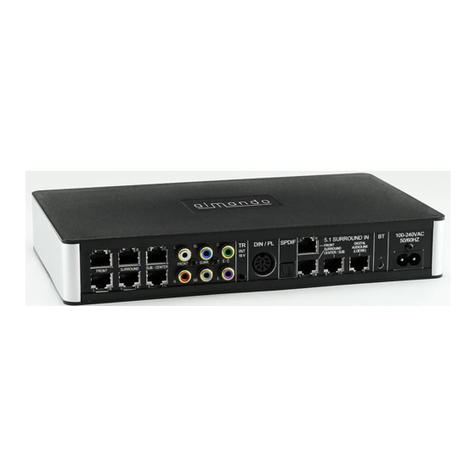
The almando
Multiplay
is NOT suitable
for
converting 5.1 data stream
via
SPDIF
(e.g. Bluray Player, several TVs,AV-Receiver, Apple TV) - those
sources CANNOT be volume controlled and therefore theywould touch
the B&O speakers
with
the maximum volume.
2.
100%
standardized
8&0
Powertink
Signal
The Powerlink signals
of
the connected B&O sources simply were
looped through. All
other
audio signals -
it
doesn't
matter
if
digital or
analogue - are converted
into
100% standardized
8&0
Powerlink
signals, including
the
trigger
voltage appropriate
for
8&0
speakers.
3.
Automatic
source
management
with
priority
circuit
The
almande
Multiptay
is
not
only aPowerlink converter,
but
at the
same
time
anautomatic source manager. For handling one
of
the con-
nected devices
therefore
you need only the particular remote control,
and in doing so you canadjust the volume. The connected sources have
different
priorities-
it
isessential:
if
there are several sources active then
you hear
just
one: INPUT1 (Powerlink) before
SPDIF
before INPUT2.
4.
Automatic
source
activation
on INPUT 2 and 3 by signal
detection
As soon as asignal is touching
it
will
be detected
byalmando
Multiplay
and isconverted
into
a Powerlink signal
with
trigger
voltage.
If
the
source doesn'tprovide any signal (e.g.
if
it
is turned mute or
switched
off),
an
intelligent
circuit takes care
of
a
turn-off
delay
of
Y2
-2 minutes (adjustable) - only then the Powerlink signal is turned
off
and the B&O speakers switch to standby mode. This is necessary, e.g., for
longersilentparts
within
audio books, and accordingly, givesyou enough
time to select the next titles for play back from
your
music archive.
5.
Automatic
source
activation
on INPUT 2 via
extern
trigger
voltage
If the connected source on INPUT2 hasa
trigger
voltage
of
its own
(e.g.
8&0
Powerlink, or Loewe TV
with
trigger
voltage) then the DIP
switch 2 on the
left
side should be turned ON.This way
of
source activati-
on is otherwise preferred to the typically used signal detection.
If there is no source connected to INPUT2 then this
trigger
function
should also be activated (DIPswitch 2 turned ON).
6.
Automatic
source
activation
on INPUT 3 via
Apple
Airport
Express
There isaspecific feature when an Apple
Airport
Expresson
DIGITAL
INPUT
(SPDIF)
is connected. The almando
Multiplay
is optimized to
that
effect
to analyze the particular
SPDIF
signal
of
the Apple
Airport
Express-which means
if
there is no signal (e.g.
if
Airplay isn'tactive
anymore or e.g. the iPod is turned mute), then
the
Powerlink signal is
turned
off
immediately and the
8&0
speakers change
into
standby mode
- the otherwise necessary
turn-off
delay is
not
required
with
the
Apple
Airport
Express.
This function doesn't have to be separately made asan
option
by a
switch,
but
isavailable automatically.
All others on
DIGITAL
INPUT
(SPDIF)
connected digitalsources like e.g.
SONOS
CONNECT
are activated by
the
signal detection
with
adjustable
tu
m-off
delay
(Y2
-2 min.).