10
USING THE PROGRAMMER
SETTING THE LANGUAGE AND TIME
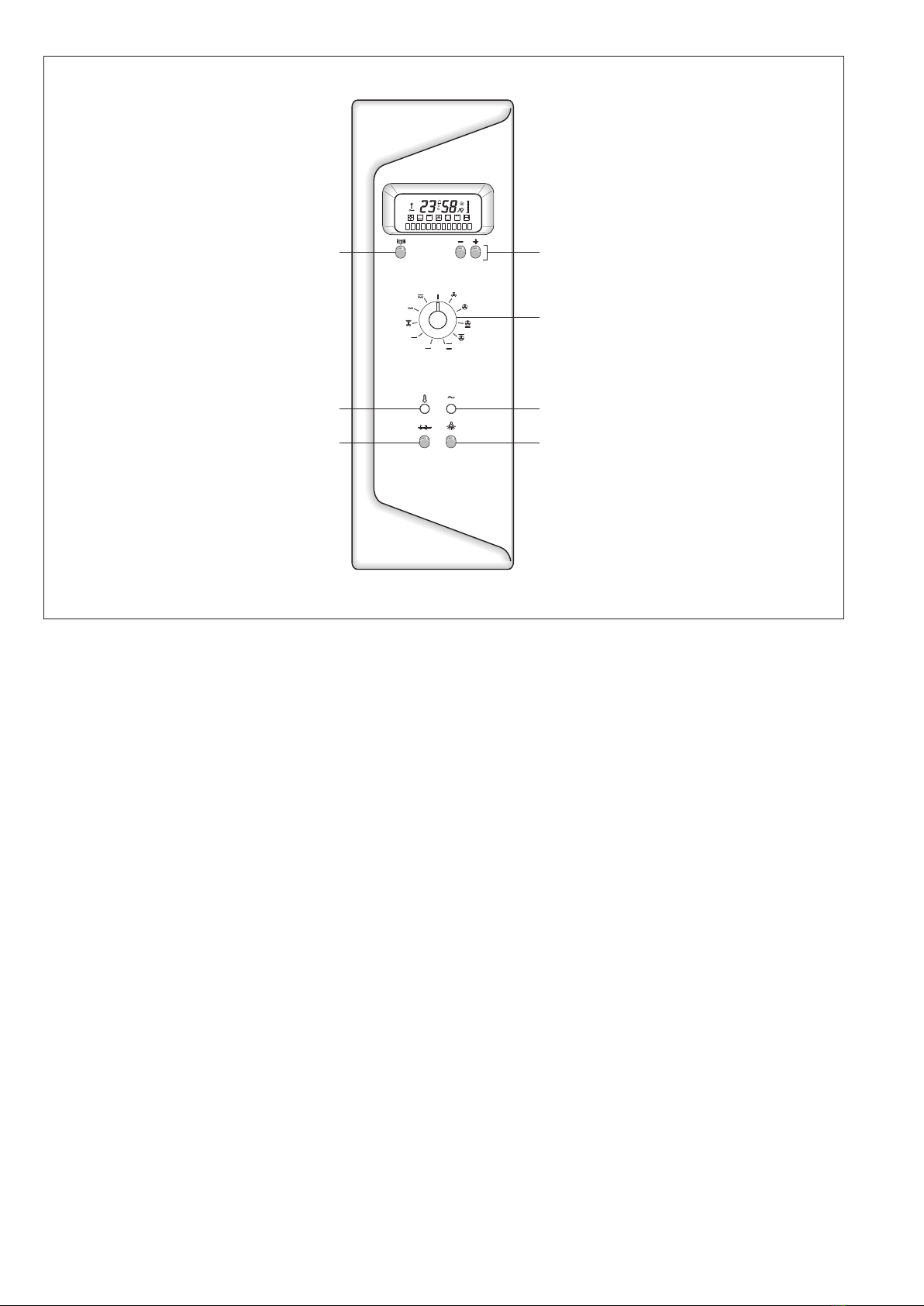
After connecting the appliance to the power supply, select the
desired language within 10 seconds using the F keys, then confirm
the selection by pressing the E key.
In the English version, the temperature is displayed either in degrees
Celsius or Fahrenheit.
When this operation has been completed, the display will start
flashing and the message “TIME” will appear.
Set the time using the F keys.
The language and time settings can be modified at any time.
The language and time must be re-set after every power failure.
MINUTE COUNTER
The minute counter can be activated at any time through the E key.
Press the key repeatedly until the message “BUZZER” appears, then
set the time within a 0 to 90 minute range; the buzzer symbol will
appear on the display and the count-down will start immediately.
When the set time has elapsed, the buzzer will start sounding; to
silence it, press one if the F keys.
MANUAL OVEN OPERATION
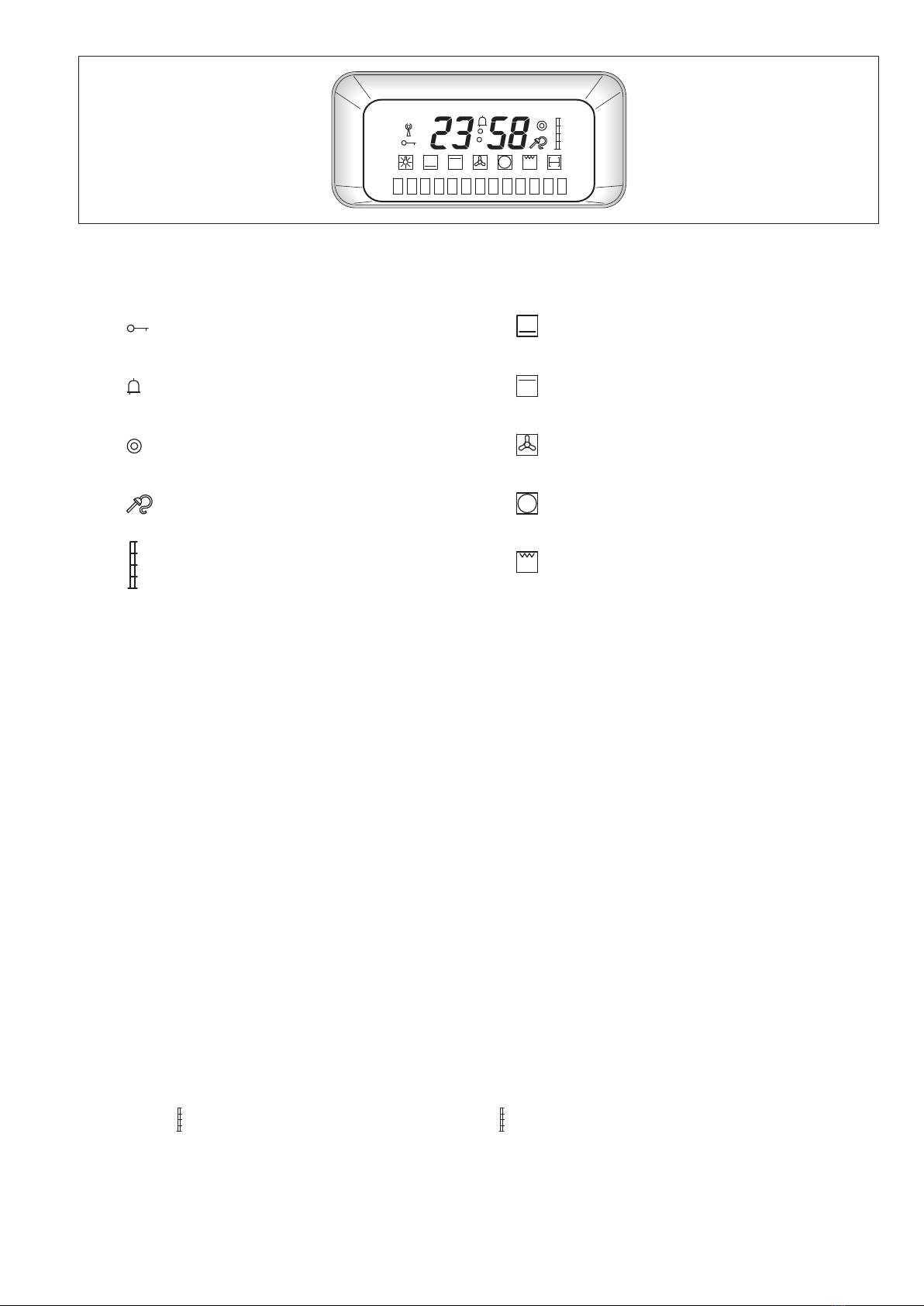
Select the desired function using knob G; the corresponding symbol
and a description of the selected function will appear on the display,
followed, 4 seconds later, by the temperature recommended for that
function.
This temperature can be modified at any time using the F keys.
To switch off, rotate the knob to position .
AUTOMATIC OVEN OPERATION
Select the desired function using knob G; the corresponding symbol
and a description of the selected function will appear on the display,
followed, 4 seconds later, by the recommended temperature.
This temperature can be modified using the F keys.
Press key E until the message “BAKING TIME”appears on the display;
set the time using the F keys; press key E again until the message
“END” is displayed, then set the time when you wish the baking to
finish, using the F keys.
The display will show the START baking time, then, as soon as the
program starts, the residual time will be displayed to the left and the
set temperature to the right.
When the programmed baking time has elapsed, the buzzer will
sound; to silence it press one of the two F keys.
The message “PROLONG BAKING WITH +” or “OFF”will appear on the
display. If you decide to extend the baking time, the oven will switch
to manual mode.
The automatic program can be interrupted at any time by rotating
knob G to position .
CHILD LOCKOUT SAFETY DEVICE
The lockout is activated by turning knob G to position ; this setting
disables the knob used to select the functions.
To set the lockout, press key E until the message “SAFETY”
appears on the display, then press key
F+; the activation of this function is signalled on the display
by the key symbol .
To disable this function, press key E until the message “SAFETY”
appears on the display, then press key F- .
UTILISATION DU PROGRAMMATEUR
RÉGLAGE DE LA LANGUE ET DE L’HEURE
Après le branchement au réseau électrique, il faut sélectionner la langue
désirée avec les touches F et dans les dix secondes, la confirmer avec la
touche E. Pour la langue anglaise, on peut choisir l’indication de la
température en degrés Celsius (centigrades) ou en degrés Fahrenheit.
Ensuite, l’afficheur clignote et affiche le mot HEURE jusqu’à ce qu’on la
programme avec les touches F.
La langue ou l’heure sélectionnées peuvent être modifiées à n’importe
quel moment. Après une coupure de courant, il faut régler de nouveau
la langue et l’heure.
MINUTERIE
À tout moment, on peut mettre en route la minuterie à l’aide de
la touche E en la pressant plusieurs fois jusqu’à l’affichage du mot
SONNERIE. La plage de réglage possible va de 0 à 90 minutes ; le
symbole de la cloche apparaît sur l’afficheur et le compte à rebours du
temps programmé commence.
Quand le temps programmé s’est écoulé, l’alarme commence à sonner
et il faut appuyer sur l’une des deux touches F pour l’arrêter.
FONCTIONNEMENT MANUEL DU FOUR
Sélectionner la fonction désirée avec le bouton G; sur l’afficheur on
voit apparaître le symbole et la description de la fonction choisie et 4
secondes après la sélection, on peut lire la température conseillée pour
cette fonction ; la température peut être modifiée à tout moment en
utilisant les touches F.
Pour éteindre, tourner le bouton sur la position .
FONCTIONNEMENT AUTOMATIQUE DU FOUR
Sélectionner la fonction désirée avec le bouton G; sur l’afficheur on
voit apparaître le symbole et la description de la fonction choisie et
4 secondes après la sélection, on peut lire la température conseillée
pour cette fonction; la température peut être modifiée en utilisant les
touches F.
Presser la touche E jusqu’à l’affichage du mot DUREE du temps de
cuisson qui doit être réglée avec les touches F; presser de nouveau
la touche E jusqu’à l’affichage du mot FIN et régler l’heure de fin de
cuisson, toujours avec les touches F.
L’afficheur indique l’heure de début de cuisson START et dès que le
programmeest affiché,letemps résiduel sur lagauche et latempérature
sélectionnée sur la droite.
Quand le temps programmé s’est écoulé, l’alarme commence à sonner
et il faut appuyer sur l’une des deux touches F pour l’arrêter.
L’afficheur indique l’option PROLONGER CUISSON AVEC +, ou ETEINDRE.
Si l’on décide de prolonger la cuisson, elle se poursuivra en mode
manuel.
Le programme automatique peut être interrompu à tout moment en
tournant le bouton G sur la position .
BLOCAGE DE SÉCURITÉ ENFANTS
Le blocage s’active avec le bouton G sur la position ; avec ce réglage,
le bouton qui sélectionne les fonctions est désactivé.
Pour sélectionner le blocage, presser la touche E jusqu’à l’affichage du
mot SECURITE puis presser immédiatement la touche F+ ; sur l’afficheur
l’activation de la fonction est signalée par le symbole de la clé .
Pour la désactivation, presser la touche E jusqu’à l’affichage du mot
SECURITE puis presser immédiatement la touche F- .