MULTI-TASKER
6
INSTALLING YOUR MULTI-TASKER™ 7
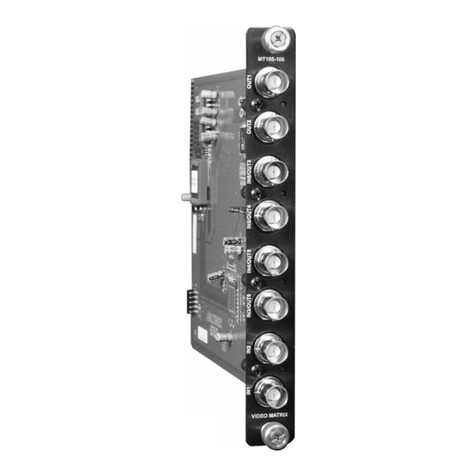
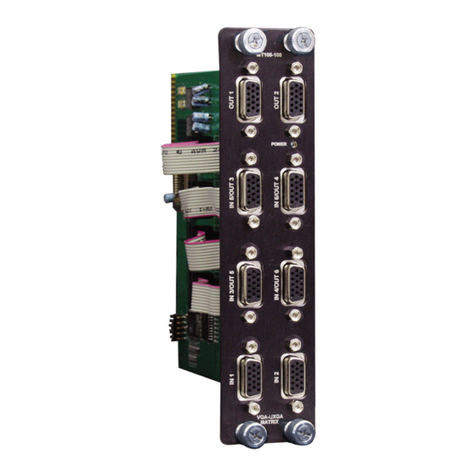
Step 1. Slide the MT105-108 into an available slot
in the Multi-Tasker™ Enclosure in order to
connect to the bus. Make sure that the
MT105-108 card fits into place. Secure
the card to the Multi-Tasker™ by
tightening the retainer screws located on
the top and bottom of the MT105-108.
Step 2. Connect a VGA cable from the video
source to the input connector of the
MT105-108. Connect the output
connectors of the MT105-108 to the
display devices through a VGA cable.
Step 3. Starting from the left, identify the slot
number where the MT105-108 card is
plugged into the Enclosure and note that
it is for RS-232 control.
OPERATION (for MT105-105/107/109) 8
8.1 RS-232 CONTROL
When used in the Multi-Tasker™ Enclosure, the
MT105-108 has many advanced remote control
capabilities, which are accessible through
standard RS-232 communication. The actual
controlling can be accomplished through a
computer control system or any other device
capable of sending RS-232 commands.
8.1.1 RS-232 INTERFACE
The RS-232 commands for the MT105-108 are in
a simple ASCII character format.
1. Square brackets “[ ]” are part of the
command.
2. Use uppercase letters for all commands.
After processing a command, an OK or ER string
will be returned as feedback if "F" is included at
the end of a command string or if the unit ID is
zero.
Commands such as [ON], [OFF], and [IO] that end
in "S" will be saved into memory. Commands not
ending in "S" will still be executed but will not be
restored when the system is reset (power off &
power on again).
8.2 DESCRIPTION OF COMMANDS
Each command consists of three parts: function,
card ID, and unit ID. [Function, Card ID, Unit ID].
Example:
[VERC3U2]
VER = function
C3 = Card ID
U2 = Unit ID
For function, see a detailed explanation under
each command description.
Card ID is an assigned value from 1 to 19, (1 to 8
or 1 to 2 depending on which enclosure is being
used); based on which slot the card is put in. Card
ID 0 (C0) is used for the controller (see user’s
guide for the MT100-100). Changing the position
of a card will significantly affect the commands
recorded on software definitions or a third party
control system.
Unit ID has a value from 0 to 9. Unit ID 0 should
be used for single unit operation. If the Unit ID is
set to 0, then each command can be used without
Ui (use command [SETU0]; see user’s guide for
the MT100-100).
Example:
[VERC3]: for unit ID zero
[VERC3Ui]: for unit ID other than zero
[VERC3]: equivalent to [VERC3U0]
1. [VER]
This command displays the software version and
card type for the MT105-108 card.
Command Format: [VERCnUi]
Cn = card ID (n = slot # from 1 to 19) (1 to 8 for
MT100-101 or 1 to 4 for MT100-106)
Ui = Unit ID (i = # from 0 to 9) (refer to the MT100-
100 user’s guide for explanation)
Example:
If one MT105-108 card is in slot #2 of unit 3: