Amana NFW7200TW Manual

DC68-02028G
W10162408
1
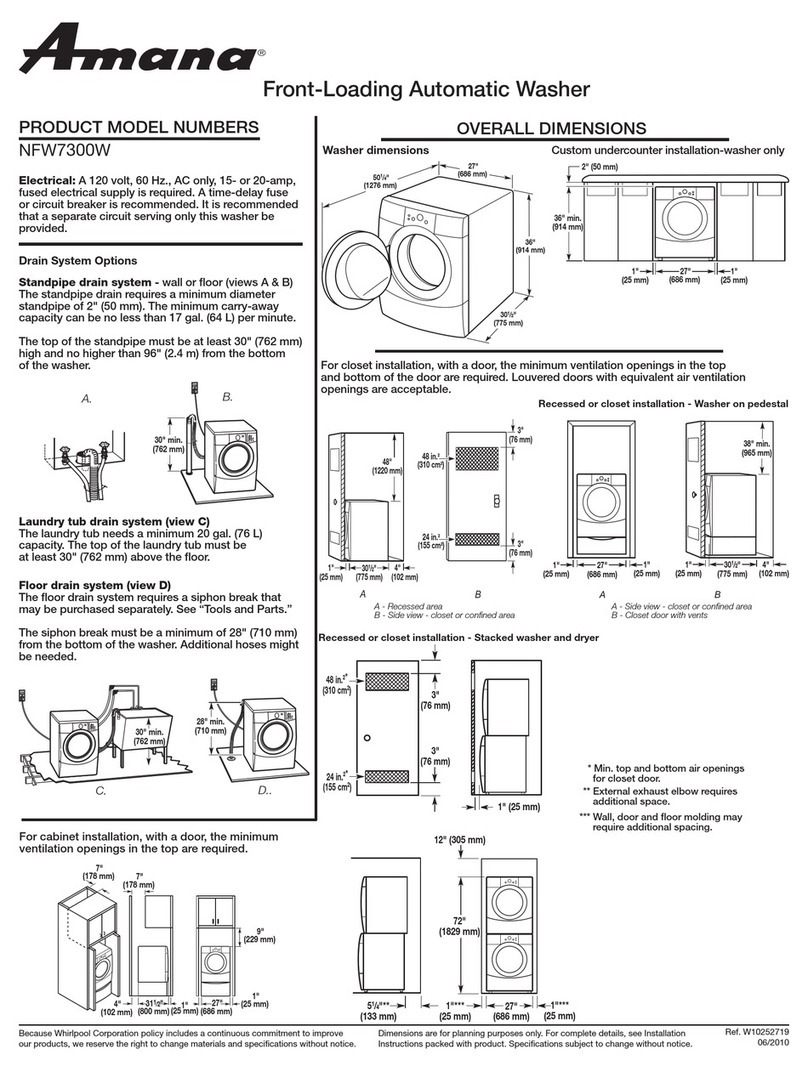
27” Front Load Washer - Technical Information
NFW7200TW
• Due to possibility of personal injury or property damage, always contact an authorized technician for servicing or
repair of this unit.
• Refer to Service Manual 16025909 for detailed installation, operating, testing, troubleshooting, and disassembly
instructions.
Capacity (cu.ft. IEC)
Control
Cycle
Motor Speed/Type
Spin Speed
Water Level Control
Water Temp Combo
ATC
Soil Level Selections
Speed/Fabric Program
Regular/Cotton/Sturdy Cycle
Wrinkle Control Cycle
Delicates Fabric Selection
Handwash Gabric Selection
Spin Only
Rinse & Spin
Quick Wash Cycle
Delay Wash
3.23
LED
20
3 Phase
5
*
5
*
3
*
*
*
*
*
*
*
9 hr.
FEATURES NFW7200TW
Extra Rinse Option
End of Cycle Chime
Detergent Dispenser
Bleach Dispenser
Fab. Softener Disp.
Spinner
RPM
Sound System
Self Clean Lint Removal
Color A vailability
Top
DIMENSIONS
Pedestal/RISER(MAL 1800AX*)
Washer Width
Washer Depth
Washer Height
*
*
Main
100 ml
*
Stainless
1000
*
System
W
Powdercoat
13 in.
27 in.
30.75 in.
38 in.
CAUTION
All safety information must be followed as provided in Service Manual 16025909.
WARNING
To avoid risk of electrical shock, personal injury or death; disconnect power to washer before servicing, unless
testing requires power.

22
Troubleshooting
Will Not Start
• Plug cord into live electrical outlet. Check for proper voltage.
• Check fuse or reset circuit breaker.
• Push any key to turn on the clothes washer and press the
Rotary Selector button to start the clothes washer.
• Close door and push the Rotary Selector
button to start the clothes washer.
• Check to see if the washer in a pause, soak or suds period in
the cycle. Wait briefly and it may start. (If washer is in suds
period, “Sd” will display instead of remaining time.)
• Check for restricted drain system.(If there is electrical problem
in drain system, “nd” Error will occur after 15 minutes.
• Check water supply.
• Check the line screen and water valve screen.
• Connection terminals for good connections.
• Check the machine control board terminal connections CN5,
CN6 for good connections.
(Refer to the component testing procedure.)
• Replace Main control board.
Leaking
• Make sure inlet hose connections are not leaking.
Check for rubber gasket damage due to over-tightening.
• Check standpipe for leak. Wrap a dry rag around the standpipe
opening. If rag becomes wet, leak is fault of home plumbing.
Be sure the standpipe is capable of accepting the flow of
water from the washer.
• Make sure end of drain hose is correctly inserted and secured
to drain standpipe.
• Check internal hose connections (fill, drain systems,
dispenser hoses & clamps).
• Check rubber boot. Remove, reposition and reinstall, if
necessary.
• Check for possible kinked dispenser to outer tub hose. Hot
water pressurization may force door open.
No Tumble
• Start normal cycle with an empty machine and allow a
fill to check tumble.
• Perform Board Output Test. or Quick Spin Test
(Before test, make sure that the tumbler is empty.)
• Check for loose connections at machine control board,
pressure switch, motor, tach harness and motor control.
(Refer to the component testing procedure)
• Check motor windings resistance. (CN9 pins
1 &3 = 11.6ohms(±7% 20°C/68°F basis), pins
1 & 2 = 11.6ohms(±7%20°C/68°F basis), Pin2
& 3 = 11.6 ohms (±7% 20°C/68°Fbasis)
• Check belt.
• Faulty Main Control Board.
• Faulty motor.
Will Not Spin
• Check to make sure the door is fully closed.
• Check for water left inside the washer.
If present, see Will Not Drain.
• Perform Board Output Test or Quick Spin Test.
(Before test, make sure that the tumbler is empty.)
If it doesn’t tumble after the test above, check unbalanced
load scenario, Main Control Board, and motor.
• Check for loose connections at Machine Control Board,
Pressure Switch, Motor, Tach Harness and Motor Control.
• Check belt.
No Water Fill
• Test water fill. Perform Board Output Test.
• Check to make sure water supply is turned on fully.
• Check electrical circuit and connections at the water valve,
and pressure switch.
• Check for kinks in inlet hoses.
• Check for clogged inlet screens.
• Visually check hot, cold, bleach and softener separately for fill.
• Check for low water pressure. May be dependent on
pressure entering home.
Variations may occur due to usage in the home at the time
machine is used.
• Check for frozen pipes and hoses.
• Check resistance of water valve coils. (Normal 1.18K ohms;
Check resistance of water valve coils. Check Pin #1 of CN5
and Pin # 1,2,3,4 of CN10.
• Check for loose connections at the pressure switch or on the
machine control board, CN3. (Refer to the component Testing
procedure)
WARNING
To avoid risk of electrical shock, personal injury or death; disconnect power to washer before servicing, unless
testing requires power.
33
Tub Full of Suds
• Check for restricted drain system. See Will Not Drain
and Will Not Spin.
• Check for loose wire connections at control board and
pump.
• Perform Board Output Test.
• Use high efficiency or low sudsing detergent specially
formulated for front load washers.
• Reduce detergent amount for that specific load size
and soil level. Towel loads have a minimal amount of
soil present and typically create more suds.
• Check to see if belt is off motor and pulley.
• Run the clothes washer through another complete
cycle using the coldest water, tablespoon of salt and
no detergent.
Wet Clothes
• Very small clothes loads can cause unbalanced loads.
Add additional towels.
• Excessive suds may have been present, due to not
using High-efficiency detergent. Reduce amount of
detergent usage.
• See Will Not Spin.
• Low Spin Speed or Drain Only was selected.
Will Not Lock
• Door not all the way closed or not properly aligned.
Possible laundry load is too large to close door.
• Place washer into Service Mode and check for
diagnostic codes 4,18 & 22.
• Perform Board Output Test. Check door lock system.
Check the output voltage of Door Lock Coil. If normal,
change door Lock switch, If not normal, change main
Control board. (Refer to the Component Testing
procedure.)
• Check electrical connections at lock switch assembly
and machine control board (CN10). (Refer to the
Component Testing procedure.)
Will Not Unlock
• Push door closed to make sure nothing from inside is
pressing against it, which may keep it from unlocking.
• Door locked from water level too high. Opening door
will result in water draining from door opening.
• Check for water remaining in the drum. Check the
temperature inside the drum is higher than
50°C/122°F. If water is present inside drum, refer to
“Will not drain”, If there is no problem with
temperature, check wiring of Main Control Board and
Door Lock Switch.
• Drain manually by removing drain hose clamp.
• Display shows LO. Press power Off Key to turn off the
washer and unplug and reconnect washer. Press any
key to turn on the washer. if LO is displayed, Main
Control Board and Door Lock Switch should be
checked.
• Place washer into Service Mode and check for
diagnostic codes 4,18 & 22.
• Check electrical connections at lock switch assembly
and machine control board (CN10 ). (Refer to the
component Testing procedure.)
• Perform Board Output Test. Check door lock system
for loose connections.
• Perform Board Output Test. Check door lock system.
And then check the output voltage of Door Lock Coil.
If 120V present change door Lock switch , If not
present, change main Control board. (Refer to the
component Testing procedure.)
Will Not Drain
• Check for restricted drain system.
• In cold climates check for frozen drain hose.
• Check for 120 VAC at the pump when a spin cycle is
selected.
• Check pump motor winding resistance. (14.2 ±7% ohms)
• Check that the machine control correctly senses the
water level in the washer. See Board Input Test.
• Go to Board Output Test and perform Pump out test.
• Check the machine control board connections at
CN10 (Pin 6) for the pump. Should see 110-120VAC.
(Refer to the component testing procedure)
• Check tub to pump hose for twist in hose.
Wrong Water Temperature
• Check that both faucets are turned on fully.
• Too Hot/Too Cold: This washer uses a reduced
amount of water, while the control board meters the
incoming flow to regulate the actual temperature of
the water in the tub.
This may appear to be significantly warmer/cooler
than expected.
• Make sure the temperature selection is correct.
• Disconnect inlet hoses from the Water Valve and
clean the valve screens of any debris.
Troubleshooting
WARNING
To avoid risk of electrical shock, personal injury or death; disconnect power to washer before servicing, unless
testing requires power.

4
Troubleshooting
Noisy and/or Vibration/Walking
• Check if the washer was properly leveled and the
locking nuts are securely tightened up against the
base frame of the washer.
• Check and determine all five of the shipping bolts and
spacers have been fully removed from the rear panel
of the washer.
• Check for proper load size and distribution. If clothes
load is too small, add a few towels to balance the
clothes load better.
• Check the tightness of motor fastening nut. Tighten if
necessary.
• Clean floor and bottom side of washer feet. Check
clearance. It is shown on the back of machine and
Installation Instruction.
Rubber Feet Leaving Marks on Floor
• Use a pencil eraser to remove mark.
• Walk washer into location, do not drag.
Additive Cups Full of Water
• Small amount of water in bottom of additive cups is
normal.
• Remove and wash Dispenser Tray, removable Cup,
and Rinse Cap.
• Level washer.
Buttons do not Respond
• Option and Function buttons respond differently
according to each cycle.
• Control Lock feature has been selected. To disable
feature press and hold Wash/Rinse Temp and Spin
Speed simultaneously until a beep is heard.
• When display shows "00", only the Power Off button
will function. Press Power Off and make new cycle
selections.
Consumer Information Codes
If the consumer observes codes on display, see table
below.
WARNING
To avoid risk of electrical shock, personal injury or death; disconnect power to washer before servicing, unless
testing requires power.
LED
Display Description Diagnostic
code
nd
The water level fails to
drop below the Low
Water level reset
within 15 minutes,
before a spin begins.
1
OE
A fault is detected in
the water level sensor.
Data (frequency)
shows the water level
is at or above the
overflow level.
E
LO
Door failed to unlock
after 3 attempts.
2
nF
Continuous fill of 12
minutes. Total fill of 14
minutes.
3
FL
Door failed to lock after
3 attempts.
4
dc
Never exceeded 400
rpm due to an
unbalanced load.
10
LE
Water sensor level
fault.
8
E2
A key is sensed to be
pressed more than 30
seconds, the key will
be assumed to be
stuck.
15
tE
Abnormal high/low
temp or ohm
resistance seen.
29
od
The door has not been
opened after two
complete wash cycles.
Door switch was not
seen open since the
last two final spins.
17
dL
Open door lock switch
with motor running.
18
dS
Door switch is read as
open and the door
locked switch is read
as locked.
22
E3
Machine control is
attempting to drive the
motor but is not seeing
any tach response.
Visual check shows
motor is not moving.
(Locked, Hall Sensor
fault)
2E
bE
Motor tach signal
exists without motor
running.
25

5
Troubleshooting
Service Mode
Service Mode enables service personnel to verify the
operation of the washing machine and diagnose
problems. Service Mode can be entered in the middle
of any wash cycle without interrupting the cycle.
While in Service Mode, the technician can cancel the
current cycle, set a continuous running mode, start a
variety of special service tests and view diagnostic
displays.
Enter / Exit Service Mode
To enter Service Mode press the Chime and Extra
Rinse keys for three seconds or until the control
beeps.
NOTE : The washer must be on before Service Mode
can be entered.
The motor speed will be displayed when started
(motor not running display will be 0). The present
state of the machine will not be changed. (i.e., the
current cycle in progress will not be interrupted and
only the display will change). All LED’s will be turned
off except the “Door Lock” LED. It will continue to
display the condition of the door lock.
To exit :
1) Press Chime and ExtraRinse keys for 3
seconds again, or
2) press Off, or
3) unplug the machine.
Pressing the Rotary Selector while running a test will
pause the individual test, while remaining in Service
Mode.
The following table summarizes special tests and
features available in Service Mode, along with
methods of activation and cancellation.
Access Service Tests and Diagnostic Features
while in Service Mode.
WARNING
To avoid risk of electrical shock, personal injury or death; disconnect power to washer before servicing, unless
testing requires power.
3E
Over Current is
detected. Motor won't
turn.
3E
2E
Voltage for motor
control bus is over
specified limit.
91
2E
Voltage for motor
control bus is under
specified limit.
92
Sr
System Relay failure.
34
Press Temperature
to start test.
Press Temperature
during cycle to
advance.
Press
Temperature
and Soil Level
Keys for 3 seconds.
Press Rinse&Spin
and SpinOnly
together
Press Delay for 3
seconds (then individual
buttons to test)
Rotate Cycle
Selector clockwise, the
LED’s around it
will be toggled.
Rotate counter
clockwise, the
7-segment LED’s
toggle.
Press Rotary
Cycle Selector,
all of the LED’s
around the
Rotary Cycle
Selector will be
toggled.
Press Power off
Press Off (also
exits Service
Mode)
Press Rinse&Spin
and SpinOnly to
resume
Press Off twice
after starting
test
Fast Time-
Down /
Advance
to Next
Step
Quick
Service
Cycle
Board
Input Test
Hold Quick
Service Cycle
Step
Press Spin Only Press Spin Only
Board
Output Test
/ System
Check
Press Spin Speed
key. Press Off key.
Diagnosti c
Code
Display
(Initial)
Press Rinse&Spin
– displays ‘d’ Press Rinse&Spin
again
All Diagnostic
Codes
Rotate Rotary
Selector either
direction
N/A
LED/Switch
Test
Test or Display
Press LED to
Start Press LED to
Cancel
Quick Spin
Test
Press Delay and
Rinse&Spin
Press Rotary
Selector (during
test)
Press Delay and
Rinse&Spin
Press Off (exits
Service Mode)
Press Rotary
Selector
(cancels hold &
resumes next step)
Hold Quick
Spin Step
(holds predefined
RPM)

6
Quick Spin Test
While in Service Mode, press Delay and
Rinse&Spin keys to start a Quick Spin Test.
Quick Spin test steps are as follows:
• Start spinning and after reaching at maximum spin
speed.
• stay at maximum spin speed for 2 minutes and stop
Quick Spin Test.
Hold Quick Spin Step
If the Rotary Selector key is pressed
during the Quick Spin test, the machine will
hold at the next highest index speed for up
to 10 minutes. At the end of 10 minutes, the
machine will resume and finish the Quick
Spin test. To cancel the Hold and allow the
Spin Test to continue, press the Delay and
Rinse&Spin keys.
Fast Time Down Test
While any test or cycle is running in Service
Mode, pressing the Temperature key will
advance the program to the next cycle
stage.
Cycle stages are located at key locations in the machine
operation. As the program is advanced it will index as
follows: The end of each fill (the same as the beginning
of a tumble session for Wash, or Rinse); at the
beginning of a drain session; at the beginning of a spin
session (at this position, check the water level, if over
reset level, drain first before entering the spin function);
at the beginning of a fill session; at the beginning of
Bleach fill; at the beginning of Fabric Softener fill; and
every 3 minutes during the tumble sessions (Wash, and
Rinses).
Quick Service Cycle
While in Service Mode, pressing the
Temperature and Soil Level key for 3
seconds will start a Quick Service Cycle.
This will be a quick check of all systems. If display
shows od then open and close door. Pressing Spin
Speed will advance to the next cycle.
The following steps are performed: Display shows “SC”.
1. Hot water for 5 seconds and then turn off.
2. Cold water for 5 seconds and then turn off.
3. Bleach valve for 5 seconds and then turn off.
4. Dispenser softener using cold water and bleach water
for 5 seconds and then turn off.
5. Turn on Cold valves until the control detects proper
water level. During this time, tumble at 45 rpm for 5
seconds in a clockwise direction, pause for 2
seconds, tumble at 45 rpm for 5 seconds in a
counterclockwise direction, pause for 2 seconds.
Continue pattern until the water level is detected.
Minimum time for this segment to be 5 seconds.
After water height is achieved, continue tumble
pattern for another 14 seconds. If the washer is
equipped, turn on heater for first 5 seconds of this
tumble pattern. Advance the washer to next step if
water is not connected to machine.
6. Drain and spin to maximum speed. Machine will
achieve maximum speed using the safest, fastest
method.
7. Display a “PA” (Passed) continuously for 5 seconds if
no diagnostic codes were logged during the test.
Washer will return to the normal Service Mode at the
end of the 10 second period.
The “SC” in the display will blink as an indication of
failure, and continue blinking until the quick service
cycle test has reached the end. Any diagnostic code
logged during this test will result in failure of the test,
but will not necessarily stop the test.
During the Quick Service Cycle, pressing the Spin
Speed key will advance to the next step. Pressing the
Rinse&Spin and Spin Only keys will suspend the
machine at the current step for up to 10 minutes or
until Delay Start and Chime are pressed again. All
LEDs should flash on and off while the system is
suspended or on hold.
Troubleshooting
Test or Display
Press LED to
Start Press LED to
Cancel
Cycle Count
No. for
Diagnostic Code
Press and hold
Rotary Selector,
while diagnostic
code is displayed
Release
Rotary selector
(returns to
diagnostic code
display)
Clear All
Diagnostic
Codes
Press Delay and
Chime together
while displaying
diagnostic codes
Display Software
Version
Press Soil Level.
Press 2 times for
displays with only 2
character positions.
Press SoilLevel a
3rd time
Cycle Count
Press Chime.
WARNING
To avoid risk of electrical shock, personal injury or death; disconnect power to washer before servicing, unless
testing requires power.
7
Troubleshooting
LED/Switch Test
While in Service Mode, press the Delay
key to start a LED/Switch check.
All the LEDs can be toggled or slewed by
pressing the key associated with the LED or set of
LEDs.
All keys (including the OFF button) must be pressed
within 5 minutes for this test to pass. “PA” will be
displayed for five (5) seconds once all keys have
been pressed and the test is completed. Following 20
seconds of inactivity at any point, this test will exit
without any display. The Power Off switch pad must
be pressed twice within 30 seconds to cancel this test.
Board Input Test
While in Service Mode, pressing the
Spin Only key will begin the Board Input
Test. This test turns on a specified output
after a key press. Pressing the Spin Only
key again cancels the test.(Display shows in).
While in Service Mode follow chart to check respective
function.
• When the “Rotary Cycle Selector” is set to “Super Wash” and
the “Rotary Cycle Selector” is pressed, the door position will be
displayed: OP if open, CL if closed.
• When the “Rotary Cycle Selector” is set to “Normal” and the
“Rotary Cycle Selector” is pressed, the Lock position will be
displayed: UL if unlocked, LO if locked.
- When the “Rotary Cycle Selector” is set to “Quick Wash” and
the the “Rotary Cycle Selector” is pressed, the High water level
will be displayed: -0 if below level, -1if above level. The High
water level is defined as the over flow water level.
• When the “Rotary Cycle Selector” is set to “Wrinkle
Control” and the the “Rotary Cycle Selector” is
pressed, the Medium water level will be displayed:
-0 if below level, -1 if above level. The Medium water
level is defined as the minimum water level needed
such that the heater can be turned on.
• When the “Extra Rinse” is pressed, the Low water
level will be displayed:_0 if below level, _1if above
level. The Low water level is defined as the reset
water level.
• When the “Rotary Cycle Selector” is set to “Hand
Wash” and the the “Rotary Cycle Selector” is pressed,
the level of Tub unbalance will be displayed:UC if
balanced, UO if unbalanced. U0 will be displayed
during the time when the machine is correcting for the
unbalance; e.g. slowing down to redistribute the load
or to get to a lower spin speed. Once the situation has
been corrected (i.e. the load has begun tumbling or the
lower speed has resulted in an acceptable amount of
unbalance); UC will once again be displayed.
• When the “Delay” switch pad is pressed, the water
temperature will be displayed: degrees F.
- When the “Rotary Cycle Selector” is set to “Delicates”
and the “Rotary Cycle Selector” is pressed, the water
temperature will be displayed: degrees C (Celsius).
Switch
Delay Start
Chime
Extra Rinse
Soil Level
Spin Speed
Temperature
Rinse&Spin
Spin Only
Selector Knob
Selector Knob
Start Pause
Selector Knob
Power Off
Action
Press once
Press 3 times
Press once
Press 4 times
Press 5 times
Press 5 times
Press once
Press once
Rotate 1 full revolution clockwise
1 position counterclockwise
Press once
Press once
Press once
WARNING
To avoid risk of electrical shock, personal injury or death; disconnect power to washer before servicing, unless
testing requires power.
Selection
Function Display
Rotary cycle
selector set to
Super Wash.
Press Rotary
Selector Knob.
Door position “OP” or “CL”
Rotary cycle
selector set to
Normal. Press
Rotary Selector
Knob.
Lock state “UL” or “LO”
Rotary cycle
selector set to
Quick Wash.
Press Rotary
Selector Knob.
High water level “ – 0” if below level.
“ –1” if above level.

8
Troubleshooting
Board Output Test
While in Service Mode, pressing the
Spin Speed key will begin the Board
Output Test. This test turns on a specified
output after a key press. Pressing the
Spin Speed key again cancels the test. Only one output
can be “on” at any time. All outputs will be turned off after
five (5) minutes of inactivity. While in Service Mode follow
to check respective function.
• When the “Rotary Cycle Selector” is set to “Super Wash”
and the “Rotary Cycle Selector” button is pressed, the
Main relay will be toggled (either from “on” to “off” or from
“off” to “on”).
• When the “Rotary Cycle Selector” is set to “Normal” and
the “Rotary Cycle Selector” button is pressed, the hot
water valve will be turned on. This output will remain on
until the “Rotary Cycle Selector” button is pressed again to
turn off the output. The control will not allow the machine
to fill past the High water level.
• When the “Rotary Cycle Selector” is set to “Wrinkle
Control” and the “Rotary Cycle Selector” button is
pressed, the cold water valve will be turned on.
This output will remain on until the “Rotary Cycle
Selector” button is pressed again to turn off the output.
The control will not allow the machine to fill past the
High water level.
• When the “Rotary Cycle Selector” is set to “Delicates”
and the “Rotary Cycle Selector” button is pressed, the
bleach valve will be turned on. This output will remain
on until the “Rotary Cycle Selector” button is pressed
again to turn off the output. The control will not allow
the machine to fill past the High water level.
• When the “Rotary Cycle Selector” is set to “Hand
Wash” and the “Rotary Cycle Selector” button is
pressed, the
Softener
valve will be turned on. This
output will remain on until the “Rotary Cycle Selector”
button is pressed again to turn off the output. The
control will not allow the machine to fill past the High
water level.
• When the “Rotary Cycle Selector” is set to “Quick
Wash” and the “Rotary Cycle Selector” button is
pressed, the drain pump will be turned on. This output
will remain on until the “Rotary Cycle Selector” button
is pressed again to turn off the output.
• Pressing the “Delay” switch pad will turn on the motor
and the “Delay” LED. This output and the LED will
remain on until the “Delay” switch pad is pressed again
to turn off the output. When activated, the machine will
tumble for 5 seconds in the CW direction, pause for 2
seconds, tumble in the CCW direction for 5 seconds,
pause for 2 seconds; repeating this pattern until
“Delay” button is pressed again to turn off the tumbling.
Note that all tumble speeds are assumed to be 45 rpm.
• Pressing the “Chime” switch pad will unlock the door
and turn on the all the LEDs above the “Chime” button.
This output will attempt to unlock one time, if safe to do
so.
• Pressing the “Temperature” switch pad will lock the
door and all the Temperature LEDs will turn ON.
Pressing the Chime button will unlock the door and the
all the Chime LEDs will turn ON.
WARNING
To avoid risk of electrical shock, personal injury or death; disconnect power to washer before servicing, unless
testing requires power.
Selection
Function Display
Rotary cycle
selector set to
Wrinkle Control.
Press Rotary
Selector Knob.
Medium water level “—0 ” if below level.
“—1” if above level.
Press “Extra Rinse”
Low water level “_0 ” if below level.
“_1” if above level.
Rotary cycle
selector set to
Hand Wash.
Press Rotary
Selector Knob.
Tub balance “ UC ” Balanced
“ UO ” Unbalanced
Press Delay
switch pad.
Water temperature Degrees F
Rotary cycle
selector set to
Delicates. Press
Rotary Selector
Knob.
Water temperature Degrees C

9
Troubleshooting
Display Diagnostic Codes
The diagnostic code display can be
toggled on and off from Service Mode
by pressing the Rinse&Spin key and
rotating the cycle select knob. The display will show a
“d”.
Rotating the Cycle Selector knob in either direction
will cycle through the list of codes one code at a time
with no wrap. Once an initial direction is selected by
the user (either Clockwise or Counterclockwise),
subsequent movements of the knob in the same
direction will show older codes. If the user changes
direction and turns the knob in the opposite direction,
the more recent code will be displayed. If rotation is
continued to the limits of the list, the display will
remain at the top or the end of the list. A pair of
dashes “- -” will be displayed at the end of the list of
codes, when the control reaches the top, it will again
show “d”.
A code generated during the current cycle will be
displayed with the Spin Indicator LED turned “ON”. If
no cycle is currently running, a code generated during
the previous cycle will be displayed with the Spin
Indicator LED turned “ON”.
Access Other Features
While a diagnostic code is displayed, if the Rotary
Selector is pressed and held, the machine will display
the number of cycles since the diagnostic code
occurred. To clear the diagnostic list press the Delay
and Chime keys for 3 seconds while viewing the list.
WARNING
To avoid risk of electrical shock, personal injury or death; disconnect power to washer before servicing, unless
testing requires power.
Selection
Component Function
Rotary cycle
selector set to
Super Wash.
Press Rotary
Selector Knob.
Main Relay On to Off or
Off to On
Rotary cycle
selector set to
Normal. Press
Rotary Selector
Knob.
Hot Water Valve 1st press valve on.
2nd press valve off.
Rotary cycle
selector set to
Wrinkle Control.
Press Rotary
Selector Knob.
Cold Water Valve 1st press valve on.
2nd press valve off.
Rotary cycle
selector set to
Delicates. Press
Rotary Selector
Knob.
Bleach Valve 1st press valve on.
2nd press valve off.
Rotary cycle
selector set to
Hand Wash.
Press Rotary
Selector Knob.
Softener Valve 1st press valve on.
2nd press valve off.
Rotary cycle
selector set to
Quick Wash.
Press Rotary
Selector Knob.
Drain Pump 1st press Drain
Pump on. 2nd
press Drain Pump
off.
Press Delay
switch pad
Motor 1st press Motor on.
2nd press Motor
off.
Press Chime
switch pad
Door Lock 1 Attempt to unlock
Press
Temperature
switch pad
Door Lock Lock Door

10
Troubleshooting
Diagnostic Codes
Diag.
Code Description Trigger
Action to be
taken
1
2
4
9
3
8
No Drain
Not Used
5-7 Not Used
Displays "nd"
Go to "Will Not
Drain"
Troubleshooting
Section
The water level
fails to drop below
the Low Water
level reset within
15 minutes, before
a spin
begins.
No Fill
Displays "nF"
Go to "No
Water Fill"
Troubleshooting
Section
Continuous fill
of 12 minutes.
Total fill of 14
minutes.
The door/lid
fails to lock
Displays "FL"
Go to "Will not
lock"
Troubleshooting
Section.
Door failed to lock
after 3 attempts
The door/lid
fails to unlock
Displays "LO"
Go to "Will Not
Unlock"
Troubleshooting
Section
Door failed to
unlock after 3
attempts
Water level
sensor fault.
Displays "LE"
Go to "No
water fill"
Troubleshooting
Section.
Input signal
from water
level Sensor
is out of
range,
Washer will
beep and
pause the
wash cycle.
10
Unbalance or
cabinet hit
detected
during final
spin, which
prevented the
spinner from
exceeding
400 rpm
Will display
"
dc
""
Wet
Clothes"
Troubleshooting
Section
Never
exceeded 400
rpm due to an
unbalanced
load.
Diag.
Code Description Trigger
Action to be
taken
E
11
Water
sensor level
fault.
12-14 Not Used
First check to
see
that water
valve is
not stuck. If
water
valve is OK,
check
water level
sensor
Water level in
the machine
is believed to
be above the
overflow
level. When
this condition
is detected,
the machine
will
automatically
begin
pumping
water out of
the machine
until it falls
below the
overflow
level.
Will not
remember
machine
settings
Go to "Clear
diagnostic
codes"
Disconnect
and reconnect
the washer
power cord at
power supply
outlet. If
condition still
exists, replace
machine
control board.
Difficulty in
reading memory
15 Stuck Key
Display "E2".
Go to
"Membrane
Pad Check"
Check
connection of
keypad to
control board.
Replace
console if
necessary.
A key is sensed to
be pressed more
than 30 seconds,
the key will be
assumed to be
stuck
17
Door/Lid
switch was not
seen open
since the last
three final
spins
Will display
"od" If door
open sensing,
will cleared.
The door has not
been opened after
two complete
wash cycles.
Door switch was
not seen open
since the last two
final spins
WARNING
To avoid risk of electrical shock, personal injury or death; disconnect power to washer before servicing, unless
testing requires power.

11
Troubleshooting
Diag.
Code Description Trigger
Action to be
taken
34
40-90
System Relay
failure
Not Used
35 Not Used
Display "Sr".
Replace
machine
control board.
Machine control
does not see relay
open when it
should.
3E Motor failure
(Over current)
Displays "3E".
Check the
motor
windings, the
speed
sensor, wiring
connections,
or Control
Board.
Over Current is
detected. Motor
won't turn.
91
Voltage for
motor control
bus is over
specified limit
Display "2E".
Replace motor
control board.
Voltage for motor
control bus is over
specified limit
92
Voltage for
motor control
bus is under
specified limit
Display "2E".
Replace motor
control board.
Voltage for motor
control bus is
under specified
limit
36 Heater relay
failure.
Display "Hr".
Replace
machine
control board.
Heater Relay
Check signal not
sensed.
Diag.
Code Description Trigger
Action to be
taken
18
26-28
Detected door
lock switch
open during
cycle when not
expected.
Not Used
19-21 Not Used
23-24 Not Used
Check for
loose wire
connections
Clear the
diagnostic
code and
recheck; if
reoccurs,
perform
Diagnostic
Motor/Machine
Control Board
test Check for
faulty motor
relay on the
machine
control board.
Open door lock
switch with motor
running.
22
Door/lid switch
seen open
during cycle
(when not
paused).
Go to "Door
Lock Test"
Troubleshooting
Section
Door switch is
read as open and
the door locked
switch is read as
locked.
29
Sump
thermistor
failure
(Optional)
Displays " tE".
- Loose or
pinched
wires
- Bad sump
thermistor
Abnormal high/low
temp or ohm
resistance seen
2E
Motor Drive
failure
(Locked, Hall
sensor fault)
Display “E3”
Evaluate wire
harness for
loose or
unhooked
connections. If
machine has
separate motor
control,
perform self
diagnostic
motor test. See
"Motor
Control Board
Output Test"
Machine control is
attempting to drive
the motor but is
not seeing any
tach response.
Visual check
shows motor is
not moving.
25
Motor tach
signal exists
without motor
running.
Displays
" bE". Replace
motor control
board.
Tach signal exists
without torque
commanded or
when not
expected
(Abnormal
condition only).
WARNING
To avoid risk of electrical shock, personal injury or death; disconnect power to washer before servicing, unless
testing requires power.
30-33 Not Used
Exit Service Mode
To exit: 1) Press Chime and Extra Rinse keys for 3
seconds again, or 2) press Off, or 3) unplug the
machine. After five (5) minutes of inactivity (user key
presses) in Service Mode, the machine will exit the
Service Mode and resume normal operations. Pressing
the Off key will completely exit Service Mode. If a cycle
is running, cancel the cycle. Pressing the Rotary
Selector key while running a test will pause the
individual test, while remaining in Service Mode. A
power loss during Service Mode will cancel this mode.

12
Component Testing Procedures
NOTE: For ohm checks unplug harness connector on console and test from wire insertion side.
WARNING
To avoid risk of electrical shock, personal injury or death; disconnect power to washer before servicing, unless
testing requires power.
Thermister Check
Check Voltage at Pin #6 and #3 of CN3
Tester Check = DC2.5V
Door Switch Check
Check Voltage at Pin #6 and #4 of CN3
When Door Open = DC5V
When Door Close = DC0V
Water Sensor Check
Check Voltage at Pin #6 and #7 of CN3
Reset water level = DC2.5V, 25.8KHz
Check Voltage and Frequency at Pin #6
and #8 of CN3
Reset water level = DC2.5V, 25.8KHz
Sump Sensor Check
Check Voltage at Pin #4 and #3 of CN8
Tester Check = DC0V or 3.75V
Motor Check
Resistance at Pin #1 and #2 of CN9 =11.6Ω
Resistance at Pin #1 and #3 of CN9 =11.6Ω
Resistance at Pin #2 and #3 of CN9 =11.6Ω
Door Lock Check
Check Voltage at Pin #1 of CN5 and Pin #7
of CN10
When Door Lock = AC120V
Check Voltage at Pin #1 of CN5 and Pin #2
of CN7
When Door Lock = AC120V
Door Unlock Check
Check Voltage at Pin #1 of CN5 and Pin #8
of CN10
When Door Unlock = AC120V
Drain Motor Check
Check Voltage at Pin #1 of CN5 and Pin #6
of CN10
When Drain Pump operates = AC120V
Water Valve Check
Check Voltage at Pin #1 of CN5 and Pin
#1,2,3,4 of CN10
When each Valve operates = AC120V
AC Power Check
Check Voltage at Pin #1 and #3 of CN5
Check Voltage at Pin #1 of CN5 and Pin #1
of CN6
Tester Check = AC120V
1
14
4
8
11
2
1
1 2
3
3
9
CN3
CN8 CN9 CN9
CN5
RY9
CN10

13
Component Testing Procedures
NOTE: For ohm checks unplug harness connector on console and test from wire insertion side.
Normal resistance is approximately 3.0Ω between any 2 pins
(1,22 or 3) on motor connector.
Motor 1
2
3
WARNING
To avoid risk of electrical shock, personal injury or death; disconnect power to washer before servicing, unless
testing requires power.
MEMS Sensor Check
Check voltage at PIN #1 and #5 of CN1
Tester Check = DC5V
Check voltage at PIN #1 and #4 of CN1
Tester Check = Approximately 2.5V (2.2V~2.8V)
MEMS Sensor
1915
1 3
12
1
1
3
4
5
41
8
CN3 CN11
CN9
CN8
CN10
CN5
CN6
CN9
CN7

14
Wiring Schematic
WARNING
To avoid risk of electrical shock, personal injury or death; disconnect power to washer before servicing, unless
testing requires power.
DC68-02028G
W10162408
15
Laveuse à chargement frontal de 68,6 cm - Renseignements techniques
NFW7200TW
• Étant donné le risque de blessure ou de dommages, communiquez toujours avec un technicien autorisé pour faire
effectuer des réparations.
• Consultez le Guide d’entretien 16026186 pour obtenir des instructions détaillées sur l’installation, le
fonctionnement, l’essai, le dépannage et le démontage.
Capacité (m
3
IEC)
Commandes
Cycles
Type de moteur, vitesse
Vitesses d’essorage
Commande de niveau d’eau
Combinaisons de température d’eau
ATC
Sélections Soil Level (niveaux de salissure)
Programme vitesse/tissu
Cycle normal/coton/robuste
Cycle Wrinkle Control (sans froissage)
Cycle Delicates (délicats)
Sélection Handwash (lavage à la main)
Spin Only (essorage seulement)
Rinse & Spin (rinçage et essorage)
Cycle Quick Wash (lavage rapide)
Delay Wash (démarrage retardé du lavage)
0,09
DEL
20
Triphasé
5
*
5
*
3
*
*
*
*
*
*
*
9 heures
CARACTÉRISTIQUES NFW7200TW
Option Extra Rince (rinçage supplémentaire)
Sonnerie de fin de cycle
Distributeur de détergent
Distributeur d’agent de blanchiment
Distributeur de produits assouplissants
Essoreuse
Régime (tr/min)
Ensemble de réduction du bruit
Élimination de la charpie (auto-nettoyant)
Couleur disponible
Dessus
DIMENSIONS
Piédestal (MAL1800AX*)
Largeur
Profondeur
Hauteur
*
*
Main (Principale)
100 ml
*
Inoxydable
1000
*
Système
B
Revêtement en poudre
33 cm
68,6 cm
78,10 cm
96,52 cm
ATTENTION
Il faut respecter toutes les consignes de sécurité figurant dans le Guide d’entretien 16026186.
AVERTISSEMENT
Pour éviter tout risque d’électrocution, de blessure ou de mort, débranchez la laveuse avant de la réparer, à
moins que l’alimentation ne soit nécessaire à des fins d’essai.

16
Dépannage
Ne se met pas en marche
• Branchez le cordon dans une prise sous tension. Vérifiez
si la tension est adéquate.
• Vérifiez le fusible ou réenclenchez le disjoncteur.
• Poussez sur le bouton de commande pour mettre la
laveuse en marche.
• Fermez la porte et poussez sur le bouton de commande
pour mettre la laveuse en marche.
•
Vérifiez si le cycle du lave-linge a atteint la pause, le
trempage ou le savonnage. Attendez un instant ; il se peut
que la machine se mette en marche. Si le cycle a atteint
le savonnage, Suds (Savonnage) sera affiché à la place
du temps restant.
• Vérifier si le système de vidange est obstrué (en cas de
problème électrique dans le système de vidange, l'erreur
“nd” s'affiche après 15 minutes).
• Vérifiez les connexions aux bornes du filtre.
• Vérifiez les connexions aux bornes CN5 et CN6 du
tableau de commande de la machine.
• Remplacez le tableau de commande de la console.
Fuites
• Assurez-vous que les raccords des tuyaux souples sont
étanches. Vérifiez si un serrage excessif a endommagé
les joints de caoutchouc.
• Vérifiez si le tuyau ascendant est étanche. Enveloppez
l’ouverture du tuyau ascendant d’un chiffon sec. Si le
chiffon se mouille, la fuite est attribuable à la plomberie
domestique. Assurez-vous que le tuyau ascendant est
en mesure de recevoir l’eau de la laveuse.
• Assurez-vous que l’extrémité du tuyau de vidange
pénètre dans le tuyau ascendant et qu’il y est bien fixé.
• Vérifiez les raccords des tuyaux souples internes
(système de remplissage et de vidange, tuyaux de
distributeur et brides).
• Vérifiez le capuchon de caoutchouc. Retirez, replacez et
réinstallez au besoin.
• Vérifiez si le tuyau souple externe reliant le distributeur à
la cuve est vrillé. La pression de l’eau chaude peut
causer l’ouverture de la porte.
Aucun culbutage
• Lancez un cycle normal à vide et laissez la laveuse se
remplir afin de vérifier le culbutage.
• Exécutez un essai de sortie de tableau ou d’essorage
rapide (avant de procéder, assurez-vous que le tambour
est vide.)
•
Vérifiez la présence de connexions lâches au tableau de
commande de la machine, au manostat, au moteur, au
faisceau du tachymètre et à la commande du moteur.
(Consultez la méthode d’essai des composants.)
• Vérifiez la résistance des enroulements du moteur.
(CN9, broches 1 et 3 = 11,6 ohms (±7% de 20°C/68°F),
broches 1 et 2 = 11,6 ohms(±7% de 20°C/68°F), broches
2 et 3 = 11,6 ohms (±7% de 20°C/68°F)
• Vérifiez la courroie.
• Tableau de commande principal défectueux.
• Moteur défectueux.
Aucun essorage
• Vérifiez si la porte est bien fermée.
• Vérifiez la présence d’eau dans la laveuse. S’il y a de
l’eau, voir Aucune vidange.
• Procédez à l’essai de sortie du tableau ou de l’essorage
rapide. (Avant de procéder, assurez-vous que le
tambour est vide.) S’il n’y a aucun essorage au terme
des essais ci-dessus, remplacez le tableau de
commande principal.
•
Vérifiez la présence de connexions lâches au tableau de
commande de la machine, au manostat, au moteur, au
faisceau du tachymètre et à la commande du moteur.
• Vérifiez la courroie.
Aucun remplissage d’eau
• Faites l’essai de la canalisation de remplissage.
Procédez à l’essai de sortie du tableau.
• Assurez-vous que l’alimentation en eau est ouverte au
maximum.
• Vérifiez le circuit électrique et les connexions au robinet
et au manostat.
• Vérifiez si les tuyaux d’alimentation sont vrillés.
• Vérifiez si les crépines d’admission sont obstruées.
• Vérifiez visuellement le remplissage d’eau chaude, d’eau
froide, d’agent de blanchiment et d’assouplisseur.
• Vérifiez si la pression d’eau est basse. Peut dépendre de
la pression d’alimentation de la maison.
L’utilisation d’eau dans la maison au moment où la
machine fonctionne peut causer des variations.
• Vérifiez si les tuyaux sont gelés.
• Vérifiez la résistance des serpentins du robinet.
(La résistance normale est de 1,18 kilohm; vérifiez la
résistance des serpentins du robinet.) Vérifiez la broche
1 de CN5 et les broches 1, 2, 3 et 4 de CN10.
• Vérifiez la présence de connexions lâches au manostat
ou au tableau de commande de la machine, CN3.
(Consultez la méthode d’essai des composants.)
Cuve remplie d’eau savonneuse
• Vérifiez si le système de vidange est obstrué. Voir
Aucune vidange et Aucun essorage.
• Vérifiez si des connexions sont lâches au tableau de
commande et à la pompe.
• Procédez à l’essai de sortie du tableau.
•
Utilisez du détergent à haute efficacité ou peu moussant, conçu
spécialement pour les laveuses à chargement frontal.
• Réduisez la quantité de détergent pour cette charge et
ce niveau de salissure. Les serviettes présentent moins
de salissures et entraînent une plus grande formation
AVERTISSEMENT
Pour éviter tout risque d’électrocution, de blessure ou de mort, débranchez la laveuse avant de la réparer, à
moins que l’alimentation ne soit nécessaire à des fins d’essai.

17
Vêtements humides
• Les très petites charges de vêtements peuvent causer
un déséquilibre. Ajoutez des serviettes.
• Il est possible que la quantité d’eau savonneuse
excessive soit attribuable au fait que vous n’avez pas
employé un détergent à haute efficacité.
Réduisez la quantité de détergent.
• Voir Aucun essorage.
• L’essorage à basse vitesse ou la vidange seulement a
été sélectionné.
Aucun verrouillage
•
La porte n’est pas fermée complètement ou est mal
alignée. Il est possible que la charge de vêtements soit
trop importante pour permettre la fermeture de la porte.
• Réglez la laveuse au mode de service et vérifiez la
présence des codes de diagnostic 4, 18 et 22.
• Procédez à l’essai de sortie du tableau. Vérifiez le
système de verrouillage de la porte, puis la tension de
sortie de la bobine de verrouillage de cette dernière. Si
elle est normale, remplacez l’interrupteur de verrouillage;
si elle n’est pas normale, remplacez le tableau de
commande principal. (Consultez la méthode d’essai des
composants.)
• Vérifiez les connexions électriques à l’interrupteur de
verrouillage et au tableau de commande de la machine
(CN10).
(Consultez la méthode d’essai des composants.)
Aucun déverrouillage
• Poussez sur la porte afin de vous assurer que rien à
l’intérieur n’exerce une pression contre celle-ci et
l’empêche de se déverrouiller.
• Un niveau d’eau trop élevé peut causer le verrouillage de
la porte. L’ouverture de cette dernière occasionnerait un
écoulement d’eau hors de la laveuse.
• Vérifiez s’il reste de l’eau dans le tambour. Vérifiez si la
température dans le tambour est supérieure à 50 °C/122
°F. S’il y a de l’eau dans le tambour, consultez “Aucune
vidange”. Si ce n’est pas un problème de température,
vérifiez le câblage du tableau de commande principal et
l’interrupteur de verrouillage.
• Vidangez manuellement en retirant la bride du tuyau de
vidange.
• L’affichage indique LO. Appuyez sur le bouton Off pour
mettre la laveuse à l’arrêt, débranchez-la et rebranchez-
la. Appuyez sur n’importe quel bouton pour mettre la
laveuse en marche. Si l’affichage indique LO, il faut
vérifier le tableau de commande central et l’interrupteur
de verrouillage.
• Réglez la laveuse au mode de service et vérifiez la
présence des codes de diagnostic 4, 18 et 22.
•
Vérifiez les connexions électriques à l’interrupteur de
verrouillage et au tableau de commande de la machine
(CN10). (Consultez la méthode d’essai des composants.)
• Procédez à l’essai de sortie du tableau. Vérifiez si les
connexions électriques du système de verrouillage de la
porte sont lâches.
• Procédez à l’essai de sortie du tableau. Vérifiez le
système de verrouillage de la porte, puis vérifiez la
tension de sortie de la bobine de verrouillage de cette
dernière. Si elle est de 120 V, remplacez l’interrupteur de
verrouillage. S’il n’y a pas de tension, remplacez le
tableau de commande principal. (Consultez la méthode
d’essai des composants.)
Aucune vidange
• Vérifiez si le système de vidange est obstrué.
• Dans les régions froides, vérifiez si le tuyau de vidange
est gelé.
• Vérifiez si la pompe est alimentée par une tension de
120 V c.a. lorsqu’un cycle d’essorage est en cours.
• Vérifiez la résistance des enroulements du moteur de la
pompe. (14,2 ± 7 % ohms)
• Vérifiez si la commande de la machine détecte
correctement le niveau d’eau dans la laveuse. Voir
Essai de sortie du tableau.
• Consultez l’essai de sortie du tableau et exécutez
l’essai de pompage.
• Vérifiez les connexions du tableau de commande de la
machine à CN10 (broche 6) pour la pompe. La tension
devrait se situer entre 110 et 120 V c. a. (consultez la
méthode d’essai des composants).
•
Vérifiez si le tuyau qui relie la pompe à la cuve est vrillé.
Température d’eau inadéquate
• Assurez-vous que les deux robinets sont entièrement
ouverts.
• Vérifiez si le chauffe-eau est réglé de manière à offrir
une eau à 49 ºC (120 ºF) au robinet. Vérifiez également
la capacité et la vitesse de récupération du chauffe-eau.
• Si le chauffe-eau est situé loin de la laveuse, il serait
peut-être nécessaire de purger la conduite d’alimentation
avant de lancer de cycle de lavage.
• Eau trop chaude ou trop froide : Cette laveuse utilise une
quantité d’eau réduite, alors que le tableau de
commande régularise le débit afin de régler la
température de l’eau dans la cuve. L’eau peut sembler
beaucoup plus chaude ou plus froide que prévu.
• Assurez-vous d’avoir choisi la bonne température.
• Débranchez les tuyaux d’alimentation du robinet et
nettoyez les crépines.
Dépannage
AVERTISSEMENT
Pour éviter tout risque d’électrocution, de blessure ou de mort, débranchez la laveuse avant de la réparer, à
moins que l’alimentation ne soit nécessaire à des fins d’essai.

18
Dépannage
Fonctionnement bruyant et/ou vibration/déplacement
• Vérifiez si la laveuse est de niveau et si les contre-
écrous sont bien serrés contre son châssis.
• Vérifiez si les quatre boulons et entretoises d’expédition
ont été retirés au panneau arrière de la laveuse.
• Vérifiez si la charge est appropriée et bien répartie. Si la
charge de vêtements est trop petite, ajoutez quelques
serviettes afin d’améliorer l’équilibre.
• Vérifiez si le boulon de la poulie arrière est bien serré.
Serrez-le au besoin.
• Nettoyez le plancher et le dessous des pieds de la
laveuse. Vérifiez le dégagement. Consultez la section
consacrée à l’arrière de la machine ainsi que les
instructions d’installation.
Les pieds de caoutchouc marquent le plancher
• Utilisez une gomme à effacer pour éliminer les marques.
• Soulevez la laveuse pour la mettre en position; ne la
tirez pas.
Les distributeurs d’additif sont remplis d’eau
• Une petite quantité d’eau dans le bas des
distributeurs d’additif est normale.
• Déposez et lavez le plateau de distribution et le
distributeur amovible et rincez le bouchon.
• Mettez la laveuse de niveau.
Les boutons ne répondent pas
• Les boutons d’options et de fonctions répondent de
façon différente selon chaque cycle.
• La fonction Child Lock (verrouillage enfants) a été
choisie. Pour désactiver la fonction, appuyez sur
Wash/Rinse Temp (température de lavage/rinçage) et
Spin Speed (vitesse d’essorage).
• Lorsque “00” (fin) s’affiche, seul le bouton Power Off
(hors tension) fonctionne. Appuyez sur Power Off et
effectuez de nouveaux choix de cycle.
Codes d’information à l’intention du consommateur
Si des codes s’affichent, consultez le tableau ci-dessous.
AVERTISSEMENT
Pour éviter tout risque d’électrocution, de blessure ou de mort, débranchez la laveuse avant de la réparer, à
moins que l’alimentation ne soit nécessaire à des fins d’essai.
Affichage à
DEL Description
Génère le code
de diagnostic
nd
Le niveau d’eau ne
descend pas sous le
repère de niveau inférieur
en moins de 15 minutes
avant le début de
l’essorage.
1
OE E
LO
La porte ne se déverrouille
pas après trois tentatives.
Remplissage en continu en
12 minutes. Remplissage
total en 14 minutes.
La porte ne se verrouille
pas après trois tentatives.
Capteur de niveau d’eau
défectueux.
Une défectuosité est
détectée dans le capteur
de niveau d’eau. Les
données (fréquence)
indiquent que le niveau
d’eau est égal ou supérieur
au niveau de trop-plein.
Détection d’une pression
sur une touche pendant
plus de 30 secondes; elle
est considérée comme
étant coincée.
Le régime n’a jamais
dépassé 400 tr/min à
cause d’une charge mal
équilibrée.
La porte n’a pas été
ouverte après deux cycles
de lavage complets.
L’interrupteur de la porte
n’a pas été ouvert depuis
les deux derniers
essorages.
L’interrupteur de
verrouillage de la porte est
ouvert alors que le moteur
fonctionne.
L’interrupteur de la porte
semble ouvert et
l’interrupteur de
verrouillage semble
verrouillé.
Un signal de tachymètre
du moteur est obtenu sans
que le moteur tourne.
Une température ou une
résistance anormalement
élevée ou basse est
détectée.
Le circuit de commande de
la laveuse tente d’entraîner
le moteur, mais aucune
réponse du tachymètre n’est
détectée. Une vérification
visuelle indique que le
moteur ne tourne pas.
(Verrouillé, défectuosité du
capteur Hall)
2
nF 3
FL 4
dc 10
LE 8
E2 15
tE 29
od 17
dL 18
dS 22
E3 2E
bE 25

19
Dépannage
Mode de service
Le mode de service permet aux techniciens de vérifier
le fonctionnement de la laveuse et de diagnostiquer
des problèmes. Il est possible d’y accéder au milieu
de tout cycle de lavage sans interrompre ce dernier.
Le technicien peut alors annuler le cycle en cours,
établir un mode de fonctionnement continu, lancer une
gamme d’essais de fonctionnement spéciaux et
afficher des codes de diagnostic.
Activation/désactivation du mode de service
Pour accéder au mode de service, appuyez sur les
touches Chime et Extra Rinse pendant trois
secondes ou jusqu’à ce que la commande émette un
signal sonore.
REMARQUE : Pour accéder au mode de service, la
laveuse doit être sous tension.
La vitesse du moteur sera affichée au démarrage (si
le moteur ne fonctionne pas, 0 sera affiché). L’état de
la machine n’est pas modifié (c’est-à-dire que le cycle
en cours n’est pas interrompu, seul l’affichage
change). Toutes les DEL seront éteintes sauf celle du
verrouillage de la porte. Elle continuera d’afficher l’état
du verrouillage de la porte.
Pour désactiver :
1) Appuyez de nouveau sur les touches Chime et
Extra Rinse pendant trois secondes, ou
2) Appuyez sur Off, ou
3) Débranchez la machine. Le fait d’appuyer sur le
sélecteur rotatif pendant un essai permet d’effectuer
une pause tout en demeurant en mode de service.
Le tableau ci-dessous résume les essais spéciaux et
les fonctions disponibles en mode de service ainsi que
des méthodes d’activation et d’annulation.
Accédez aux essais de fonctionnement et aux
fonctions de diagnostic lorsque le mode de
service est activé.
AVERTISSEMENT
Pour éviter tout risque d’électrocution, de blessure ou de mort, débranchez la laveuse avant de la réparer, à
moins que l’alimentation ne soit nécessaire à des fins d’essai.
3E 3E
2E 91
2E 92
Sr 34
Appuyez sur Temperature
pour lancer l’essai.
Appuyez sur Temperature
durant le cycle pour
avancer.
Appuyez sur
Temperature et
Soil Level
Appuyez
simultanément sur
Rinse&Spin et Spin
Only.
Appuyez sur Delay
pendant 3 secondes
(puis sur les différents
boutons pour en faire
l’essai). Faites tourner le
sélecteur de cycle en
sens horaire; les DEL
autour de celui-ci
s’allument. En sens
antihoraire, les DEL à
sept segments
s’allument. Appuyez sur
le sélecteur rotatif et
toutes les DEL autour
de celui-ci s’allument.
Appuyez sur
Power Off.
Appuyez sur Off
(permet également
de quitter le mode
de service).
Appuyez sur
Rinse&Spin et
Spin Only pour
continuer.
Appuyez sur Off à
deux reprises après
avoir lancé l’essai.
Exécution
accélérée/p
assage à
l’étape
suivante
Cycle de
service
rapide
Essai
d’entrée du
tableau
Maintien du cycle
de service rapide
Appuyez sur Spin
Only. Appuyez sur Spin
Only.
Essai de
sortie du
tableau/vérifi
cation de
système
Appuyez sur Spin
Speed. Appuyez sur Off.
Affichage
des codes de
diagnostic
(initial)
Appuyez sur
Rinse& Spin – “d”
s’affiche.
Appuyez sur
Rinse&Spin de
nouveau.
Tous les codes de
diagnostic
Faites tourner le
sélecteur de cycle
dans un sens ou
l’autre.
S.O.
Essai des
DEL/interrupteurs
Essai ou
affichage
Appuyez sur LED
pour commencer Appuyez sur LED
pour annuler
Essai
d’essorage
rapide
Appuyez sur Delay
(délai) et
Rinse&Spin.
Appuyez sur le
sélecteur rotatif
(durant l’essai).
Appuyez sur Delay et
Rinse&Spin. Appuyez
sur Off (pour quitter le
mode de service).
Appuyez sur le
sélecteur rotatif
(annule le maintien et
permet de passer à
l’étape suivante)
Maintien de
l’essorage
rapide
(maintient un
régime prédéfini)
Relais de système
défectueux.
Surintensité détectée. Le
moteur ne tourne pas.
La tension du bus de
commande du moteur
dépasse la limite spécifiée.
La tension du bus de
commande du moteur est
inférieure à la limite
spécifiée.

20
Essai d’essorage rapide
Lorsque le mode de service est activé,
appuyez sur les touches Delay et
Rinse&Spin pour lancer un essai d’essorage
rapide. Voici les étapes de l’essai d’essorage
rapide :
• Démarrez l’essorage et après avoir atteint une vitesse
d’essorage maximale.
• conservez-la pendant deux minutes, puis arrêtez l’essai
d’essorage rapide.
Maintien de l’essorage rapide
Si on appuie sur le sélecteur rotatif durant
l’essai d’essorage rapide, la machine
maintiendra le régime supérieur suivant
jusqu’à 10 minutes. Au terme des 10 minutes,
elle reprendra et terminera l’essai d’essorage
rapide. Pour annuler le maintien et permettre
à l’essai d’essorage de continuer, appuyez
sur les touches Delay et Rinse&Spin.
Essai en accéléré
Lorsqu’un essai ou un cycle se déroule en
mode de service, il suffit d’appuyer sur la
touche Temperature pour passer à l’étape
suivante du cycle.
Les étapes du cycle sont situées à des points principaux
dans le fonctionnement de la machine. Lorsque le
programme avance, il est indexé comme suit : La fin de
chaque remplissage (identique au début d’un culbutage
pour le lavage ou le rinçage); au début d’une vidange; au
début d’un essorage (à cette position, vérifiez le niveau
d’eau; s’il est trop élevé, effectuez d’abord une vidange
avant de passer à l’essorage); au début d’un remplissage;
au début d’un remplissage d’agent de blanchiment; au
début d’un remplissage d’assouplissant; et toutes les trois
minutes durant les culbutages (lavages et rinçages).
Cycle de service rapide
En mode de service, appuyez sur les touches
Temperature et Soil Level pendant trois
secondes pour lancer un cycle de service
rapide.
Il s’agit d’une vérification rapide de tous les systèmes. Si
od s’affiche, ouvrez et refermez la porte. Appuyez sur Spin
Speed pour passer au cycle suivant. Les étapes suivantes
sont exécutées : L’affichage indique SC.
1. Eau chaude pendant 5 secondes, puis arrêtez.
2. Eau froide pendant cinq secondes, puis arrêtez.
3. Soupape d’agent de blanchiment pendant cinq
secondes, puis arrêtez.
4. Distributeur d’assouplissant avec eau froide et agent de
blanchiment pendant cinq secondes, puis arrêtez.
5. Ouvrez les robinets d’eau froide jusqu’à ce que la
commande détecte le niveau d’eau approprié. Entre-
temps, effectuez un culbutage à 45 tr/min pendant cinq
secondes en sens horaire, faites une pause de deux
secondes, culbutez à 45 tr/min pendant cinq secondes
en sens antihoraire et faites une pause de deux
secondes. Continuez ainsi jusqu’à ce que le niveau
d’eau soit détecté. La durée minimale pour ce segment
sera de cinq secondes. Une fois le niveau d’eau atteint,
poursuivez ce type de culbutage pendant encore 14
secondes. Si la laveuse en est dotée, activez l’élément
chauffant pendant les cinq premières secondes du
culbutage. Passez à l’étape suivante si la machine n’est
pas alimentée en eau.
6. Vidangez et essorez à vitesse maximale. La machine
atteindra la vitesse maximale au moyen de la méthode
la plus sûre et la plus rapide.
7. Le code PA (réussi) s’affiche continuellement pendant
cinq secondes si aucun code de diagnostic n’a été
enregistré durant l’essai. La laveuse retourne au mode
de service normal à la fin de la période de 10 secondes.
Les lettres SC dans l’affichage clignoteront pour indiquer
une défectuosité et continueront de clignoter jusqu’à la
fin de l’essai du cycle de service rapide. Tout code de
diagnostic enregistré durant cet essai causera l’échec de
l’essai sans l’interrompre pour autant.
Durant le cycle de service rapide, appuyez sur la touche
Spin Speed pour passer à l’étape suivante. Appuyez sur
les touches Rinse&Spin et Spin Only pour maintenir la
machine à l’étape en cours jusqu’à 10 minutes ou
jusqu’à ce que l’on appuie à nouveau sur les touches
Delay Start et Chime. Toutes les DEL devraient
clignoter durant ce temps.
Dépannage
Essai ou
affichage
Appuyez sur LED
pour commencer Appuyez sur LED
pour annuler
Nombre de cycles
pour code de
diagnostic
Appuyez sur le
sélecteur rotatif et le
maintenir enfoncé
pendant l’affichage du
code de diagnostic.
Relâchez le
sélecteur rotatif
(retourne à
l’affichage du code
de diagnostic).
Suppression de
tous les codes
de diagnostic
Appuyez simultanément
sur Delay et Chime
pendant l’affichage des
codes.
Affichage de la
version logicielle
Appuyez sur Soil Level.
Appuyez deux fois pour
afficher un message à
deux caractères.
Appuyez une
troisième fois sur
Soil Level.
Nombre de
cycles
Appuyez sur Chime.
AVERTISSEMENT
Pour éviter tout risque d’électrocution, de blessure ou de mort, débranchez la laveuse avant de la réparer, à
moins que l’alimentation ne soit nécessaire à des fins d’essai.
Other manuals for NFW7200TW
3
Table of contents
Languages:
Other Amana Washer manuals

Amana
Amana NTW5400T User manual

Amana
Amana NAH6800AWW User manual

Amana
Amana 40133001 User manual

Amana
Amana NAV3335AWW User manual

Amana
Amana NTW5400TQ0 User manual

Amana
Amana NFW5800DW User manual

Amana
Amana NTW4605EW User manual

Amana
Amana NFW7300WW02 User manual

Amana
Amana WASHER User manual

Amana
Amana ALW540RMC Manual

Amana
Amana NTW4516FW3 User manual

Amana
Amana W11156981B User manual

Amana
Amana NTW4600VQ0 User manual

Amana
Amana L-90 User manual

Amana
Amana NTW5400TQ1 User manual

Amana
Amana ALW540RMC Manual

Amana
Amana ALW891SAW User manual

Amana
Amana NTW4500XQ0 User manual

Amana
Amana NTC3500FW0 User manual

Amana
Amana 2201045 User manual