Model 2500 – User Manual
2.6 HOW TO INTERRUPT AN AUTOMATIC TEST
During an automatic test sequence, you can interrupt the test in progress by pressing
the ‘PAUSE’ button. Use this feature if the patient is having difficulties, or if you wish to
conduct a manual test. The 2500 will complete the current tone presentation, displaying
the message ‘Pausing 000.’ After the current test stops, the message “Test 000 PAUSE
OPTION…’ indicates that you are in Pause mode. You may press the following:
‘TONE’ Manually outputs tones to the patient, records responses
‘EVALUATE/CLEAR’ Halts all testing and erases the test
‘PAUSE/RESUME’ Continues the current automatic sequence
‘PRINT’ Ends current test, prints out the test, saves test in memory
2.7 IF YOU NEED TO PERFORM A MANUAL TEST
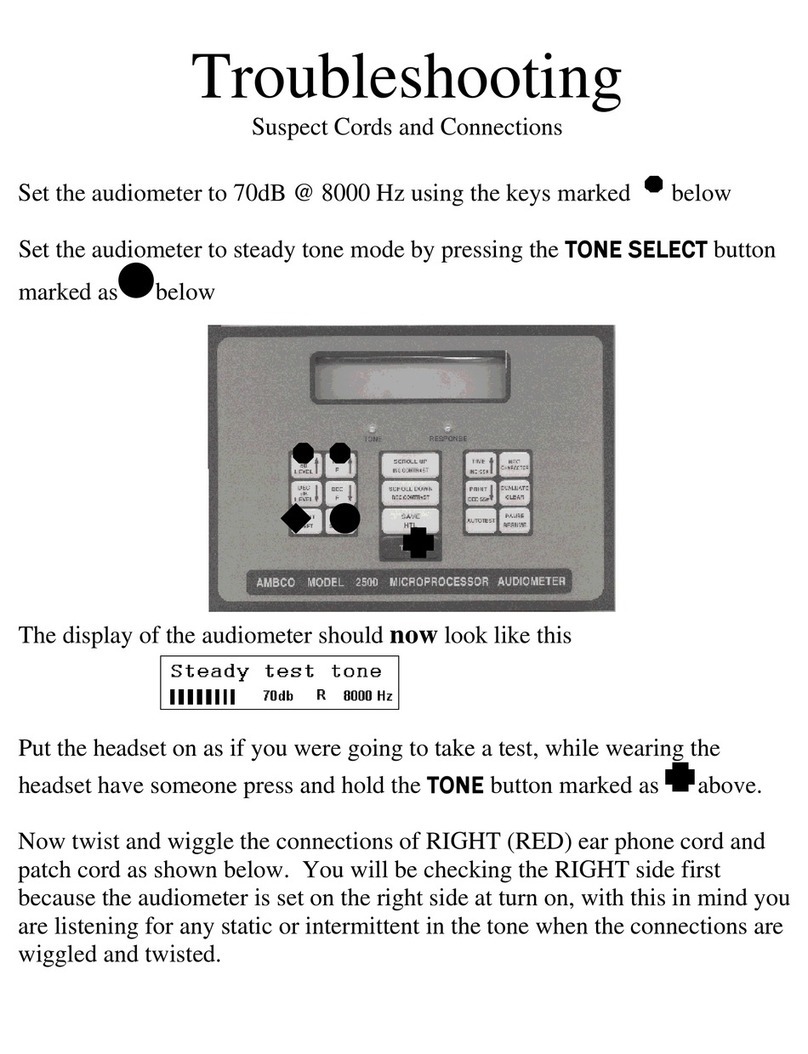
To give a manual test with a printout, press ‘EVALUATE’ then press ‘PAUSE’ 3 times
(waiting 1 second between pushes). The 2500 is now in manual mode. Frequency, dB
levels, ear select and tone select are set by the operator. Upon completion of testing,
press ‘PRINT’ to print results of manual test.
2.8 TESTING INDIVIDUAL FREQUENCIES
To test a single frequency and ear, select the dB level, frequency and ear you wish to
test, then press the ‘EVALUATE’ button. If this is a new test, you will be prompted to
enter the patient SS# and Job ID # before starting the evaluation per Section 2.4. To
bypass, SS# and Job ID #, press ‘AUTOTEST’ twice to start test. When you have
completed all required testing, press the ‘PRINT’ button to output results to the printer
or PC and store the test in memory.
2.9 WHEN YOU NEED TO TRANSFER MEMORY TO A COMPUTER
The internal memory can store up to 260 tests for transfer to a computer. Start your PC
software. Be sure to follow the instructions specific to your software. Connect the 2500
to your PC, turn it on, and press and hold the ‘PRINT’ button for 4 seconds. All stored
test records are output starting from 000 to the last test recorded, displaying each test
number as it is transferred. You may transfer memory as many times as needed, even if
the audiometer is turned off and on. IMPORTANT! – To erase all memory contents,
simply start and save a new test anytime after transferring memory. This erases all
previously recorded tests.
3.0 BASIC AUDIOMETER CONTROLS
3.1 HOW TO ADJUST THE dB LEVEL
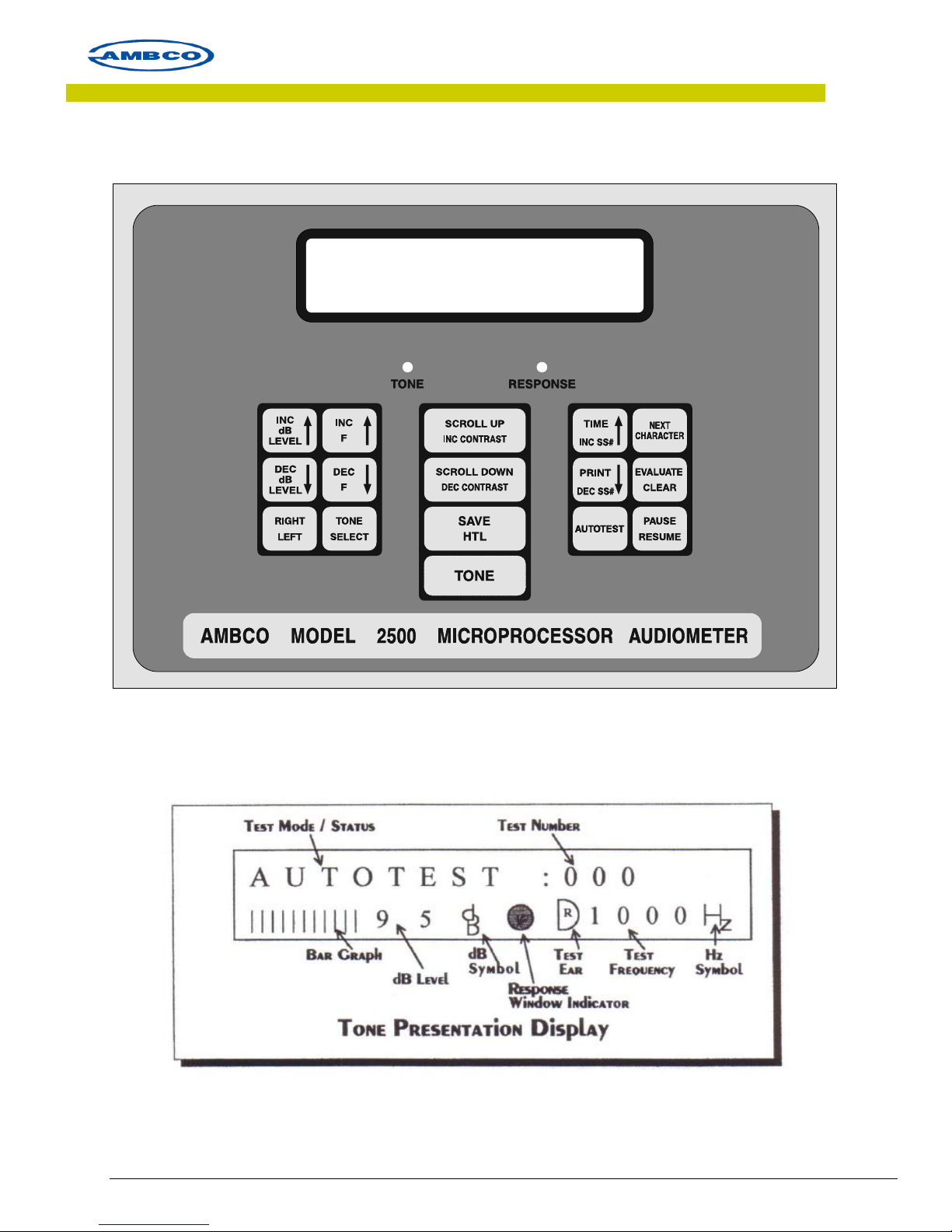
By pressing ‘INC dB LEVEL’ OR ‘DEC dB LEVEL,’ the operator can adjust the tone output
level for semi-automatic or manual testing.
3.2 SELECTING THE TEST FREQUENCY
Pressing ‘INC F’ / ‘DEC F’ increases or decreases the selected frequency for semi-
automatic and manual modes.
10-1002, Rev. B DCO 17–008, 11–13–17 Page 9 of 22