Mode Operation and Features
TIMER MODE (FOR URINAL USE ONLY)
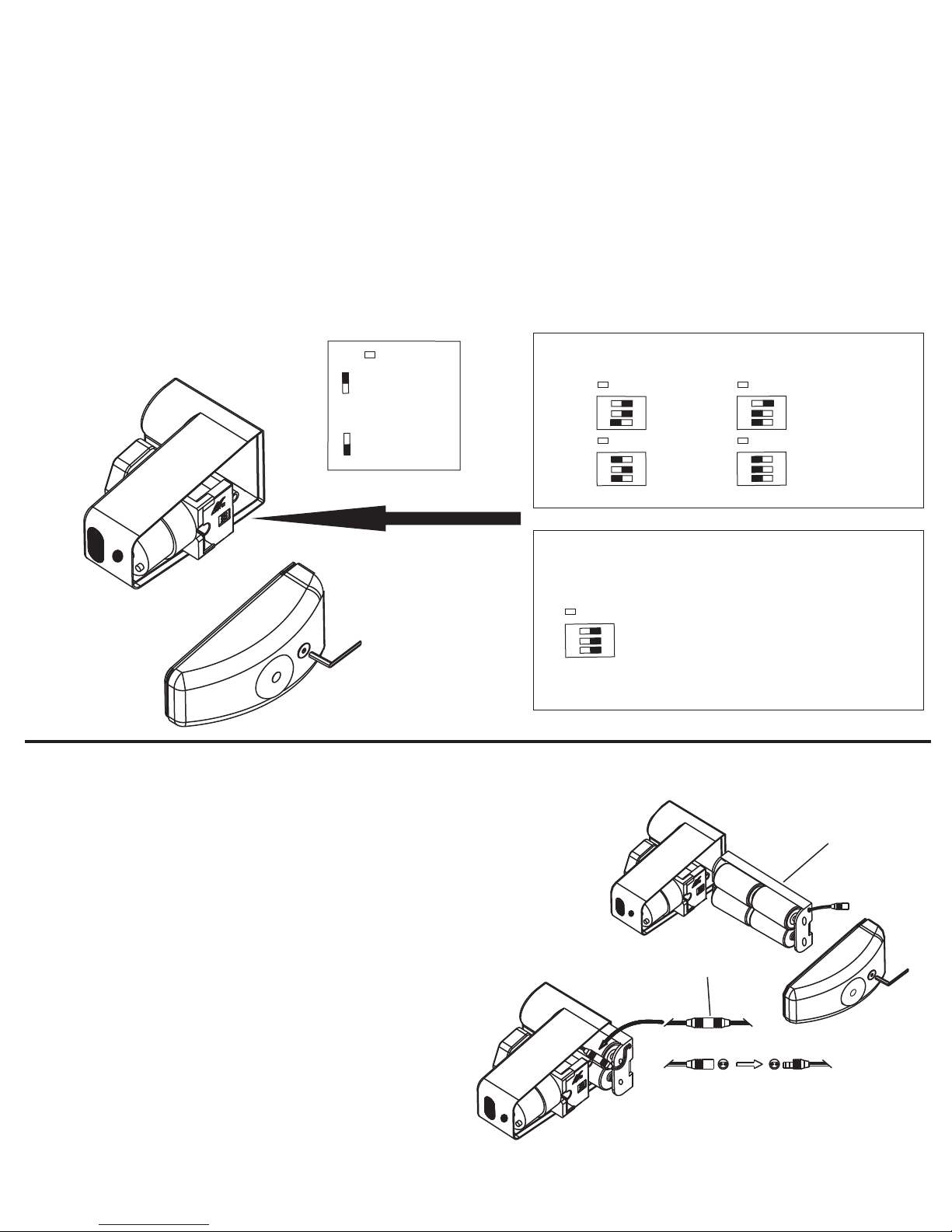
1. Select switch sequence for preferred time interval.
2. Plug in battery connector (unit will flush once). Interval program will begin counting.
3. Unit is now activated.
4. Re-install battery cover.
5. The electronic push button on the front of the unit is deactivated in TIMER MODE.
6. The unit will only flush at the set time interval.
7. If a user is not detected within 135 minutes (2 Hours, 15 Minutes) of last use, the unit will go to “SLEEP”.
8. When the unit goes to “SLEEP” it will flush once and discontinue counting the flush interval. The unit will
stay dormant until the next user is sensed. Once a user is sensed the unit will “WAKE UP”.
9. Once the unit “WAKES UP” it will flush once, reset the time interval, and resume counting.
The “SLEEP” feature is designed so that the unit does not flush after business hours and/or weekends if
facility is closed and to allow for maximum water conservation.
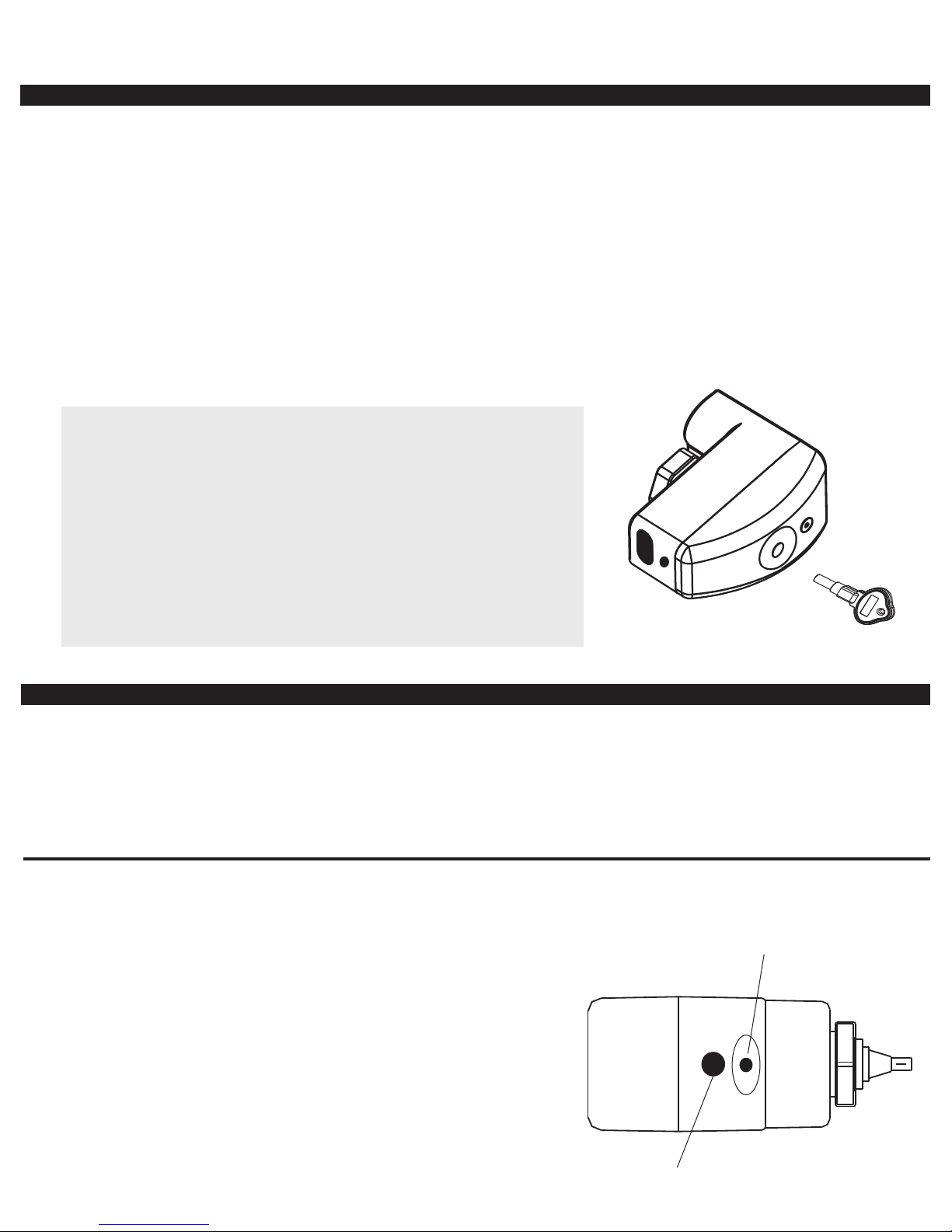
The unit includes a mechanical manual flush override.
To activate the mechanical manual flush override, simply insert the
Manual Flush Key (included) into the slot located on the side of the
unit and press until flush is activated.
SUGGESTION:
The Manual Flush Key can be used to initiate a manual flush at any
time. The key should be kept in a safe place or be attached to key
chain of custodial staff for easy access.
NOTE: Activating mechanical manual flush override does not affect the
time interval setting.
SENSOR MODE (FOR URINAL OR TOILET USE)
1. Move Switch #1 into the ON position to activate SENSOR MODE.
2. Choose options using Switches #2 and #3.
3. Plug in battery connector (unit will flush once).
4. Unit is now activated.
5. Re-install battery cover.
6. Unit will flush after every use.
7. The electronic push button on the front of the unit can be used as a manual courtesy flush option.
Adjusting Sensor Distance (Must be done in SENSOR MODE)
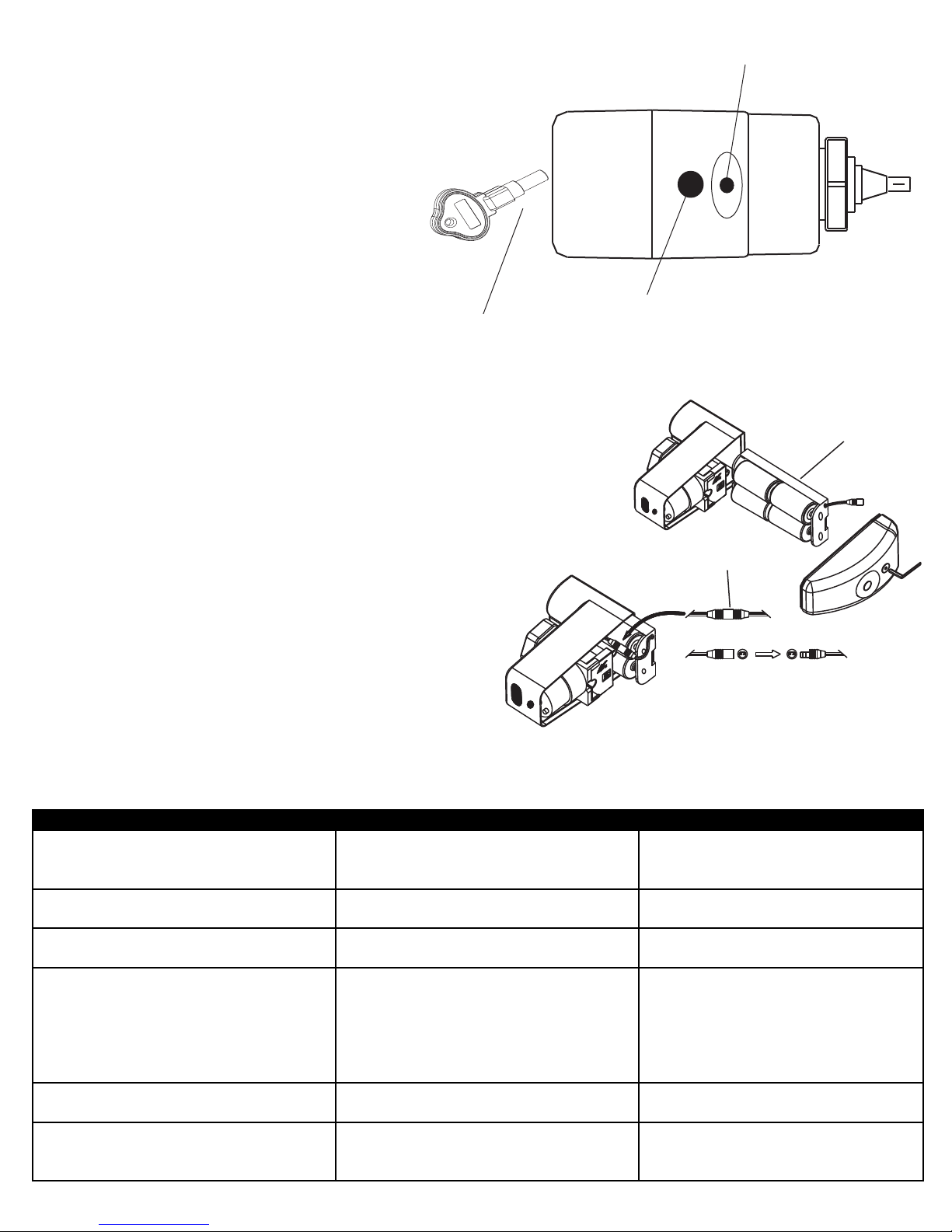
Electronic
Push Button
Red LED
C
A - Press and hold electronic push button until you see
a blinking red LED in sensor window (unit will flush once).
Release electronic push button, wait one second, then
press and release electronic push button once again.
Unit will go into setup mode.
B - While in setup mode, stand at desired distance
(red LED will continuously blink as long as you are
within the allowed sensor range).
C - Remain at desired distance until red LED becomes solid
(unit will flush once).
Sensor distance is now locked at the new setting.
Page 3
@
A