manuals.online logo
Brands
  1. Home
  2. •
  3. Brands
  4. •
  5. Aprilaire
  6. •
  7. Thermostat
  8. •
  9. Aprilaire 8570 User manual

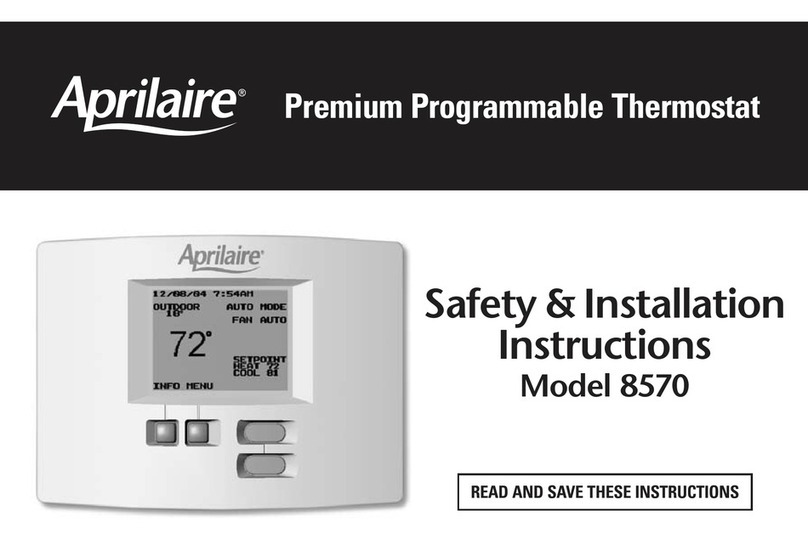
Aprilaire 8570 User manual

Other manuals for 8570

5

Other Aprilaire Thermostat manuals

Aprilaire S86W MUPR Setup guide

Aprilaire

Aprilaire S86W MUPR Setup guide

Aprilaire 8620W User manual

Aprilaire

Aprilaire 8620W User manual

Aprilaire 8710 Setup guide

Aprilaire

Aprilaire 8710 Setup guide

Aprilaire 8476W User manual

Aprilaire

Aprilaire 8476W User manual

Aprilaire 8537 User manual

Aprilaire

Aprilaire 8537 User manual

Aprilaire 8846 User manual

Aprilaire

Aprilaire 8846 User manual

Aprilaire 8244 User manual

Aprilaire

Aprilaire 8244 User manual

Aprilaire 8400 series User manual

Aprilaire

Aprilaire 8400 series User manual

Aprilaire S86W MUPR User manual

Aprilaire

Aprilaire S86W MUPR User manual

Aprilaire 8400 series Setup guide

Aprilaire

Aprilaire 8400 series Setup guide

Aprilaire 8554 User manual

Aprilaire

Aprilaire 8554 User manual

Aprilaire 8840M User manual

Aprilaire

Aprilaire 8840M User manual

Aprilaire 8600 User manual

Aprilaire

Aprilaire 8600 User manual

Aprilaire 8870 User manual

Aprilaire

Aprilaire 8870 User manual

Aprilaire 8535 User manual

Aprilaire

Aprilaire 8535 User manual

Aprilaire 8555 User manual

Aprilaire

Aprilaire 8555 User manual

Aprilaire 8553 User manual

Aprilaire

Aprilaire 8553 User manual

Aprilaire 8570 Setup guide

Aprilaire

Aprilaire 8570 Setup guide

Aprilaire 8552 User manual

Aprilaire

Aprilaire 8552 User manual

Aprilaire 8910W Setup guide

Aprilaire

Aprilaire 8910W Setup guide

Aprilaire 8556 User manual

Aprilaire

Aprilaire 8556 User manual

Aprilaire 8200 Series User manual

Aprilaire

Aprilaire 8200 Series User manual

Aprilaire 8800 User manual

Aprilaire

Aprilaire 8800 User manual

Aprilaire 8400 series Setup guide

Aprilaire

Aprilaire 8400 series Setup guide

Popular Thermostat manuals by other brands

Full Gauge TIC-17C product manual

Full Gauge

Full Gauge TIC-17C product manual

Imit Chronomix S manual

Imit

Imit Chronomix S manual

ChiliTec ST-35 ana instruction manual

ChiliTec

ChiliTec ST-35 ana instruction manual

Salus VS05 Installer's/user's manual

Salus

Salus VS05 Installer's/user's manual

Azel D-500 user guide

Azel

Azel D-500 user guide

Honeywell Chronotherm III owner's manual

Honeywell

Honeywell Chronotherm III owner's manual

Charmeg MP-R user manual

Charmeg

Charmeg MP-R user manual

dixell WING XW40LS Installing and operating instructions

dixell

dixell WING XW40LS Installing and operating instructions

Network Thermostat NetX X7C-WIFI Installation and programming manual

Network Thermostat

Network Thermostat NetX X7C-WIFI Installation and programming manual

Radio Thermostat CT80 Operation guide

Radio Thermostat

Radio Thermostat CT80 Operation guide

HAI Omnistat RC-120 installation manual

HAI

HAI Omnistat RC-120 installation manual

Lennox iComfort E30 Installation and setup guide

Lennox

Lennox iComfort E30 Installation and setup guide

Lux Products PSD011Ba Installation and operating instructions

Lux Products

Lux Products PSD011Ba Installation and operating instructions

Computherm Q20 operating instructions

Computherm

Computherm Q20 operating instructions

Heatmiser neoStat user manual

Heatmiser

Heatmiser neoStat user manual

Mars HEAT CONTROLLER IR Wireless Thermostat user manual

Mars

Mars HEAT CONTROLLER IR Wireless Thermostat user manual

LUX LP0511D user manual

LUX

LUX LP0511D user manual

Saswell SAS920XWHB-7-S-RF User manual and warranty card

Saswell

Saswell SAS920XWHB-7-S-RF User manual and warranty card

manuals.online logo
manuals.online logoBrands
  • About & Mission
  • Contact us
  • Privacy Policy
  • Terms and Conditions

Copyright 2025 Manuals.Online. All Rights Reserved.

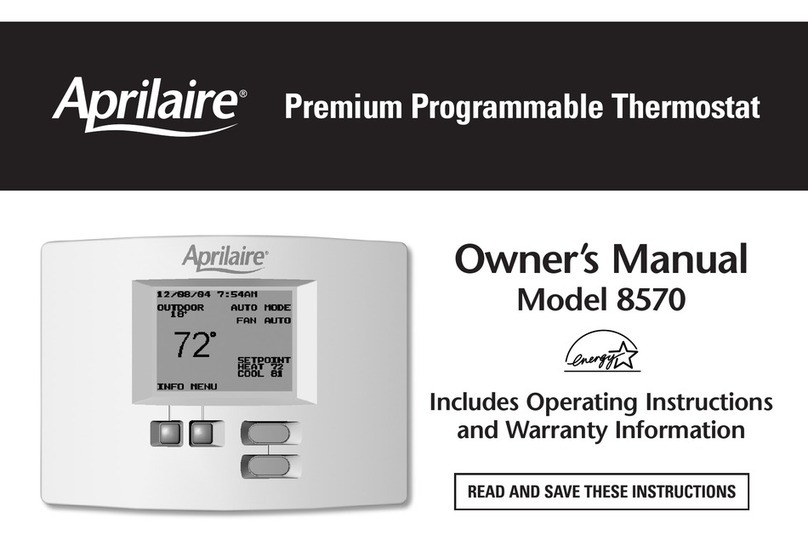
Premium Programmable Thermostat
READ AND SAVE THESE INSTRUCTIONS
Owner’s Manual
Model 8570
Includes Operating Instructions
and Warranty Information
TABLE OF CONTENTS
PAGE
ProgramInformation ............................1
Getting Familiar with your
Aprilaire®8570Thermostat. ......................2
Operating Your Thermostat . . . . . . . . . . . . . . . . . . . . . . . 4
Setting the Mode of Operation – Heat Cool etc. . . . . . 5
Temporarily Raising and Lowering
theTemperature. ...............................6
FanOperation..................................7
Setting the Date and Time . . . . . . . . . . . . . . . . . . . . . . . 9
PAGE
Programming your Thermostat . . . . . . . . . . . . . . . . . . . 10
Holding Temperature – Holiday and Permanent . . . . . 12
SettingsMenu ................................14
InfoScreen ...................................18
Viewing Other Thermostats on the System . . . . . . . . . 18
In Case of Power Failure . . . . . . . . . . . . . . . . . . . . . . . . 19
Cleaning .....................................19
LimitedWarranty ..............................20
About half of all energy used by households goes to
heating and cooling the home. By selecting a
programmable Aprilaire®Electronic Thermostat you have
made a significant step toward conserving energy usage
and costs while improving your indoor comfort.
By programming your thermostat and taking advantage
of the times that a building is unoccupied or the
occupants are asleep the thermostat can reduce heating
and cooling bills by as much as $150. The Aprilaire
Thermostat has programmable capabilities that allow
you full flexibility to set your heating and cooling systems
to meet your comfort and energy needs.
Event Desired
Temperature Setting
Daily Time
Schedule
Wake Heat = 70°
Cool = 78° 6:00 am
Leave Heat = 62°
Cool = 85° 8:00 am
Return Heat = 70°
Cool = 78° 5:00 pm
Sleep Heat = 62°
Cool = 82° 10:00 pm
PROGRAM INFORMATION
1
Program your
thermostat
to save energy while
you’re asleep or away.
Saving energy helps prevent global warming.
FIGURE 1 GETTING FAMILIAR WITH YOUR APRILAIRE®8570 THERMOSTAT
EQUIPMENT
STATUS
OUTDOOR
TEMPERATURE
ROOM
TEMPERATURE
MESSAGE
CENTER
SETPOINTS
UP/DOWN BUTTONS
MULTI FUNCTION
BUTTONS
2
MESSAGE CENTER
Normally this is where you will find the current date and time
and the name of the current event if running the temperature
program. If the thermostat is in a Hold State the thermostat will
display when the Hold State is scheduled to end. The area is also
used to give information on when you should replace your air
filter or UV lamp when you should service your humidifier and
general HVAC equipment.
When installed with an Aprilaire®Automatic Digital Humidifier
Control (Model 58) and Humidifier the message center will also
inform you if the humidifier is operating.
EQUIPMENT STATUS
In this area of the display the thermostat will show the
equipment’s mode and whether the equipment is active. A typical
message in this area would be HEAT MODE when the equipment
is not running and HEATING when the equipment is active.
OUTDOOR TEMPERATURE
The thermostat has terminals that can be hooked up to an
outdoor temperature sensor. If this is installed outdoor
temperature will be displayed in this area of the screen.
When installed with an Aprilaire®Automatic Digital Humidifier
Control (Model 58) or an Aprilaire®Model 6504 Intelligent Zoned
Comfort System this information is communicated to the thermostat
so there is no need for the extra outdoor temperature sensor.
ROOM TEMPERATURE
The large temperature on the screen is the room temperature.
The scale can be changed from Fahrenheit to Celsius if desired.
SETPOINTS
The setpoints are the temperature(s) to which the thermostat
is controlling.
MULTI-FUNCTION BUTTONS
The multi-function buttons are used throughout the thermostat
menu system and have many functions. The description on the
screen directly above the button is what that button is used for in
that particular screen. In Figure 1 the left button would be used
for INFO and the right button would be used for MENU.
UP/DOWN BUTTONS
These buttons are used to raise and lower temperature and to
navigate through the thermostat’s menus.
3

OPERATING YOUR THERMOSTAT
Backlight Operation
When any button is pressed the backlighting will
illuminate. Once the backlight is on subsequent button
presses will perform their respective tasks.
Using the Up & Down Buttons and Multi-Function
Buttons on the Thermostat
This thermostat uses a menu driven display and four (4)
buttons. The Up and Down buttons are generally used
to move between selections in the menu and to raise
and lower different parameters such as temperature
days minutes etc. depending on which screen you are
viewing. The multi-function buttons have a variety of
uses. The portion of screen directly above these
buttons will display the button’s function. For instance
when the main screen is being viewed the buttons are
titled INFO and MENU from left to right respectively.
To access the menu of the thermostat press the right
multi-function button.
Notes on Temperature Adjustments
The Cool setting must always be 2° or 5° (F or C)
higher than the Heat setting. The value (2° or 5°) is
selectable. The thermostat will automatically change
the temperature setting not being adjusted to maintain
this difference even if both settings are not shown on
the display.
4
5
1. Setting the Mode of Operation Heat, Cool, etc.
The thermostat can be set to OFF HEAT COOL AUTO and EMERGENCY HEAT (EMERGENCY HEAT
for heat pumps only) modes. To set the mode press the MENU button on the main screen.
Once in the Main Menu screen use the down button to move the highlighted text to the desired
mode then press SELECT.
Example: Placing thermostat in HEAT MODE.
9/11/05 5:15PM
OUTDOOR OFF MODE
45° FAN AUTO
INFO MENU
72°
MAIN MENU
SET MODE:
OFF
AUTO
COOL
HEAT
SET FAN:
AUTO
ON MORE
EXIT SELECT
HEAT
9/11/05 5:15PM
OUTDOOR HEAT MODE
45° FAN AUTO
SETPOINT
HEAT 74
INFO MENU
72°
CAUTION: Do not set to OFF mode during periods when freezing temperatures could occur.
NOTE: When installed with an Aprilaire®Model 6504 you will be given the option to CHANGE ALL
THERMOSTATS. If you select YES to this the mode setting will be set to whatever you have selected
for all the thermostats on the system.
6
2. Temporarily Raising and Lowering the Temperature
You can raise or lower the temperature by simply pressing the Up/Down buttons then SAVE.
Example: The Setpoint is at 68° you want the temperature to be 72°.
If you are in AUTO Mode both heat and cool settings will be displayed on the hold screen.
First you can change the Heat setting then the Cool setting. If you do not want to change one
of these settings simply select the or to go to the next setting or BACK to go to the
main screen.
If you were running the temperature program when you made the change the message center
displays when the thermostat will return to programmed operation. Press the RESUME PROG.
button to return to programmed operation at any time.
HOLD THIS
TEMPERATURE
UNTIL 10:00PM
HEAT COOL
BACK
71°
HEAT
76°
8/27/05 5:15PM
OUTDOOR AUTO MODE
81° FAN AUTO
SETPOINT
HEAT 71
COOL 76
INFO MENU
76°
HOLD TIL 10:00PM
OUTDOOR COOLING
81° FAN AUTO
SETPOINT
HEAT 71
RESUME COOL 74
PROG. MENU
76°
HOLD THIS
TEMPERATURE
UNTIL 10:00PM
HEAT COOL
SAVE
71°
COOL
74°
3/11/05 5:15PM
OUTDOOR HEAT MODE
20° FAN AUTO
SETPOINT
HEAT 68
INFO MENU
68°
HOLD TIL 10:00PM
OUTDOOR HEAT MODE
20° FAN AUTO
SETPOINT
HEAT 72
RESUME
PROG. MENU
68°
HOLD THIS
TEMPERATURE
UNTIL 10:00PM
HEAT
BACK SAVE
72°
HEAT
7
3. Fan Operation
The thermostat allows you to operate the fan manually or it can change the fan setting for you automatically with
each programming event.
For manual operation from the MAIN MENU simply select SET FAN: ON to run the fan all the time or
SET FAN: AUTO to run the fan only during heating and cooling calls.
NOTE: When installed with an Aprilaire®Model 6504 you will be given the option to CHANGE ALL THERMOSTATS.
If you select YES to this the fan setting will be set to whatever you have selected for all the thermostats on the system.
For automatic operation select PROGRAMMED FAN from the MAIN MENU and then select ENABLE. In the Fan Status
setting screen you set the fan to be either ON or AUTO during each of the programming events (see page 10 for
details on the programming events). Use the and buttons to move to the Fan Status you wish to change and use
the or to change to ON or AUTO. Once you are done use the button to highlight DONE and then press SAVE.
9/11/05 5:15PM
OUTDOOR OFF MODE
45° FAN AUTO
INFO MENU
72°
9/11/05 5:15PM
OUTDOOR OFF MODE
45° FAN ON
INFO MENU
72°
MAIN MENU
SET MODE:
OFF
AUTO
COOL
HEAT
SET FAN:
AUTO
ON MORE
EXIT SELECT
ON
MAIN MENU
MORE
HOLD
PROGRAM
PROGRAMMED FAN
SETTINGS
SET DATE AND TIME
EXIT SELECT
PROGRAMMED FAN
DISABLE
ENABLE
BACK SELECT
PROGRAMMED FAN
FAN STATUS
WAKE AUTO
LEAVE AUTO
RETURN AUTO
SLEEP AUTO
DONE
WAKE AUTO
PROGRAMMED FAN
FAN STATUS
WAKE ON
LEAVE AUTO
RETURN ON
SLEEP ON
DONE
CANCEL SAVE
DONE
PROGRAMMED FAN
ENABLE
8
When operating Programmed Fan you can temporarily change the fan status by selecting SET FAN: ON or AUTO
from the MAIN MENU but it will return to the program at the start of the next programming event. To
permanently discontinue automatic fan operation select DISABLE from the PROGRAMMED FAN menu.
4. Setting the Date and Time
In the SET DATE AND TIME menu you can set the correct date and time and activate or deactivate the
automatic Daylight Savings Time Adjustment.
4.1 Automatic Daylight Savings Adjustment
When ‘AUTO DAYLIGHT SAVINGS’ is selected you have the option of selecting ‘ON’ or ‘OFF’.
When this feature is set to ON the clock will automatically compensate for Daylight Savings Time.
MAIN MENU
MORE
HOLD
PROGRAM
PROGRAMMED FAN
SETTINGS
SET DATE AND TIME
EXIT SELECT
SET DATE AND TIME
SET DATE AND TIME
AUTO DAYLIGHT SAVING
BACK SELECT
SET DATE AND TIME
AUTO DAYLIGHT SAVING
ON
OFF
BACK SELECT
ON