logo
Brands
  1. Home
  2. •
  3. Brands
  4. •
  5. AUDAC
  6. •
  7. Speakers
  8. •
  9. AUDAC ATEO M Series User manual

AUDAC ATEO M Series User manual

This manual suits for next models

3

Other AUDAC Speakers manuals

AUDAC CELO5 Guide

AUDAC

AUDAC CELO5 Guide

AUDAC HS208MK2 Guide

AUDAC

AUDAC HS208MK2 Guide

AUDAC CS75B User manual

AUDAC

AUDAC CS75B User manual

AUDAC BASO Series Guide

AUDAC

AUDAC BASO Series Guide

AUDAC CELO2 Guide

AUDAC

AUDAC CELO2 Guide

AUDAC CELO6 Guide

AUDAC

AUDAC CELO6 Guide

AUDAC AXIR Installation and operating instructions

AUDAC

AUDAC AXIR Installation and operating instructions

AUDAC KYRA12/O Series Guide

AUDAC

AUDAC KYRA12/O Series Guide

AUDAC WX802 Installation and operating instructions

AUDAC

AUDAC WX802 Installation and operating instructions

AUDAC AWP06 User manual

AUDAC

AUDAC AWP06 User manual

AUDAC WXMK2 Series Guide

AUDAC

AUDAC WXMK2 Series Guide

AUDAC CENA706 User manual

AUDAC

AUDAC CENA706 User manual

AUDAC AXIR/O Series User manual

AUDAC

AUDAC AXIR/O Series User manual

AUDAC Ateo 4 Guide

AUDAC

AUDAC Ateo 4 Guide

AUDAC VEXO1 A Series User manual

AUDAC

AUDAC VEXO1 A Series User manual

AUDAC ATEO2D Guide

AUDAC

AUDAC ATEO2D Guide

AUDAC ASP20 User manual

AUDAC

AUDAC ASP20 User manual

AUDAC AWP06 Installation and operating instructions

AUDAC

AUDAC AWP06 Installation and operating instructions

AUDAC AXIR Installation and operating instructions

AUDAC

AUDAC AXIR Installation and operating instructions

AUDAC VEXO1A Series User manual

AUDAC

AUDAC VEXO1A Series User manual

AUDAC VEXO112A User manual

AUDAC

AUDAC VEXO112A User manual

AUDAC ALTI Series Guide

AUDAC

AUDAC ALTI Series Guide

AUDAC ATEO4 User manual

AUDAC

AUDAC ATEO4 User manual

AUDAC Ateo 2 Guide

AUDAC

AUDAC Ateo 2 Guide

Popular Speakers manuals by other brands

Yamaha DXR10 null

Yamaha

Yamaha DXR10 null

argon audio IE20 quick start

argon audio

argon audio IE20 quick start

Denon SC-N7 owner's manual

Denon

Denon SC-N7 owner's manual

Gemline Ace 3952 user manual

Gemline

Gemline Ace 3952 user manual

Focal ON WALL 300 User manua

Focal

Focal ON WALL 300 User manua

HEADRUSH Maximus HRSP 5024 manual

HEADRUSH

HEADRUSH Maximus HRSP 5024 manual

SoundLogic BCCS-6/6395 instruction manual

SoundLogic

SoundLogic BCCS-6/6395 instruction manual

Peavey DTH 218 Specification sheet

Peavey

Peavey DTH 218 Specification sheet

Avantree Pluto Air user guide

Avantree

Avantree Pluto Air user guide

Morel Integra Series INTEGRA OVATION 4 install guide

Morel

Morel Integra Series INTEGRA OVATION 4 install guide

Oppo SONICA quick start guide

Oppo

Oppo SONICA quick start guide

Bose SoundLink Wireless Music System owner's guide

Bose

Bose SoundLink Wireless Music System owner's guide

Rocksteady Stadium owner's manual

Rocksteady

Rocksteady Stadium owner's manual

Bowers & Wilkins 4 owner's manual

Bowers & Wilkins

Bowers & Wilkins 4 owner's manual

Sonance SONOS OUTDOOR Series installation manual

Sonance

Sonance SONOS OUTDOOR Series installation manual

Electro-Voice EVID FM4.2 Brochure & specs

Electro-Voice

Electro-Voice EVID FM4.2 Brochure & specs

Pioneer XW-HTD630 manual

Pioneer

Pioneer XW-HTD630 manual

Onn BWA16AA002 Product guide

Onn

Onn BWA16AA002 Product guide

https://manuals.online logo
https://manuals.online logoBrands
  • About & Mission
  • Contact us
  • Privacy Policy
  • Terms and Conditions

Copyright 2025 Manuals.Online. All Rights Reserved.

User manual
ATEOxM
audac.eu
ATEOxM- User manual02
ADDITIONAL INFORMATION
This manual is put together with much care, and is as complete as could be on the publication date.
However, updates on the specifications, functionality or software may have occurred since publication. To
obtain the latest version of both manual and software, please visit the Audac website @ www.audac.eu.
ATEOxM - User manual 03
Tableof contents
Introduction 04
Bright sound, effortless installation � � � � � � � � � � � � � � � � � � � � � � � � � � � � � � � � � � � � � � � � � � � � � � � � � � � � � � � � 04
Precautions 05
Chapter 1 06
CleverMount+™ � � � � � � � � � � � � � � � � � � � � � � � � � � � � � � � � � � � � � � � � � � � � � � � � � � � � � � � � � � � � � � � � � � � � � � � � � � � 06
Chapter 2 07
Installing ATEOxM � � � � � � � � � � � � � � � � � � � � � � � � � � � � � � � � � � � � � � � � � � � � � � � � � � � � � � � � � � � � � � � � � � � � � � � � � 07
Chapter 3 010
Positioning ATEOxM � � � � � � � � � � � � � � � � � � � � � � � � � � � � � � � � � � � � � � � � � � � � � � � � � � � � � � � � � � � � � � � � � � � � � � 010
Technical specifications 011
ATEOxM- User manual04
Introduction
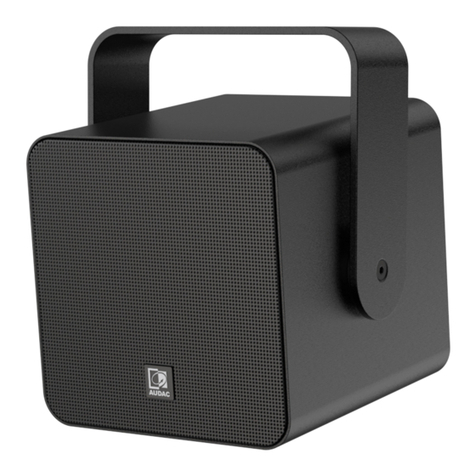
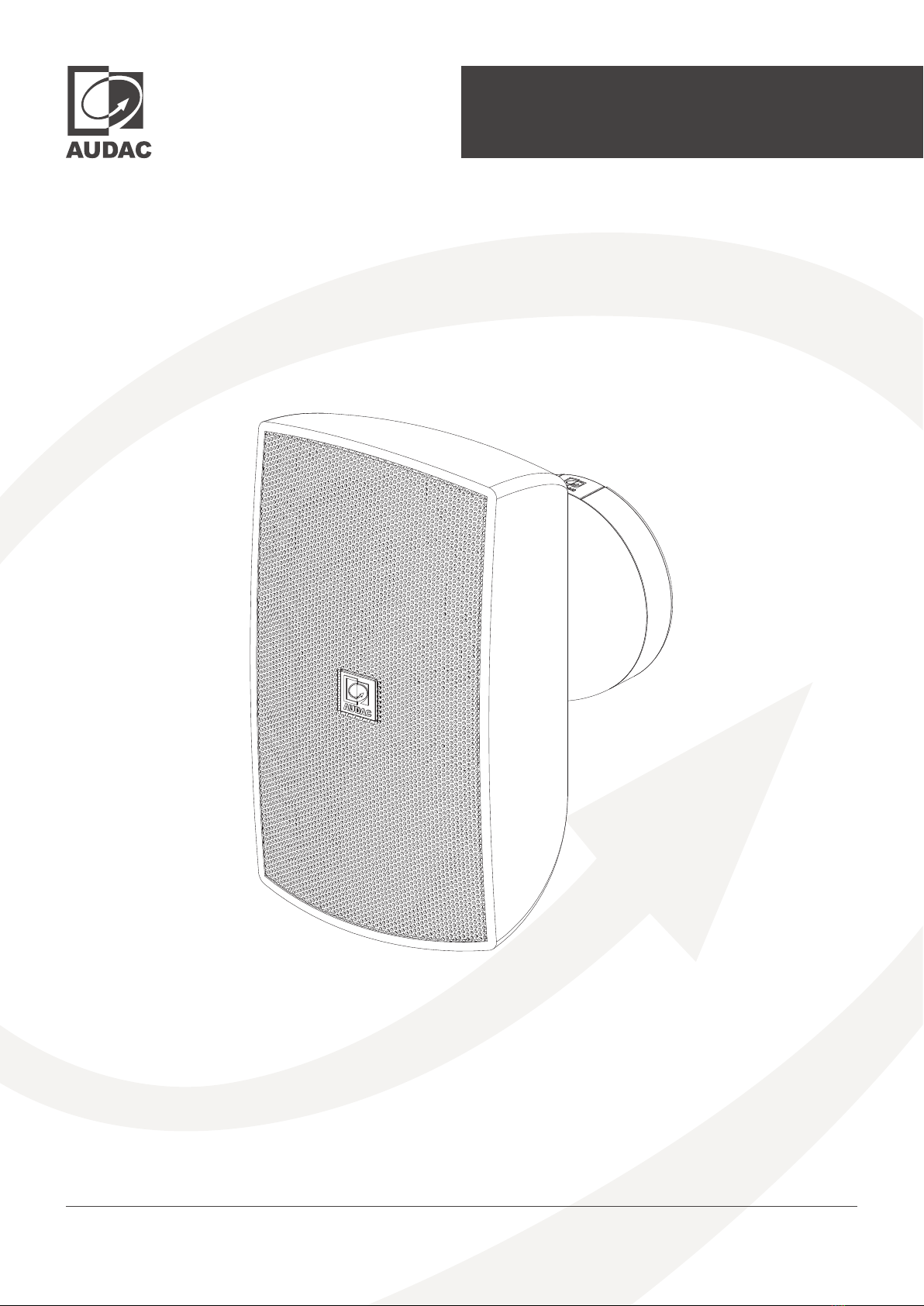
The ATEOxM series are extraordinary loudspeakers especially designed for fixed installation in- & outdoor
applications, ranging from modern residential applications to the most demanding designer applications
in environments such as retail stores, pubs, restaurants or even clubs.
The ATEOxM ensures a true-to-nature, high-fidelity reproduction of music and speech, whilst maintaining
an ultra-flat frequency response. It features a stunningly designed and elegant-looking weatherproof ABS
housing which is fitted with high-quality components. What makes this loudspeaker range so exceptional
is the specially designed mounting bracket using the weatherproof CleverMount+™ technology, making
the loudspeaker cabinet flow together with the mounting bracket providing great ease for installing the
loudspeaker in one good-looking entity. This design loudspeaker forms the ideal solution for fixed-install
indoor and outdoor applications.
With the improved CleverMount+™ innovation, mounting and connection of the loudspeaker happens
in seconds after attaching the wall plate to the desired location. During installation, the wires can easily
be connected to the integrated WAGO connectors. For ease of installation & modification, the ATEOxM
loudspeakers come with an external power tap selection switch located on the rear of the speaker. Like this,
it’s really child’s play to install a large number of loudspeakers in no time.
All ATEOxM series speakers are available in black (/B) or white (/W).
Bright sound, effortless installation
ATEOxM - User manual 05
Precautions
READ FOLLOWING INSTRUCTIONS FOR YOUR OWN SAFETY
ALWAYS KEEP THESE INSTRUCTIONS. NEVER THROW THEM AWAY
ALWAYS HANDLE THIS UNIT WITH CARE
HEED ALL WARNINGS
FOLLOW ALL INSTRUCTIONS
NO NAKED FLAME SOURCES, SUCH AS LIGHTED CANDLES, SHOULD BE PLACED ON THE APPARATUS
DO NOT STICK ANY OBJECTS THROUGH THE VENTILATION OPENINGS.
DO NOT INSTALL THIS UNIT NEAR ANY HEAT SOURCES SUCH AS RADIATORS OR OTHER APPARATUS THAT PRODUCE HEAT
PLACE THE UNIT ON A STABLE BASE OR MOUNT IT IN A STABLE RACK
ONLY USE ATTACHMENTS & ACCESSORIES SPECIFIED BY THE MANUFACTURER
UNPLUG THIS APPARATUS DURING LIGHTNING STORMS OR WHEN UNUSED FOR LONG PERIODS OF TIME
USE THE APPARATUS ONLY IN MODERATE CLIMATES
CAUTION  SERVICING
This product contains no user serviceable parts. Refer all servicing to qualified service
personnel. Do not perform any servicing (unless you are qualified to)
EC DECLARATION OF CONFORMITY
This product conforms to all the essential requirements and further relevant specifications
described in following directives: 2014/30/EU (EMC) & 2014/35/EU (LVD).
WASTE ELECTRICAL AND ELECTRONIC EQUIPMENT WEEE
The WEEE marking indicates that this product should not be disposed with regular
household waste at the end of its life cycle. This regulation is created to prevent any
possible harm to the environment or human health.
This product is developed and manufactured with high quality materials and components
which can be recycled and/or reused. Please dispose this product at your local collection
point or recycling centre for electrical and electronic waste. This will make sure that it will be
recycled in an environmentally friendly manner, and will help to protect the environment
in which we all live.

ATEOxM- User manual06
Chapter 1
1) Wall mounting holes
The wall mount has to be fixed by four screws in a quadrangular shape. The used fasteners should be chosen

depending to the mounting surface (brick, concrete, wood, ... )
2) Speaker attachment points and spring-loaded locking
ATEOxM has a hook and a latch connection on it and those connection should be placed to attachment
points on CleverMount+™ mounting system. When the mounting is done correctly, a clicking sound will be
heard. There is also a spring-loaded locking mechanism to lock the attached speaker or to release it from
the wall mount.
3) WAGO connectors and contact blades
CleverMount+™ mounting technology has two pieces of WAGO terminal connectors on it for connection
and daisy chaining. One terminal port on each connector is connected to a contact blade for speaker and
mounting system mating. Polarity of each terminal is indicated on CleverMount+™ mounting system.
1
3
2
Thanks to the patented CleverMount+™ mounting technology these loudspeakers have the advantage of
making the speaker cabinet flow together with the mounting bracket providing a great ease for installing
the loudspeaker in one good-looking entity. A safe installation of the loudspeaker is acquired thanks to the
separate bracket base.
Mounting brackets come with official WAGO connectors for the perfect high-quality and reliable electrical
installation. Great installer convenience is provided with the WAGO spring cage terminals, no additional
tools needed.
CleverMount+™
2
3
2
ATEOxM - User manual 07
Chapter 2
Installing ATEOxM
With the improved CleverMount+™ innovation, mounting and connection of the loudspeaker happens
in seconds after attaching the wall plate to the desired location. During installation, the wires can easily
be connected to the integrated WAGO connectors. For ease of installation & power configuration, the
ATEOxM loudspeakers come with an external power tap selection rotary switch located on the rear of the
speaker. Makes it easy to install a large number of loudspeakers in no time.
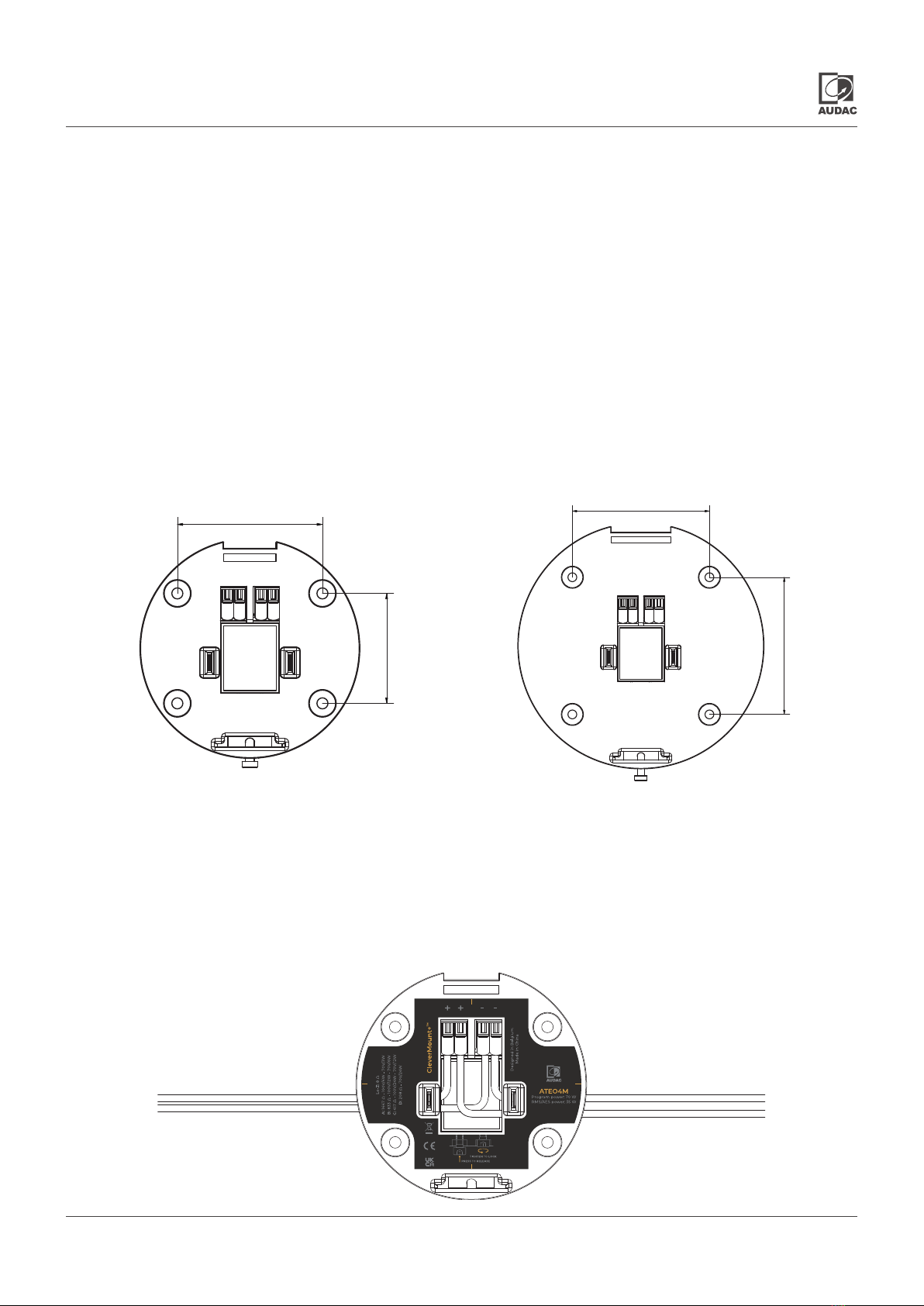
1) Install CleverMount+™ mounting system
The first step is mounting the supplied wall mount to the desired location on the wall. The wall mount has
to be fixed by four screws in a quadrangular shape. Distance between mounting holes are shown below.The
used fasteners should be chosen depending to the mounting surface (brick, concrete, wood, ... )
ATEO4M ATEO6M
2) Make the connections
After the wall mount is installed, the connections can be made. The wires coming from the amplifier
shall be connected to the corresponding terminals of the WAGO terminal block connector. The positive
or the signal output of the amplifier should be connected to the first corresponding positive terminal of
the WAGO connector, while the negative or the common should be connected to the first corresponding
negative terminal of the WAGO connector. Positive and negative connection points are clearly indicated
on CleverMount+™. Secondary terminal block connection points can be used to wire the next ATEOxM.
66
50
78
78
ATEOxM- User manual08
3) Set the external power tap selection on ATEOxM (not for ATEOxDM)
The ATEOxM can be connected in low impedance (8 Ω) or high impedance (70/100V) systems. For use in
high impedance (70/100V) systems, various power tappings can be selected. Depending on whether the
speaker will be used in LO-Z or 70/100V applications, the ATEOxM has an integrated external power tap
selector hidden on the rear which is protected by a plastic cap. On the otherhand, the ATEOxDM can be
connected only in low impedance ( 16 Ω) and there is no rotary switch on it.
When using in constant voltage 70V/100V systems, the power taps can be adjusted in 4 steps of impedance
through selection of the correct connection terminals indicated with A, B, C & D. Each position corresponds
with a specific impedance / power setting indicated on a label on the wall plate and in the table below.
Rotary switch ATEO4M ATEO6M
100V 70V Imp. 100V 70V Imp.
LO-Z 8Ω (ATEO4M) 8Ω (ATEO6M)
A
Not used
24W
208Ω
Not Used
50W 100Ω
B24W 12W 417Ω 50W 25W 200Ω
C12W 6W 833Ω 25W 12.5W 400Ω
D 6W 3W 1667Ω 12.5W
6,25W
800Ω
ATEOxM - User manual 09
4) Mount ATEOxM on CleverMount+™
CleverMount+™ mounting system provides great ease of installing the ATEOxM. Secure and safe installation
of the speaker is ensured thanks to the separate bracket base. Installation is described below in 5 steps.
1
5
2
3
4
Step 1
ATEOxM has two connection latches on it and those
connection latches should be placed to attachment points
on CleverMount+™ mounting system.
Step 2
Carefully place the top hook to its place on the mounting
system and slowly push the ATEOxM and be sure connection
blades and the bottom latch is inserted.
Step 3
When the mounting is done correctly, connecting blades of
mounting system will be mated with ATEOxM and a clicking
sound will be heard.
Step 4
There is a spring-loaded locking mechanism on the bottom
to lock the attached speaker or to release it from the wall
mount. The ATEOxM can be taken out of its place by pushing
the spring-loaded locking bolt when it is not locked.
Step 5
Tighten the spring-loaded locking bolt placed at the bottom
with the Allen key to ensure secure and safe permanent
installation.
ATEOxM- User manual010
Chapter 3
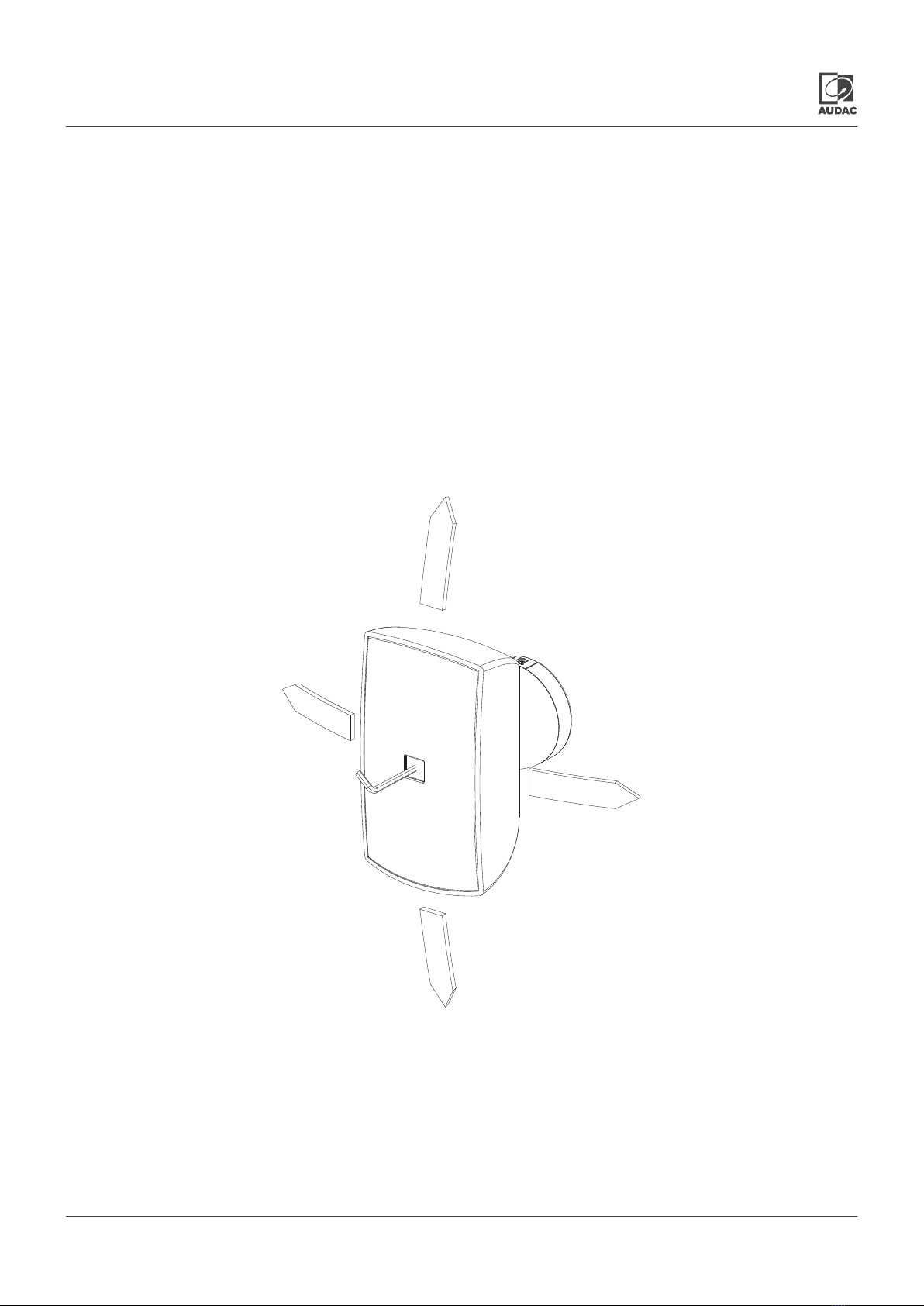
The last step in the mounting procedure of the speaker is pointing it in the desired direction by untightening
the Allen-key bolt located in the centre of the speaker grill. The AUDAC logo comes separately to be placed
in the centre of the speaker grill after the positioning of the ATEOxM. After this bolt is untightened by a few
turns, the speaker will be in a free state, making it possible to move it into the left (30°), right (30°), up (5°)
and down (30°) position. It can also be rotated from vertical to horizontal position (rotate counter-clockwise).
Once the speaker is placed in position and pointing into the right direction, it can be locked by tightening
the allen-key bolt. Subsequently the logo should be placed again in front of the allen-key bolt.
The ATEOxM has a protection class of IP66 thanks to the fully sealed cabinet and hydrophobic cloth behind
the grill. Position the ATEOxM at a minimum down tilt of 5° for outdoor installations. Standing water is
avoided trough this installation.
Positioning ATEOxM