manuals.online logo
Brands
  1. Home
  2. •
  3. Brands
  4. •
  5. AudioSource
  6. •
  7. Subwoofer
  8. •
  9. AudioSource PSW110 User manual

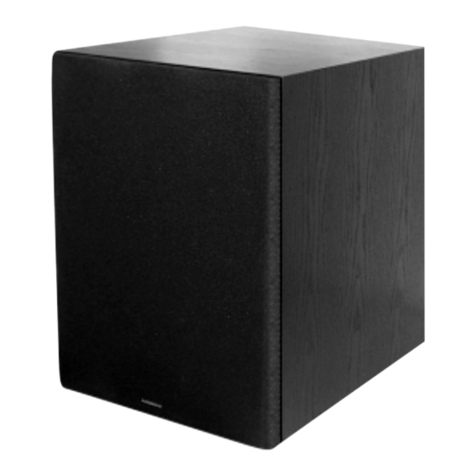
AudioSource PSW110 User manual

This manual suits for next models

1

Other AudioSource Subwoofer manuals

AudioSource AS8SW User manual

AudioSource

AudioSource AS8SW User manual

AudioSource SW 8 User manual

AudioSource

AudioSource SW 8 User manual

AudioSource SW 50 User manual

AudioSource

AudioSource SW 50 User manual

AudioSource PSW112 User manual

AudioSource

AudioSource PSW112 User manual

AudioSource AS8SW User manual

AudioSource

AudioSource AS8SW User manual

AudioSource SW 8 User manual

AudioSource

AudioSource SW 8 User manual

AudioSource SW Two User manual

AudioSource

AudioSource SW Two User manual

AudioSource SW 10 User manual

AudioSource

AudioSource SW 10 User manual

AudioSource AST-SUB10 User manual

AudioSource

AudioSource AST-SUB10 User manual

AudioSource PSW100 User manual

AudioSource

AudioSource PSW100 User manual

AudioSource SW 10 User manual

AudioSource

AudioSource SW 10 User manual

AudioSource SW Two User manual

AudioSource

AudioSource SW Two User manual

AudioSource SW 12 User manual

AudioSource

AudioSource SW 12 User manual

AudioSource SW 300 User manual

AudioSource

AudioSource SW 300 User manual

AudioSource SW 6.5 User manual

AudioSource

AudioSource SW 6.5 User manual

AudioSource PSW8 User manual

AudioSource

AudioSource PSW8 User manual

AudioSource SW 15 User manual

AudioSource

AudioSource SW 15 User manual

AudioSource SW 4 User manual

AudioSource

AudioSource SW 4 User manual

AudioSource MCSW 1 User manual

AudioSource

AudioSource MCSW 1 User manual

AudioSource AS10SW User manual

AudioSource

AudioSource AS10SW User manual

AudioSource AST-SUB10S User manual

AudioSource

AudioSource AST-SUB10S User manual

AudioSource SW 5 User manual

AudioSource

AudioSource SW 5 User manual

AudioSource SW Five User manual

AudioSource

AudioSource SW Five User manual

Popular Subwoofer manuals by other brands

Extron electronics SF 8CT SUB user guide

Extron electronics

Extron electronics SF 8CT SUB user guide

SVS PB-4000 quick start guide

SVS

SVS PB-4000 quick start guide

Pioneer S-DVR9SW Service manual

Pioneer

Pioneer S-DVR9SW Service manual

Yamaha YST-SW515 Service manual

Yamaha

Yamaha YST-SW515 Service manual

Velodyne SPL-800 ULTRA - REV B datasheet

Velodyne

Velodyne SPL-800 ULTRA - REV B datasheet

Teufel US 2110/1 SW operating instructions

Teufel

Teufel US 2110/1 SW operating instructions

Wet Sounds SS-65 user manual

Wet Sounds

Wet Sounds SS-65 user manual

Pyle PLQB10 Specifications

Pyle

Pyle PLQB10 Specifications

Sony XS-L1536 Product guide

Sony

Sony XS-L1536 Product guide

Sony XS-AW8 operating instructions

Sony

Sony XS-AW8 operating instructions

B&C Speakers 15 HPL 76W Specifications

B&C Speakers

B&C Speakers 15 HPL 76W Specifications

Velodyne DD-18+ Specifications

Velodyne

Velodyne DD-18+ Specifications

Sonance Cinema Series SUB 10-150 Specifications

Sonance

Sonance Cinema Series SUB 10-150 Specifications

Hifonics HW-12 Owners & installation manual

Hifonics

Hifonics HW-12 Owners & installation manual

Yamaha 64263 owner's manual

Yamaha

Yamaha 64263 owner's manual

Magnat Audio ADR 130 BP user manual

Magnat Audio

Magnat Audio ADR 130 BP user manual

Technics SB-AS500 Operaing instructions

Technics

Technics SB-AS500 Operaing instructions

Lyngdorf BW-2 owner's manual

Lyngdorf

Lyngdorf BW-2 owner's manual

manuals.online logo
manuals.online logoBrands
  • About & Mission
  • Contact us
  • Privacy Policy
  • Terms and Conditions

Copyright 2025 Manuals.Online. All Rights Reserved.

PSW110 / 112
OWNER’S MANUAL
9200 North Decatur St. Portland, OR 97203 • 503.286.9300 • www.audiosource.net 3
1. Volume Control
Adjusts output volume.
Power/Protect LED indicator
Illuminates green indicating the unit is turned on while switch is in “Normal” position,
or when receiving signal in “Auto-On” mode. Illuminates red during standby/protect mode.
Variable Crossover
Sets crossover frequency between 40Hz and 200Hz. For stereo music or home
theater, set the frequency to a level that sounds pleasing to your ear and the overall
reproduction of your audio. If using LFE signal, set crossover to 200Hz.
FRONT PANEL CONTROLS
3
2
1
Figure 1. Front Panel
Min Max
Volume
40Hz 200Hz
Crossover
Power
PSW110
Protect
2.
3.
Input
L
L
R
R
Speaker Level Input
Line
+ +
- -
Auto On Normal
Mode
180° 0°
Phase
PSW112 175W 12” Powered Subwoofer
PSW110 125W 10” Powered Subwoofer
Input
L
R
Line
Auto On Normal
Mode
180° 0°
Phase
Power
OFF ON
115V~ 60Hz 300W
FUSE:T4AL 250V
FUSE:T2AL 250V
230V~ 50Hz 300W
Power
OFF
ON
Speaker Level InputR+
-
L
+-
115V~ 60Hz 200W FUSE:T2.5AL 250V
FUSE:T1.25AL 250V
230V~ 50Hz 200W
7
6
4 5
9
108
4 5
6 7
8 10
9
4.
5.
6.
7.
Power Mode
Sets the power-on/off option of the PSW110/112. Set it to Normal for
manual control using switch . Set switch to Auto-On for automatic
power-on when signal is present; after 10 minutes with no signal, unit will
enter standby mode. For Auto-On the power switch is left in “ON” position.
Phase Control
Normally set to 0°. In rare instances, due to your unique sound system or the
size of your room, the output may be out of phase. If the sound is hollow
or the volume knob has little effect, set to 180° to compensate for these factors.
Line Level Input
Connect to the line level, subwoofer, or LFE output of your receiver, pre-amp,
or power amp. Do not use if Speaker Level Inputs are connected. For
single mono input: plug into either R or L terminal, or use a y-adaptor.
Speaker Level Input
Use when line level outputs are unavailable from your receiver, pre-amp or
power amp. Your existing stereo speakers can share these terminals, allowing
you to add bass to any stereo or home theater system. Always maintain
speaker polarity by connecting positive (+) and negative (-) terminals on
this unit with corresponding terminals on your existing speakers and source.
Do not use if Line Level Inputs are connected.
Mains Power Inlet & Fuse Holder
Accepts IEC type line cord. A fuse located in the integrated holder provides
safety from fault conditions: replace fuse with one of same type and rating only.
Mains Voltage Selector
Voltage selection switch is preset to 115V (USA). For use in areas which
require 230V contact your dealer. Fuse must be of type and rating marked
on amplifier for use at local mains voltage.
Power Switch
Turns unit on and off in Normal power mode. Leave set to “ON” when using
Auto-On power mode.
8.
9.
10.
REAR PANEL CONTROLS
Figure 2. Rear Panel PSW110 Figure 3. Rear Panel PSW112
10
10
PLACEMENT
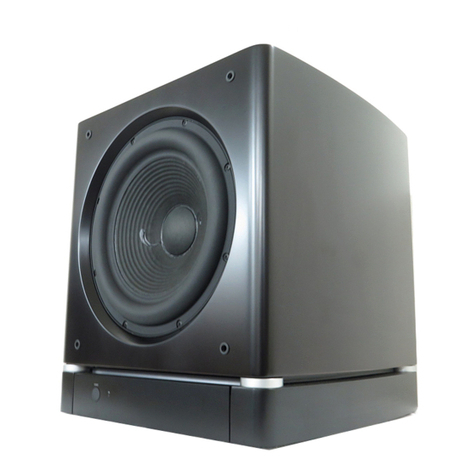
This unit features removable feet, a front firing woofer and ports, and front panel
controls for ease of use in a cabinet. The bass output of this unit is omnidirectional
so this unit may be placed anywhere in the listening environment. Walls or corners
will help reflect the bass for fuller sound. During use unit will vibrate: care should
be taken not to place any liquids or heavy items such as drinks or houseplants on
top as they may fall and damage your house or this subwoofer.
(Figure 1)
(Figures 2-3)