128-6297
9 of 24
9
volume. The display will indicate the current volume level by the number of
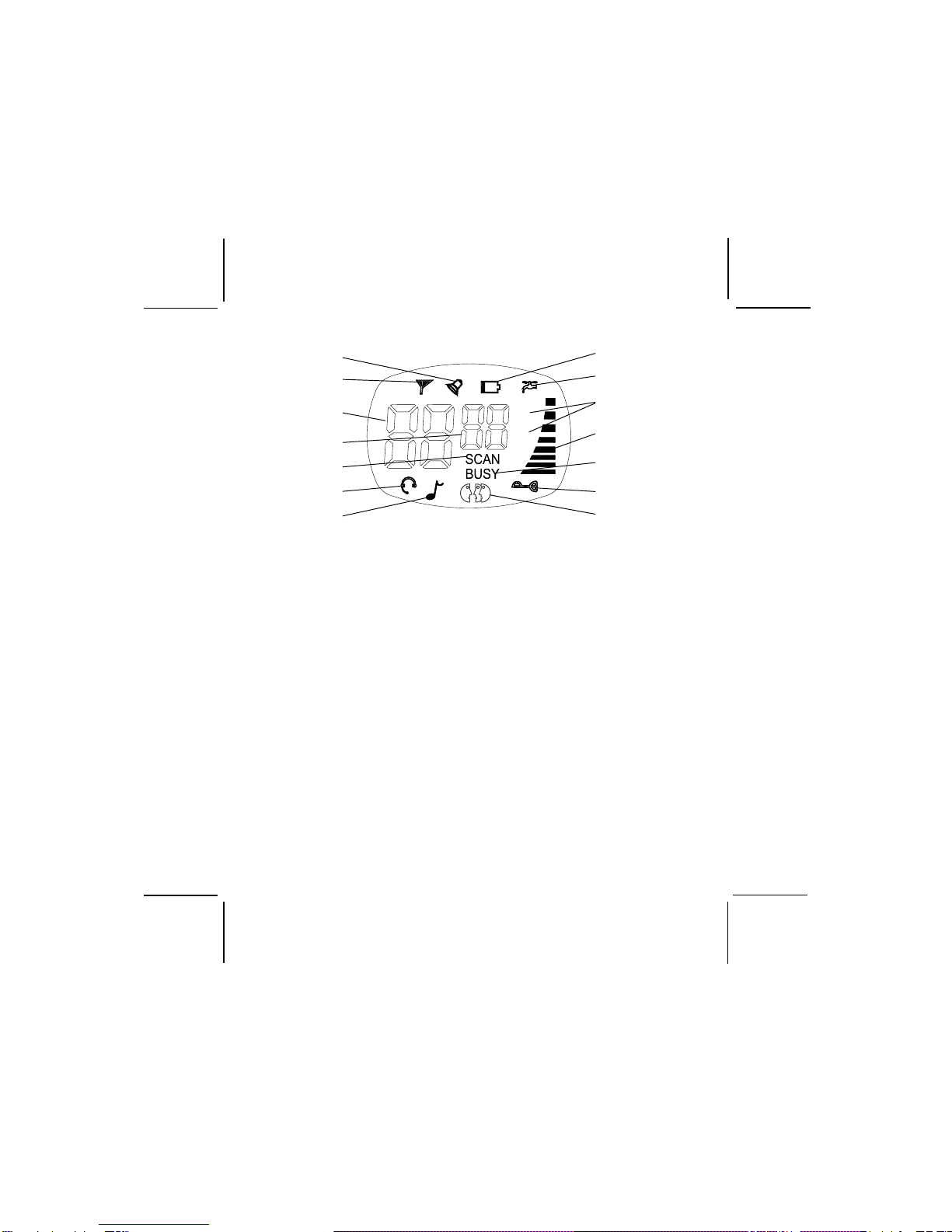
segments (1-8) appearing in the bar graph on the right side of the LCD.
When the minimum and maximum volume settings are reached, a unique
tone will sound.
Monitor Button (2)
This button is used to to check activity on the current frequency before
transmitting. Check activity by pressing the Monitor (M) Button longer
than 2 seconds; the BUSY indication will apppear on the display, the LED
at the bottom center of the display panel will light
green
and you will hear
static if the frequency is clear.
Do not transmit if you hear conversation.
Hold down the Monitor Button again longer than 2 seconds; the BUSY
indication will disappear from the display and the
green
LED will extinguish.
The monitor function will temporarily bypass the squelch setting and play
all signals on a given channel. This feature is useful when communicating
with other parties at extreme range.
By pressing the monitor button momentarily, the LCD backlight is turned
on; the LCD backlight will turn off automatically in about 5 seconds, unless
the monitor button is pressed momentarily once again.
Push To Talk (PTT) Button (4)
Pressing and holding this button will allow you to speak to any transceiver
that is set to the same channel and privacy code setting as yours. Hold the
transceiver approximately 1 to 2 inches from your face as you speak into
the built in microphone (9). After you have finished speaking, release the
PTT Button to allow reception of incoming signals. It is not possible to
transmit and receive at the same time. The dual Transmit/Monitor LED (16)
at the bottom center of the LCD Panel (8) will light
red
while the PTT Button
is pressed and the transmit icon ( ) in the upper left corner of the display
will appear. Releasing the button allows the unit to revert to standby mode.
When receiving an incoming signal, the Transmit/Monitor LED indicator will
light
green
. Whenever the PTT Button is pressed, the LCD backlight will
come on and remain for about 5 seconds.