babyleaf
Freedom of baby care
9
PAIRING
This process is to match the PU with BU and movement sensor mat so that they
can communicate with each other while no other devices (even baby monitor of
identical model) can interfere with you or receiving your signal.
The PU and BU are already paired when they are shipped from factory.
However, it is necessary to perform pairing again when extra BU is added to work with
the PU.
1. Press and hold the button 13 of PU.
2. Rotate the side ring 10 to switch on unit, then release button 13 after
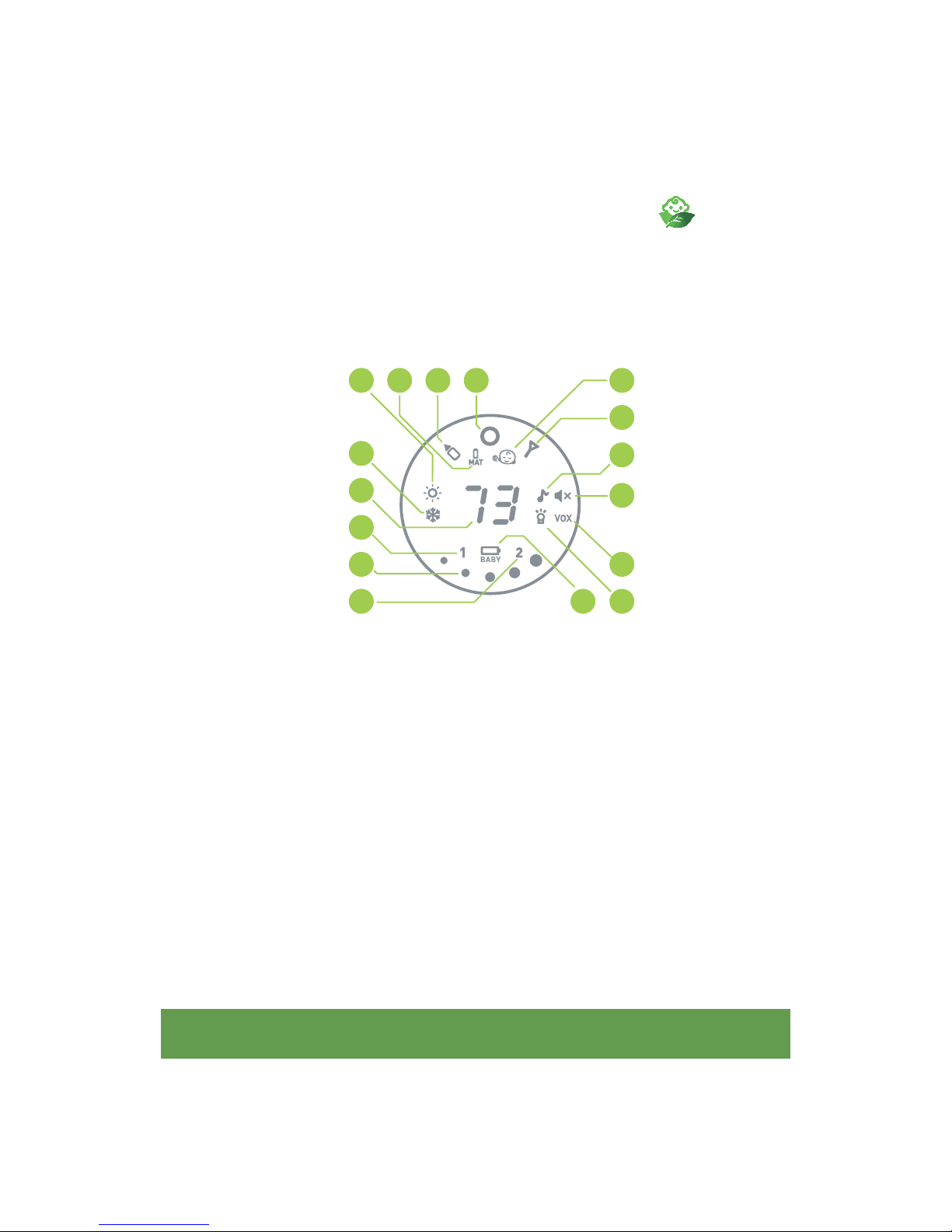
hearing a beep. The icon screen will show a “1” and a “ ” flashing.
+ button 2 until the transmit indicator 6 lights up, then release + button 2 .
The transmit indicator 6 will start flashing. Repeat same procedure for the
other BU.
4. Now press the feeding timer button 4 on one of the BU, the transmit
indicator 6 becomes steady and two beep sound will be heard.
5. At the same time, the “ ” on PU icon screen will stop flashing which represent
the pairing process is performed successfully. This BU will be BU No 1.
6. Now press button 15 , the PU icon screen will show a “ 2 ” and a “ ”
flashing.
7. Repeat step 4 for the other BU. The “ ” on PU screen will stop flashing which
represent the pairing process is performed successfully. This BU will be BU
no. 2.
8. Switch off all the units and switch them on again, the baby monitor is now
ready for operation.
9. In case the PU and BU cannot communicate with each other, repeat pairing
process again.