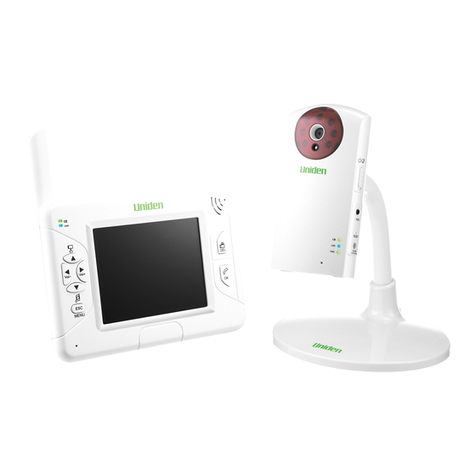
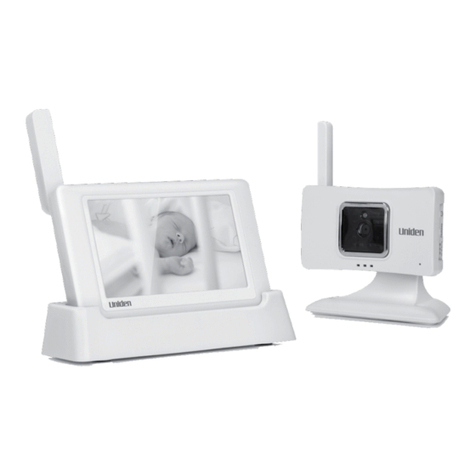
Uniden Guardian UBR223 User manual

Portable Digital Wireless
Baby Monitor
UBR223 User’s Guide

CUSTOMER CARE
At Uniden®, we care about you!
If you need assistance, please do NOT return this product to your place of purchase. Our customer
care specialists are available to serve you.
Quickly find answers to your questions by:
1. Reading this owner’s manual.
2. Visiting our customer support website at www.uniden.com.
3. Calling our customer care specialists at 1-800-297-1023.
IMPORTANT SAFETY PRECAUTIONS
This manual contains important information about this product’s operation. If you are
installing this product for others, you must leave this manual or a copy with the end user.
When using your equipment, always follow basic safety precautions to reduce the risk of fire,
electric shock and injury to persons, including the following:
•The camera is NOT weatherproof. It is an indoor camera
•To avoid any risk of electric shock from lightning, avoid handling any electronic devices (except battery-powered ones) during an
electrical storm.
•Use only the power cord indicated in this manual.
•Never tug or pull on any power cord; be sure to leave some slack in the cord when placing your equipment, and always use the
plug to unplug cord from the wall outlet.
•Never leave power cords where they can become crushed, cut, or frayed; when running power cords, avoid letting them rub
against any sharp edges or lie across any high trac areas where people might trip over them.
•Do not use the device if the adapter cords or plugs have been damaged, the monitor has been exposed to liquids, or the monitor/
camera has been dropped or is damaged.

WARNING TO PARENTS AND OTHER USERS
Failure to follow these warnings and the assembly instructions could result in serious injury or
death. This product is not designed or intended for use as a medical monitor, nor should this
product be used as a substitution for medical or parental supervision. Always be sure that both the
transmitter and receiver are working properly, and are within range of each other.
•STRANGULATION HAZARD. Keep the adapter cords out of the reach of children.
•WARNING: KEEP OUT OF THE REACH OF CHILDREN. This product is not a toy and is not intended for use by any children under
the age of 13. If you are between the ages of 13 and 18, review these terms, conditions and safety warnings with your parents or
guardian to make sure that you and your parent or guardian understand these terms, conditions, and safety warnings.
•Allow for proper ventilation when units are in use. Do not cover the camera or receiver with any object such as a blanket. Do not
place it in a drawer or in any location which would mue the sound or interfere with the normal ow of air.
SAVE THESE INSTRUCTIONS!
FOR BEST RESULTS
To avoid damage to your equipment, follow these simple precautions:
•Do not drop, puncture or disassemble any part of the equipment. There are no user-serviceable parts inside.
•Do not expose the equipment to high temperatures, and avoid leaving the equipment in direct sunlight for more than a few
minutes. Heat can damage the case or electrical parts.
•Do not place heavy items on top of the equipment or expose the equipment to heavy pressure.
•Remove the power adapter during long periods between usages.
•Clean only with a dry cloth.
Failure to follow the instructions in this operating manual will void the warranty. Uniden assumes
no liability for damages to property or injury to persons caused by improper handling or failure to
comply with these safety instructions.

Uniden surveillance products are not manufactured and/or sold with the intent to be used for illegal purposes. Uniden expects
consumer’s use of these products to be in compliance with all local, state and federal law. For further information on video
surveillance and audio recording legal requirements, please consult your local, state and federal law enforcement agency.
© 2013. All rights allowed by law are hereby reserved.
CONTENTS
OVERVIEW .......................................................5
FEATURES ............................................................................. 5
Camera .........................................................................................5
Monitor ........................................................................................6
USING THE MANUAL ........................................................ 6
GETTING STARTED ..........................................8
WHAT’S INCLUDED ........................................................... 8
MONITOR INSTALLATION ............................................... 8
CAMERA INSTALLATION ................................................. 9
Placement Considerations .................................................... 9
Wall Mount ...............................................................................10
Suction Mount .........................................................................10
Clip-Mount ................................................................................10
Connect Power ........................................................................10
BASIC OPERATION ....................................... 12
WIRELESS CAMERA .........................................................12
WIRELESS MONITOR .......................................................14
LCD DISPLAY .....................................................................16
USING THE UBR223 .........................................................18
Viewing Modes .......................................................................18
Common Operations ............................................................19
SYSTEM MENU DESCRIPTIONS ................... 20
SYSTEM ...............................................................................20
Date/Time .................................................................................21
Brightness .................................................................................22
Factory Reset ...........................................................................22
Language ..................................................................................23
Temperature Display Unit ...................................................23
Temperature Alert Range ....................................................24
ALERT ...................................................................................25
VOX .......................................................................................26
CAMERA ..............................................................................27
Pair ...............................................................................................27
On/O .........................................................................................28
POWER SAVE .....................................................................29
SPECIAL FEATURES ...................................... 31
ZOOM ..................................................................................31
NIGHT LIGHT .....................................................................31
LULLABIES ..........................................................................31
USING THE INTERCOM ...................................................32
CAMERA PAIRING ............................................................32
MAINTAINING YOUR SYSTEM ..................... 33
MONITOR ............................................................................33
CAMERA ..............................................................................33
SOLVING PROBLEMS ................................... 34
SPECIFICATIONS .......................................... 35
GENERAL .............................................................................35
CAMERA ..............................................................................35
MONITOR ............................................................................36
FCC Notices .................................................. 36
FCC Compliance Information .....................................36
RF Exposure Information ..............................................37
IC Compliance Information ......................... 37
Radio Equipment Notice ..............................................37
Three-Year Limited Warranty ..................... 37

5
OVERVIEW
FEATURES
•Digital wireless technology provides excellent image quality and clarity
•Interference free, secure, and private signal
•Up to 500 ft. transmission range
Maximum open space transmission range. The actual range varies depending on building
materials and other obstructions in wireless signal path.
•Exceptional sound clarity
•Out of range notification
•Four lullaby selections
•Monitor/Camera-controlled night light
•System expandable up to 4 cameras (one camera included; additional cameras sold separately)
•Two-way audio communication
•Camera room temperature display on monitor; temperature range alert
Camera
•VGA resolution camera
•Built-in microphone
•Night light control
•Lullaby control
•Built-in battery for true portable wireless operation
•Night vision allows for low light viewing up to 15 feet / 4.5 meters

6
IR illumination range of 15ft./4.5m under ideal conditions. Objects at or beyond this range
may be partially or completely obscured, depending on the camera application.
Monitor
•2.3” color LCD monitor with superior image quality
•Rechargeable lithium polymer battery for true portability
•Audio level indicator
•Intercom
•Room temperature display
•Remote night light control
•Remote lullaby control
If any items are missing or damaged, contact our Customer Care Line immediately.
Never use damaged products!
USING THE MANUAL
This manual is set up in eight sections:
•Overview. This general section lists the system’s features. It also tells you how to use this
manual.
•Getting Started. This section lists the hardware you should have in your box and how to set it up.
•Basic Operations. This section describes your equipment’s function keys in detail. It also provides
a list of basic operations in an abbreviated format, referencing screen details in the next section.
•Uniden UBR223 Screen Descriptions. Here you will find detailed descriptions of each screen and
how it is used.
•Special Features. This section tells you about the UBR223 special features.

7
•Maintaining Your System. This section provides tips on how to keep your UBR223 hardware
clean and in excellent working condition.
•Solving Problems. Troubleshooting tips are located here.
•Specification. This last section contains hardware and software specifications.

8
GETTING STARTED
WHAT’S INCLUDED
The system comes with the following components:
Digital Wireless Monitor (1) Digital Wireless Camera (1) Suction Cup Adapter Bar (1)
AC Power Adapter (2) Screws and Anchors Owner’s Manual
If any items are missing or damaged, contact our Customer Care Line immediately.
Never use damaged products!
MONITOR INSTALLATION
1. Place the monitor in a location with clear reception from your camera(s). Place it a minimum of
3 feet from the crib.
2. Plug the AC adapter power plug into the monitor’s DC adapter input jack.

9
3. Plug the power plug into a 120 volt AC (standard indoor) power outlet or surge protector.
4. Press and hold
POWER
to turn the unit on or off. Let the monitor charge for 6 hours prior to
first time use so the built-in rechargeable monitor battery is fully charged. DO NOT remove
the power cable from the monitor during the initial charge process. After the initial charge,
recharge the monitor as needed.
5.
Out of range
displays until you turn on the camera, .
CAMERA INSTALLATION
The UBR223 camera and mounting clip are a complete unit. The UBR223 does come with a separate
suction cup bar. With it installed, you can mount the camera on glass or smooth metallic surfaces.
Placement Considerations
•The camera included with your monitor is NOT weatherproof; it is an indoor camera.
•The clearest line-of-sight between the camera and monitor is best. Walls, especially brick and
concrete, can affect reception quality.
•Avoid having a direct light source in view of the camera (ceiling or floor lamps).
•Carefully plan where and how the camera will be positioned, and where you will route the cable
that connects the camera to the power adapter. Place it a minimum of 3 feet from the crib.
•When you are positioning the camera, bring the monitor along; it’s much easier to get the
camera into the right position when you have the display handy. Check the image on the
monitor before you install the camera.
•
Out of range
displays when the camera is out of range, turned off, or unsuccessfully paired to the
monitor. It also displays when the monitor is out of range.
You can install additional cameras (maximum of 4 cameras). When adding cameras that
were not included in the original box, you will need to pair the cameras with the monitor.
Refer to page 29.

10
Wall Mount
The UBR223 camera mounting clip has two slots that fit over screws to mount the unit on the wall.
1. Mark the position of the screw holes on the wall.
2. Drill holes and insert the anchors and screws provided.
Be sure to leave room for the mounting to fit over the screw heads.
3. Place the mounting over the installed screws and push it
downwards, locking it into place.
4. Adjust the camera as needed.
Suction Mount
1. Insert the suction base into the mounting clip as shown.
2. Firmly press the camera with the suction base attached onto glass or
metallic surfaces.
3. Adjust the camera as needed.
Clip-Mount
Clip the UBR223 on ledges and shelves.
1. Press the mounting clip as shown.
2. Place the unit over the mounting surface and release.
3. Adjust the camera as needed.
Connect Power
1. Insert the AC adapter power plug into the camera’s DC adapter input jack.
2. Plug the other end into a 120 volt AC (standard indoor) power outlet or surge protector. The
charging LED
turns on. If the battery is not fully charged, the LED is red. If it is fully charged, the
LED is green.
3. Press
Power
. The green power LED turns on and the monitor now displays camera video. If it
doesn’t, try reconnecting the AC adapter, making sure the power outlet isn’t controlled by a
wall switch.
WALL
Table of contents
Other Uniden Baby Monitor manuals
Uniden
Uniden BW150R User manual
Uniden
Uniden Lullaboo G403 User manual
Uniden
Uniden BW614PTR User manual

Uniden
Uniden BW4301 User manual

Uniden
Uniden BW30xx Series User manual
Uniden
Uniden BW618PTR User manual
Uniden
Uniden BW610R User manual
Uniden
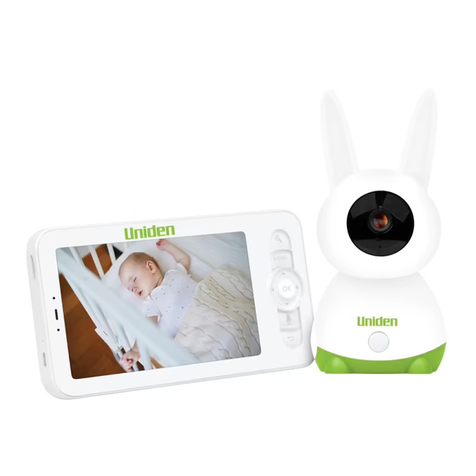
Uniden BW5151R Series User manual

Uniden
Uniden BW6151R Series User manual

Uniden
Uniden BW6101R Series User manual

Uniden
Uniden BW4151 User manual
Uniden
Uniden Lullaboo G403 User manual

Uniden
Uniden BW2101 User manual

Uniden
Uniden BW140R User manual

Uniden
Uniden BW120 User manual
Uniden
Uniden BW130 User manual

Uniden
Uniden BW34 Series User manual
Uniden
Uniden Guardian UBR243 User manual
Uniden
Uniden BW3451R+1 User manual
Uniden
Uniden Lullaboo G403 User manual