manuals.online logo
Brands
  1. Home
  2. •
  3. Brands
  4. •
  5. Backflow Direct
  6. •
  7. Control Unit
  8. •
  9. Backflow Direct Magnum 20(x) Technical specifications

Backflow Direct Magnum 20(x) Technical specifications

Other Backflow Direct Control Unit manuals
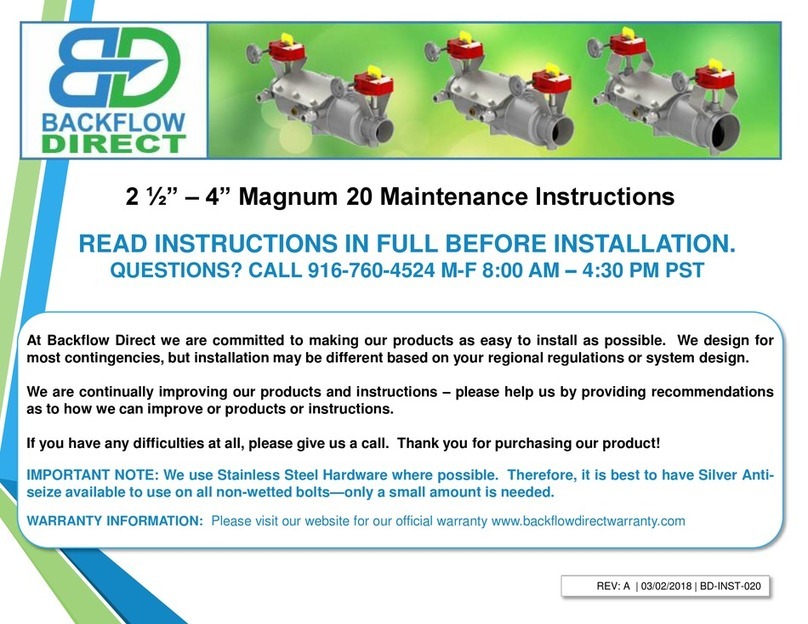
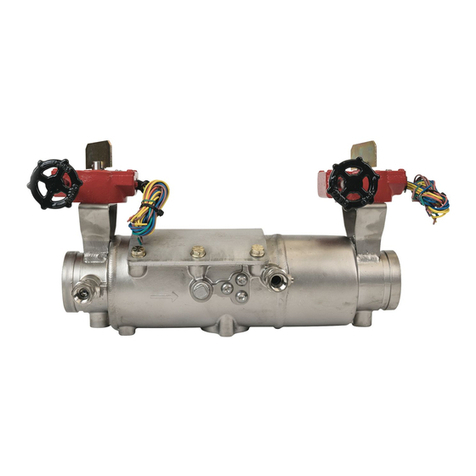
Backflow Direct Magnum 20 Technical specifications

Backflow Direct

Backflow Direct Magnum 20 Technical specifications

Backflow Direct Deringer 20 Technical specifications

Backflow Direct

Backflow Direct Deringer 20 Technical specifications

Popular Control Unit manuals by other brands

Seitz 14A80 user manual

Seitz

Seitz 14A80 user manual

Wilo RS485 Installation and operating instructions

Wilo

Wilo RS485 Installation and operating instructions

Becker CentralControl CC41 Commissioning Instruction

Becker

Becker CentralControl CC41 Commissioning Instruction

SICK CDB650 operating instructions

SICK

SICK CDB650 operating instructions

Panduit NetKey NKP5E88M Series installation instructions

Panduit

Panduit NetKey NKP5E88M Series installation instructions

MX Options Concentric Petite Fitting instructions

MX

MX Options Concentric Petite Fitting instructions

Clean Water Systems Fleck 2510 Installation & start?up guide

Clean Water Systems

Clean Water Systems Fleck 2510 Installation & start?up guide

Fairchild FSB44104A user guide

Fairchild

Fairchild FSB44104A user guide

LEGRAND Wattstopper LMIN-104 installation instructions

LEGRAND

LEGRAND Wattstopper LMIN-104 installation instructions

PMK ATT10BNCS instruction manual

PMK

PMK ATT10BNCS instruction manual

Tektronix TDS3FFT user manual

Tektronix

Tektronix TDS3FFT user manual

Woodward easYgen Technical manual

Woodward

Woodward easYgen Technical manual

Balluff BNI EIP-502-105-R015 user guide

Balluff

Balluff BNI EIP-502-105-R015 user guide

NXP Semiconductors TWR-LS1021A Getting started

NXP Semiconductors

NXP Semiconductors TWR-LS1021A Getting started

Advantech PCM-3117 Startup manual

Advantech

Advantech PCM-3117 Startup manual

Danfoss MCO 101 manual

Danfoss

Danfoss MCO 101 manual

Moons' Lin Engineering R701P user manual

Moons'

Moons' Lin Engineering R701P user manual

Aventics RV1 operating instructions

Aventics

Aventics RV1 operating instructions

manuals.online logo
manuals.online logoBrands
  • About & Mission
  • Contact us
  • Privacy Policy
  • Terms and Conditions

Copyright 2025 Manuals.Online. All Rights Reserved.

6” – 8” Magnum 20(x) Maintenance Instructions
At Backflow Direct we are committed to making our products as easy to install as possible. We design for
most contingencies, but installation may be different based on your regional regulations or system design.
We are continually improving our products and instructions –please help us by providing recommendations
as to how we can improve or products or instructions.
If you have any difficulties at all, please give us a call. Thank you for purchasing our product!
IMPORTANT NOTE: We use Stainless Steel Hardware where possible. Therefore, it is best to have Silver Anti-
seize available to use on all non-wetted bolts—only a small amount is needed.
WARRANTY INFORMATION: Please visit our website for our official warranty www.backflowdirectwarranty.com
READ INSTRUCTIONS IN FULL BEFORE INSTALLATION.
QUESTIONS? CALL 916-760-4524 M-F 8:00 AM –4:30 PM PST
REV: A | 03/02/2018 | BD-INST-020X
6”-8” Magnum 20(x) Maintenance Instructions
BD-INST-020X | Rev A | 03/02/2018 | Copyright 2011 Backflow Direct, LLC Page 2 of 16
#2 Philips Head Screwdriver
#2 Flathead Screwdriver
Adjustable Wrench
Ratchet
Wood Block - 2” x 4” x 5”
Wood Block – 1” x 2” x 16”
Backflow Direct Test Cock Wrench
Expanding Pipe Pliers
15/16” Socket
1 1/8” Socket
Tools Required: This list is the recommended tools for ease of installation. Other versions of the same tool can be used. For
example,Allen Wrenches instead of Allen Drive Sockets.
QUESTIONS: Please call us at 916-760-4524 M-F 8:00 AM –4:30 PM PST or email us at techhelp@backflowdirect.com
6”-8” Magnum 20(x) Maintenance Instructions
BD-INST-020X | Rev A | 03/02/2018 | Copyright 2011 Backflow Direct, LLC
Closing Shut-Off Valves Prior to Maintenance
1. Slowly rotate Shut-Off Valve #2 Handle (B) clockwise
to the closed position. Flag perpendicular to flow (A).
2. Slowly rotate Shut-Off Valve #1 Handle (C) clockwise
to the closed position. Flag perpendicular to flow (A).
Note: When yellow/orange position indicator flags are
parallel with the flow of water the shut-off valves are in the
open position. Before doing any maintenance be sure the
yellow or orange flow indicators (flags) are perpendicular
to the flow of water valve body indicating shut-off valves
are in the closed position (A).
Note
B
FLOW C
A
Page 3 of 16
FLOW
A
6”-8” Magnum 20(x) Maintenance Instructions
BD-INST-020X | Rev A | 03/02/2018 | Copyright 2011 Backflow Direct, LLC
Opening Test Cocks and BleedingAll Pressure from the Line Before Maintenance
1. DO NOT OPEN Main Test Cock Number 1,
as it is still subject to line pressure.
2. Using the Backflow Direct test cock wrench or
a small adjustable wrench open (A) Main Test
Cock Number 4. (Test Cock is open when
wrench flats are parallel to water flow through
test cock)
3. Using the Backflow Direct test cock wrench
or a small adjustable wrench open Main
Test Cock Number 3.
4. Using the Backflow Direct test cock wrench
or a small adjustable wrench open Main
Test Cock Number 2.
BD-INST-020X | Rev A | 03/02/2018 | Copyright 2011 Backflow Direct, LLC
A
A
Page 4 of 16
FLOW
6”-8” Magnum 20(x) Maintenance Instructions
BD-INST-020X | Rev A | 03/02/2018 | Copyright 2011 Backflow Direct, LLC
Removing Access Port Cover Plate
1. Using a 15/16”socket wrench loosen all eight bolts on the access port
cover plate (A).
2. Remove bolts and tapered washers (B) and store in a safe place. Be
careful not to lose tapered washers as the access cover will not seal
properly without the tapered washers.
3. Remove access port cover plate (C). Do not remove Access Port O-ring
(D).
BC
A
BD-INST-020X | Rev A | 03/02/2018 | Copyright 2011 Backflow Direct, LLC Page 5 of 16
D
6”-8” Magnum 20(x) Maintenance Instructions
BD-INST-020X | Rev A | 03/02/2018 | Copyright 2011 Backflow Direct, LLC
Removing the First Dual-Action Check Module
1. Use a 15/16”Socket Wrench to loosen the check retainer bolts on both
sides of the valve body (A). Do not completely remove check retainer
bolts from valve body. Merely loosen the bolts until the ends of the bolts
are flush with the inner wall of the valve body(B). Allow easy removal of
Check Modules
2. Insert a flathead screwdriver between the inner valve body and the First
Check Module Flange (C), gently coax the First Check Module in the
downstream direction until the First Check Module can easily be
removed from the access port by hand.
A
B
BD-INST-020X | Rev A | 03/02/2018 | Copyright 2011 Backflow Direct, LLC Page 6 of 16
C
FLOW
6”-8” Magnum 20(x) Maintenance Instructions
BD-INST-020X | Rev A | 03/02/2018 | Copyright 2011 Backflow Direct, LLC
Removing the Second Dual-Action Check Module
1. Use a 1 1/8”Socket Wrench to loosen the Check Retainer Bolts on
each side of the valve body (A). Do not completely remove check
retainer bolts from valve body. Merely loosen the bolts until the ends
of the bolts are flush with the inner wall of the valve body(B).
2. Insert a flathead screwdriver between the inner valve body and the
Second Check Module Flange (C), gently coax the Second Check
Module in the upstream direction until the Second Check Module can
easily be removed from the access port by hand.
A
A
C
BD-INST-020X | Rev A | 03/02/2018 | Copyright 2011 Backflow Direct, LLC Page 7 of 16
B
FLOW
6”-8” Magnum 20(x) Maintenance Instructions
BD-INST-020X | Rev A | 03/02/2018 | Copyright 2011 Backflow Direct, LLC
Maintenance of First Dual-Action Check Module
1. Use a #2 Philips Head Screwdriver to remove Tower
Screws (A) from the First Check Seat (B) The Double
Torsion Spring is captured (C) and does not to be
retained during maintenance.
2. After removing the Tower Screws (A) Examine the
Elastomer Disk (D) and Check Seat (E) for fouling or
damage.
3. Should Elastomer Disk (D) need replacement unscrew
Disk Retainer Screws (F) and remove Disk Retainer (G).
Carefully remove and replace Elastomer Disk (D).
When replacing Elastomer Disk (D) be certain that no
air, water or debris is trapped in the Clapper (H) cavity
behind the Elastomer Disk (D).
A
BD-INST-020X | Rev A | 03/02/2018 | Copyright 2011 Backflow Direct, LLC
4. Reverse the order of the above instructions to reassemble check.
•Elastomer Disk must be flat in Clapper (H) cavity before
tightening Disk Retainer Screws (F).
•Do not cross thread Disk Retaining Screws (F).
B
E
D
F
DG
Page 8 of 16
H
C
6”-8” Magnum 20(x) Maintenance Instructions
BD-INST-020X | Rev A | 03/02/2018 | Copyright 2011 Backflow Direct, LLC
Maintenance of First Dual-Action Check Module
BD-INST-020X | Rev A | 03/02/2018 | Copyright 2011 Backflow Direct, LLC Page 9 of 16
Note: The diagram below shows the correct orientation of the First Dual-Action Check Module when being re-attached to the seat. In
order to maintain the performance of the valve pay attention to the proper orientation of the check module.
6”-8” Magnum 20(x) Maintenance Instructions
BD-INST-020X | Rev A | 03/02/2018 | Copyright 2011 Backflow Direct, LLC
Maintenance of Second Dual-Action Check Module
H
BD-INST-020X | Rev A | 03/02/2018 | Copyright 2011 Backflow Direct, LLC
AC
B
E
D
F
D
G
Page 10 of 16
1. Use a #2 Philips Head Screwdriver to remove Tower
Screws (A) from the Second Check Seat (B) The Double
Torsion Spring is captured (C) and does not to be
retained during maintenance.
2. After removing the Tower Screws (A) Examine the
Elastomer Disk (D) and Check Seat (E) for fouling or
damage.
3. Should Elastomer Disk (D) need replacement unscrew
Disk Retainer Screws (F) and remove Disk Retainer (G).
Carefully remove and replace Elastomer Disk (D).
When replacing Elastomer Disk (D) be certain that no
air, water or debris is trapped in the Clapper (H) cavity
behind the Elastomer Disk (D).
4. Reverse the order of the above instructions to reassemble check.
•Elastomer Disk must be flat in Clapper (H) cavity before
tightening Disk Retainer Screws (F).
•Do not cross thread Disk Retaining Screws (F).