manuals.online logo
Brands
  1. Home
  2. •
  3. Brands
  4. •
  5. Bally
  6. •
  7. Exercise Bike
  8. •
  9. Bally CU300 User manual

Bally CU300 User manual

Other manuals for CU300

1

This manual suits for next models

1

Other Bally Exercise Bike manuals

Bally CU300 User manual

Bally

Bally CU300 User manual

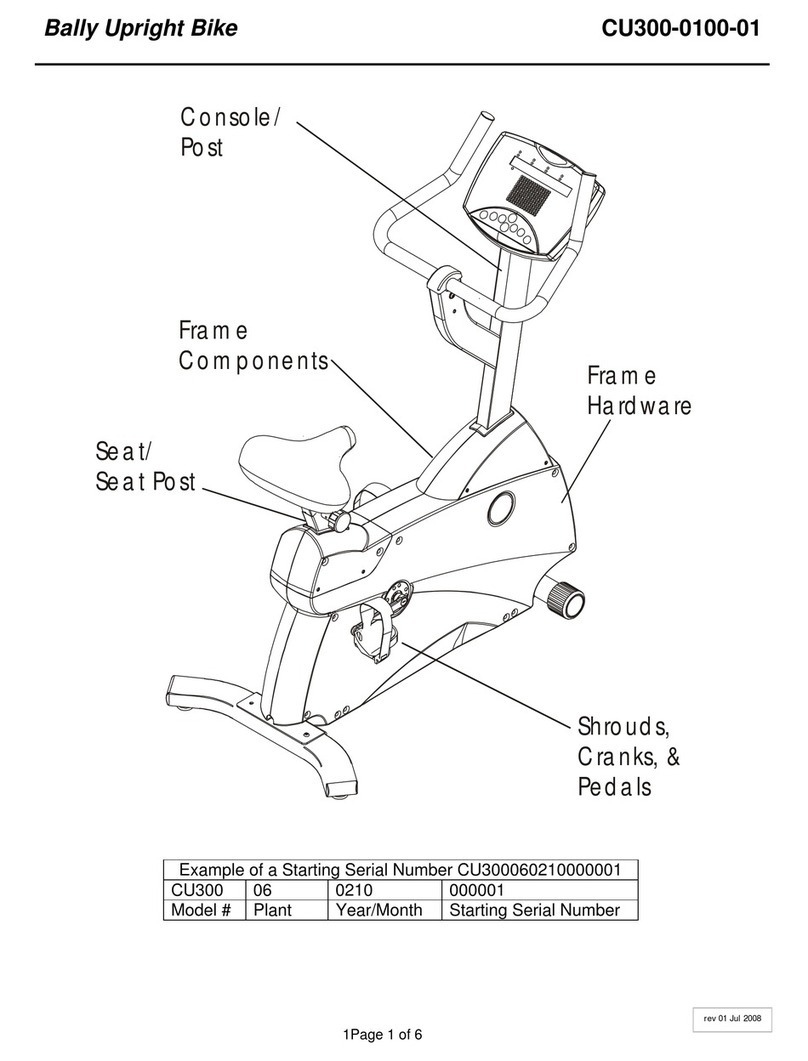
Bally CU300-0100-01 User manual

Bally

Bally CU300-0100-01 User manual

Popular Exercise Bike manuals by other brands

BH BLADEZ 200U owner's manual

BH

BH BLADEZ 200U owner's manual

Eco-De ECO-800 Instruction guide

Eco-De

Eco-De ECO-800 Instruction guide

Nautilus Be Strong Commercial Series U916 owner's manual

Nautilus

Nautilus Be Strong Commercial Series U916 owner's manual

NordicTrack Gx 3.1 Bike Manual Del Usuario

NordicTrack

NordicTrack Gx 3.1 Bike Manual Del Usuario

NordicTrack Gx 3.1 Bike Instrukcja obsŁugi

NordicTrack

NordicTrack Gx 3.1 Bike Instrukcja obsŁugi

Tomahawk IC3 manual

Tomahawk

Tomahawk IC3 manual

GPI Sports & Fitness BODYWORX ABX250M manual

GPI Sports & Fitness

GPI Sports & Fitness BODYWORX ABX250M manual

Trixter X-Bike user manual

Trixter

Trixter X-Bike user manual

TOORX BRX85 Instruction

TOORX

TOORX BRX85 Instruction

Matrix KranKcycle user manual

Matrix

Matrix KranKcycle user manual

Weslo Vector 302 Bedienungsanleitung

Weslo

Weslo Vector 302 Bedienungsanleitung

Matrix IC3 manual

Matrix

Matrix IC3 manual

Sunny Health & Fitness SF-B121021 user manual

Sunny Health & Fitness

Sunny Health & Fitness SF-B121021 user manual

Monark 827E instruction manual

Monark

Monark 827E instruction manual

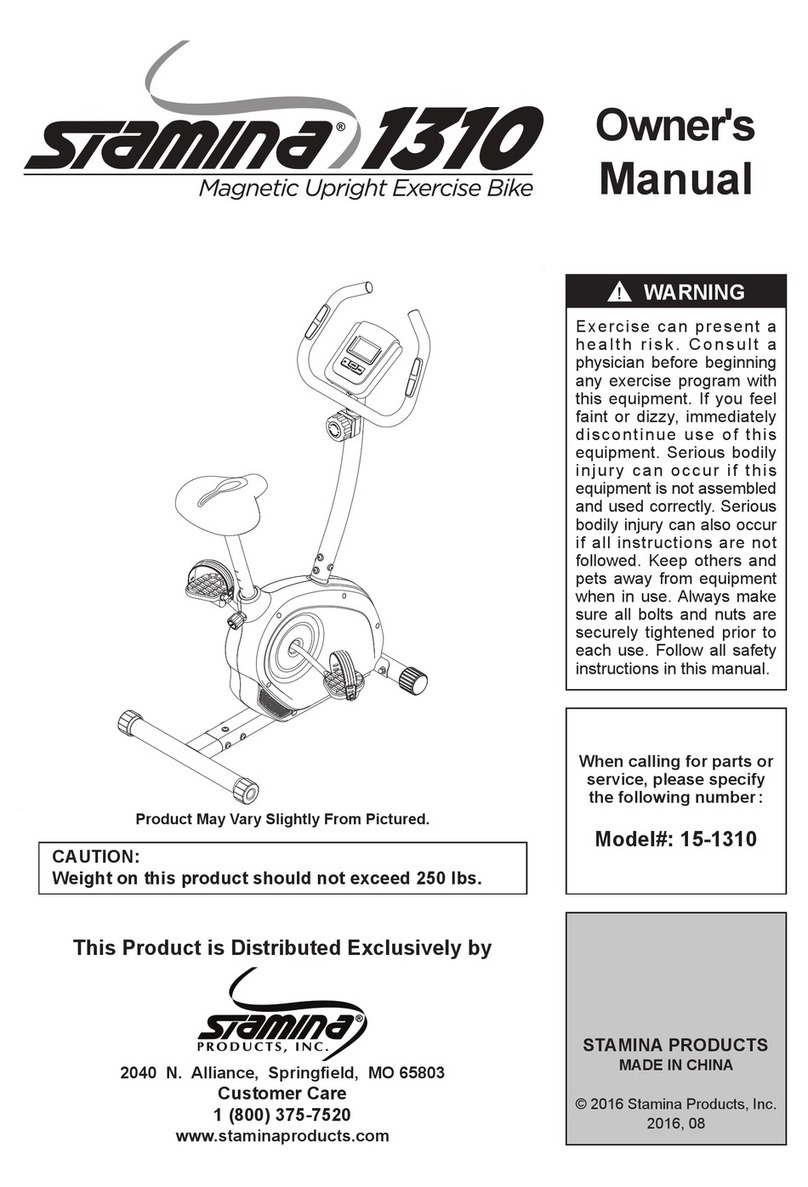
Stamina 1310 owner's manual

Stamina

Stamina 1310 owner's manual

American Fitness SPR-BK1072A owner's manual

American Fitness

American Fitness SPR-BK1072A owner's manual

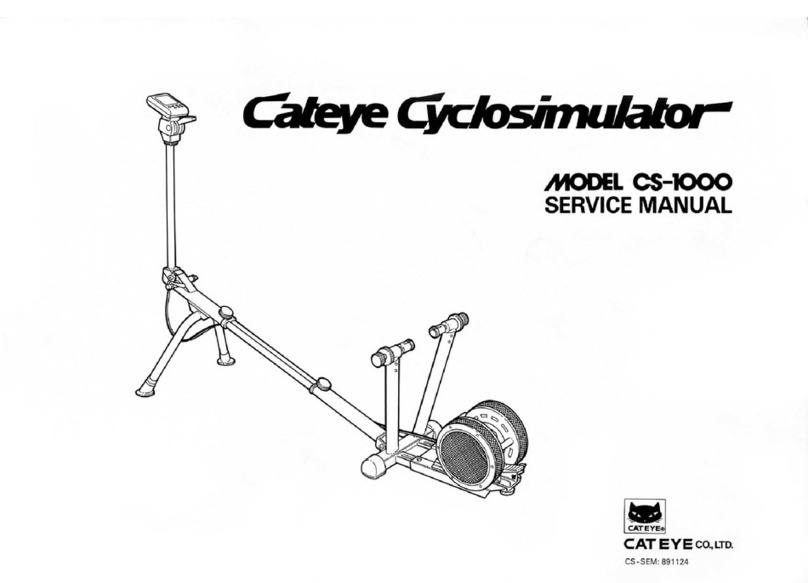
Cateye CS-1000 (CYCLO SIMULATOR) Service manual

Cateye

Cateye CS-1000 (CYCLO SIMULATOR) Service manual

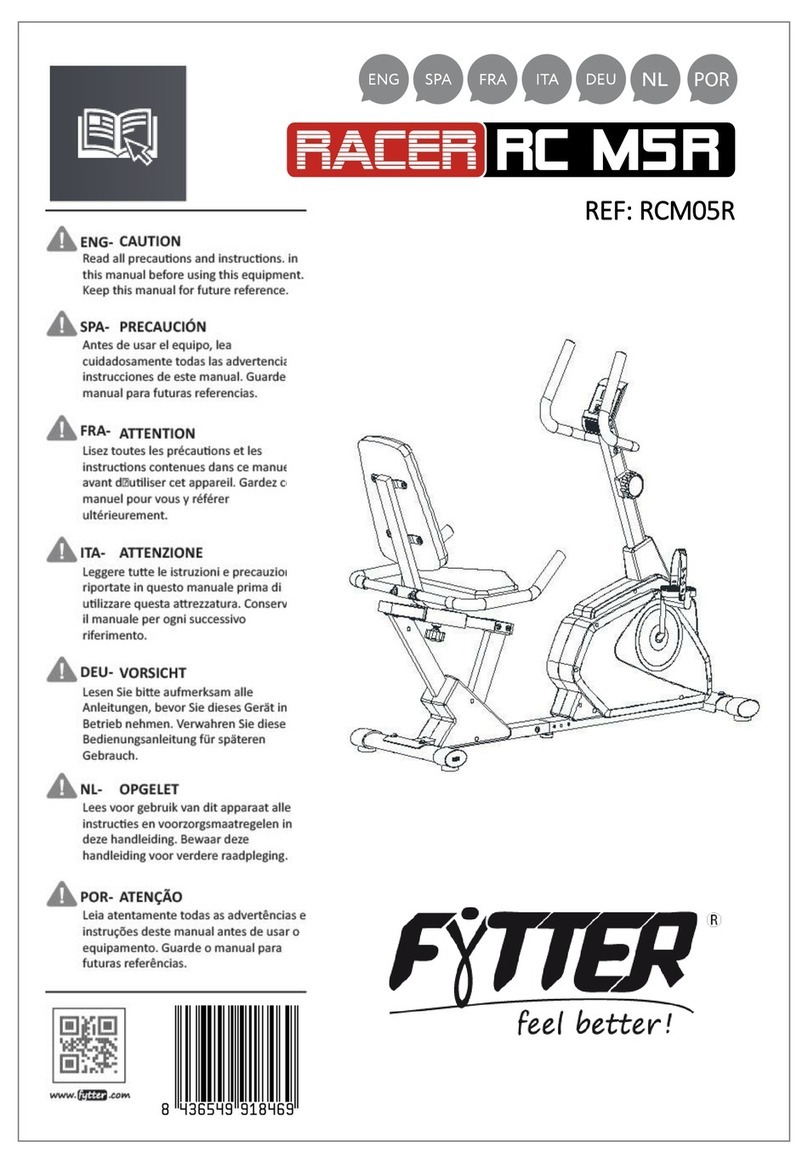
BH FITNESS H9158H Instructions for assembly and use

BH FITNESS

BH FITNESS H9158H Instructions for assembly and use

manuals.online logo
manuals.online logoBrands
  • About & Mission
  • Contact us
  • Privacy Policy
  • Terms and Conditions

Copyright 2025 Manuals.Online. All Rights Reserved.

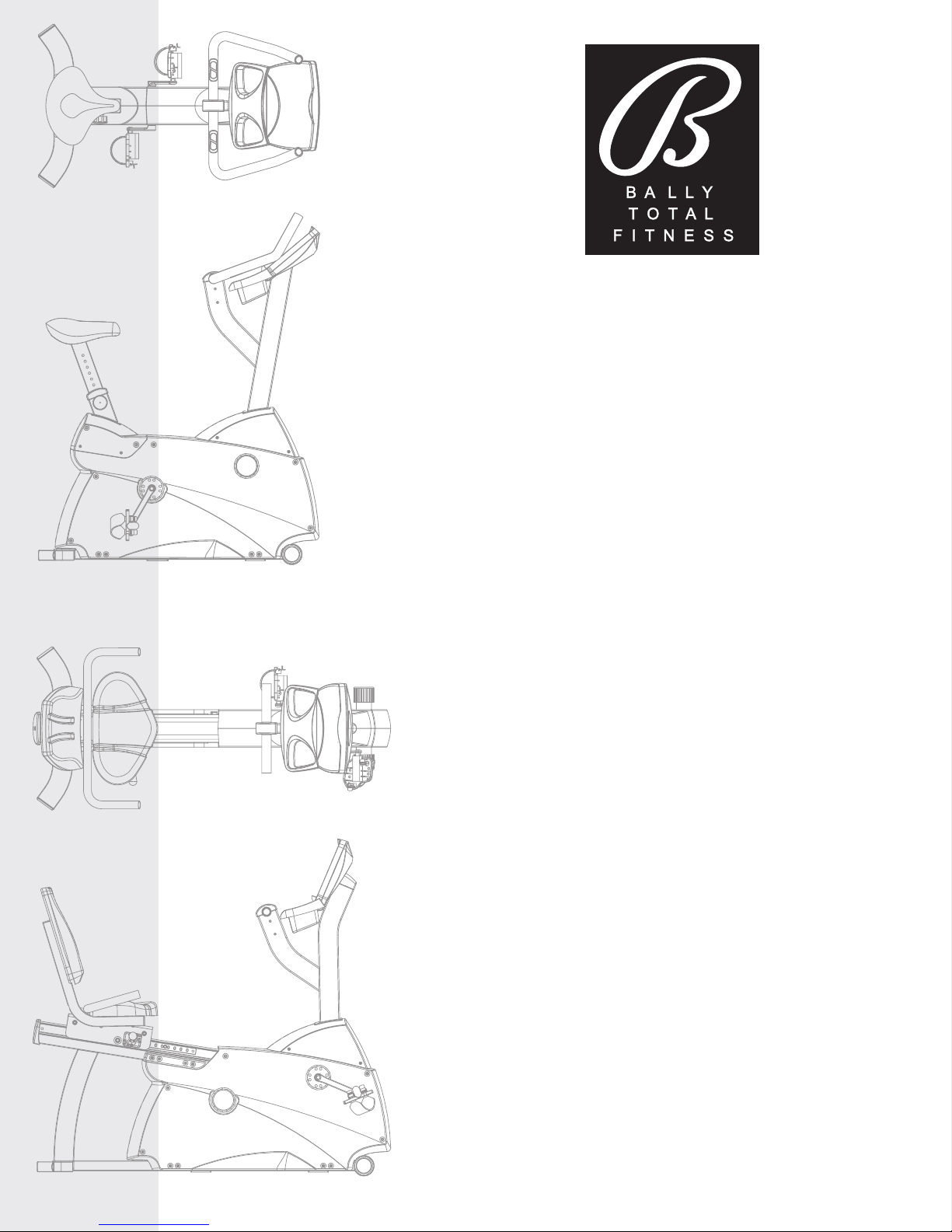
CU300 and CR300
Exercise Bikes
USER MANUAL
1
LIFE FITNESS ASIA PACIFIC LTD
Room 2610, Miramar Tower
132 Nathan Road
Tsimshatsui, Kowloon
HONG KONG
Telephone: +852) 2891.6677
FAX: +852) 2575.6001
LIFE FITNESS ATLANTIC BV
LIFE FITNESS BENELUX
Bijdorpplein 25-31
2992 LB Barendrecht
THE NETHERLANDS
Telephone: +31) 180.646.666
FAX: +31) 180.646.699
Telephone: +32) 87.300.942
FAX: +32) 87.300.943
LIFE FITNESS DO BRAZIL
Av. Dr. Dib Sauaia Neto 1478
Alphaville, Barueri, SP
06465-140
BRAZIL
Telephone +55) 11.4193.8282
FAX: +55) 11.4193.8283
LIFE FITNESS VERTRIEBS GMBH
Dückegasse 7-9/3/36
1220 Vienna
AUSTRIA
Telephone: +43) 1.61 57 198
FAX: +43) 1.61 57 198.20
LIFE FITNESS IBERIA
Pol. Ind. Molí dels Frares. c/C, nº 12
08620 Sant Vicenç dels Horts Barcelona)
SPAIN
Telephone: +34) 93.672.4660
FAX: +34) 93.672.4670
LIFE FITNESS EUROPE GMBH
Siemensstrasse 3
85716 Unterschleissheim
GERMANY
Telephone: +49) 89.31 77 51.0
FAX: +49) 89.31 77 51.99
LIFE FITNESS ITALIA S.R.L.
Via Vittorio Veneto, 57/A
39042 Bressanone Bolzano)
ITALY
Telephone: +39) 0472.835 470
FAX: +39) 0472.833 150
LIFE FITNESS LATIN AMERICA
and CARIBBEAN
10601 West Belmont Avenue
Franklin Park, Illinois 60131
U.S.A.
Telephone: +1) 847.288.3300
FAX: +1) 847.288.3886
LIFE FITNESS UK LTD
Queen Adelaide
Ely, Cambs CB7 4UB
UNITED KINGDOM
Telephone: +44) 1353.666017
FAX: +44) 1353.666018
LIFE FITNESS JAPAN
Nippon Brunswick Bldg., #8F
5-27-7 Sendagaya
Shibuya-Ku, Tokyo
JAPAN 151-0051
Telephone: +81) 3.3359.4309
FAX: +81) 3.3359.4307
M051-00K63-A001
9/02
CORPORATE HEADQUARTERS
10601 West Belmont Avenue
Franklin Park, Illinois 60131  U.S.A.
847.288.3300  FAX: 847.288.3703
800.735.3867 Toll-free within U.S.A., Canada)
www.lifefitness.com
INTERNATIONAL OFFICES
Before using this product, it is essential to read this
ENTIRE operation manual and ALL installation instructions.
This will help in setting up the equipment quickly
and in instructing others on how to use it correctly and safely.
FCC Warning - Possible Radio / Television Interference
NOTE: This equipment has been tested and found to comply with the limits for a Class B digital device, pursuant to part
15 of the FCC rules. These limits are designed to provide reasonable protection against harmful interference in a resi-
dential installation. This equipment generates, uses and can radiate radio frequency energy, and if not installed and used
in accordance with the operation manual, may cause harmful interference to radio communications. However, there is no
guarantee that the interference will not occur in a particular installation. If this equipment does cause harmful interference
to radio or television reception, which can be determined by turning the equipment off and on, the user is encouraged to
try to correct the interference by one or more of the following measures:
Reorient or relocate the receiving antenna.
Increase the separation between the equipment and the receiver.
Connect the equipment into an outlet on a circuit different from that to which the receiver is connected.
Consult the dealer or an experienced radio/TV technician for help.
Class HB Home): Domestic use. Not suitable for therapeutic purposes.
CAUTION: Any hanges or modifi ations to this equipment ould void the produ t warranty.
Any service, other than cleaning or user maintenance, must be performed by an authorized service representative. There
are no user-serviceable parts.
2
3
TABLE OF CONTENTS
Unpa king and Assembly . . . . . . . . . . . . . . . . . . . . . . . . . . . . . . . . . . . . . . . . . . . . . . . . . . . . . . . . . . . . . . . . . . . .4
Operation . . . . . . . . . . . . . . . . . . . . . . . . . . . . . . . . . . . . . . . . . . . . . . . . . . . . . . . . . . . . . . . . . . . . . . . . . . . . . . . . .8
1. Getting Started . . . . . . . . . . . . . . . . . . . . . . . . . . . . . . . . . . . . . . . . . . . . . . . . . . . . . . . . . . . . . . . . . . . . .9
1.1 Important Safety Instructions . . . . . . . . . . . . . . . . . . . . . . . . . . . . . . . . . . . . . . . . . . . . . . . . . . . . . . . . . .9
1.2 Set-up . . . . . . . . . . . . . . . . . . . . . . . . . . . . . . . . . . . . . . . . . . . . . . . . . . . . . . . . . . . . . . . . . . . . . . . . . .10
Where to place the Bally Exercise Bike // How to stabilize the Bally Exercise Bike // How to Adjust
the Seat // How to Adjust the Pedal Straps // Starting Up the Bike
2. The Display Console . . . . . . . . . . . . . . . . . . . . . . . . . . . . . . . . . . . . . . . . . . . . . . . . . . . . . . . . . . . . . . . .12
2.1 The Display Console Overview . . . . . . . . . . . . . . . . . . . . . . . . . . . . . . . . . . . . . . . . . . . . . . . . . . . . . . . .12
2.2 Display Console Descriptions . . . . . . . . . . . . . . . . . . . . . . . . . . . . . . . . . . . . . . . . . . . . . . . . . . . . . . . . .13
2.3 The Accessory Tray optional) and Reading Rack . . . . . . . . . . . . . . . . . . . . . . . . . . . . . . . . . . . . . . . . . .14
3. Heart Rate Zone Training Exercise . . . . . . . . . . . . . . . . . . . . . . . . . . . . . . . . . . . . . . . . . . . . . . . . . . . . .15
3.1 Why Heart Rate Zone Training Exercise? . . . . . . . . . . . . . . . . . . . . . . . . . . . . . . . . . . . . . . . . . . . . . . . .15
3.2 Heart Rate Monitoring . . . . . . . . . . . . . . . . . . . . . . . . . . . . . . . . . . . . . . . . . . . . . . . . . . . . . . . . . . . . . . .16
The Telemetry Heart Rate Chest Strap optional)
4. The Workouts . . . . . . . . . . . . . . . . . . . . . . . . . . . . . . . . . . . . . . . . . . . . . . . . . . . . . . . . . . . . . . . . . . . . .17
4.1 Workout Overviews . . . . . . . . . . . . . . . . . . . . . . . . . . . . . . . . . . . . . . . . . . . . . . . . . . . . . . . . . . . . . . . . .17
4.2 Using the Workouts . . . . . . . . . . . . . . . . . . . . . . . . . . . . . . . . . . . . . . . . . . . . . . . . . . . . . . . . . . . . . . . . .17
To Begin any Workout // Selecting Quick Start // Selecting a Workout // Entering a Duration //
Entering Age // Selecting the Difficulty Level or Target Heart Rate // Pausing Workouts //
Ending Workouts Early // Bally Exercise Bike Workout Setup Steps chart)
4.3 Workout Descriptions . . . . . . . . . . . . . . . . . . . . . . . . . . . . . . . . . . . . . . . . . . . . . . . . . . . . . . . . . . . . . . .19
Quick Start // Hill // Random // Manual // Outdoor Training // Gradual Hill //
Fat Burner optional) // Cardio optional)
5. Optional Settings . . . . . . . . . . . . . . . . . . . . . . . . . . . . . . . . . . . . . . . . . . . . . . . . . . . . . . . . . . . . . . . . . .22
5.1 Entering and Using the Optional Settings Feature . . . . . . . . . . . . . . . . . . . . . . . . . . . . . . . . . . . . . . . . . .22
6. Service and Technical Data . . . . . . . . . . . . . . . . . . . . . . . . . . . . . . . . . . . . . . . . . . . . . . . . . . . . . . . . . . .23
6.1 Preventative Maintenance Tips . . . . . . . . . . . . . . . . . . . . . . . . . . . . . . . . . . . . . . . . . . . . . . . . . . . . . . . .23
6.2 Preventative Maintenance Schedule . . . . . . . . . . . . . . . . . . . . . . . . . . . . . . . . . . . . . . . . . . . . . . . . . . . .23
6.3 Troubleshooting the Telemetry Heart Rate Chest Strap . . . . . . . . . . . . . . . . . . . . . . . . . . . . . . . . . . . . . .24
Heart Rate Reading is Erratic or Absent Entirely // Heart Rate Reading is Erratic or Extremely High
6.4 How to Obtain Product Service . . . . . . . . . . . . . . . . . . . . . . . . . . . . . . . . . . . . . . . . . . . . . . . . . . . . . . . .25
7. Specifications . . . . . . . . . . . . . . . . . . . . . . . . . . . . . . . . . . . . . . . . . . . . . . . . . . . . . . . . . . . . . . . . . . . . .26
7.1 Upright Exercise Bike Specifications . . . . . . . . . . . . . . . . . . . . . . . . . . . . . . . . . . . . . . . . . . . . . . . . . . . .26
7.2 Recumbent Exercise Bike Specifications . . . . . . . . . . . . . . . . . . . . . . . . . . . . . . . . . . . . . . . . . . . . . . . . .27
© 2002 Life Fitness, a division of Brunswick Corporation. All rights reserved. Life Fitness and Heart Rate Zone Training are registered
trademarks of Brunswick Corporation. Bally is a registered trademark of Bally Total Fitness. Any use of these trademarks, without the
express written consent of Life Fitness or the corresponding companies is forbidden.
UNPACKING THE UPRIGHT EXERCISE BIKE
1. Carefully cut and remove the SHIPPING BANDS.
2. Carefully cut the tape securing the TOP FLAPS.
3. Fold the TOP FLAPS outward fully.
4. With the help of another person, remove the TOP
SHIPPING TRAY.
CAUTION: Some parts extend through the bottom
of the SHIPPING TRAY. Be careful not to damage
the parts hen lifting the TOP SHIPPING TRAY
from the SHIPPING CARTON.
5. Remove the DISPLAY CONSOLE carton and the
HANDLEBAR ASSEMBLY from beside the BASE
UNIT.
6. With the help of another person, lift the BASE UNIT
from the SHIPPING CARTON. Remove the protective
packaging from the unit.
4
ASSEMBLING THE UPRIGHT EXERCISE BIKE
Tools Required: Metric Wrench Set, Metric Allen
Wrench Set, Phillips Scre driver
1. Locate and install the two LEVELER FEET A) to the bottom
of the REAR STABILIZER B).
2. Attach the REAR STABILIZER B) to the BASE UNIT C)
using two 2-3/8" BUTTON HEAD SCREWS 1) from the top
of the REAR STABILIZER BRACKET D) and two 13/16"
BUTTON HEAD SCREWS 2) from the front side of the
REAR STABILIZER BRACKET. Tighten the SCREWS
securely.
3. Locate the MONOCOLUMN E). Cut the WIRE TIE securing
the WIRE F) to the bottom of the MONOCOLUMN. Slide the
MONOCOLUMN COVER G) onto the MONOCOLUMN E)
as shown. Slide the MONOCOLUMN COVER up to the
HANDLEBAR TUBE H).
5. Locate and insert the GROMMET J) into the SIDE ACCESS
HOLE K) of the MONOCOLUMN E). Pull the WIRE F) out
through the SIDE ACCESS HOLE.
6. With the HANDLEBAR TUBE H) facing the rear of the unit
as shown, slide the MONOCOLUMN E) into the MONO-
COLUMN BRACKET L) of the BASE UNIT C). Slide the
MONOCOLUMN down until it is fully seated. Secure the
MONOCOLUMN to the MONOCOLUMN BRACKET using
two 3-15/16" HEX HEAD BOLTS 3) and three THICK FLAT
WASHERS 4) as shown) from the rear side of the MONO-
COLUMN and two 2-3/8" HEX HEAD BOLTS 5) and THICK
FLAT WASHERS 4) from the user left side of the MONO-
COLUMN BRACKET. Tighten the BOLTS securely.
CAUTION: Be careful not to pinch the WIRE (M) leading
from the MONOCOLUMN BRACKET (L) hen inserting
the MONOCOLUMN (E) into the MONOCOLUMN
BRACKET.
7. Connect the WIRE M) leading from the MONOCOLUMN
BRACKET L) to the corresponding WIRE F) from the SIDE
ACCESS HOLE K) of the MONOCOLUMN E). Slide the
MONOCOLUMN COVER G) downward to the meet the
MAIN SHROUDS N). Secure the MONOCOLUMN COVER
to the MAIN SHROUDS using four 1/2" PHILLIPS SCREWS
6) and matching FLAT WASHERS 7). Tighten the
SCREWS securely. Do not overtighten the SCREWS.
8. Locate the SEAT O) and SEAT POST P). Remove the
three NYLOCK NUTS 8) and FLAT WASHERS 9) from the
threaded studs on the bottom of the SEAT. Align the three
threaded studs of the SEAT with the mounting holes in the
SEAT POST MOUNTING PLATE Q). Secure the SEAT to
the SEAT POST MOUNTING PLATE using the three previ-
ously removed NYLOCK NUTS and FLAT WASHERS.
Tighten the NUTS securely.
9. Locate the SEAT POST CAP R). With the curved side fac-
ing upward toward the SEAT O) and the inside notch
aligned with the SEAT POST ADJUSTMENT DECAL, slide
the SEAT POST CAP over the SEAT POST P).
10. Locate and slide the SEAT POST SPACER S) over the end
of the SEAT POST P). Using two 1/4" PHILLIPS SCREWS
10), secure the SEAT POST SPACER to the end of the
SEAT POST. Tighten the SCREWS securely.
11. With the nose of the SEAT O) facing forward, insert the
SEAT POST P) into the SEAT POST SUPPORT T).
12. Slide the SEAT POST CAP R) downward to meet the top of
the SEAT POST SUPPORT T). Secure the SEAT POST
CAP to the SEAT POST SUPPORT using two 1/4" PHILLIPS
SCREWS 6). Tighten the SCREWS securely. Do not over-
tighten the SCREWS.
13. Begin inserting the SEAT ADJUSTMENT KNOB U). Lift
upward on the SEAT O) and SEAT POST P) until the SEAT
POST locks into a position. Tighten the SEAT ADJUSTMENT
KNOB fully. Insert the 1/4" PHILLIPS LOCKING SCREW 11)
and tighten securely.
NOTE: It is important to tighten the SEAT ADJUSTMENT
KNOB (U) fully before inserting the LOCKING SCREW (11).
14. Remove the DISPLAY CONSOLE V) from its shipping car-
ton. While holding the CONNECTOR W), cut the wire tie
securing the CONNECTOR to the DISPLAY CONSOLE
BRACKET X). Position the DISPLAY CONSOLE above the
DISPLAY CONSOLE BRACKET. Connect the CONNEC-
TOR leading from the DISPLAY CONSOLE BRACKET to the
corresponding jack located on the back of the DISPLAY
CONSOLE. Secure the DISPLAY CONSOLE to the DIS-
PLAY CONSOLE BRACKET using four 1/2" PHILLIPS
SCREWS 6). Tighten the SCREWS securely. Do not over-
tighten the SCREWS.
NOTE: Be careful not to let the CONNECTOR (W) fall into
the DISLAY CONSOLE BRACKET (X).
15. Locate the HANDLEBAR ASSEMBLY Y). With the handle-
bars facing forward, position the HANDLEBAR ASSEMBLY
near the top of the HANDLEBAR TUBE H). Slide the HAN-
DLEBAR ASSEMBLY fully into the HANDLEBAR TUBE.
Secure the HANDLEBAR ASSEMBLY to the HANDLEBAR
TUBE using four 5/8" BUTTON HEAD SCREWS 12) and
matching FLAT WASHERS 13). Tighten the SCREWS
securely.
16. Locate the RIGHT PEDAL Z) marked with an "R") and
PEDAL STRAP AA) marked with an "R"). With the side of
the PEDAL STRAP marked with an R facing upward, slide
the slotted end of the PEDAL STRAP through the left slot in
the PEDAL. Fasten one of the slots onto the TAB located
under the left slot of the PEDAL. Bend the PEDAL STRAP
upward and slide the remaining end of the PEDAL STRAP
through the right slot in the PEDAL and into the STRAP
ADJUSTMENT CLIP. The PEDAL STRAP should securely
engage the STRAP ADJUSTMENT CLIP.
17. Install the RIGHT PEDAL Z) to the USER RIGHT CRANK
ARM BB). Repeat for the LEFT PEDAL CC) marked with
an "L") and PEDAL STRAP DD) marked with an "L").
NOTE: The LEFT PEDAL (CC) has reverse threads.
18. Locate the WATER BOTTLE BRACKET EE). Secure the
WATER BOTTLE BRACKET to the underside of the HAN-
DLEBAR TUBE H) using two 3/8" PHILLIPS SCREWS 14).
Tighten the screws securely. Insert the WATER BOTTLE
FF) into the WATER BOTTLE BRACKET.
19. Position the unit in the desired location for use. The unit can
be easily moved into place by lifting the rear of the unit and
rolling it on the front rollers. Level the unit before use. Refer
to the leveling instructions stated in the operations portion of
this manual.
20. Locate the AC POWER ADAPTER. Plug the BARREL CON-
NECTOR GG) into the JACK located at the bottom rear of
the bike. Plug the AC ADAPTER HH) into an electrical out-
let that has been properly installed and grounded in accor-
dance with all local codes and ordinances manual.
5

6
UNPACKING THE RECUMBENT EXERCISE BIKE
1. Carefully cut and remove the SHIPPING BANDS.
2. Carefully cut the tape securing the TOP FLAPS.
3. Fold the TOP FLAPS outward fully.
4. With the help of another person, remove the SIDE SHIPPING TRAY.
CAUTION: Be sure to keep the left and right sides of the SIDE SHIPPING TRAY together while removing it from
the SHIPPING CARTON.
5. Remove the DISPLAY CONSOLE carton and the ACCESSORY TRAY from beside the BASE UNIT.
6. With the help of another person, lift the BASE UNIT from the SHIPPING CARTON. Remove the protective packaging
from the unit.
7
ASSEMBLING THE RECUMBENT
EXERCISE BIKE
Tools Required: Metric Wrench Set, Metric Allen
Wrench Set, Phillips Scre driver
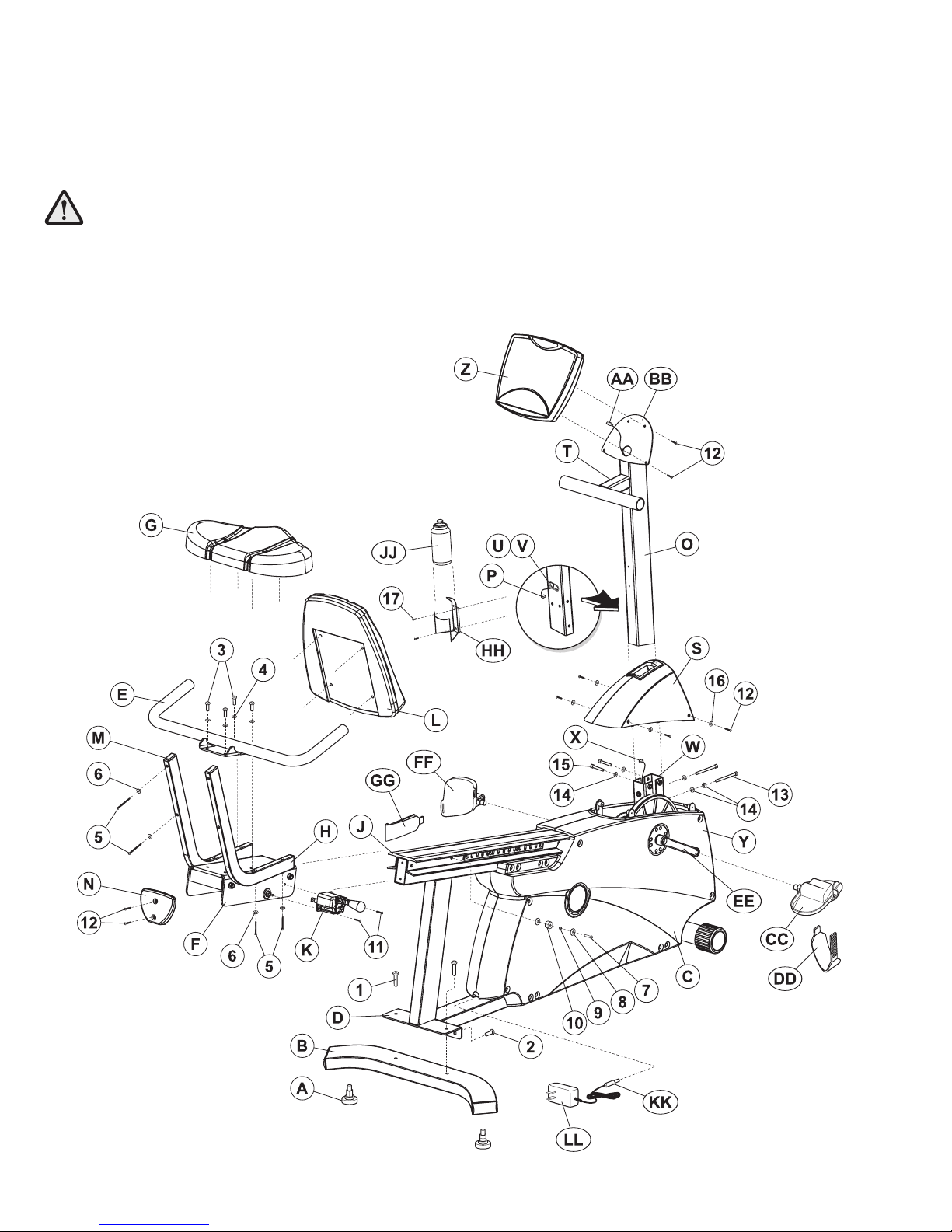
1. Locate and install the two LEVELER FEET A) to the bottom of
the REAR STABILIZER B).
2. Attach the REAR STABILIZER B) to the BASE UNIT C) using
two 2-3/8" BUTTON HEAD SCREWS 1) from the top of the
REAR STABILIZER BRACKET D) and two 13/16" BUTTON
HEAD SCREWS 2) from the front side of the REAR STABI-
LIZER BRACKET. Tighten the SCREWS securely.
3. Locate the HANDLEBAR ASSEMBLY E) and the SEAT
ASSEMBLY F). With the handlebars facing upward and for-
ward, align the mounting holes of the HANDLEBAR ASSEM-
BLY with those in the SEAT ASSEMBLY. Secure the HANDLE-
BAR ASSEMBLY to the SEAT ASSEMBLY using four 5/8"
BUTTON HEAD SCREWS 3) and FLAT WASHERS 4).
Tighten the SCREWS securely.
4. Locate the SEAT BOTTOM G). Align the SEAT BOTTOM
mounting holes with those in the LOWER SEAT SUPPORT
TUBES H). Secure the SEAT BOTTOM using four 2"
PHILLIPS SCREWS 5) and LOCK WASHERS 6). Tighten the
SCREWS securely.
5. Align the guide rollers located on the underside of the SEAT
ASSEMBLY F) with the SEAT EXTRUSION J). Carefully
guide the SEAT ASSEMBLY onto the SEAT EXTRUSION.
Slide the SEAT ASSEMBLY fully forward.
6. In the hole located in the user right side of the SEAT EXTRU-
SION J), behind SEAT ASSEMBLY F), install one 1-3/8"
BUTTON HEAD SCREW with locktite 7), two 15/16" FLAT
WASHERS 8), one RUBBER BUMPER SLEEVE 9) and one
1" RUBBER BUMPER 10) as shown.
7. Mount the SEAT ADJUSTMENT LEVER K) to the user right
side of the SEAT ASSEMBLY F) using two 3/4" PHILLIPS
SCREWS 11). Tighten the SCREWS securely.
8. Secure the SEAT BACK L) to the UPPER SEAT SUPPORT
TUBES M) using four 2" PHILLIPS SCREWS 5) and LOCK
WASHERS 6). Tighten the SCREWS securely.
9. Locate the SEAT EXTRUSION ENDCAP N). Secure the SEAT
EXTRUSION ENDCAP to the SEAT EXTRUSION J) using
two 1/2" PHILLIPS SCREWS 12).
10. Locate the MONOCOLUMN O). Cut the WIRE TIE securing
the WIRE P) to the bottom of the MONOCOLUMN. Slide the
MONOCOLUMN COVER Q) onto the MONOCOLUMN E) as
shown. Slide the MONOCOLUMN COVER up to the HANDLE-
BAR TUBE T).
11. Slide the MONOCOLUMN COVER S) onto the MONOCOL-
UMN O) as shown. Slide the MONOCOLUMN COVER up to
the HANDLEBAR TUBE T).
12. Locate and insert the GROMMET U) into the SIDE ACCESS
HOLE V) of the MONOCOLUMN O). Pull the WIRE P) out
through the SIDE ACCESS HOLE.
13. With the HANDLEBAR TUBE T) facing the rear of the unit as
shown, slide the MONOCOLUMN O) into the MONOCOLUMN
BRACKET W) of the BASE UNIT C). Slide the MONOCOL-
UMN down until it is fully seated. Secure the MONOCOLUMN
to the MONOCOLUMN BRACKET using two 3-15/16" HEX
HEAD BOLTS 13) and three THICK FLAT WASHERS 14) as
shown) from the front side of the MONOCOLUMN and two 2-
3/8" HEX HEAD BOLTS 15) and THICK FLAT WASHERS
14) from the user left side of the MONOCOLUMN BRACKET.
Tighten the BOLTS securely.
CAUTION: Be careful not to rinch the WIRE (X) leading
from the MONOCOLUMN BRACKET (W) hen inserting
the MONOCOLUMN (O) into the MONOCOLUMN
BRACKET.
14. Connect the WIRE X) leading from the MONOCOLUMN
BRACKET W) to the corresponding WIRE P) from the SIDE
ACCESS HOLE V) of the MONOCOLUMN O). Slide the
MONOCOLUMN COVER S) downward to the meet the MAIN
SHROUDS Y). Secure the MONOCOLUMN COVER to the
MAIN SHROUDS using four 1/2" PHILLIPS SCREWS 12) and
matching FLAT WASHERS 16). Tighten the SCREWS secure-
ly. Do not overtighten the SCREWS.
15. Remove the DISPLAY CONSOLE Z) from its shipping carton.
While holding the CONNECTOR AA), cut the wire tie securing
the CONNECTOR to the DISPLAY CONSOLE BRACKET
BB). Position the DISPLAY CONSOLE above the DISPLAY
CONSOLE BRACKET. Connect the CONNECTOR Z) leading
from the DISPLAY CONSOLE BRACKET to the corresponding
JACK s) located on the back of the DISPLAY CONSOLE.
Secure the DISPLAY CONSOLE to the DISPLAY CONSOLE
BRACKET using four 1/2" PHILLIPS SCREWS 12). Tighten
the SCREWS securely. Do not overtighten the SCREWS.
NOTE: Be careful not to let the CONNECTOR (AA) fall into the
DISLAY CONSOLE BRACKET (BB).
16. Locate the RIGHT PEDAL CC) marked with an "R") and
PEDAL STRAP DD) marked with an "R"). With the side of the
PEDAL STRAP marked with an R facing upward, slide the
slotted end of the PEDAL STRAP through the left slot in the
PEDAL. Fasten one of the slots onto the TAB located under
the left slot of the PEDAL. Bend the PEDAL STRAP upward
and slide the remaining end of the PEDAL STRAP through the
right slot in the PEDAL and into the STRAP ADJUSTMENT
CLIP. The PEDAL STRAP should securely engage the STRAP
ADJUSTMENT CLIP.
17. Install the RIGHT PEDAL EE) to the USER RIGHT CRANK
ARM DD). Repeat for the LEFT PEDAL FF) marked with an
"L") and PEDAL STRAP GG) marked with an "L").
NOTE: The LEFT PEDAL (FF) has reverse threads.
18. Locate the WATER BOTTLE BRACKET HH). Secure the
WATER BOTTLE BRACKET to the underside of the MONO-
COLUMN O) using two 3/8" PHILLIPS SCREWS 17). Tighten
the screws securely. Insert the WATER BOTTLE HH) into the
WATER BOTTLE BRACKET.
19. Position the unit in the desired location for use. The unit can
be easily moved into place by lifting the rear of the unit and
rolling it on the front rollers. Level the unit before use. Refer to
the leveling instructions stated in the operations portion of this
manual.
20. Locate the AC POWER ADAPTER. Plug the BARREL CON-
NECTOR KK) into the JACK located at the bottom rear of the
bike. Plug the AC ADAPTER LL) into an electrical outlet that
has been properly installed and grounded in accordance with
all local codes and ordinances manual.
This Operation Manual describes the functions of the following products:
Bally®upright exercise bike:
CU300
Bally recumbent exercise bike:
CR300
See Section 7, titled Specifications page in this manual
for product-specific features.
Statement of Purpose: The exercise bike is a machine that simulates the movements of riding a bicycle at various
speeds and levels of resistance.
Health-related injuries may result from incorrect or excessive use of exercise equipment. The manufacturer
STRONGLY recommends seeing a physician for a complete medical exam before undertaking an exercise
program, particularly if the user has a family history of high blood pressure or heart disease; or is over the
age of 45; or smokes, has high cholesterol, is obese, or has not exercised regularly in the past year. The
manufacturer also recommends consulting a fitness professional on the correct use of this product.
If, at any time while exercising, the user experiences faintness, dizziness, pain, or shortness of breath, he or
she must stop immediately.
8
9
1GETTING STARTED
1.1 IMPORTANT SAFETY INSTRUCTIONS
SAFETY WARNING: The safety of the produ t an be maintained only if it is examined regularly for
damage and wear. See Preventative Maintenan e se tion for details.
 Before using this product, it is essential to read this ENTIRE operation manual and ALL instructions. The bike is
intended for use solely in the manner described in this manual.
 Always follow the console instructions for proper operation.
 Close supervision is necessary when used by or near children, invalids or disabled persons.
 If a bike does not function properly after it has been dropped, damaged, or even partially immersed in water, contact
Customer Support Services for assistance.
 Never insert objects into any opening in the bike. If an object should drop inside, carefully retrieve it. If the item is
beyond reach, contact Customer Support Services.
 Never place liquids of any type directly on the unit, except in an accessory tray. Containers with lids are
recommended.
 Do not use the bike outdoors, near swimming pools or in areas of high humidity.
 Keep all loose clothing, shoelaces, and towels away from the bike pedals.
 Keep the area around the bike clear of any obstructions, including walls and furniture.
 Always be careful and exercise caution when mounting or dismounting the bike. Use the handlebar whenever
additional stability is required.
 Wear shoes with rubber or high-traction soles. Do not use shoes with heels, leather soles, cleats or spikes. Do not
use the bike in bare feet.
 Do not tip the bike on its side during operation.
 Keep hands and feet away from all moving parts.
 To ensure proper functioning of this product, do not install attachments or accessories that are not provided or
recommended by Life Fitness.
 Use this product in a well-ventillated area.
 Use this product on a solid, level surface.
 Make sure that all components are fastened securely. These include the seat post, saddle, handlebars, and pedals.
SAVE THESE INSTRUCTIONS FOR FUTURE REFERENCE.